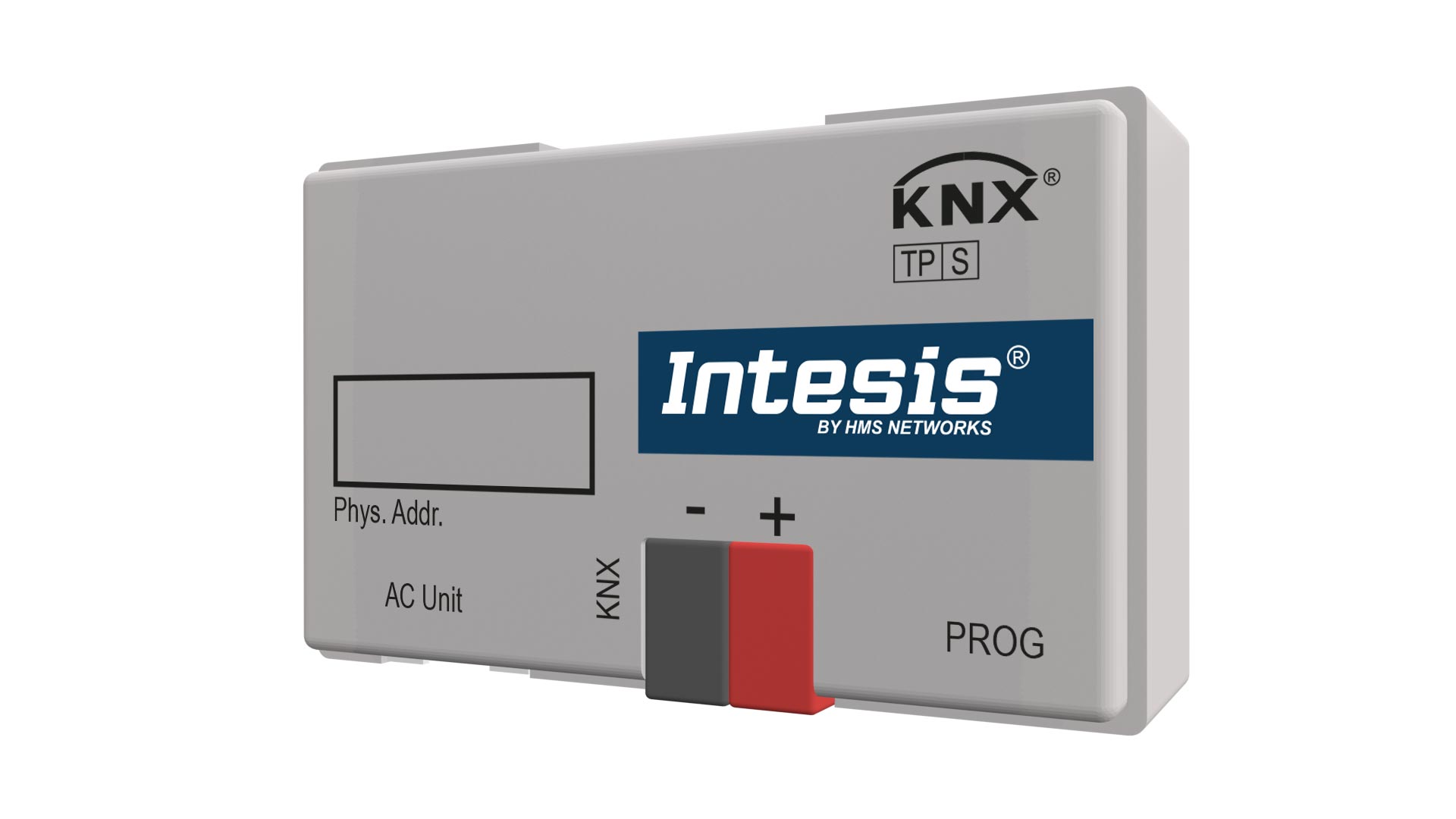
DK AC Interface DK-AC-KNX-1
 Intesis · Order number DK-AC-KNX-1 · Communication › Interfaces › Daikin Air Conditioning Interfaces
Download .knxprod 0104 DKACKNX1 T07V04 0.4 · 83 KB
Product
| Manufacturer | Intesis |
|---|---|
| Product name | DK AC Interface |
| Order number | DK-AC-KNX-1 |
| Hardware | DK AC Interface |
| Medium | Twisted Pair |
| Bus current (mA) | 6 |
| Rail mounted | No |
| Registration | Certified |
| Languages | es-ES, en-US |
| Catalog entry | M-0077_H-0901201-1_HP-0007-04-3833_CI-DK.2DAC.2DKNX.2D1-0 |
| Fingerprint | 3833 |
| SHA-256 | d65a567b871ae73f9e19970f8a5debd72c1e35e72d7c95677b36b120bba1eb7a |
| First seen | 2026-11-25 |
| Markets | 69 markets |
Application program: 0104 DKACKNX1 T07V04 0.4
| Application number | $0007 |
|---|---|
| Version | 0.4 |
| Mask version | MV-0025 (2.5) |
| KNX Data Secure | No |
| Parameters | 55 |
| Group objects | 50 |
Group objects (50)
| No | Name | Function | Size | DPT | Flags |
|---|---|---|---|---|---|
| 0 | On/Off [1bit] | 1=On,0=Off | 1 Bit | 1.1 switch | CRWT |
| 1 | Mode [1byte] | 0=Aut,1=Hea,2=Dry,3=Fan,4=Coo | 1 Byte | CRT | |
| 2 | HVAC Mode [1byte] | 0=Aut,1=Hea,3=Coo,9=Fan,14=Dry | 1 Byte | CRT | |
| 3 | Mode Cool/Heat [1bit] | 0=Cool Mode,1=Heat Mode | 1 Bit | DPT.1 | CRWT |
| 4 | Mode Text [14byte] | Maximum:14 characters | 14 Bytes | 16.1 Character String (ISO 8859-1) | CRT |
| 5 | Mode Auto [1bit] | 1=Mode Auto Active | 1 Bit | 1.2 boolean | CRWT |
| 6 | Mode Heat [1bit] | 1=Mode Heat Active | 1 Bit | 1.2 boolean | CRWT |
| 7 | Mode Dry [1bit] | 1=Mode Dry Active | 1 Bit | 1.2 boolean | CRWT |
| 8 | Mode Cool [1bit] | 1=Mode Cool Active | 1 Bit | 1.2 boolean | CRWT |
| 9 | Mode Fan [1bit] | 1=Mode Fan Active | 1 Bit | 1.2 boolean | CRWT |
| 10 | Setpoint Temperature [2byte] | ºC | 2 Bytes | 9.1 temperature (°C) | CRWT |
| 11 | Setpoint Temperature [+/-] [1bit] | 0=Up,1=Down | 1 Bit | 1.8 up/down | CW |
| 11 | Setpoint Temperature [+/-] [1bit] | 0=Decrease,1=Increase | 1 Bit | DPT.1 | CW |
| 12 | Virtual Setpoint Temperature [2byte] | ºC | 2 Bytes | 9.1 temperature (°C) | CWTU |
| 13 | Virtual Ambient Temperature [2byte] | ºC | 2 Bytes | 9.1 temperature (°C) | CWTU |
| 14 | Fan [1byte] | 0=Aut,1=Lo,2=M1,3=M2,4=M3,5=Hi | 1 Byte | CRT | |
| 15 | Fan Text [14byte] | Maximum: 14 characters | 14 Bytes | 16.1 Character String (ISO 8859-1) | CRT |
| 16 | Fan Speed [+/-] [1bit] | 0=Up,1=Down | 1 Bit | 1.8 up/down | CW |
| 16 | Fan Speed [+/-] [1bit] | 0=Decrease,1=Increase | 1 Bit | DPT.1 | CW |
| 17 | Fan Auto [1bit] | 1=Fan Speed Auto | 1 Bit | 1.2 boolean | CRWT |
| 18 | Fan Low [1bit] | 1=Fan Speed Low | 1 Bit | 1.2 boolean | CRWT |
| 19 | Fan Mid1 [1bit] | 1=Fan Speed Mid1 | 1 Bit | 1.2 boolean | CRWT |
| 20 | Fan Mid2 [1bit] | 1=Fan Speed Mid2 | 1 Bit | 1.2 boolean | CRWT |
| 21 | Fan Mid3 [1bit] | 1=Fan Speed Mid3 | 1 Bit | 1.2 boolean | CRWT |
| 22 | Fan High [1bit] | 1=Fan Speed High | 1 Bit | 1.2 boolean | CRWT |
| 23 | Swing [1byte] | 0=Off,1=Vert,2=Hori,3=Both | 1 Byte | CRT | |
| 24 | Swing Text [14byte] | Maximum: 14 characters | 14 Bytes | 16.1 Character String (ISO 8859-1) | CRT |
| 25 | Swing Vertical [1bit] | 1=Swing Vertical | 1 Bit | 1.1 switch | CRWT |
| 26 | Swing Horizontal [1bit] | 1=Swing Horizontal | 1 Bit | 1.1 switch | CRWT |
| 27 | Error [1bit] | 1=Error in AC Unit | 1 Bit | DPT.1 | CRT |
| 28 | Error Code [2byte] | AC Unit Error Code | 2 Bytes | CRT | |
| 29 | Window [1bit] | 1=Closed,0=Window Open | 1 Bit | 1.9 open/close | CWTU |
| 30 | Device Enable [1bit] | 1=Enabled,0=Disabled | 1 Bit | 1.3 enable | CRWT |
| 31 | Remote Control Enable [1bit] | 1=Enabled,0=Disabled | 1 Bit | 1.3 enable | CRWT |
| 32 | Time Counter [2byte] | Hours | 2 Bytes | 7.1 pulses | CRWT |
| 33 | Humidifying Mode [1byte] | 0=Off,1=Lo,2=Stan=3=Hi,4=Con | 1 Byte | CRT | |
| 34 | Humidifying Text [14byte] | Maximum: 14 characters | 14 Bytes | 16.1 Character String (ISO 8859-1) | CRWT |
| 35 | Humidifying Off [1bit] | 1=Humidifying Off | 1 Bit | 1.2 boolean | CRWT |
| 36 | Humidifying Low [1bit] | 1=Humidifying Low | 1 Bit | 1.2 boolean | CRWT |
| 37 | Humidifying Standard [1bit] | 1=Humidifying Standard | 1 Bit | 1.2 boolean | CRWT |
| 38 | Humidifying High [1bit] | 1=Humidifying High | 1 Bit | 1.2 boolean | CRWT |
| 39 | Humidifying Continuous [1bit] | 1=Humidifying Continuous | 1 Bit | 1.2 boolean | CRWT |
| 40 | Save/Execute Scene [1byte] | 0=Scene1,1=Scene2 | 1 Byte | CW | |
| 41 | Current Scene [1byte] | 0=Scene1,1=Scene2 | 1 Byte | CRT | |
| 42 | Save Scene1 [1bit] | 1=Save Scene1 | 1 Bit | 1.2 boolean | CW |
| 43 | Save Scene2 [1bit] | 1=Save Scene2 | 1 Bit | 1.2 boolean | CW |
| 44 | Execute Scene1 [1bit] | 1=Execute Scene1 | 1 Bit | 1.2 boolean | CW |
| 45 | Execute Scene2 [1bit] | 1=Execute Scene2 | 1 Bit | 1.2 boolean | CW |
| 46 | Auto Heat [1bit] | 1=Auto Heat Active | 1 Bit | 1.2 boolean | CRT |
| 47 | Auto Cool [1bit] | 1=Auto Cool Active | 1 Bit | 1.2 boolean | CRT |
Parameters (46)
| Parameter | Type | Default |
|---|---|---|
| AC unit type | list | CONVENTIONAL |
| Features | text | Two Swing Modes; No Humidifier |
| Features | text | Two Swing Modes; With Humidifier |
| Features | text | No Swing; No Humidifier |
| Window minutes | unsignedInt 0…30 | 0 |
| Send object values to KNX bus on startup | list | Yes |
| When window closes go to last state | list | No |
| Virtual temperature control | list | No |
| Dual Setpoint Temperature | list | No |
| Temperature Units | list | Celsius |
| Mode [1byte] object type | list | DPT_HVACContrMode 20.105 |
| Show Mode Cool/Heat [1bit] object | list | No |
| Show Device Objects | list | No |
| Show Mode Bits | list | No |
| Show Fan Bits | list | No |
| Show Swing Bits | list | No |
| Show Humidifying Objects | list | No |
| Show Humidifying Bits | list | No |
| Show Scene Objects | list | No |
| Show Scene Bits | list | No |
| Show Auto Details | list | No |
| Enable Mode/Fan/Swing/Humi Texts | list | No |
| Show Fan Speed [+/-] object | list | No |
| Fan Speed [+/-] object type | list | DPT_Step 1.007 (0=Dec/1=Inc) |
| Show Setpoint Temperature [+/-] object | list | No |
| Setpoint Temperature [+/-] object type | list | DPT_Step 1.007 (0=Dec/1=Inc) |
| Mode Auto Text | text | Auto |
| Mode Heat Text | text | Heat |
| Mode Dry Text | text | Dry |
| Mode Fan Text | text | Fan |
| Mode Cool Text | text | Cool |
| Fan Auto text | text | Auto |
| Fan Low text | text | Low |
| Fan Middle-1 text | text | Middle-1 |
| Fan Middle-2 text | text | Middle-2 |
| Fan Middle-3 text | text | Middle-3 |
| Fan High text | text | High |
| Swing Off Text | text | Off |
| Swing Vertical Text | text | Vertical |
| Swing Horizontal Text | text | Horizontal |
| Swing Both Text | text | Both |
| Humidifying Off Text | text | Off |
| Humidifying Low Text | text | Low |
| Humidifying Standard Text | text | Standard |
| Humidifying High Text | text | High |
| Humidifying Continuous Text | text | Continuous |
Version history
| Application | App no | Fingerprint | First seen | Size | File |
|---|---|---|---|---|---|
| 0104 DKACKNX1 T07V04 0.4 latest | $0007 | 3833 | 2026-11-25 | 83 KB | Download |
About this file
This is the official ETS product database for the Intesis DK AC Interface (DK-AC-KNX-1), published by the manufacturer in the KNX online catalog. To use it, open ETS, go to Catalogs → Import and choose the downloaded .knxprod file. The device then appears in your catalog and can be added to a project. Older versions are kept so existing projects can be matched to the application program they were commissioned with.
More from Intesis
- ACA interface (multiple indoor units) ACA-AC-KNX
- KNX Interface for ESTIA BMS-IFKX0AWR-E
- KNX Interface for Toshiba AC BMS-IFKX0TLR-E
- KNX Interface for ESTIA BMS-IFKX0UEW-E
- DK AC interface, 4 binary inputs DK-AC-KNX-1i
- DK RC Interface DK-RC-KNX-1
- DK RC interface, 4 binary inputs DK-RC-KNX-1i
- FJ RC interface, 4 binary inputs FJ-RC-KNX-1i
- HA AC interface (multiple indoor units) HA-AC-KNX
- HI AW Interface HI-AW-KNX-1
- HI RC interface, 4 binary inputs HI-RC-KNX-1i
- HS RC interface, 4 binary inputs HS-RC-KNX-1i