| Door/Window Contact | list | Function is not available |
| Brightness Sensor | list | Function is not available |
| Temperature Sensor | list | Function is not available |
| Relative Humidity Sensor | list | Function is not available |
| Relative Humidity Sensor | list | Disable |
| Sun Protection function state after reset | list | Enable |
| Window Contact polarity | list | Not inverted |
| How often the output value is refreshed (in minutes) (0 = no refresh) | unsignedInt 0…255 | 0 |
| Enable Brightness Sensor function via communication object | list | Disable |
| Brightness Sensor function state after reset | list | Disable |
| Send Brightness Value when it changes a % of ... (0 = do not send) | unsignedInt 0…100 | 0 |
| High Brightness value (0 = disable alarm) | unsignedInt 0…65535 | 5000 |
| In High Brightness alarm state, send Alarm communication object | list | Disable |
| In High Brightness alarm state, send Brightness value communication object | list | Disable |
| In High Brightness alarm state, time (in minutes) to resend communication objects (0 = do not resend) | unsignedInt 0…255 | 0 |
| Low Brightness value (0 = disable alarm) | unsignedInt 0…65535 | 16 |
| In Low Brightness alarm state, send Alarm communication object | list | Disable |
| In Low Brightness alarm state, send Brightness value communication object | list | Disable |
| In Low Brightness alarm state, time (in minutes) to resend communication objects (0 = do not resend) | unsignedInt 0…255 | 0 |
| Enable Temperature Sensor function via communication object | list | Disable |
| Temperature Sensor function state after reset | list | Disable |
| Send Temperature Value when it changes a value of ... (0 = do not send) | list | 0 |
| Value of Temperature to turn Alarm on | list | 15 |
| In High Temperature alarm state, send Alarm communication object | list | Disable |
| In High Temperature alarm state, send Temperature value communication object | list | Disable |
| In High Temperature alarm state, time (in minutes) to resend communication objects (0 = do not resend) | unsignedInt 0…255 | 0 |
| Value of Temperature to turn alarm on | list | -10 |
| In Low Temperature alarm state, send Alarm communication object | list | Disable |
| In Low Temperature alarm state, send Temperature value communication object | list | Disable |
| In Low Temperature alarm state, time (in minutes) to resend communication objects (0 = do not resend) | unsignedInt 0…255 | 0 |
| Enable Relative Humidity Sensor function via communication object | list | Disable |
| Relative Humidity Sensor function state after reset | list | Disable |
| Send Relative Humidity Value when it changes a value of ... (0 = do not send) | list | 0 |
| High value of Relative Humidity to send Alarm (0 = disable) | unsignedInt 0…100 | 0 |
| In High Relative Humidity alarm state, send Alarm communication object | list | Disable |
| In High Relative Humidity alarm state, send Relative Humidity value communication object | list | Disable |
| In High Relative Humidity alarm state, time (in minutes) to resend communication objects (0 = do not resend) | unsignedInt 0…255 | 0 |
| Low value of Relative Humidity to send Alarm (0 = disable) | unsignedInt 0…100 | 0 |
| In Low Relative Humidity alarm state, send Alarm communication object | list | Disable |
| In Low Relative Humidity alarm state, send Relative Humidity value communication object | list | Disable |
| In Low Relative Humidity alarm state, time (in minutes) to resend communication objects (0 = do not resend) | unsignedInt 0…255 | 0 |
| Temperature correction sign | list | Positive |
| Temperature correction value | list | 0 |
| Brightness correction sign | list | Positive |
| Brightness correction value | unsignedInt 0…1000 | 1 |
| Relative Humidity correction sign | list | Positive |
| Relative Humidity correction value | list | 0,1 |
| Enable Test mode | list | Disable |
| Sun Protection mode | list | Generic protection |
| DUMMY10 | unsignedInt 0…255 | 1 |
| RASTRO_ETS | unsignedInt 0…255 | 10 |
| Enable High Temperature Alarm | list | Disable |
| Enable Low Temperature Alarm | list | Disable |
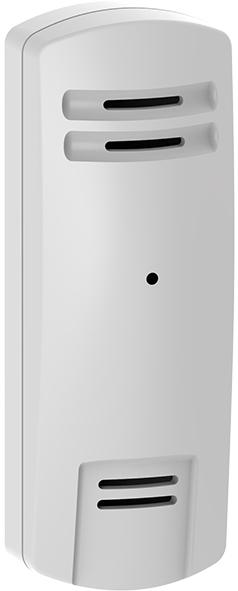
 Dinuy · Order number SE K5X 0XX · KNX-RF Devices › Sensors › Temperature Sensor