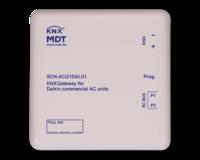
KNX Gateway for Daikin commercial air conditioning units, flush mounted SCN-ACG1DAI.01
 MDT technologies GmbH · Order number SCN-ACG1DAI.01 · System Devices › KNX Gateways
Download .knxprod KNX Gateway for Daikin commercial air conditioning units, flush mounted 1.5 · 164 KB
Product
| Manufacturer | MDT technologies GmbH |
|---|---|
| Product name | KNX Gateway for Daikin commercial air conditioning units, flush mounted |
| Order number | SCN-ACG1DAI.01 |
| Hardware | DK RC Interface |
| Medium | Twisted Pair |
| Bus current (mA) | 7 |
| Rail mounted | No |
| Registration | Certified · 2026-06-22 |
| Languages | de-DE, en-US, es-ES |
| Catalog entry | M-0083_H-INT04-1-O0077_HP-0484-15-5F66-O0077_CI-SCN.2DACG1DAI.2E01-1 |
| Fingerprint | 5F66 |
| SHA-256 | d84684c8c7f8094ada5b3aae0fcfdacd82d5f346696ac3bfb0090f05d0d2b51a |
| First seen | 2026-11-25 |
| Markets | 69 markets |
Application program: KNX Gateway for Daikin commercial air conditioning units, flush mounted 1.5
| Application number | $0484 |
|---|---|
| Version | 1.5 |
| Mask version | MV-0025 (2.5) |
| KNX Data Secure | No |
| Parameters | 161 |
| Group objects | 97 |
Group objects (97)
| No | Name | Function | Size | DPT | Flags |
|---|---|---|---|---|---|
| 0 | ON/OFF | 1 = ON, 0 = OFF | 1 Bit | 1.1 switch | CWT |
| 1 | HVAC Mode | 0 = Auto, 1 = Heat, 3 = Cool, 9 = Fan, 14 = Dry | 1 Byte | CWT | |
| 2 | Mode: Cool/Heat | 0 = Cool, 1 = Heat | 1 Bit | CWT | |
| 3 | Mode: Cool & On | 0 % = Off; 0.1 % - 100 % = On | 1 Byte | 5.1 percentage (0..100%) | CWT |
| 4 | Mode: Heat & On | 0 % = Off; 0.1 % - 100 % = On | 1 Byte | 5.1 percentage (0..100%) | CWT |
| 5 | Mode: Auto | 1 = Set AUTO Mode | 1 Bit | 1.2 boolean | CWT |
| 6 | Mode: Heat | 1 = Set HEAT Mode | 1 Bit | 1.2 boolean | CWT |
| 7 | Mode: Cool | 1 = Set COOL Mode | 1 Bit | 1.2 boolean | CWT |
| 8 | Mode: Fan | 1 = Set FAN Mode | 1 Bit | 1.2 boolean | CWT |
| 9 | Mode: Dry | 1 = Set DRY Mode | 1 Bit | 1.2 boolean | CWT |
| 10 | Mode [+/-] | 0 = Decrease, 1 = Increase | 1 Bit | CW | |
| 10 | Mode [+/-] | 0 = Up, 1 = Down | 1 Bit | 1.8 up/down | CW |
| 11 | Fan Speed / 2 Speeds | Threshold: 75 % | 1 Byte | 5.1 percentage (0..100%) | CWT |
| 11 | Fan Speed / 2 Speeds | Speed values: 1, 2 | 1 Byte | 5.10 counter pulses (0..255) | CWT |
| 11 | Fan Speed / 3 Speeds | Thresholds: 50 %, 83 % | 1 Byte | 5.1 percentage (0..100%) | CWT |
| 11 | Fan Speed / 3 Speeds | Speed values: 1, 2, 3 | 1 Byte | 5.10 counter pulses (0..255) | CWT |
| 12 | Fan Speed 1 | 1 = Set Fan Speed 1 | 1 Bit | 1.2 boolean | CWT |
| 13 | Fan Speed 2 | 1 = Set Fan Speed 2 | 1 Bit | 1.2 boolean | CWT |
| 14 | Fan Speed 3 | 1 = Set Fan Speed 3 | 1 Bit | 1.2 boolean | CWT |
| 15 | Fan Speed [+/-] | 0 = Decrease, 1 = Increase | 1 Bit | CW | |
| 15 | Fan Speed [+/-] | 0 = Up, 1 = Down | 1 Bit | 1.8 up/down | CW |
| 16 | Vanes Up-Down / 5 Positions | Thresholds: 30 %, 50 %, 70 %, 90 % | 1 Byte | 5.1 percentage (0..100%) | CWT |
| 16 | Vanes Up-Down / 5 Positions | Position values: 1, 2, 3, 4, 5 | 1 Byte | 5.10 counter pulses (0..255) | CWT |
| 17 | Vanes Up-Down Swing | 0 = Stop / 1 = Swing | 1 Bit | 1.2 boolean | CWT |
| 18 | Vanes Up-Down Position 1 | 1 = Set Vanes Position 1 | 1 Bit | 1.2 boolean | CWT |
| 19 | Vanes Up-Down Position 2 | 1 = Set Vanes Position 2 | 1 Bit | 1.2 boolean | CWT |
| 20 | Vanes Up-Down Position 3 | 1 = Set Vanes Position 3 | 1 Bit | 1.2 boolean | CWT |
| 21 | Vanes Up-Down Position 4 | 1 = Set Vanes Position 4 | 1 Bit | 1.2 boolean | CWT |
| 22 | Vanes Up-Down Position 5 | 1 = Set Vanes Position 5 | 1 Bit | 1.2 boolean | CWT |
| 23 | Vanes Up-Down [+/-] | 0 = Up, 1 = Down | 1 Bit | 1.8 up/down | CW |
| 23 | Vanes Up-Down [+/-] | 0 = Decrease, 1 = Increase | 1 Bit | CW | |
| 24 | Setpoint Temperature | 16 ºC to 32 ºC | 2 Bytes | 9.1 temperature (°C) | CWT |
| 25 | Ambient Temperature | ºC value in EIS5 format | 2 Bytes | 9.1 temperature (°C) | CWT |
| 26 | Setpoint Temperature [+/-] | 0 = Decrease, 1 = Increase | 1 Bit | CW | |
| 26 | Setpoint Temperature [+/-] | 0 = Up, 1 = Down | 1 Bit | 1.8 up/down | CW |
| 27 | Switch Off Timeout | 0 = Stop, 1 = Start | 1 Bit | 1.10 start/stop | CWT |
| 27 | Window Contact Status | 0 = Open, 1 = Closed | 1 Bit | 1.9 open/close | CWT |
| 28 | Occupancy | 0 = Not Occupied, 1 = Occupied | 1 Bit | CWT | |
| 29 | Sleep Timeout | 0 = Stop, 1 = Start | 1 Bit | 1.10 start/stop | CWT |
| 30 | Lock Remote Control | 0 = Unlock, 1 = Lock | 1 Bit | 1.2 boolean | CW |
| 31 | Lock Control Objects | 0 = Unlock, 1 = Lock | 1 Bit | 1.2 boolean | CWT |
| 32 | Power Mode | 0 = Stop, 1 = Start | 1 Bit | 1.10 start/stop | CWT |
| 33 | Eco Mode | 0 = Stop, 1 = Start | 1 Bit | 1.10 start/stop | CWT |
| 34 | Additional Heat | 0 = Stop, 1 = Start | 1 Bit | 1.10 start/stop | CWT |
| 35 | Additional Cool | 0 = Stop, 1 = Start | 1 Bit | 1.10 start/stop | CWT |
| 36 | Execute Scene | 0...4 = Execute Scene 1...5 | 1 Byte | CWT | |
| 36 | Save/Execute Scene | 0...4 = Execute Scene 1-5, 128...132 = Save Scene 1-5 | 1 Byte | CWT | |
| 37 | Save Scene 1 | 1 = Save Scene | 1 Bit | 1.2 boolean | CWT |
| 38 | Save Scene 2 | 1 = Save Scene | 1 Bit | 1.2 boolean | CWT |
| 39 | Save Scene 3 | 1 = Save Scene | 1 Bit | 1.2 boolean | CWT |
| 40 | Save Scene 4 | 1 = Save Scene | 1 Bit | 1.2 boolean | CWT |
| 41 | Save Scene 5 | 1 = Save Scene | 1 Bit | 1.2 boolean | CWT |
| 42 | Execute Scene 1 | 1 = Execute Scene | 1 Bit | 1.2 boolean | CWT |
| 43 | Execute Scene 2 | 1 = Execute Scene | 1 Bit | 1.2 boolean | CWT |
| 44 | Execute Scene 3 | 1 = Execute Scene | 1 Bit | 1.2 boolean | CWT |
| 45 | Execute Scene 4 | 1 = Execute Scene | 1 Bit | 1.2 boolean | CWT |
| 46 | Execute Scene 5 | 1 = Execute Scene | 1 Bit | 1.2 boolean | CWT |
| 47 | ON/OFF | Status: 1 = ON, 0 = OFF | 1 Bit | 1.1 switch | CRT |
| 48 | HVAC Mode | Status: 0 = Auto, 1 = Heat, 3 = Cool, 9 = Fan, 14 = Dry | 1 Byte | CRT | |
| 49 | Mode: Cool/Heat | Status: 0 = Cool, 1 = Heat | 1 Bit | CRT | |
| 50 | Mode: Auto | Status: 1 = AUTO is active | 1 Bit | 1.2 boolean | CRT |
| 51 | Mode: Heat | Status: 1 = HEAT is active | 1 Bit | 1.2 boolean | CRT |
| 52 | Mode: Cool | Status: 1 = COOL is active | 1 Bit | 1.2 boolean | CRT |
| 53 | Mode: Fan | Status: 1 = FAN is active | 1 Bit | 1.2 boolean | CRT |
| 54 | Mode: Dry | Status: 1 = DRY is active | 1 Bit | 1.2 boolean | CRT |
| 55 | Mode: Text | Status: Maximum 14 characters | 14 Bytes | 16.1 Character String (ISO 8859-1) | CRT |
| 56 | Fan Speed / 2 Speeds | Status: 50 %, 100 % | 1 Byte | 5.1 percentage (0..100%) | CRT |
| 56 | Fan Speed / 2 Speeds | Status: Speed values 1, 2 | 1 Byte | 5.10 counter pulses (0..255) | CRT |
| 56 | Fan Speed / 3 Speeds | Status: 33 %, 67 %, 100 % | 1 Byte | 5.1 percentage (0..100%) | CRT |
| 56 | Fan Speed / 3 Speeds | Status: Speed values 1, 2, 3 | 1 Byte | 5.10 counter pulses (0..255) | CRT |
| 57 | Fan Speed 1 | Status: 1 = Fan in Speed 1 | 1 Bit | 1.2 boolean | CRT |
| 58 | Fan Speed 2 | Status: 1 = Fan in Speed 2 | 1 Bit | 1.2 boolean | CRT |
| 59 | Fan Speed 3 | Status: 1 = Fan in Speed 3 | 1 Bit | 1.2 boolean | CRT |
| 60 | Fan Speed: Text | Status: Maximum 14 characters | 14 Bytes | 16.1 Character String (ISO 8859-1) | CRT |
| 61 | Vanes Up-Down / 5 Positions | Status: 20 %, 40 %, 60 %, 80 %, 100 % | 1 Byte | 5.1 percentage (0..100%) | CRT |
| 61 | Vanes Up-Down / 5 Positions | Status: Position values 1, 2, 3, 4, 5 | 1 Byte | 5.10 counter pulses (0..255) | CRT |
| 62 | Vanes Up-Down Swing | Status: 0 = Stop, 1 = Swing | 1 Bit | 1.2 boolean | CRT |
| 63 | Vanes Up-Down Position 1 | Status: 1 = Vanes in Position 1 | 1 Bit | 1.2 boolean | CRT |
| 64 | Vanes Up-Down Position 2 | Status: 1 = Vanes in Position 2 | 1 Bit | 1.2 boolean | CRT |
| 65 | Vanes Up-Down Position 3 | Status: 1 = Vanes in Position 3 | 1 Bit | 1.2 boolean | CRT |
| 66 | Vanes Up-Down Position 4 | Status: 1 = Vanes in Position 4 | 1 Bit | 1.2 boolean | CRT |
| 67 | Vanes Up-Down Position 5 | Status: 1 = Vanes in Position 5 | 1 Bit | 1.2 boolean | CRT |
| 68 | Vanes Up-Down Text | Status: Maximum: 14 characters | 14 Bytes | 16.1 Character String (ISO 8859-1) | CRT |
| 69 | AC Setpoint Temperature | Status: 16 ºC to 32 ºC | 2 Bytes | 9.1 temperature (°C) | CRT |
| 70 | AC Return Temperature | Status: ºC value in EIS5 format | 2 Bytes | 9.1 temperature (°C) | CRT |
| 71 | Error/Alarm | Status: 0 = No alarm, 1 = Alarm | 1 Bit | CRT | |
| 72 | Error Code | Status: 0 = No error / Any other see manual | 2 Bytes | CRT | |
| 73 | Error Text Code | Status: 2 char DK Error; Empty-None | 14 Bytes | 16.1 Character String (ISO 8859-1) | CRT |
| 74 | Power Mode | Status: 0 = OFF, 1 = ON | 1 Bit | 1.1 switch | CRT |
| 75 | Eco Mode | Status: 0 = OFF, 1 = ON | 1 Bit | 1.1 switch | CRT |
| 76 | Additional Heat | Status: 0 = OFF, 1 = ON | 1 Bit | 1.1 switch | CRT |
| 77 | Additional Cool | Status: 0 = OFF, 1 = ON | 1 Bit | 1.1 switch | CRT |
| 78 | Operating Hours Counter | Status: Number of operating hours | 2 Bytes | 7.1 pulses | CRT |
| 79 | Current Scene | Status: 0...4 = Scene X, 63 = No Scene | 1 Byte | CRT | |
| 80 | Legacy_ Mode | 0 = Aut, 1 = Hea, 2 = Dry, 3 = Fan, 4 = Coo | 1 Byte | CRT | |
| 81 | Legacy_ Fan Speed | 0 = Speed 1, 1 = Speed 2, 2 = Speed 3 | 1 Byte | CRT | |
| 82 | Legacy_ Vanes Up-Down | 0 = Pos 0 … 4 = Pos 4, 5 = Swing | 1 Byte | CRT |
Parameters (140)
| Parameter | Type | Default |
|---|---|---|
| Download latest database entry for this product and its User Manual from: | text | http://www.intesis.com |
| Gateway is master in P1/P2 bus (If set to "yes", BRC must be SLAVE) | list | no |
| > If VRV system, indoor unit is slave of Operating Mode | list | yes |
| Send READs for Control objects on bus recovery (T and U flags must be active) | list | no |
| > Delay before sending READs (sec) | unsignedInt 0…254 | 0 |
| Scene to load on bus recovery / startup (needs to define vals for that scene) | list | (none) |
| Disallow control from remote controller | list | no |
| > Enable object "Lock Remote Control" | list | no |
| Enable function "Lock Control Objects" | list | no |
| Enable function "Operating Hours Counter" | list | no |
| Enable object "Error Code [2byte]" | list | no |
| Enable object "Error Text Code [14byte]" (2 ASCII-char Error Code) | list | no |
| Unidad Interior tiene modo AUTO (véase docum. de su Unidad Interior) | list | yes |
| When mode is AUTO, Status objects report actual operating status (HEAT/COOL/...) | list | no |
| Enable use of Mode Cool/Heat bit-type object | list | no |
| Enable PID-Compat. Scaling Mode Objects | list | no |
| Enable use of +/- object for Mode | list | no |
| > Datapoint type | list | 0 = Decrease / 1 = Increase [DPT_1.007] |
| Enable use of bit-type Mode objects (for Control) | list | no |
| Enable use of bit-type Mode objects (for Status) | list | no |
| Enable use of Text object for Mode | list | no |
| ASCII strings shown in status object "Mode: Text" | text | << 14-byte string values >> |
| > String when mode is AUTO | text | AUTO |
| > String when mode is HEAT | text | HEAT |
| > String when mode is COOL | text | COOL |
| > String when mode is FAN | text | FAN |
| > String when mode is DRY | text | DRY |
| Enable use of Legacy object for Mode | list | no |
| Enable use of POWER mode | list | no |
| > Action time for this mode (minutes) (0 = permanent / unlimited) | unsignedInt 0…180 | 30 |
| > Setpoint delta increase (HEAT) or decrease (COOL) | list | 2.0 ºC |
| > Fan Speed for this mode | list | SPEED 2 |
| Enable use of ECONOMY mode | list | no |
| > Setpoint delta decrease (HEAT) or increase (COOL) | list | 2.0 ºC |
| > Fan Speed for this mode | list | SPEED 1 |
| Enable use of ADDITIONAL HEATING mode | list | no |
| > Setpoint temperature for this mode | list | 30.0 ºC |
| Enable use of ADDITIONAL COOLING mode | list | no |
| > Setpoint temperature for this mode | list | 20.0 ºC |
| Unidad Interior tiene vel. ventilador AUTO (véase docum. de su Unidad Interior) | list | no |
| Available Fan Speeds in Indoor Unit (see manual for the Indoor unit) | list | 2 |
| DPT object type for Fan Speed | list | Scaling [DPT_5.001] |
| Enable use of +/- object for Fan Speed | list | no |
| > La secuencia +/- incluye AUTO? | list | no |
| > Roll-over Speed at upper/lower limit (when controlling with +/- object) | list | yes |
| Enable use of bit-type Fan Speed objects (for Control) | list | no |
| Enable use of bit-type Fan Speed objects (for Status) | list | no |
| Enable use of Text object for Fan Speed | list | no |
| ASCII strings shown in status object "Fan Speed: Text" | text | << 14-byte string values >> |
| > String when Fan Speed is 1 | text | SPEED 1 |
| > String when Fan Speed is 2 | text | SPEED 2 |
| > String when Fan Speed is 3 | text | SPEED 3 |
| Enable use of Legacy object for Fan Speed | list | no |
| Indoor unit has Up-Down Vanes (see documentation for your indoor unit) | list | no |
| Lamas Up-Down tienen operación AUTO (véase docum. de su Unidad Interior) | list | no |
| Enable objects" Vanes U-D Swing" | list | no |
| Pos. dispon. de Lamas U-D en Unidad Interior (véase docum. de Unidad Interior) | unsignedInt 5…7 | 7 |
| DPT object type for Vanes Up-Down | list | Scaling [DPT_5.001] |
| Enable use of +/- object for Vanes Up-Down | list | no |
| > La secuencia +/- incluye Lamas AUTO? | list | no |
| > Does +/- sequence incl. vanes SWING? | list | no |
| > Roll-over Vanes at upper/lower limit (when controlling with +/- object) | list | yes |
| Enable use of bit-type Vanes U-D objects (for Control) | list | no |
| Enable use of bit-type Vanes U-D objects (for Status) | list | no |
| Enable use of Text object for Vanes U-D | list | no |
| ASCII strings shown in status object "Vanes Up-Down: Text" | text | << 14-byte string values >> |
| > String when vanes U-D is in POS1 | text | U-D POS1 |
| > String when vanes U-D is in POS2 | text | U-D POS2 |
| > String when vanes U-D is in POS3 | text | U-D POS3 |
| > String when vanes U-D is in POS4 | text | U-D POS4 |
| > String when vanes U-D is in POS5 | text | U-D POS5 |
| > String when vanes U-D is in SWING | text | U-D SWING |
| Enable use of Legacy object for Vanes U-D | list | no |
| Cyclic sending of "AC Setpoint Temperature" (in seconds; 0 = not active) | unsignedInt 0…255 | 0 |
| Send "AC Return Temperature" | list | cyclically |
| > Send cyclically (in seconds) every | unsignedInt 1…255 | 200 |
| Enable use of +/- object for Setpoint Temperature | list | no |
| > Longitud de paso [+/-] | list | 1.0 ºC |
| Enable limits for object "Setpoint Temperature" | list | no |
| > Lower limit | list | 16.0 ºC |
| > Upper limit | list | 32.0 ºC |
| Ambient temperature reference is provided from KNX (see User Guide if enabled!) | list | no |
| Enable use of scenes | list | no |
| Scenes can be saved from KNX bus | list | no |
| > Enable use of bit objects for saving scenes (from bus) | list | no |
| Enable use of bit objects for scene execution | list | no |
| Scene 1 preset | list | no |
| > Scene 1 / Value for ON/OFF | list | (unchanged) |
| > Scene 1 / Value for Mode | list | (unchanged) |
| > Scene 1 / Value for Fan Speed | list | (unchanged) |
| > Scene 1 / Value for Vanes Up-Down (if indoor unit has Vanes U-D) | list | (unchanged) |
| > Scene 1 / Value for Setpoint Temp | list | (unchanged) |
| > Scene 1 / Value for Remote Lock | list | (unchanged) |
| Scene 2 preset | list | no |
| > Scene 2 / Value for ON/OFF | list | (unchanged) |
| > Scene 2 / Value for Mode | list | (unchanged) |
| > Scene 2 / Value for Fan Speed | list | (unchanged) |
| > Scene 2 / Value for Vanes Up-Down (if indoor unit has Vanes U-D) | list | (unchanged) |
| > Scene 2 / Value for Setpoint Temp | list | (unchanged) |
| > Scene 2 / Value for Remote Lock | list | (unchanged) |
| Scene 3 preset | list | no |
| > Scene 3 / Value for ON/OFF | list | (unchanged) |
| > Scene 3 / Value for Mode | list | (unchanged) |
| > Scene 3 / Value for Fan Speed | list | (unchanged) |
| > Scene 3 / Value for Vanes Up-Down (if indoor unit has Vanes U-D) | list | (unchanged) |
| > Scene 3 / Value for Setpoint Temp | list | (unchanged) |
| > Scene 3 / Value for Remote Lock | list | (unchanged) |
| Scene 4 preset | list | no |
| > Scene 4 / Value for ON/OFF | list | (unchanged) |
| > Scene 4 / Value for Mode | list | (unchanged) |
| > Scene 4 / Value for Fan Speed | list | (unchanged) |
| > Scene 4 / Value for Vanes Up-Down (if indoor unit has Vanes U-D) | list | (unchanged) |
| > Scene 4 / Value for Setpoint Temp | list | (unchanged) |
| > Scene 4 / Value for Remote Lock | list | (unchanged) |
| Scene 5 preset | list | no |
| > Scene 5 / Value for ON/OFF | list | (unchanged) |
| > Scene 5 / Value for Mode | list | (unchanged) |
| > Scene 5 / Value for Fan Speed | list | (unchanged) |
| > Scene 5 / Value for Vanes Up-Down (if indoor unit has Vanes U-D) | list | (unchanged) |
| > Scene 5 / Value for Setpoint Temp | list | (unchanged) |
| > Scene 5 / Value for Remote Lock | list | (unchanged) |
| Enable use of Open Window / Switch-off timeout function | list | no |
| > AC switch-off timeout (minutes) | unsignedInt 0…30 | 10 |
| > Datapoint type | list | 0 = Stop / 1 = Start Timeout [DPT_1.010] |
| > Disallow On/Off operation while timeout is elapsed | list | no |
| > Disallow On/Off operation while window is Open | list | no |
| > Reload last On/Off value once window is Closed | list | no |
| > Reload last On/Off value once timeout is stopped | list | no |
| Enable use of Occupancy function | list | no |
| > Timeout to apply action (minutes) | unsignedInt 0…180 | 20 |
| > Action after timeout elapsed | list | Apply Preset Delta |
| > Temperature delta decrease (HEAT) or increase (COOL) | list | 2.0 ºC |
| > Enable secondary timeout | list | no |
| > Timeout to apply action (min) | unsignedInt 0…180 | 20 |
| > Action after timeout elapsed | list | Switch-Off |
| > Temp delta decrease (HEAT) or increase (COOL) | list | 4.0 ºC |
| > Disallow On/Off operation while not Occupied | list | no |
| > Reload last On/Off value when Occupied | list | no |
| Enable use of SLEEP timeout | list | no |
| > AC switch-off timeout (minutes) | unsignedInt 0…180 | 60 |
Version history
| Application | App no | Fingerprint | First seen | Size | File |
|---|---|---|---|---|---|
| KNX Gateway for Daikin commercial air conditioning units, flush mounted 1.5 latest | $0484 | 5F66 | 2026-11-25 | 164 KB | Download |
About this file
This is the official ETS product database for the MDT technologies GmbH KNX Gateway for Daikin commercial air conditioning units, flush mounted (SCN-ACG1DAI.01), published by the manufacturer in the KNX online catalog. To use it, open ETS, go to Catalogs → Import and choose the downloaded .knxprod file. The device then appears in your catalog and can be added to a project. Older versions are kept so existing projects can be matched to the application program they were commissioned with.
More from MDT technologies GmbH
- KNX Gateway for Daikin residential air conditioning units, flush mounted SCN-ACG0DAI.01
- KNX Gateway for Mitsubishi air conditioning units, flush mounted SCN-ACG0MIT.01
- KNX Gateway for Panasonic Etherea air conditioning units, flush mounted SCN-ACG0PAN.01
- DALI Control 64 Gateway SCN-DA641.04
- DALI Control Pro64 Gateway SCN-DA641P.04S
- DALI Control 2x64 Gateway SCN-DA642.04
- Dali Control Broadcast Gateway SCN-DABC4.01
- DaliControl 16 SCN-DALI16.03
- DaliControl 32 SCN-DALI32.03
- DaliControl IP 64 SCN-DALI64.03
- SCN-IP000.02/.03 IP Interface without Secure SCN-IP000.02
- SCN-IP000.03 IP Interface with Secure SCN-IP000.03