| 30 | [PB_A] Disable Pushbutton A | 1 = Disable; 0 = Enable | 1 Bit | 1.3 enable | CW |
| 31 | [PB_A] Scene Send | 1-Bit Scene | 1 Bit | 1.22 scene | CT |
| 32 | [PB_A] Scene Send | 8-Bit Scene | 1 Byte | 18.1 scene control | CT |
| 33 | [PB_A] Value Sending | 4-Byte value sending after pressing A | 4 Bytes | 12.1 counter pulses (unsigned) | CT |
| 34 | [PB_A] Value Sending | 2-Byte floating value sending after pressing A | 2 Bytes | 9.1 temperature (°C) | CT |
| 35 | [PB_A] Value Sending | 2-Byte value sending after pressing A | 2 Bytes | 7.1 pulses | CT |
| 36 | [PB_A] Value Sending | 2-Byte signed value sending after pressing A | 2 Bytes | 8.1 pulses difference | CT |
| 37 | [PB_A] Value Sending | 2-Bit value sending after pressing A | 2 Bit | 2.1 switch control | CT |
| 38 | [PB_A] Value Sending | 1-Bit value sending after pressing A | 1 Bit | 1.11 state | CT |
| 39 | [PB_A] Value Sending | 1-Byte value sending after pressing A | 1 Byte | 5.10 counter pulses (0..255) | CT |
| 40 | [PB_A] Switch | Short Press A: Switch | 1 Bit | 1.1 switch | CT |
| 41 | [PB_A] Blind Step/Stop | Short Press A: Step/Stop | 1 Bit | 1.1 switch | CT |
| 42 | [PB_A] Switch | Short Press A: Switch | 1 Bit | 1.1 switch | CT |
| 43 | [PB_A] Scene Save | Long Press A: Save | 1 Bit | 1.3 enable | CW |
| 44 | [PB_A] Switch 2 | Press A-2: Switch | 1 Bit | 1.1 switch | CT |
| 45 | [PB_A] Dimming | Long Press A: Dimming | 4 Bit | 3.7 dimming control | CT |
| 46 | [PB_A] Switch Long | Long Press A: Switch | 1 Bit | 1.1 switch | CT |
| 47 | [PB_A] Value Sending Long | 4-Byte value sending after pressing Long A | 4 Bytes | 12.1 counter pulses (unsigned) | CT |
| 48 | [PB_A] Value Sending Long | 2-Byte floating value sending after pressing Long A | 2 Bytes | 9.1 temperature (°C) | CT |
| 49 | [PB_A] Value Sending Long | 2-Byte value sending after pressing Long A | 2 Bytes | 7.1 pulses | CT |
| 50 | [PB_A] Value Sending Long | 2-Byte signed value sending after pressing Long A | 2 Bytes | 8.1 pulses difference | CT |
| 51 | [PB_A] Value Sending Long | 2-Bit value sending after pressing Long A | 2 Bit | 2.1 switch control | CT |
| 52 | [PB_A] Value Sending Long | 1-Bit value sending after pressing Long A | 1 Bit | 1.11 state | CT |
| 53 | [PB_A] Value Sending Long | 1-Byte value sending after pressing Long A | 1 Byte | 5.10 counter pulses (0..255) | CT |
| 54 | [PB_A] Blind Move | Long Press A: Move | 1 Bit | 1.8 up/down | CT |
| 55 | [PB_A] Switch 3 | Press A-3: Switch | 1 Bit | 1.1 switch | CT |
| 56 | [PB_A] Switch 4 | Press A-4: Switch | 1 Bit | 1.1 switch | CT |
| 57 | [PB_A] LED Pushbutton A | LED Pushbutton A control | 1 Bit | 1.1 switch | CW |
| 58 | [PB_A] Disable Pushbutton B | 1 = Disable; 0 = Enable | 1 Bit | 1.3 enable | CW |
| 59 | [PB_B] Scene Send | 1-Bit Scene | 1 Bit | 1.22 scene | CT |
| 60 | [PB_B] Scene Send | 8-Bit Scene | 1 Byte | 18.1 scene control | CT |
| 61 | [PB_B] Value Sending | 4-Byte value sending after pressing B | 4 Bytes | 12.1 counter pulses (unsigned) | CT |
| 62 | [PB_B] Value Sending | 2-Byte floating value sending after pressing B | 2 Bytes | 9.1 temperature (°C) | CT |
| 63 | [PB_B] Value Sending | 2-Byte value sending after pressing B | 2 Bytes | 7.1 pulses | CT |
| 64 | [PB_B] Value Sending | 2-Byte signed value sending after pressing B | 2 Bytes | 8.1 pulses difference | CT |
| 65 | [PB_B] Value Sending | 2-Bit value sending after pressing B | 2 Bit | 2.1 switch control | CT |
| 66 | [PB_B] Value Sending | 1-Bit value sending after pressing B | 1 Bit | 1.11 state | CT |
| 67 | [PB_B] Value Sending | 1-Byte value sending after pressing B | 1 Byte | 5.10 counter pulses (0..255) | CT |
| 68 | [PB_B] Switch | Short Press B: Switch | 1 Bit | 1.1 switch | CT |
| 69 | [PB_B] Blind Step/Stop | Short Press B: Step/Stop | 1 Bit | 1.1 switch | CT |
| 70 | [PB_B] Switch | Short Press A: Switch | 1 Bit | 1.1 switch | CT |
| 71 | [PB_B] Scene Save | Long Press B: Save | 1 Bit | 1.3 enable | CW |
| 72 | [PB_B] Switch 2 | Press B-2: Switch | 1 Bit | 1.1 switch | CT |
| 73 | [PB_B] Dimming | Long Press B: Dimming | 4 Bit | 3.7 dimming control | CT |
| 74 | [PB_B] Switch Long | Long Press B: Switch | 1 Bit | 1.1 switch | CT |
| 75 | [PB_B] Value Sending Long | 4-Byte value sending after pressing Long B | 4 Bytes | 12.1 counter pulses (unsigned) | CT |
| 76 | [PB_B] Value Sending Long | 2-Byte floating value sending after pressing Long B | 2 Bytes | 9.1 temperature (°C) | CT |
| 77 | [PB_B] Value Sending Long | 2-Byte value sending after pressing Long B | 2 Bytes | 7.1 pulses | CT |
| 78 | [PB_B] Value Sending Long | 2-Byte signed value sending after pressing Long B | 2 Bytes | 8.1 pulses difference | CT |
| 79 | [PB_B] Value Sending Long | 2-Bit value sending after pressing Long B | 2 Bit | 2.1 switch control | CT |
| 80 | [PB_B] Value Sending Long | 1-Bit value sending after pressing Long B | 1 Bit | 1.11 state | CT |
| 81 | [PB_B] Value Sending Long | 1-Byte value sending after pressing Long B | 1 Byte | 5.10 counter pulses (0..255) | CT |
| 82 | [PB_B] Blind Move | Long Press B: Move | 1 Bit | 1.8 up/down | CT |
| 83 | [PB_B] Switch 3 | Press B-3: Switch | 1 Bit | 1.1 switch | CT |
| 84 | [PB_B] Switch 4 | Press B-4: Switch | 1 Bit | 1.1 switch | CT |
| 85 | [PB_B] LED Pushbutton B | LED Pushbutton B control | 1 Bit | 1.1 switch | CW |
| 86 | [PB_C] Disable Pushbutton C | 1 = Disable; 0 = Enable | 1 Bit | 1.3 enable | CW |
| 87 | [PB_C] Scene Send | 1-Bit Scene | 1 Bit | 1.22 scene | CT |
| 88 | [PB_C] Scene Send | 8-Bit Scene | 1 Byte | 18.1 scene control | CT |
| 89 | [PB_C] Value Sending | 4-Byte value sending after pressing C | 4 Bytes | 12.1 counter pulses (unsigned) | CT |
| 90 | [PB_C] Value Sending | 2-Byte floating value sending after pressing C | 2 Bytes | 9.1 temperature (°C) | CT |
| 91 | [PB_C] Value Sending | 2-Byte value sending after pressing C | 2 Bytes | 7.1 pulses | CT |
| 92 | [PB_C] Value Sending | 2-Byte signed value sending after pressing C | 2 Bytes | 8.1 pulses difference | CT |
| 93 | [PB_C] Value Sending | 2-Bit value sending after pressing C | 2 Bit | 2.1 switch control | CT |
| 94 | [PB_C] Value Sending | 1-Bit value sending after pressing C | 1 Bit | 1.11 state | CT |
| 95 | [PB_C] Value Sending | 1-Byte value sending after pressing C | 1 Byte | 5.10 counter pulses (0..255) | CT |
| 96 | [PB_C] Switch | Short Press C: Switch | 1 Bit | 1.1 switch | CT |
| 97 | [PB_C] Blind Step/Stop | Short Press C: Step/Stop | 1 Bit | 1.1 switch | CT |
| 98 | [PB_C] Switch | Short Press C: Switch | 1 Bit | 1.1 switch | CT |
| 99 | [PB_C] Scene Save | Long Press C: Save | 1 Bit | 1.3 enable | CW |
| 100 | [PB_C] Switch 2 | Press C-2: Switch | 1 Bit | 1.1 switch | CT |
| 101 | [PB_C] Dimming | Long Press C: Dimming | 4 Bit | 3.7 dimming control | CT |
| 102 | [PB_C] Switch Long | Long Press C: Switch | 1 Bit | 1.1 switch | CT |
| 103 | [PB_C] Value Sending Long | 4-Byte value sending after pressing Long C | 4 Bytes | 12.1 counter pulses (unsigned) | CT |
| 104 | [PB_C] Value Sending Long | 2-Byte floating value sending after pressing Long C | 2 Bytes | 9.1 temperature (°C) | CT |
| 105 | [PB_C] Value Sending Long | 2-Byte value sending after pressing Long C | 2 Bytes | 7.1 pulses | CT |
| 106 | [PB_C] Value Sending Long | 2-Byte signed value sending after pressing Long C | 2 Bytes | 8.1 pulses difference | CT |
| 107 | [PB_C] Value Sending Long | 2-Bit value sending after pressing Long C | 2 Bit | 2.1 switch control | CT |
| 108 | [PB_C] Value Sending Long | 1-Bit value sending after pressing Long C | 1 Bit | 1.11 state | CT |
| 109 | [PB_C] Value Sending Long | 1-Byte value sending after pressing Long C | 1 Byte | 5.10 counter pulses (0..255) | CT |
| 110 | [PB_C] Blind Move | Long Press C: Move | 1 Bit | 1.8 up/down | CT |
| 111 | [PB_C] Switch 3 | Press C-3: Switch | 1 Bit | 1.1 switch | CT |
| 112 | [PB_C] Switch 4 | Press C-4: Switch | 1 Bit | 1.1 switch | CT |
| 113 | [PB_C] LED Pushbutton C | LED Pushbutton C control | 1 Bit | 1.1 switch | CW |
| 114 | [PB_D] Disable Pushbutton D | 1 = Disable; 0 = Enable | 1 Bit | 1.3 enable | CW |
| 115 | [PB_D] Scene Send | 1-Bit Scene | 1 Bit | 1.22 scene | CT |
| 116 | [PB_D] Scene Send | 8-Bit Scene | 1 Byte | 18.1 scene control | CT |
| 117 | [PB_D] Value Sending | 4-Byte value sending after pressing D | 4 Bytes | 12.1 counter pulses (unsigned) | CT |
| 118 | [PB_D] Value Sending | 2-Byte floating value sending after pressing D | 2 Bytes | 9.1 temperature (°C) | CT |
| 119 | [PB_D] Value Sending | 2-Byte value sending after pressing D | 2 Bytes | 7.1 pulses | CT |
| 120 | [PB_D] Value Sending | 2-Byte signed value sending after pressing D | 2 Bytes | 8.1 pulses difference | CT |
| 121 | [PB_D] Value Sending | 2-Bit value sending after pressing D | 2 Bit | 2.1 switch control | CT |
| 122 | [PB_D] Value Sending | 1-Bit value sending after pressing D | 1 Bit | 1.11 state | CT |
| 123 | [PB_D] Value Sending | 1-Byte value sending after pressing D | 1 Byte | 5.10 counter pulses (0..255) | CT |
| 124 | [PB_D] Switch | Short Press D: Switch | 1 Bit | 1.1 switch | CT |
| 125 | [PB_D] Blind Step/Stop | Short Press D: Step/Stop | 1 Bit | 1.1 switch | CT |
| 126 | [PB_D] Switch | Short Press D: Switch | 1 Bit | 1.1 switch | CT |
| 127 | [PB_D] Scene Save | Long Press D: Save | 1 Bit | 1.3 enable | CW |
| 128 | [PB_D] Switch 2 | Press D-2: Switch | 1 Bit | 1.1 switch | CT |
| 129 | [PB_D] Dimming | Long Press D: Dimming | 4 Bit | 3.7 dimming control | CT |
| 130 | [PB_D] Switch Long | Long Press D: Switch | 1 Bit | 1.1 switch | CT |
| 131 | [PB_D] Value Sending Long | 4-Byte value sending after pressing Long D | 4 Bytes | 12.1 counter pulses (unsigned) | CT |
| 132 | [PB_D] Value Sending Long | 2-Byte floating value sending after pressing Long D | 2 Bytes | 9.1 temperature (°C) | CT |
| 133 | [PB_D] Value Sending Long | 2-Byte value sending after pressing Long D | 2 Bytes | 7.1 pulses | CT |
| 134 | [PB_D] Value Sending Long | 2-Byte signed value sending after pressing Long D | 2 Bytes | 8.1 pulses difference | CT |
| 135 | [PB_D] Value Sending Long | 2-Bit value sending after pressing Long D | 2 Bit | 2.1 switch control | CT |
| 136 | [PB_D] Value Sending Long | 1-Bit value sending after pressing Long D | 1 Bit | 1.11 state | CT |
| 137 | [PB_D] Value Sending Long | 1-Byte value sending after pressing Long D | 1 Byte | 5.10 counter pulses (0..255) | CT |
| 138 | [PB_D] Blind Move | Long Press D: Move | 1 Bit | 1.8 up/down | CT |
| 139 | [PB_D] Switch 3 | Press D-3: Switch | 1 Bit | 1.1 switch | CT |
| 140 | [PB_D] Switch 4 | Press D-4: Switch | 1 Bit | 1.1 switch | CT |
| 141 | [PB_D] LED Pushbutton D | LED Pushbutton D control | 1 Bit | 1.1 switch | CW |
| 142 | [PB_E] Disable Pushbutton E | 1 = Disable; 0 = Enable | 1 Bit | 1.3 enable | CW |
| 143 | [PB_E] Scene Send | 1-Bit Scene | 1 Bit | 1.22 scene | CT |
| 144 | [PB_E] Scene Send | 8-Bit Scene | 1 Byte | 18.1 scene control | CT |
| 145 | [PB_E] Value Sending | 4-Byte value sending after pressing E | 4 Bytes | 12.1 counter pulses (unsigned) | CT |
| 146 | [PB_E] Value Sending | 2-Byte floating value sending after pressing E | 2 Bytes | 9.1 temperature (°C) | CT |
| 147 | [PB_E] Value Sending | 2-Byte value sending after pressing E | 2 Bytes | 7.1 pulses | CT |
| 148 | [PB_E] Value Sending | 2-Byte signed value sending after pressing E | 2 Bytes | 8.1 pulses difference | CT |
| 149 | [PB_E] Value Sending | 2-Bit value sending after pressing E | 2 Bit | 2.1 switch control | CT |
| 150 | [PB_E] Value Sending | 1-Bit value sending after pressing E | 1 Bit | 1.11 state | CT |
| 151 | [PB_E] Value Sending | 1-Byte value sending after pressing E | 1 Byte | 5.10 counter pulses (0..255) | CT |
| 152 | [PB_E] Switch | Short Press E: Switch | 1 Bit | 1.1 switch | CT |
| 153 | [PB_E] Blind Step/Stop | Short Press E: Step/Stop | 1 Bit | 1.1 switch | CT |
| 154 | [PB_E] Switch | Short Press E: Switch | 1 Bit | 1.1 switch | CT |
| 155 | [PB_E] Scene Save | Long Press E: Save | 1 Bit | 1.3 enable | CW |
| 156 | [PB_E] Switch 2 | Press E-2: Switch | 1 Bit | 1.1 switch | CT |
| 157 | [PB_E] Dimming | Long Press E: Dimming | 4 Bit | 3.7 dimming control | CT |
| 158 | [PB_E] Switch Long | Long Press E: Switch | 1 Bit | 1.1 switch | CT |
| 159 | [PB_E] Value Sending Long | 4-Byte value sending after pressing Long E | 4 Bytes | 12.1 counter pulses (unsigned) | CT |
| 160 | [PB_E] Value Sending Long | 2-Byte floating value sending after pressing Long E | 2 Bytes | 9.1 temperature (°C) | CT |
| 161 | [PB_E] Value Sending Long | 2-Byte value sending after pressing Long E | 2 Bytes | 7.1 pulses | CT |
| 162 | [PB_E] Value Sending Long | 2-Byte signed value sending after pressing Long E | 2 Bytes | 8.1 pulses difference | CT |
| 163 | [PB_E] Value Sending Long | 2-Bit value sending after pressing Long E | 2 Bit | 2.1 switch control | CT |
| 164 | [PB_E] Value Sending Long | 1-Bit value sending after pressing Long E | 1 Bit | 1.11 state | CT |
| 165 | [PB_E] Value Sending Long | 1-Byte value sending after pressing Long E | 1 Byte | 5.10 counter pulses (0..255) | CT |
| 166 | [PB_E] Blind Move | Long Press E: Move | 1 Bit | 1.8 up/down | CT |
| 167 | [PB_E] Switch 3 | Press E-3: Switch | 1 Bit | 1.1 switch | CT |
| 168 | [PB_E] Switch 4 | Press E-4: Switch | 1 Bit | 1.1 switch | CT |
| 169 | [PB_E] LED Pushbutton E | LED Pushbutton E control | 1 Bit | 1.1 switch | CW |
| 170 | [PB_F] Disable Pushbutton F | 1 = Disable; 0 = Enable | 1 Bit | 1.3 enable | CW |
| 171 | [PB_F] Scene Send | 1-Bit Scene | 1 Bit | 1.22 scene | CT |
| 172 | [PB_F] Scene Send | 8-Bit Scene | 1 Byte | 18.1 scene control | CT |
| 173 | [PB_F] Value Sending | 4-Byte value sending after pressing F | 4 Bytes | 12.1 counter pulses (unsigned) | CT |
| 174 | [PB_F] Value Sending | 2-Byte floating value sending after pressing F | 2 Bytes | 9.1 temperature (°C) | CT |
| 175 | [PB_F] Value Sending | 2-Byte value sending after pressing F | 2 Bytes | 7.1 pulses | CT |
| 176 | [PB_F] Value Sending | 2-Byte signed value sending after pressing F | 2 Bytes | 8.1 pulses difference | CT |
| 177 | [PB_F] Value Sending | 2-Bit value sending after pressing F | 2 Bit | 2.1 switch control | CT |
| 178 | [PB_F] Value Sending | 1-Bit value sending after pressing F | 1 Bit | 1.11 state | CT |
| 179 | [PB_F] Value Sending | 1-Byte value sending after pressing F | 1 Byte | 5.10 counter pulses (0..255) | CT |
| 180 | [PB_F] Switch | Short Press F: Switch | 1 Bit | 1.1 switch | CT |
| 181 | [PB_F] Blind Step/Stop | Short Press F: Step/Stop | 1 Bit | 1.1 switch | CT |
| 182 | [PB_F] Switch | Short Press F: Switch | 1 Bit | 1.1 switch | CT |
| 183 | [PB_F] Scene Save | Long Press F: Save | 1 Bit | 1.3 enable | CW |
| 184 | [PB_F] Switch 2 | Press F-2: Switch | 1 Bit | 1.1 switch | CT |
| 185 | [PB_F] Dimming | Long Press F: Dimming | 4 Bit | 3.7 dimming control | CT |
| 186 | [PB_F] Switch Long | Long Press F: Switch | 1 Bit | 1.1 switch | CT |
| 187 | [PB_F] Value Sending Long | 4-Byte value sending after pressing Long F | 4 Bytes | 12.1 counter pulses (unsigned) | CT |
| 188 | [PB_F] Value Sending Long | 2-Byte floating value sending after pressing Long F | 2 Bytes | 9.1 temperature (°C) | CT |
| 189 | [PB_F] Value Sending Long | 2-Byte value sending after pressing Long F | 2 Bytes | 7.1 pulses | CT |
| 190 | [PB_F] Value Sending Long | 2-Byte signed value sending after pressing Long F | 2 Bytes | 8.1 pulses difference | CT |
| 191 | [PB_F] Value Sending Long | 2-Bit value sending after pressing Long F | 2 Bit | 2.1 switch control | CT |
| 192 | [PB_F] Value Sending Long | 1-Bit value sending after pressing Long F | 1 Bit | 1.11 state | CT |
| 193 | [PB_F] Value Sending Long | 1-Byte value sending after pressing Long F | 1 Byte | 5.10 counter pulses (0..255) | CT |
| 194 | [PB_F] Blind Move | Long Press F: Move | 1 Bit | 1.8 up/down | CT |
| 195 | [PB_F] Switch 3 | Press F-3: Switch | 1 Bit | 1.1 switch | CT |
| 196 | [PB_F] Switch 4 | Press F-4: Switch | 1 Bit | 1.1 switch | CT |
| 197 | [PB_F] LED Pushbutton F | LED Pushbutton F control | 1 Bit | 1.1 switch | CW |
| 198 | [PB_G] Disable Pushbutton G | 1 = Disable; 0 = Enable | 1 Bit | 1.3 enable | CW |
| 199 | [PB_G] Scene Send | 1-Bit Scene | 1 Bit | 1.22 scene | CT |
| 200 | [PB_G] Scene Send | 8-Bit Scene | 1 Byte | 18.1 scene control | CT |
| 201 | [PB_G] Value Sending | 4-Byte value sending after pressing G | 4 Bytes | 12.1 counter pulses (unsigned) | CT |
| 202 | [PB_G] Value Sending | 2-Byte floating value sending after pressing G | 2 Bytes | 9.1 temperature (°C) | CT |
| 203 | [PB_G] Value Sending | 2-Byte value sending after pressing G | 2 Bytes | 7.1 pulses | CT |
| 204 | [PB_G] Value Sending | 2-Byte signed value sending after pressing G | 2 Bytes | 8.1 pulses difference | CT |
| 205 | [PB_G] Value Sending | 2-Bit value sending after pressing G | 2 Bit | 2.1 switch control | CT |
| 206 | [PB_G] Value Sending | 1-Bit value sending after pressing G | 1 Bit | 1.11 state | CT |
| 207 | [PB_G] Value Sending | 1-Byte value sending after pressing G | 1 Byte | 5.10 counter pulses (0..255) | CT |
| 208 | [PB_G] Switch | Short Press G: Switch | 1 Bit | 1.1 switch | CT |
| 209 | [PB_G] Blind Step/Stop | Short Press G: Step/Stop | 1 Bit | 1.1 switch | CT |
| 210 | [PB_G] Switch | Short Press G: Switch | 1 Bit | 1.1 switch | CT |
| 211 | [PB_G] Scene Save | Long Press G: Save | 1 Bit | 1.3 enable | CW |
| 212 | [PB_G] Switch 2 | Press G-2: Switch | 1 Bit | 1.1 switch | CT |
| 213 | [PB_G] Dimming | Long Press G: Dimming | 4 Bit | 3.7 dimming control | CT |
| 214 | [PB_G] Switch Long | Long Press G: Switch | 1 Bit | 1.1 switch | CT |
| 215 | [PB_G] Value Sending Long | 4-Byte value sending after pressing Long G | 4 Bytes | 12.1 counter pulses (unsigned) | CT |
| 216 | [PB_G] Value Sending Long | 2-Byte floating value sending after pressing Long G | 2 Bytes | 9.1 temperature (°C) | CT |
| 217 | [PB_G] Value Sending Long | 2-Byte value sending after pressing Long G | 2 Bytes | 7.1 pulses | CT |
| 218 | [PB_G] Value Sending Long | 2-Byte signed value sending after pressing Long G | 2 Bytes | 8.1 pulses difference | CT |
| 219 | [PB_G] Value Sending Long | 2-Bit value sending after pressing Long G | 2 Bit | 2.1 switch control | CT |
| 220 | [PB_G] Value Sending Long | 1-Bit value sending after pressing Long G | 1 Bit | 1.11 state | CT |
| 221 | [PB_G] Value Sending Long | 1-Byte value sending after pressing Long G | 1 Byte | 5.10 counter pulses (0..255) | CT |
| 222 | [PB_G] Blind Move | Long Press G: Move | 1 Bit | 1.8 up/down | CT |
| 223 | [PB_G] Switch 3 | Press G-3: Switch | 1 Bit | 1.1 switch | CT |
| 224 | [PB_G] Switch 4 | Press G-4: Switch | 1 Bit | 1.1 switch | CT |
| 225 | [PB_G] LED Pushbutton G | LED Pushbutton G control | 1 Bit | 1.1 switch | CW |
| 226 | [PB_H] Disable Pushbutton H | 1 = Disable; 0 = Enable | 1 Bit | 1.3 enable | CW |
| 227 | [PB_H] Scene Send | 1-Bit Scene | 1 Bit | 1.22 scene | CT |
| 228 | [PB_H] Scene Send | 8-Bit Scene | 1 Byte | 18.1 scene control | CT |
| 229 | [PB_H] Value Sending | 4-Byte value sending after pressing H | 4 Bytes | 12.1 counter pulses (unsigned) | CT |
| 230 | [PB_H] Value Sending | 2-Byte floating value sending after pressing H | 2 Bytes | 9.1 temperature (°C) | CT |
| 231 | [PB_H] Value Sending | 2-Byte value sending after pressing H | 2 Bytes | 7.1 pulses | CT |
| 232 | [PB_H] Value Sending | 2-Byte signed value sending after pressing H | 2 Bytes | 8.1 pulses difference | CT |
| 233 | [PB_H] Value Sending | 2-Bit value sending after pressing H | 2 Bit | 2.1 switch control | CT |
| 234 | [PB_H] Value Sending | 1-Bit value sending after pressing H | 1 Bit | 1.11 state | CT |
| 235 | [PB_H] Value Sending | 1-Byte value sending after pressing H | 1 Byte | 5.10 counter pulses (0..255) | CT |
| 236 | [PB_H] Switch | Short Press H: Switch | 1 Bit | 1.1 switch | CT |
| 237 | [PB_H] Blind Step/Stop | Short Press H: Step/Stop | 1 Bit | 1.1 switch | CT |
| 238 | [PB_H] Switch | Short Press H: Switch | 1 Bit | 1.1 switch | CT |
| 239 | [PB_H] Scene Save | Long Press H: Save | 1 Bit | 1.3 enable | CW |
| 240 | [PB_H] Switch 2 | Press H-2: Switch | 1 Bit | 1.1 switch | CT |
| 241 | [PB_H] Dimming | Long Press H: Dimming | 4 Bit | 3.7 dimming control | CT |
| 242 | [PB_H] Switch Long | Long Press H: Switch | 1 Bit | 1.1 switch | CT |
| 243 | [PB_H] Value Sending Long | 4-Byte value sending after pressing Long H | 4 Bytes | 12.1 counter pulses (unsigned) | CT |
| 244 | [PB_H] Value Sending Long | 2-Byte floating value sending after pressing Long H | 2 Bytes | 9.1 temperature (°C) | CT |
| 245 | [PB_H] Value Sending Long | 2-Byte value sending after pressing Long H | 2 Bytes | 7.1 pulses | CT |
| 246 | [PB_H] Value Sending Long | 2-Byte signed value sending after pressing Long H | 2 Bytes | 8.1 pulses difference | CT |
| 247 | [PB_H] Value Sending Long | 2-Bit value sending after pressing Long H | 2 Bit | 2.1 switch control | CT |
| 248 | [PB_H] Value Sending Long | 1-Bit value sending after pressing Long H | 1 Bit | 1.11 state | CT |
| 249 | [PB_H] Value Sending Long | 1-Byte value sending after pressing Long H | 1 Byte | 5.10 counter pulses (0..255) | CT |
| 250 | [PB_H] Blind Move | Long Press H: Move | 1 Bit | 1.8 up/down | CT |
| 251 | [PB_H] Switch 3 | Press H-3: Switch | 1 Bit | 1.1 switch | CT |
| 252 | [PB_H] Switch 4 | Press H-4: Switch | 1 Bit | 1.1 switch | CT |
| 253 | [PB_H] LED Pushbutton H | LED Pushbutton H control | 1 Bit | 1.1 switch | CW |
| 254 | [Th] Thermostat On/Off | 1=On; 0=Off | 1 Bit | 1.1 switch | CW |
| 255 | [Th] Thermostat On/Off (Status) | 1=On; 0=Off | 1 Bit | 1.1 switch | CT |
| 256 | [Th] Set-point Input | Set-point | 2 Bytes | 9.1 temperature (°C) | CW |
| 257 | [Th] Comfort Set-point Input | Comfort Set-point | 2 Bytes | 9.1 temperature (°C) | CW |
| 258 | [Th] Set-point Info | Current Set-point | 2 Bytes | 9.1 temperature (°C) | CT |
| 259 | [Th] Output | Output (% Proportional - Integral) | 1 Byte | 5.1 percentage (0..100%) | CT |
| 260 | [Th] Heating Output | Output (PWM Proportional - Integral) | 1 Bit | 1.1 switch | CT |
| 261 | [Th] Heating Output | Output (% Proportional - Integral) | 1 Byte | 5.1 percentage (0..100%) | CT |
| 262 | [Th] Output | Output (2-point with Hysteresis) | 1 Bit | 1.1 switch | CT |
| 263 | [Th] Output | Output (PWM Proportional - Integral) | 1 Bit | 1.1 switch | CT |
| 264 | [Th] Heating Output | Output (2-point with Hysteresis) | 1 Bit | 1.1 switch | CT |
| 265 | [Th] Cooling Output | Output (2-point with Hysteresis) | 1 Bit | 1.1 switch | CT |
| 266 | [Th] Cooling Output | Output (PWM Proportional - Integral) | 1 Bit | 1.1 switch | CT |
| 267 | [Th] Cooling Output | Output (% Proportional - Integral) | 1 Byte | 5.1 percentage (0..100%) | CT |
| 268 | [Th] Temperature Sensor 1 | Input Temperature Sensor 1 | 2 Bytes | 9.1 temperature (°C) | CW |
| 269 | [Th] Temperature Sensor 2 | Input Temperature Sensor 2 | 2 Bytes | 9.1 temperature (°C) | CW |
| 270 | [Th] Special Mode Info | 2-Byte Mode Info | 2 Bytes | 22.101 RHCC status | CT |
| 271 | [Th] Special mode Input 1 Byte | 1 Byte HVAC mode | 1 Byte | 20.102 HVAC mode | CW |
| 272 | [Th] Special mode Economy | 0=Off ; 1=On | 1 Bit | 1.1 switch | CW |
| 273 | [Th] Special mode Stand-by | 0=Off ; 1=On | 1 Bit | 1.1 switch | CW |
| 274 | [Th] Special mode Protection | 0=Off ; 1=On | 1 Bit | 1.1 switch | CW |
| 275 | [Th] Special mode Comfort | 0=Off ; 1=On | 1 Bit | 1.1 switch | CW |
| 276 | [Th] Heating or Cooling mode | 0=Cooling ; 1=Heating | 1 Bit | 1.100 cooling/heating | CW |
| 277 | [Th] Heating or Cooling mode Status | 0=Cooling ; 1=Heating | 1 Bit | 1.100 cooling/heating | CT |
| 278 | [Th] Window Alarm 1 | 0=No alarm ; 1=Alarm | 1 Bit | 1.1 switch | CW |
| 279 | [Th] Window Alarm 2 | 0=No alarm ; 1=Alarm | 1 Bit | 1.1 switch | CW |
| 280 | [Th] Window Alarm 3 | 0=No alarm ; 1=Alarm | 1 Bit | 1.1 switch | CW |
| 281 | [Th] Window Alarm 4 | 0=No alarm ; 1=Alarm | 1 Bit | 1.1 switch | CW |
| 282 | [Temp] Disable "Temperature Sensor" | 1=Disable; 0=Enable | 1 Bit | 1.3 enable | CW |
| 283 | [Temp] Temperature Value | Temperature Value | 2 Bytes | 9.1 temperature (°C) | CT |
| 284 | [Temp] Over-Heating Alarm | 1=Over-Heating; 0=No Over-Heating | 1 Bit | 1.5 alarm | CT |
| 285 | [Temp] Over-Cooling Alarm | 1=Over-Cooling; 0=No Over-Cooling | 1 Bit | 1.5 alarm | CT |
| 286 | [Twil] Twilight Function Enable | 1=Disable; 0=Enable | 1 Bit | 1.3 enable | CW |
| 287 | [Twil] Twilight Function | ON - OFF | 1 Bit | 1.1 switch | CT |
| 288 | [Twil] Twilight Output | % Value | 1 Byte | 5.1 percentage (0..100%) | CT |
| 289 | [Lux] Brightness Sensor Enable | 1=Disable; 0=Enable | 1 Bit | 1.3 enable | CW |
| 290 | [Lux] Brightness Value | Lux value | 2 Bytes | 9.4 lux (Lux) | CT |
| 291 | [PB_A] Scene Save | Long Press A: Save | 1 Bit | 1.6 binary value | CT |
| 292 | [PB_B] Scene Save | Long Press B: Save | 1 Bit | 1.6 binary value | CT |
| 293 | [PB_C] Scene Save | Long Press C: Save | 1 Bit | 1.6 binary value | CT |
| 294 | [PB_D] Scene Save | Long Press D: Save | 1 Bit | 1.6 binary value | CT |
| 295 | [PB_E] Scene Save | Long Press E: Save | 1 Bit | 1.6 binary value | CT |
| 296 | [PB_F] Scene Save | Long Press F: Save | 1 Bit | 1.6 binary value | CT |
| 297 | [PB_G] Scene Save | Long Press G: Save | 1 Bit | 1.6 binary value | CT |
| 298 | [PB_H] Scene Save | Long Press H: Save | 1 Bit | 1.6 binary value | CT |
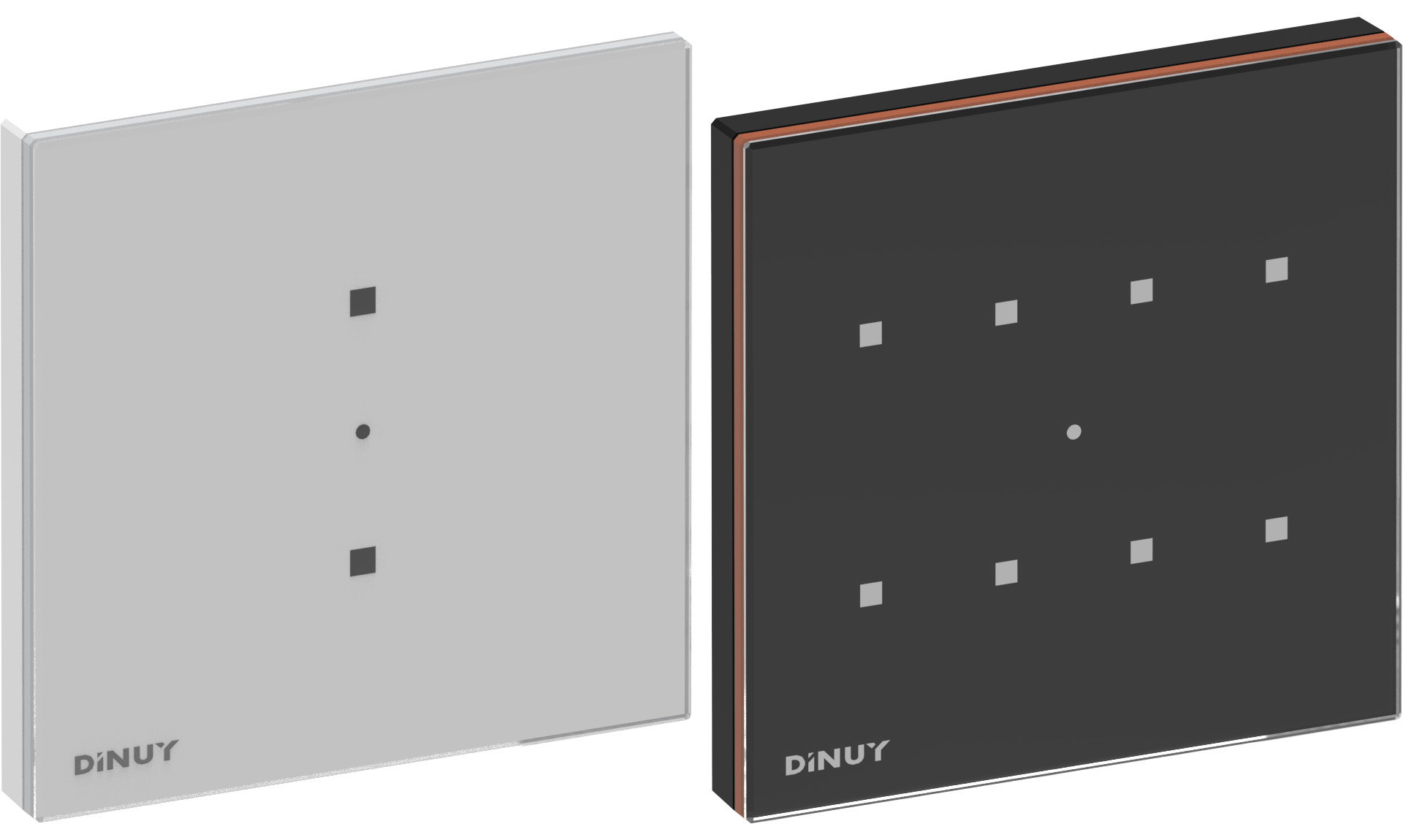
 Dinuy · Order number PU KNT 1XX · KNX-TP Devices › Touch Pushbuttons › Glass Pushbutton LaükaDot