| 30 | [GNRL] Detection LED | 0 = Disable, 1 = Enable | 1 Bit | 1.3 enable | CW |
| 31 | [GNRL] PIR1 Detection Sensibility | 100% = Max; 20% = Min; 0% = Disabled | 1 Byte | 5.1 percentage (0..100%) | CW |
| 31 | [GNRL] PIR1 Detection Sensibility | 100% = High; 33% = Low; 0% = Disabled | 1 Byte | 5.1 percentage (0..100%) | CW |
| 32 | [GNRL] PIR2 Detection Sensibility | 100% = Max; 20% = Min; 0% = Disabled | 1 Byte | 5.1 percentage (0..100%) | CW |
| 32 | [GNRL] PIR2 Detection Sensibility | 100% = High; 33% = Low; 0% = Disabled | 1 Byte | 5.1 percentage (0..100%) | CW |
| 33 | [CH1] External Switching | Switch State | 1 Bit | 1.10 start/stop | CW |
| 34 | [CH1] Duration of Detection | 1s - 65535s | 2 Bytes | 7.5 time (s) | CW |
| 35 | [CH1] Block Channel 1 | 0 = Unblock, 1= Block | 1 Bit | 1.3 enable | CW |
| 35 | [CH1] Block Channel 1 | 1 = Unblock, 0 = Block | 1 Bit | 1.3 enable | CW |
| 36 | [CH1] Force 1 bit | 0 = No Force, 1 = Force to On | 1 Bit | 1.10 start/stop | CW |
| 36 | [CH1] Force 1 bit | 0 = No Force, 1 = Force to Off | 1 Bit | 1.10 start/stop | CW |
| 37 | [CH1] Force 2 bits | 0 = No Force, 1 = Force to On, 2 = Force to Off | 2 Bit | 2.10 start control | CW |
| 38 | [CH1] External Movement Detection | 0 = No Detection, 1 = Detection | 1 Bit | 1.10 start/stop | CW |
| 39 | [CH1] Send Switch | 0 = Off, 1 = On | 1 Bit | 1.1 switch | CT |
| 40 | [CH1] Send Scene | Send Scene number | 1 Byte | 18.1 scene control | CT |
| 41 | [CH1] Send Value | 0% - 100% | 1 Byte | 5.1 percentage (0..100%) | CT |
| 42 | [CH1] Send HVAC | Select Mode | 1 Byte | 20.102 HVAC mode | CT |
| 43 | [CH2] External Switching | Switch State | 1 Bit | 1.10 start/stop | CW |
| 44 | [CH2] Duration of Detection | 1s - 65535s | 2 Bytes | 7.5 time (s) | CW |
| 45 | [CH2] Block Channel 2 | 0 = Unblock, 1= Block | 1 Bit | 1.3 enable | CW |
| 45 | [CH2] Block Channel 2 | 1 = Unblock, 0 = Block | 1 Bit | 1.3 enable | CW |
| 46 | [CH2] Force 1 bit | 0 = No Force, 1 = Force to On | 1 Bit | 1.10 start/stop | CW |
| 46 | [CH2] Force 1 bit | 0 = No Force, 1 = Force to Off | 1 Bit | 1.10 start/stop | CW |
| 47 | [CH2] Force 2 bits | 0 = No Force, 1 = Force to On, 2 = Force to Off | 2 Bit | 2.10 start control | CW |
| 48 | [CH2] External Movement Detection | 0 = No Detection, 1 = Detection | 1 Bit | 1.10 start/stop | CW |
| 49 | [CH2] Send Switch | 0 = Off, 1 = On | 1 Bit | 1.1 switch | CT |
| 50 | [CH2] Send Scene | Send Scene number | 1 Byte | 18.1 scene control | CT |
| 51 | [CH2] Send Value | 0% - 100% | 1 Byte | 5.1 percentage (0..100%) | CT |
| 52 | [CH2] Send HVAC | Select Mode | 1 Byte | 20.102 HVAC mode | CT |
| 53 | [CH3] External Switching | Switch State | 1 Bit | 1.10 start/stop | CW |
| 54 | [CH3] Duration of Detection | 1s - 65535s | 2 Bytes | 7.5 time (s) | CW |
| 55 | [CH3] Block Channel 3 | 0 = Unblock, 1= Block | 1 Bit | 1.3 enable | CW |
| 55 | [CH3] Block Channel 3 | 1 = Unblock, 0 = Block | 1 Bit | 1.3 enable | CW |
| 56 | [CH3] Force 1 bit | 0 = No Force, 1 = Force to On | 1 Bit | 1.10 start/stop | CW |
| 56 | [CH3] Force 1 bit | 0 = No Force, 1 = Force to Off | 1 Bit | 1.10 start/stop | CW |
| 57 | [CH3] Force 2 bits | 0 = No Force, 1 = Force to On, 2 = Force to Off | 2 Bit | 2.10 start control | CW |
| 58 | [CH3] External Movement Detection | 0 = No Detection, 1 = Detection | 1 Bit | 1.10 start/stop | CW |
| 59 | [CH3] Send Switch | 0 = Off, 1 = On | 1 Bit | 1.1 switch | CT |
| 60 | [CH3] Send Scene | Send Scene number | 1 Byte | 18.1 scene control | CT |
| 61 | [CH3] Send Value | 0% - 100% | 1 Byte | 5.1 percentage (0..100%) | CT |
| 62 | [CH3] Send HVAC | Select Mode | 1 Byte | 20.102 HVAC mode | CT |
| 63 | [CH4] External Switching | Switch State | 1 Bit | 1.10 start/stop | CW |
| 64 | [CH4] Duration of Detection | 1s - 65535s | 2 Bytes | 7.5 time (s) | CW |
| 65 | [CH4] Block Channel 4 | 0 = Unblock, 1= Block | 1 Bit | 1.3 enable | CW |
| 65 | [CH4] Block Channel 4 | 1 = Unblock, 0 = Block | 1 Bit | 1.3 enable | CW |
| 66 | [CH4] Force 1 bit | 0 = No Force, 1 = Force to On | 1 Bit | 1.10 start/stop | CW |
| 66 | [CH4] Force 1 bit | 0 = No Force, 1 = Force to Off | 1 Bit | 1.10 start/stop | CW |
| 67 | [CH4] Force 2 bits | 0 = No Force, 1 = Force to On, 2 = Force to Off | 2 Bit | 2.10 start control | CW |
| 68 | [CH4] External Movement Detection | 0 = No Detection, 1 = Detection | 1 Bit | 1.10 start/stop | CW |
| 69 | [CH4] Send Switch | 0 = Off, 1 = On | 1 Bit | 1.1 switch | CT |
| 70 | [CH4] Send Scene | Send Scene number | 1 Byte | 18.1 scene control | CT |
| 71 | [CH4] Send Value | 0% - 100% | 1 Byte | 5.1 percentage (0..100%) | CT |
| 72 | [CH4] Send HVAC | Select Mode | 1 Byte | 20.102 HVAC mode | CT |
| 73 | [CH5] External Switching | Switch State | 1 Bit | 1.10 start/stop | CW |
| 74 | [CH5] Duration of Detection | 1s - 65535s | 2 Bytes | 7.5 time (s) | CW |
| 75 | [CH5] Block Channel 5 | 0 = Unblock, 1= Block | 1 Bit | 1.3 enable | CW |
| 75 | [CH5] Block Channel 5 | 1 = Unblock, 0 = Block | 1 Bit | 1.3 enable | CW |
| 76 | [CH5] Force 1 bit | 0 = No Force, 1 = Force to On | 1 Bit | 1.10 start/stop | CW |
| 76 | [CH5] Force 1 bit | 0 = No Force, 1 = Force to Off | 1 Bit | 1.10 start/stop | CW |
| 77 | [CH5] Force 2 bits | 0 = No Force, 1 = Force to On, 2 = Force to Off | 2 Bit | 2.10 start control | CW |
| 78 | [CH5] External Movement Detection | 0 = No Detection, 1 = Detection | 1 Bit | 1.10 start/stop | CW |
| 79 | [CH5] Send Switch | 0 = Off, 1 = On | 1 Bit | 1.1 switch | CT |
| 80 | [CH5] Send Scene | Send Scene number | 1 Byte | 18.1 scene control | CT |
| 81 | [CH5] Send Value | 0% - 100% | 1 Byte | 5.1 percentage (0..100%) | CT |
| 82 | [CH5] Send HVAC | Select Mode | 1 Byte | 20.102 HVAC mode | CT |
| 83 | [CH6] External Switching | Switch State | 1 Bit | 1.10 start/stop | CW |
| 84 | [CH6] Duration of Detection | 1s - 65535s | 2 Bytes | 7.5 time (s) | CW |
| 85 | [CH6] Block Channel 6 | 0 = Unblock, 1= Block | 1 Bit | 1.3 enable | CW |
| 85 | [CH6] Block Channel 6 | 1 = Unblock, 0 = Block | 1 Bit | 1.3 enable | CW |
| 86 | [CH6] Force 1 bit | 0 = No Force, 1 = Force to On | 1 Bit | 1.10 start/stop | CW |
| 86 | [CH6] Force 1 bit | 0 = No Force, 1 = Force to Off | 1 Bit | 1.10 start/stop | CW |
| 87 | [CH6] Force 2 bits | 0 = No Force, 1 = Force to On, 2 = Force to Off | 2 Bit | 2.10 start control | CW |
| 88 | [CH6] External Movement Detection | 0 = No Detection, 1 = Detection | 1 Bit | 1.10 start/stop | CW |
| 89 | [CH6] Send Switch | 0 = Off, 1 = On | 1 Bit | 1.1 switch | CT |
| 90 | [CH6] Send Scene | Send Scene number | 1 Byte | 18.1 scene control | CT |
| 91 | [CH6] Send Value | 0% - 100% | 1 Byte | 5.1 percentage (0..100%) | CT |
| 92 | [CH6] Send HVAC | Select Mode | 1 Byte | 20.102 HVAC mode | CT |
| 93 | [CLC] External Light Sensor Value | Lux value | 2 Bytes | 9.4 lux (Lux) | CW |
| 94 | [CLC] Enable Advanced Configuration | 0 = Disabled, 1 = Enabled | 1 Bit | 1.3 enable | CW |
| 95 | [CLC] Establish Night configuration | 0 = Disabled, 1 = Enabled | 1 Bit | 1.10 start/stop | CW |
| 96 | [CLC] Establish Day configuration | 0 = Disabled, 1 = Enabled | 1 Bit | 1.10 start/stop | CW |
| 97 | [CLC] Permanent Constant Light Control | 0 = Disabled, 1 = Enabled | 1 Bit | 1.3 enable | CW |
| 98 | [CLC] Dimming Value | 0% - 100% | 1 Byte | 5.1 percentage (0..100%) | CT |
| 99 | [CLC] Dimming Value 2 | 0% - 100% | 1 Byte | 5.1 percentage (0..100%) | CT |
| 100 | [CLC] Dimming Value 3 | 0% - 100% | 1 Byte | 5.1 percentage (0..100%) | CT |
| 101 | [CLC] Dimming Value 4 | 0% - 100% | 1 Byte | 5.1 percentage (0..100%) | CT |
| 102 | [CLC] External Switching | Switch State | 1 Bit | 1.10 start/stop | CW |
| 103 | [CLC] Duration of Detection | 1s - 65535s | 2 Bytes | 7.5 time (s) | CW |
| 104 | [CLC] Block Channel | 0 = Unblock, 1= Block | 1 Bit | 1.3 enable | CW |
| 104 | [CLC] Block Channel | 1 = Unblock, 0 = Block | 1 Bit | 1.3 enable | CW |
| 105 | [CLC] External Movement Detection | 0 = No Detection, 1 = Detection | 1 Bit | 1.10 start/stop | CW |
| 106 | [CLC] Enable Manual Control | 0 = Disable, 1 = Enable | 1 Bit | 1.3 enable | CW |
| 107 | [CLC] Manual Control Info | 0 = Disabled, 1 = Enabled | 1 Bit | 1.3 enable | CT |
| 108 | [CLC] Manual Control Switch 1 | 0 = Off, 1 = On | 1 Bit | 1.1 switch | CW |
| 109 | [CLC] Manual Control Relative Dimming 1 | Relative Dimming | 4 Bit | 3.7 dimming control | CW |
| 110 | [CLC] Manual Control Absolute Dimming 1 | Absolute Dimming | 1 Byte | 5.1 percentage (0..100%) | CW |
| 111 | [CLC] Manual Control Switch Info 1 | 0 = Off, 1 = On | 1 Bit | 1.1 switch | CT |
| 112 | [CLC] Enable Manual Control 2 | 0 = Disable, 1 = Enable | 1 Bit | 1.3 enable | CW |
| 113 | [CLC] Manual Control Info 2 | 0 = Disabled, 1 = Enabled | 1 Bit | 1.3 enable | CT |
| 114 | [CLC] Manual Control Switch 2 | 0 = Off, 1 = On | 1 Bit | 1.1 switch | CW |
| 115 | [CLC] Manual Control Relative Dimming 2 | Relative Dimming | 4 Bit | 3.7 dimming control | CW |
| 116 | [CLC] Manual Control Absolute Dimming 2 | Absolute Dimming | 1 Byte | 5.1 percentage (0..100%) | CW |
| 117 | [CLC] Manual Control Switch Info 2 | 0 = Off, 1 = On | 1 Bit | 1.1 switch | CT |
| 118 | [CLC] Enable Manual Control 3 | 0 = Disable, 1 = Enable | 1 Bit | 1.3 enable | CW |
| 119 | [CLC] Manual Control Info 3 | 0 = Disabled, 1 = Enabled | 1 Bit | 1.3 enable | CT |
| 120 | [CLC] Manual Control Switch 3 | 0 = Off, 1 = On | 1 Bit | 1.1 switch | CW |
| 121 | [CLC] Manual Control Relative Dimming 3 | Relative Dimming | 4 Bit | 3.7 dimming control | CW |
| 122 | [CLC] Manual Control Absolute Dimming 3 | Absolute Dimming | 1 Byte | 5.1 percentage (0..100%) | CW |
| 123 | [CLC] Manual Control Switch Info 3 | 0 = Off, 1 = On | 1 Bit | 1.1 switch | CT |
| 124 | [CLC] Enable Manual Control 4 | 0 = Disable, 1 = Enable | 1 Bit | 1.3 enable | CW |
| 125 | [CLC] Manual Control Info 4 | 0 = Disabled, 1 = Enabled | 1 Bit | 1.3 enable | CT |
| 126 | [CLC] Manual Control Switch 4 | 0 = Off, 1 = On | 1 Bit | 1.1 switch | CW |
| 127 | [CLC] Manual Control Relative Dimming 4 | Relative Dimming | 4 Bit | 3.7 dimming control | CW |
| 128 | [CLC] Manual Control Absolute Dimming 4 | Absolute Dimming | 1 Byte | 5.1 percentage (0..100%) | CW |
| 129 | [CLC] Manual Control Switch Info 4 | 0 = Off, 1 = On | 1 Bit | 1.1 switch | CT |
| 130 | [TWL] Block Twilight Switch function | 0 = Unblock, 1= Block | 1 Bit | 1.3 enable | CW |
| 130 | [TWL] BlockTwilight Switch function | 1 = Unblock, 0 = Block | 1 Bit | 1.3 enable | CW |
| 131 | [TWL] Send Switch | 0 = Off, 1 = On | 1 Bit | 1.1 switch | CT |
| 132 | [TWL] Send Scene | Send Scene number | 1 Byte | 18.1 scene control | CT |
| 133 | [TWL] Send Value | 0% - 100% | 1 Byte | 5.1 percentage (0..100%) | CT |
| 134 | [TEMP] Block Temperature Sensor | 0 = Unblock, 1= Block | 1 Bit | 1.3 enable | CW |
| 134 | [TEMP] BlockTemperature Sensor | 1 = Unblock, 0 = Block | 1 Bit | 1.3 enable | CW |
| 135 | [TEMP] Temperature Sensor Output | Temperature value | 2 Bytes | 9.1 temperature (°C) | CT |
| 136 | GO_LUX_ENABLE | GO_LUX_ENABLE | 1 Bit | DPT.1 | CW |
| 137 | [BRIGHT] Brightness Sensor Output | Lux value | 2 Bytes | 9.4 lux (Lux) | CT |
| 138 | [CLC] Requested Lux Level | Lux value | 2 Bytes | 9.4 lux (Lux) | CW |
| 139 | [CLC] Advanced Configuration Confirmation | 0 = No valid configuration, 1 = Valid configuration | 1 Bit | 1.3 enable | CT |
| 140 | [CLC] Advanced Configuration Absolute Dimming | 1 Byte | 1 Byte | 5.1 percentage (0..100%) | CW |
| 141 | [GNRL] PIR3 Detection Sensibility | 100% = High; 33% = Low; 0% = Disabled | 1 Byte | 5.1 percentage (0..100%) | CW |
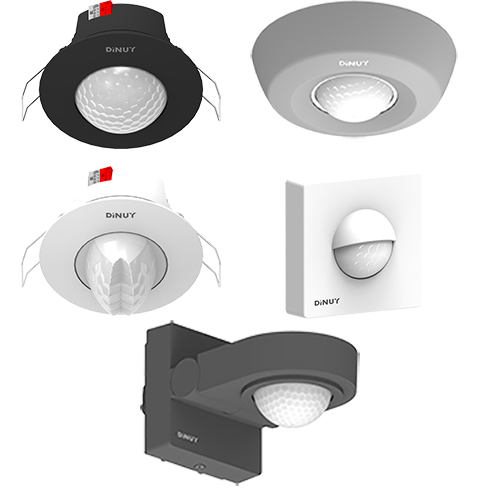
 Dinuy · Order number DM KNT XXX · KNX-TP Devices › Movement Detectors › PIR Movement Detectors