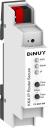
KNX IP Router Secure CO KNX IPR CO KNX IPR
 Dinuy · Order number CO KNX IPR · KNX-TP Devices › IP Schnittstellen
IP Router
Download .knxprod KNX IP Router Secure CO KNX IPR 1.0 · 122 KB
Product
| Manufacturer | Dinuy |
|---|---|
| Product name | KNX IP Router Secure CO KNX IPR |
| Order number | CO KNX IPR |
| Hardware | KNX IP Router 752 secure |
| Medium | Twisted Pair |
| Bus current (mA) | 20 |
| Rail mounted | Yes |
| Width (mm) | 18 |
| Device kind | Coupler, IPEnabled |
| Registration | Certified · 2026-02-19 |
| Languages | es-ES, de-DE, en-US |
| Catalog entry | M-009A_H-KNX.20IP.20Router.20752.20secure-257-O00C5_HP-3002-10-87C3-O00C5_CI-CO.20KNX.20IPR-2 |
| Fingerprint | 87C3 |
| SHA-256 | de36569d83b1d287090478601f4818c40b46b903d3905d82ba4ebe57727b69a0 |
| First seen | 2026-11-25 |
| Markets | Spain |
Application program: KNX IP Router Secure CO KNX IPR 1.0
| Application number | $3002 |
|---|---|
| Version | 1.0 |
| Mask version | MV-091A (Coupler 091A) |
| KNX Data Secure | Yes |
| Minimum ETS version | 5.0 |
| Parameters | 17 |
| Group objects | 0 |
Group objects (0)
| No | Name | Function | Size | DPT | Flags |
|---|
Parameters (13)
| Parameter | Type | Default |
|---|---|---|
| Group telegrams (main groups 0 to 13) | list | Filter |
| Group telegrams (main groups 14 to 31) | list | Filter |
| Individual addressed telegrams | list | Filter |
| Broadcast telegrams | list | Route |
| Acknowledge (ACK) of group telegrams | list | Only if routed |
| Acknowledge (ACK) of individual addressed telegrams | list | Only if routed |
| Repetition of group telegrams | list | Enabled |
| Repetition of individual addressed telegrams | list | Enabled |
| Repetition of broadcast telegrams | list | Enabled |
| Prog. mode on device front | list | Enabled |
| Manual operation on device | list | Enabled without time limit |
| KNX IP Router Secure CO KNX IPR Compact bus powered Router between LAN/Ethernet and KNX bus | picture | |
| Wiring scheme: | picture |
Version history
| Application | App no | Fingerprint | First seen | Size | File |
|---|---|---|---|---|---|
| KNX IP Router Secure CO KNX IPR 1.0 latest | $3002 | 87C3 | 2026-11-25 | 122 KB | Download |
About this file
This is the official ETS product database for the Dinuy KNX IP Router Secure CO KNX IPR (CO KNX IPR), published by the manufacturer in the KNX online catalog. To use it, open ETS, go to Catalogs → Import and choose the downloaded .knxprod file. The device then appears in your catalog and can be added to a project. Older versions are kept so existing projects can be matched to the application program they were commissioned with.
More from Dinuy
- KNX IP Interface Secure CO KNT IPI CO KNT IPI
- KNX IP Router Secure CO KNT IPR CO KNT IPR
- KNX Line Coupler Secure CO KNT LC1 CO KNT LC1
- KNX Line Coupler Secure CO KNX LC2 CO KNX LC2
- Coin-/Token-operated Timer CT KNT XXX
- Movement Detector DM KNT XXX
- 4-INPUT/OUTPUT BINARY INTERFACE EM KNT 001
- 4-FOLD ANALOG/BINARY INTERFACE EM KNT 002
- 8-channel Binary Input EM KNT 003
- 2-/4-/8- Input/Output Analog/Binary Interface EM KNX 0XX
- FA KNT 001 FA KNT 001
- Act 4ch/2ch switch/blind + RGBW dimmer + inputs IR KNT 044