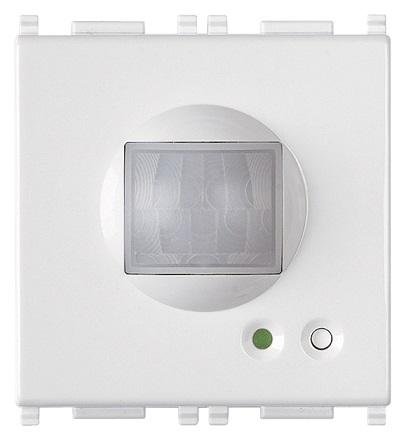
14850 Motion detector 14850
VIMAR · Order number 14850 · Well-Contact › Sensors
Download .knxprod APP_Motion_Detector 1.2 · 116 KB
Product
| Manufacturer | VIMAR |
|---|---|
| Product name | 14850 Motion detector |
| Order number | 14850 |
| Hardware | HW_Motion_Detector |
| Medium | Twisted Pair |
| Rail mounted | No |
| Registration | Certified · 2010-08-05 |
| Languages | de-DE, en-US, it-IT |
| Catalog entry | M-002C_H-43000435A0.5FL1-1_HP-3A02-12-6D95_CI-14850-1 |
| Fingerprint | 6D95 |
| SHA-256 | fbf235d78fb5b59050ef1fff35d428d6847956801e8cf7099c0c2c247faafb6b |
| First seen | 2026-11-25 |
| Markets | 69 markets |
Application program: APP_Motion_Detector 1.2
| Application number | $3A02 |
|---|---|
| Version | 1.2 |
| Mask version | MV-0701 (7.1) |
| KNX Data Secure | No |
| Parameters | 30 |
| Group objects | 5 |
Group objects (5)
| No | Name | Function | Size | DPT | Flags |
|---|---|---|---|---|---|
| 0 | Motion detector | Movement switch | 1 Bit | 1.1 switch | CT |
| 1 | Motion detector | Forced disable | 1 Bit | 1.2 boolean | CW |
| 2 | Motion detector | External trigger | 1 Bit | 1.10 start/stop | CW |
| 4 | Twilight | Switch | 1 Bit | 1.1 switch | CT |
| 5 | Twilight | Forced disable | 1 Bit | 1.2 boolean | CW |
Parameters (19)
| Parameter | Type | Default |
|---|---|---|
| Enable motion detector | list | Enable |
| Enable twilight function | list | Disable |
| Motion detector independent from light | list | No |
| Motion detect below brightness threshold | list | 50% |
| Send message | list | on movement |
| Minimum wait before send new message | list | 5 s |
| Cyclic period | list | 1 min |
| Movement timeout | list | 30 s |
| Wait after movement finish | list | Disable |
| Time wait after movement finish | list | 10 s |
| Send OFF message on movement finish | list | No |
| Object "forced disable" | list | Disable |
| Disable motion detector with | list | ON message |
| Action at lower threshold | list | ON message |
| Action at upper threshold | list | OFF message |
| Disable twilight function with | list | ON message |
| Lower threshold | list | 20% |
| Upper threshold | list | 90% |
| Confirmation Time | list | 11 s |
Version history
| Application | App no | Fingerprint | First seen | Size | File |
|---|---|---|---|---|---|
| APP_Motion_Detector 1.2 latest | $3A02 | 6D95 | 2026-11-25 | 116 KB | Download |
About this file
This is the official ETS product database for the VIMAR 14850 Motion detector (14850), published by the manufacturer in the KNX online catalog. To use it, open ETS, go to Catalogs → Import and choose the downloaded .knxprod file. The device then appears in your catalog and can be added to a project. Older versions are kept so existing projects can be matched to the application program they were commissioned with.
More from VIMAR
- 16850 Motion detector 16850
- 19850 Motion detector 19850
- 20850 Motion detector 20850
- 01500.1 Power supply,320mA,MDRC 01500.1
- 01500.2 Power supply unit 320mA KNX 01500.2
- 01501.1 Power supply,640mA,MDRC 01501.1
- 01501.2 Power supply unit 640mA KNX 01501.2
- 01504.1 Line-/Area Coupler, MDRC 01504.1
- 01504.2 Line coupler 01504.2
- 01506 By-me Plus KNX Secure TP router 01506
- 01507 By-me Plus KNX Secure IP router 01507
- 01510 4 Fold Input 01510