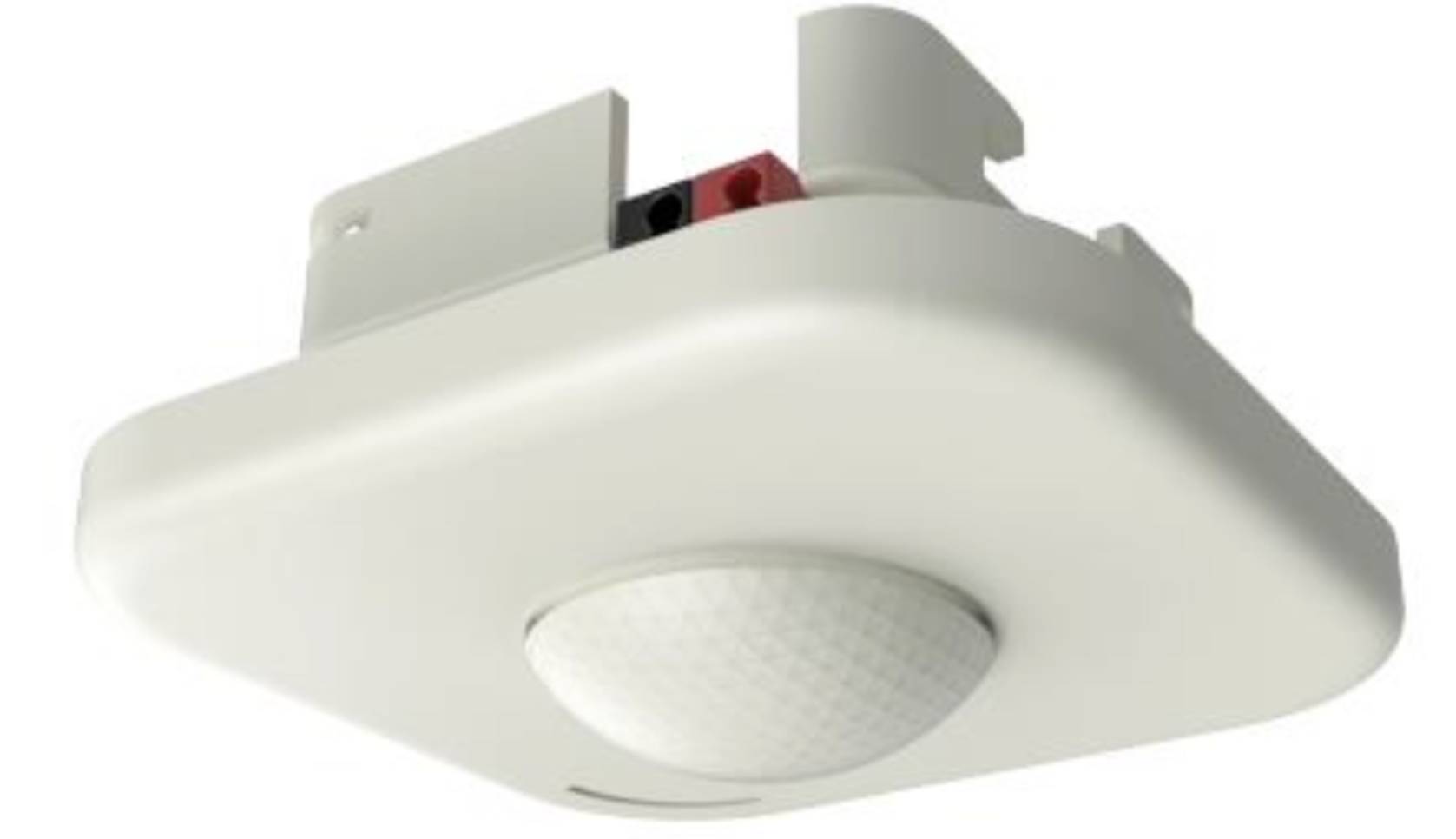
MM1-50-111-xx Multi Sensör MM1-50-111-xx
 MM Electro · Order number MM1-50-111-xx · Physical Sensor › Movement
Multi Sensor, PIR
Download .knxprod Motion, Brightness, Temperature, Humidity, v1.0 1.0 · 126 KB
Product
| Manufacturer | MM Electro |
|---|---|
| Product name | MM1-50-111-xx Multi Sensör |
| Order number | MM1-50-111-xx |
| Product text | MM1-50-111-xx Multi Sensor |
| Hardware | MM1-50-111-xx |
| Medium | Twisted Pair |
| Bus current (mA) | 10 |
| Rail mounted | No |
| Registration | Certified · 2023-07-31 |
| Languages | tr-TR, en-US |
| Catalog entry | M-029A_H-0001000000-16-O0234_HP-0011-10-FD08-O0234_CI-MM1.2D50.2D111.2Dxx-1 |
| Fingerprint | FD08 |
| SHA-256 | 5920981385f198e0e631eb71de973ed49ef6b83a16e2474c029364f0e3fe74ba |
| First seen | 2026-11-25 |
| Markets | 69 markets |
Application program: Motion, Brightness, Temperature, Humidity, v1.0 1.0
| Application number | $0011 |
|---|---|
| Version | 1.0 |
| Mask version | MV-0705 (7.5) |
| KNX Data Secure | No |
| Minimum ETS version | 5.0 |
| Parameters | 150 |
| Group objects | 39 |
Group objects (39)
| No | Name | Function | Size | DPT | Flags |
|---|---|---|---|---|---|
| 1 | General | Brightness Value Output | 2 Bytes | 9.4 lux (Lux) | CRT |
| 2 | General | Temperature Value Output | 2 Bytes | 9.1 temperature (°C) | CRT |
| 3 | General | Humidity Value Output | 2 Bytes | 9.7 humidity (%) | CRT |
| 10 | Movement | Slave Output | 1 Bit | 1.1 switch | CT |
| 11 | Movement | Slave Input | 1 Bit | 1.1 switch | CW |
| 12 | Movement | Enable Input | 1 Bit | 1.3 enable | CRW |
| 13 | Movement | Detection Time | 2 Bytes | 7.5 time (s) | CRWT |
| 14 | Movement | Output 1 | 1 Bit | 1.1 switch | CT |
| 14 | Movement | Output 1 | 1 Byte | 5.10 counter pulses (0..255) | CT |
| 14 | Movement | Output 1 | 1 Byte | 17.1 scene number | CT |
| 14 | Movement | Output 1 | 1 Byte | 20.102 HVAC mode | CT |
| 15 | Movement | Output 2 | 1 Bit | 1.1 switch | CT |
| 15 | Movement | Output 2 | 1 Byte | 5.10 counter pulses (0..255) | CT |
| 15 | Movement | Output 2 | 1 Byte | 17.1 scene number | CT |
| 15 | Movement | Output 2 | 1 Byte | 20.102 HVAC mode | CT |
| 16 | Movement | Output 3 | 1 Bit | 1.1 switch | CT |
| 16 | Movement | Output 3 | 1 Byte | 5.10 counter pulses (0..255) | CT |
| 16 | Movement | Output 3 | 1 Byte | 17.1 scene number | CT |
| 16 | Movement | Output 3 | 1 Byte | 20.102 HVAC mode | CT |
| 21 | Constant Brightness Control | Start Stop | 1 Bit | 1.10 start/stop | CRWT |
| 22 | Constant Brightness Control | Enable Input | 1 Bit | 1.3 enable | CRWT |
| 23 | Constant Brightness Control | Brightness Set Value | 2 Bytes | 9.4 lux (Lux) | CRWT |
| 24 | Constant Brightness Control | Detection Timeout | 2 Bytes | 7.5 time (s) | CRWT |
| 25 | Constant Brightness Control | Stop 1 bit | 1 Bit | 1.1 switch | CW |
| 26 | Constant Brightness Control | Stop 4 bit | 4 Bit | 3.7 dimming control | CW |
| 27 | Constant Brightness Control | Stop 1 byte | 1 Byte | 5.10 counter pulses (0..255) | CW |
| 28 | Constant Brightness Control | Output 1 | 1 Byte | 5.10 counter pulses (0..255) | CT |
| 29 | Constant Brightness Control | Output 2 | 1 Byte | 5.10 counter pulses (0..255) | CT |
| 30 | Constant Brightness Control | Output 3 | 1 Byte | 5.10 counter pulses (0..255) | CT |
| 36 | Temperature | Threshold Value Input | 2 Bytes | 9.1 temperature (°C) | CRWT |
| 37 | Temperature | Threshold Status | 1 Bit | 1.1 switch | CT |
| 37 | Temperature | Threshold Status | 1 Byte | 5.10 counter pulses (0..255) | CT |
| 37 | Temperature | Threshold Status | 1 Byte | 17.1 scene number | CT |
| 37 | Temperature | Threshold Status | 1 Byte | 20.102 HVAC mode | CT |
| 41 | Inactivity Logic | Start Monitoring | 1 Bit | 1.1 switch | CRWT |
| 42 | Inactivity Logic | Inactivity Output | 1 Bit | 1.1 switch | CT |
| 42 | Inactivity Logic | Inactivity Output | 1 Byte | 5.10 counter pulses (0..255) | CT |
| 42 | Inactivity Logic | Inactivity Output | 1 Byte | 17.1 scene number | CT |
| 42 | Inactivity Logic | Inactivity Output | 1 Byte | 20.102 HVAC mode | CT |
Parameters (79)
| Parameter | Type | Default |
|---|---|---|
| Start Up Delay | unsignedInt 2…60 | 3 |
| Movement Control | list | Disabled |
| Constant Brightness Control | list | Disabled |
| Brightness Detection | list | Enabled |
| Temperature Detection | list | Disabled |
| Humidity Detection | list | Disabled |
| Device Mode | list | Master |
| Brightness Source | list | Internal Sensor |
| Enable Object | list | Disabled |
| Enable With | list | ON Telegram |
| Initial Position | list | Enabled |
| Reaction when Enabled | list | Send Current Status |
| Movement Sensor Sensitivity | list | Medium |
| Detection Timeout | unsignedInt 10…65535 | 300 |
| Light Level Threshold | list | 400 |
| Number of Output | list | 1 |
| Output Data Type | list | 1 Bit |
| Send Value | list | ON Telegram |
| Send Value | list | Scene 2 |
| Send Value | list | Comfort |
| Send Value | unsignedInt 0…255 | 0 |
| Action at Detection | list | Send Value |
| Send Value | list | OFF Telegram |
| Send Value | list | Scene 1 |
| Send Value | list | Stand By |
| Send Value | list | Scene 3 |
| Action at End of Detection | list | Send Value |
| Sending Style | list | Cyclic |
| Enable Threshold | list | Disabled |
| Send Actual Value Period | unsignedInt 2…255 | 60 |
| Change Ratio | list | 100 |
| Hysteresis % | unsignedInt 1…100 | 10 |
| Output Type | list | 1 Bit |
| Sending Period | unsignedInt 2…255 | 60 |
| Temperature Threshold | signedInt -10…80 | 23 |
| Hysteresis | list | 1.0 |
| Change Amount | unsignedInt 1…100 | 1 |
| Enable Threshold | list | No |
| Humidity Threshold | unsignedInt 1…100 | 50 |
| Sending Period | unsignedInt 2…255 | 2 |
| Hysteresis (%) | unsignedInt 0…255 | 10 |
| Above Threshold | list | No Reaction |
| Below Threshold | list | No Reaction |
| External Threshold Object | list | Disabled |
| Above Threshold | list | Send Value |
| Below Threshold | list | Send Value |
| Send Delay | unsignedInt 0…65535 | 0 |
| Reaction when Disabled | list | Do Not Send Telegram |
| Detection Time Object | list | Disabled |
| Inactivity Logic | list | Disabled |
| Calibration | unsignedInt 10…200 | 100 |
| Validation Delay | unsignedInt 0…255 | 0 |
| Use Third Output | list | Disabled |
| Use Second Output | list | Disabled |
| Initial Position | list | Disabled |
| Enable Object | list | No |
| Movement Dependency | list | Enabled |
| Movement Timeout Object | list | Enabled |
| Decrement Step | unsignedInt 1…15 | 5 |
| Increment Step | unsignedInt 1…15 | 5 |
| Upper Limit | unsignedInt 1…255 | 255 |
| Lower Limit | unsignedInt 0…255 | 25 |
| Starting Control Value | unsignedInt 0…255 | 128 |
| Control Speed | unsignedInt 2…255 | 10 |
| Set Brightness | unsignedInt 0…1000 | 400 |
| Tolerance | unsignedInt 10…100 | 10 |
| Movement Timeout | unsignedInt 10…65535 | 300 |
| Output Value at the end of Movement | unsignedInt 0…255 | 0 |
| Main Output Value Gain | unsignedInt 2…255 | 100 |
| Offset | signedInt -128…127 | 0 |
| Offset | signedInt -50…50 | 0 |
| Action End of Monitoring Time | list | Send Value |
| Send Value | list | Auto |
| Start Delay | unsignedInt 0…255 | 5 |
| Monitoring Time | unsignedInt 10…65535 | 300 |
| AutoStart After Boot | list | Yes |
| Cyclic Send Period | unsignedInt 10…65535 | 300 |
| Lower Limit | unsignedInt 0…254 | 0 |
| Logic Operations | unsignedInt 0…1 | 0 |
Version history
| Application | App no | Fingerprint | First seen | Size | File |
|---|---|---|---|---|---|
| Motion, Brightness, Temperature, Humidity, v1.0 1.0 latest | $0011 | FD08 | 2026-11-25 | 126 KB | Download |
About this file
This is the official ETS product database for the MM Electro MM1-50-111-xx Multi Sensör (MM1-50-111-xx), published by the manufacturer in the KNX online catalog. To use it, open ETS, go to Catalogs → Import and choose the downloaded .knxprod file. The device then appears in your catalog and can be added to a project. Older versions are kept so existing projects can be matched to the application program they were commissioned with.
More from MM Electro
- MM1-50-xxx-211 Multi Sensor MM1-50-xxx-211
- MM1-50-xxx-212 Advanced Multi Sensor MM1-50-xxx-212
- MM-20-xx-111 Combo Actuator / Multi-Channel MM-20-xx-111
- MM-20-xx-211 Combo Actuator / Multi-Channel MM-20-xx-211
- MM1-20-1612-11 Multi Actuator Snow1 16A 16 Output, 12 Digital Input MM1-20-1612-11
- MM1-20-2412-11 Multi Actuator Snow1 16A 24 Output, 12 Digital Input MM1-20-2412-11
- MM1-30-03-111 Universal Interface / 3-Channel MM1-30-03-111
- MM1-30-06-111 Universal Interface / 6-Channel MM1-30-06-111
- MM1-30-0x-111 Universal Interface / 9-Channel MM1-30-09-111
- MM1-30-LM-111 Logic Module MM1-30-LM-111
- MM1-4T-XX Dora Series KNX Room Controller x/y Gang/Button Sensor MM1-4T-XX
- MM1-4X-XX Dora Series x/y Gang KNX Keypad with Sensor MM1-4X-XX