KNX Database
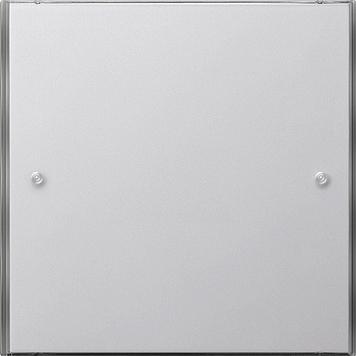
GIRA Giersiepen 2011 xxx push button 2 1fold without controller F-Line

push button 2 1fold without controller F-Line 2011 xxx

GIRA Giersiepen · Order number 2011 xxx · Taster › Push button, 1fold

2011 xxx, Schalten/Tasten 103302

Download .knxprod switching/push button 103302 0.2 · 66 KB

Product

ManufacturerGIRA Giersiepen
Product namepush button 2 1fold without controller F-Line
Order number2011 xxx
Product textTastsensor 2 1fach ohne Controller Fläche
HardwareTastsensor 2 1fach ohne Controller Fläche
MediumTwisted Pair
Rail mountedNo
RegistrationRegistered
Languagesde-DE, en-US, es-ES, fr-FR, nb-NO, sv-SE, nl-NL
Catalog entryM-0008_H-8.20.2F.2F.202011.20xxx-1_HP-1033-02-D316-O000A_CI-2011.20xxx-1
FingerprintD316
SHA-2568a65003a21cf2743edbe920af4f61db5c5bcec65dfaa00d339152b80f1b74584
First seen2026-11-25
Markets39 markets

Application program: Schalten/Tasten 103302 0.2

Application number$1033
Version0.2
Mask versionMV-0010 (1.0)
KNX Data SecureNo
Parameters6
Group objects3
Group objects (3)
NoNameFunctionSizeDPTFlags
0Taste linksSchalten1 BitCWT
1Taste rechtsSchalten1 BitCWT
2Status-LEDLED-Ansteuerung1 BitCWT
Parameters (6)
ParameterTypeDefault
AllgemeinlistAUS
Funktion Betriebs - LEDlistEIN
TastenlistEIN
Funktion Status - LEDlistEIN
Befehl bei Betätigung der linken Tastelistdrücken = EIN, loslassen = ---
Befehl bei Betätigung der rechten Tastelistdrücken = AUS, loslassen = ---

Version history

ApplicationApp noFingerprintFirst seenSizeFile
shutter 100D12 1.2 latest$100D4F862026-11-2564 KBDownload
dimming 100C12 1.2$100C5F6F2026-11-2565 KBDownload
switching/push button 103302 0.2$1033D3162026-11-2566 KBDownload
value transmitter 101B02 0.2$101B51312026-11-2565 KBDownload
switching, acknowledge 100902 0.2$1009E22B2026-11-2565 KBDownload
switching, status 100102 0.2$10019A0B2026-11-2564 KBDownload

About this file

This is the official ETS product database for the GIRA Giersiepen push button 2 1fold without controller F-Line (2011 xxx), published by the manufacturer in the KNX online catalog. To use it, open ETS, go to Catalogs → Import and choose the downloaded .knxprod file. The device then appears in your catalog and can be added to a project. Older versions are kept so existing projects can be matched to the application program they were commissioned with.
More from GIRA Giersiepen

All GIRA Giersiepen products