KNX Database
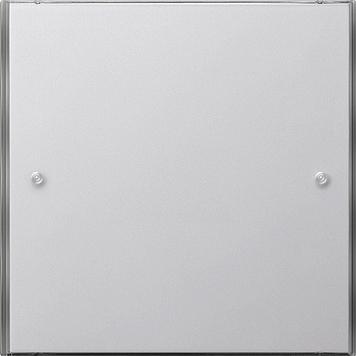
GIRA Giersiepen 2011 xxx push button 2 1fold without controller F-Line

push button 2 1fold without controller F-Line 2011 xxx

GIRA Giersiepen · Order number 2011 xxx · Taster › Push button, 1fold

2011 xxx, Wertgeber 101B02

Download .knxprod value transmitter 101B02 0.2 · 65 KB

Product

ManufacturerGIRA Giersiepen
Product namepush button 2 1fold without controller F-Line
Order number2011 xxx
Product textTastsensor 2 1fach ohne Controller Fläche
HardwareTastsensor 2 1fach ohne Controller Fläche
MediumTwisted Pair
Rail mountedNo
RegistrationRegistered
Languagesde-DE, en-US, es-ES, fr-FR, nb-NO, sv-SE, nl-NL
Catalog entryM-0008_H-8.20.2F.2F.202011.20xxx-1_HP-101B-02-5131-O000A_CI-2011.20xxx-1
Fingerprint5131
SHA-256ecbdb77cf0d51559407f02af9b4e09bd5379ca49fe0bde0606dec67032164d01
First seen2026-11-25
Markets39 markets

Application program: Wertgeber 101B02 0.2

Application number$101B
Version0.2
Mask versionMV-0010 (1.0)
KNX Data SecureNo
Parameters7
Group objects1
Group objects (1)
NoNameFunctionSizeDPTFlags
0Wert/LichtszeneWert/Lichtszene1 ByteCT
Parameters (9)
ParameterTypeDefault
AllgemeinlistAUS
Funktion Betriebs - LEDlistEIN
Funktion Status - LEDlistEIN
BetriebsartlistLichtszenenabruf ohne Speicherfunktion
WippeunsignedInt 0…2550
Wert (0...255) Taste linksunsignedInt 0…2551
Lichtszene (1...8) Taste linksunsignedInt 0…2551
Wert (0...255) Taste rechtsunsignedInt 0…2552
Lichtszene (1...8) Taste rechtsunsignedInt 0…2552

Version history

ApplicationApp noFingerprintFirst seenSizeFile
shutter 100D12 1.2 latest$100D4F862026-11-2564 KBDownload
dimming 100C12 1.2$100C5F6F2026-11-2565 KBDownload
switching/push button 103302 0.2$1033D3162026-11-2566 KBDownload
value transmitter 101B02 0.2$101B51312026-11-2565 KBDownload
switching, acknowledge 100902 0.2$1009E22B2026-11-2565 KBDownload
switching, status 100102 0.2$10019A0B2026-11-2564 KBDownload

About this file

This is the official ETS product database for the GIRA Giersiepen push button 2 1fold without controller F-Line (2011 xxx), published by the manufacturer in the KNX online catalog. To use it, open ETS, go to Catalogs → Import and choose the downloaded .knxprod file. The device then appears in your catalog and can be added to a project. Older versions are kept so existing projects can be matched to the application program they were commissioned with.
More from GIRA Giersiepen

All GIRA Giersiepen products