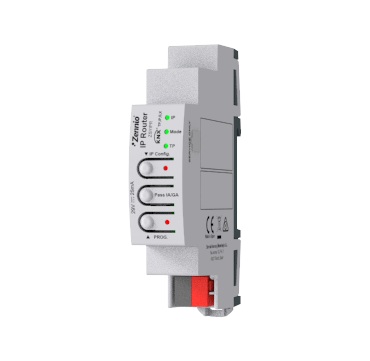
IP Router ZSYIPR
 Zennio · Order number ZSYIPR · Interface › IP
KNX-IP Router
Download .knxprod IP Router 1.0 1.0 · 118 KB
Product
| Manufacturer | Zennio |
|---|---|
| Product name | IP Router |
| Order number | ZSYIPR |
| Hardware | IP Router |
| Medium | Twisted Pair |
| Bus current (mA) | 25 |
| Rail mounted | Yes |
| Width (mm) | 17.5 |
| Device kind | Coupler, IPEnabled |
| Registration | Registered · 2026-11-10 |
| Languages | en-US, es-ES, fr-FR, de-DE, it-IT, ru-RU, uk-UA |
| Catalog entry | M-0071_H-ZSYIPR-1_HP-63B1-10-7706_CI-ZSYIPR-1 |
| Fingerprint | 7706 |
| SHA-256 | 338eaa44e511b60467dab94e1984530534f924c3e37dc8c9742d9c627a5bda99 |
| First seen | 2026-11-25 |
| Markets | 59 markets |
Application program: IP Router 1.0 1.0
| Application number | $63B1 |
|---|---|
| Version | 1.0 |
| Mask version | MV-091A (Coupler 091A) |
| KNX Data Secure | Yes |
| Minimum ETS version | 6.0 |
| Parameters | 46 |
| Group objects | 0 |
Group objects (0)
| No | Name | Function | Size | DPT | Flags |
|---|
Parameters (13)
| Parameter | Type | Default |
|---|---|---|
| Group Telegrams (X/Y/Z with X ≤ 13) | list | Filter |
| Group Telegrams (X/Y/Z with X ≥ 14) | list | Filter |
| Physical Telegrams | list | Filter |
| Broadcast Telegrams | list | Route |
| Group Telegrams | unsignedInt 0…1 | 1 |
| Physical Telegrams | unsignedInt 0…1 | 1 |
| Broadcast Telegrams | unsignedInt 0…1 | 1 |
| Group Telegrams | list | If Routed |
| Manual Control | unsignedInt 0…1 | 0 |
| Maximum Duration after Activation (0 = No Limit) | unsignedInt 0…60 | 10 |
| Physical Telegrams | list | If Routed or Addressed to Coupler |
| Maximum Duration after Activation (0 = No Limit) | unsignedInt 0…3600 | 600 |
| Diagnostics | unsignedInt 0…1 | 0 |
Version history
| Application | App no | Fingerprint | First seen | Size | File |
|---|---|---|---|---|---|
| IP Router 1.0 1.0 latest | $63B1 | 7706 | 2026-11-25 | 118 KB | Download |
About this file
This is the official ETS product database for the Zennio IP Router (ZSYIPR), published by the manufacturer in the KNX online catalog. To use it, open ETS, go to Catalogs → Import and choose the downloaded .knxprod file. The device then appears in your catalog and can be added to a project. Older versions are kept so existing projects can be matched to the application program they were commissioned with.
More from Zennio
- KLIC-FJ ZCL-FJ
- KLIC-LG1 ZCL-LG1
- KLIC-TS ZCL-TS
- KLIC-DA v2 ZCLDAV2
- KLIC-DD v3 ZCLDDV3
- KLIC-DI v2 ZCLDIV2
- KLIC-FJT ZCLFJT
- KLIC-MDI ZCLMDI
- KLIC-MITTE ZCLMITTE
- KLIC-MITT v3 ZCLMITTV3
- KLIC-PA ZCLPA
- KLIC-SG ZCLSG