| 1 | [Heartbeat] Object to Send '1' | Sending of '1' Periodically | 1 Bit | 1.17 trigger | CT |
| 2 | [Audio] On/Off | 0 = Off; 1 = On | 1 Bit | 1.1 switch | CW |
| 3 | [Audio] On/Off (Status) | 0 = Off; 1 = On | 1 Bit | 1.1 switch | CRT |
| 4 | [Audio] Check-in/Check-out | 0 = Check-out; 1 = Check-in | 1 Bit | 1.1 switch | CW |
| 5 | [Audio] Check-in/Check-out (Status) | 0 = Check-out; 1 = Check-in | 1 Bit | 1.1 switch | CRT |
| 6 | [Audio][BT] Pairing | Launch Pairing Mode | 1 Bit | 1.17 trigger | CW |
| 7 | [Audio][BT] Pairing Mode (Status) | 0 = Pairing Mode Off; 1 = Pairing Mode On | 1 Bit | 1.11 state | CRT |
| 8 | [Audio][BT] Disconnect | Disconnect All | 1 Bit | 1.17 trigger | CW |
| 9 | [Audio][BT] Name | Device Name | 14 Bytes | 16.0 Character String (ASCII) | CW |
| 10 | [Audio][BT] Name (Status) | Device Name | 14 Bytes | 16.0 Character String (ASCII) | CRT |
| 11 | [Audio][BT] PIN | PIN number (0000-9999) | 14 Bytes | 16.0 Character String (ASCII) | CW |
| 12 | [Audio][BT] PIN (Status) | PIN number | 14 Bytes | 16.0 Character String (ASCII) | CRT |
| 13 | [Audio] Aux. Input | 0 = Disable Aux. Input; 1 = Enable Aux. Input | 1 Bit | 1.3 enable | CW |
| 14 | [Audio] Aux. Input (Status) | 0 = Aux. Input Disabled; 1 = Aux. Input Enabled | 1 Bit | 1.3 enable | CRT |
| 15 | [Audio][BT] Play/Stop | 0 = Stop; 1 = Play | 1 Bit | 1.10 start/stop | CW |
| 16 | [Audio][BT] Play/Stop (Status) | 0 = Stop; 1 = Play | 1 Bit | 1.10 start/stop | CRT |
| 17 | [Audio][BT] Skip | 0 = Backward; 1 = Forward | 1 Bit | 1.7 step | CW |
| 18 | [Audio] Channel 1: Mute | 0 = Disable Mute; 1 = Enable Mute | 1 Bit | 1.3 enable | CW |
| 18 | [Audio] Channel 1: Mute | 0 = Enable Mute; 1 = Disable Mute | 1 Bit | 1.3 enable | CW |
| 19 | [Audio] Channel 1: Mute (Status) | 0 = Mute Disabled; 1 = Mute Enabled | 1 Bit | 1.3 enable | CRT |
| 19 | [Audio] Channel 1: Mute (Status) | 0 = Mute Enabled; 1 = Mute Disabled | 1 Bit | 1.3 enable | CRT |
| 20 | [Audio] Channel 1, Subchannel A: Mute | 0 = Disable Mute; 1 = Enable Mute | 1 Bit | 1.3 enable | CW |
| 20 | [Audio] Channel 1, Subchannel A: Mute | 0 = Enable Mute; 1 = Disable Mute | 1 Bit | 1.3 enable | CW |
| 21 | [Audio] Channel 1, Subchannel A: Mute (Status) | 0 = Mute Disabled; 1 = Mute Enabled | 1 Bit | 1.3 enable | CRT |
| 21 | [Audio] Channel 1, Subchannel A: Mute (Status) | 0 = Mute Enabled; 1 = Mute Disabled | 1 Bit | 1.3 enable | CRT |
| 22 | [Audio] Channel 1, Subchannel B: Mute | 0 = Disable Mute; 1 = Enable Mute | 1 Bit | 1.3 enable | CW |
| 22 | [Audio] Channel 1, Subchannel B: Mute | 0 = Enable Mute; 1 = Disable Mute | 1 Bit | 1.3 enable | CW |
| 23 | [Audio] Channel 1, Subchannel B: Mute (Status) | 0 = Mute Disabled; 1 = Mute Enabled | 1 Bit | 1.3 enable | CRT |
| 23 | [Audio] Channel 1, Subchannel B: Mute (Status) | 0 = Mute Enabled; 1 = Mute Disabled | 1 Bit | 1.3 enable | CRT |
| 24 | [Audio] Channel 1: Volume Limit | 0 = Disable Volume Limit; 1 = Enable Volume Limit | 1 Bit | 1.3 enable | CW |
| 25 | [Audio] Channel 1: Volume Limit (Status) | 0 = Volume Limit Disabled; 1 = Volume Limit Enabled | 1 Bit | 1.3 enable | CRT |
| 26 | [Audio] Channel 1: Volume Limit Value | [0 … 100] % | 1 Byte | 5.1 percentage (0..100%) | CW |
| 27 | [Audio] Channel 1: Volume Limit Value (Status) | [0 … 100] % | 1 Byte | 5.1 percentage (0..100%) | CRT |
| 28 | [Audio] Channel 1: Volume Absolute | [0 … 100] % | 1 Byte | 5.1 percentage (0..100%) | CW |
| 29 | [Audio] Channel 1: Volume (Status) | [0 … 100] % | 1 Byte | 5.1 percentage (0..100%) | CRT |
| 30 | [Audio] Channel 1, Subchannel A: Volume Absolute | [0 … 100] % | 1 Byte | 5.1 percentage (0..100%) | CW |
| 31 | [Audio] Channel 1, Subchannel A: Volume (Status) | [0 … 100] % | 1 Byte | 5.1 percentage (0..100%) | CRT |
| 32 | [Audio] Channel 1, Subchannel B: Volume Absolute | [0 … 100] % | 1 Byte | 5.1 percentage (0..100%) | CW |
| 33 | [Audio] Channel 1, Subchannel B: Volume (Status) | [0 … 100] % | 1 Byte | 5.1 percentage (0..100%) | CRT |
| 34 | [Audio] Channel 1: Volume Relative Step | 0 = Decrease; 1 = Increase | 1 Bit | 1.7 step | CW |
| 35 | [Audio] Channel 1, Subchannel A: Volume Relative Step | 0 = Decrease; 1 = Increase | 1 Bit | 1.7 step | CW |
| 36 | [Audio] Channel 1, Subchannel B: Volume Relative Step | 0 = Decrease; 1 = Increase | 1 Bit | 1.7 step | CW |
| 37 | [Audio] Channel 1: Volume Relative Control | 4 Bits Relative Control | 4 Bit | 3.7 dimming control | CW |
| 38 | [Audio] Channel 1, Subchannel A: Volume Relative Control | 4 Bits Relative Control | 4 Bit | 3.7 dimming control | CW |
| 39 | [Audio] Channel 1, Subchannel B: Volume Relative Control | 4 Bits Relative Control | 4 Bit | 3.7 dimming control | CW |
| 40 | [Audio] Channel 2: Mute | 0 = Disable Mute; 1 = Enable Mute | 1 Bit | 1.3 enable | CW |
| 40 | [Audio] Channel 2: Mute | 0 = Enable Mute; 1 = Disable Mute | 1 Bit | 1.3 enable | CW |
| 41 | [Audio] Channel 2: Mute (Status) | 0 = Mute Disabled; 1 = Mute Enabled | 1 Bit | 1.3 enable | CRT |
| 41 | [Audio] Channel 2: Mute (Status) | 0 = Mute Enabled; 1 = Mute Disabled | 1 Bit | 1.3 enable | CRT |
| 42 | [Audio] Channel 2, Subchannel A: Mute | 0 = Disable Mute; 1 = Enable Mute | 1 Bit | 1.3 enable | CW |
| 42 | [Audio] Channel 2, Subchannel A: Mute | 0 = Enable Mute; 1 = Disable Mute | 1 Bit | 1.3 enable | CW |
| 43 | [Audio] Channel 2, Subchannel A: Mute (Status) | 0 = Mute Disabled; 1 = Mute Enabled | 1 Bit | 1.3 enable | CRT |
| 43 | [Audio] Channel 2, Subchannel A: Mute (Status) | 0 = Mute Enabled; 1 = Mute Disabled | 1 Bit | 1.3 enable | CRT |
| 44 | [Audio] Channel 2, Subchannel B: Mute | 0 = Disable Mute; 1 = Enable Mute | 1 Bit | 1.3 enable | CW |
| 44 | [Audio] Channel 2, Subchannel B: Mute | 0 = Enable Mute; 1 = Disable Mute | 1 Bit | 1.3 enable | CW |
| 45 | [Audio] Channel 2, Subchannel B: Mute (Status) | 0 = Mute Disabled; 1 = Mute Enabled | 1 Bit | 1.3 enable | CRT |
| 45 | [Audio] Channel 2, Subchannel B: Mute (Status) | 0 = Mute Enabled; 1 = Mute Disabled | 1 Bit | 1.3 enable | CRT |
| 46 | [Audio] Channel 2: Volume Limit | 0 = Disable Volume Limit; 1 = Enable Volume Limit | 1 Bit | 1.3 enable | CW |
| 47 | [Audio] Channel 2: Volume Limit (Status) | 0 = Volume Limit Disabled; 1 = Volume Limit Enabled | 1 Bit | 1.3 enable | CRT |
| 48 | [Audio] Channel 2: Volume Limit Value | [0 … 100] % | 1 Byte | 5.1 percentage (0..100%) | CW |
| 49 | [Audio] Channel 2: Volume Limit Value (Status) | [0 … 100] % | 1 Byte | 5.1 percentage (0..100%) | CRT |
| 50 | [Audio] Channel 2: Volume Absolute | [0 … 100] % | 1 Byte | 5.1 percentage (0..100%) | CW |
| 51 | [Audio] Channel 2: Volume (Status) | [0 … 100] % | 1 Byte | 5.1 percentage (0..100%) | CRT |
| 52 | [Audio] Channel 2, Subchannel A: Volume Absolute | [0 … 100] % | 1 Byte | 5.1 percentage (0..100%) | CW |
| 53 | [Audio] Channel 2, Subchannel A: Volume (Status) | [0 … 100] % | 1 Byte | 5.1 percentage (0..100%) | CRT |
| 54 | [Audio] Channel 2, Subchannel B: Volume Absolute | [0 … 100] % | 1 Byte | 5.1 percentage (0..100%) | CW |
| 55 | [Audio] Channel 2, Subchannel B: Volume (Status) | [0 … 100] % | 1 Byte | 5.1 percentage (0..100%) | CRT |
| 56 | [Audio] Channel 2: Volume Relative Step | 0 = Decrease; 1 = Increase | 1 Bit | 1.7 step | CW |
| 57 | [Audio] Channel 2, Subchannel A: Volume Relative Step | 0 = Decrease; 1 = Increase | 1 Bit | 1.7 step | CW |
| 58 | [Audio] Channel 2, Subchannel B: Volume Relative Step | 0 = Decrease; 1 = Increase | 1 Bit | 1.7 step | CW |
| 59 | [Audio] Channel 2: Volume Relative Control | 4 Bits Relative Control | 4 Bit | 3.7 dimming control | CW |
| 60 | [Audio] Channel 2, Subchannel A: Volume Relative Control | 4 Bits Relative Control | 4 Bit | 3.7 dimming control | CW |
| 61 | [Audio] Channel 2, Subchannel B: Volume Relative Control | 4 Bits Relative Control | 4 Bit | 3.7 dimming control | CW |
| 62 | [Audio] Unfreeze Alarms | [Alarm=Inactive] + [Unfreeze=1] => End Alarm | 1 Bit | 1.16 acknowledge | CW |
| 63 | [Audio] Channel 1: Alarm (Status) | 0 = No Alarm; 1 = Alarm | 1 Bit | 1.5 alarm | CRT |
| 64 | [Audio] Channel 2: Alarm (Status) | 0 = No Alarm; 1 = Alarm | 1 Bit | 1.5 alarm | CRT |
| 65 | [Audio] Alarm: Overheating (Status) | 0 = No Alarm; 1 = Alarm | 1 Bit | 1.5 alarm | CRT |
| 66 | [Audio] Ring Tone | Ring Tone | 1 Bit | 1.17 trigger | CW |
| 67 | [Audio] Welcome Tone | 0 = Play; 1 = Stop | 1 Bit | 1.10 start/stop | CW |
| 67 | [Audio] Welcome Tone | 0 = Stop; 1 = Play | 1 Bit | 1.10 start/stop | CW |
| 68 | [Audio] Wake Up Tone | 0 = Play; 1 = Stop | 1 Bit | 1.10 start/stop | CW |
| 68 | [Audio] Wake Up Tone | 0 = Stop; 1 = Play | 1 Bit | 1.10 start/stop | CW |
| 69 | [Audio] Room State | 0 = Normal; 1 = Make-Up Room; 2 = Do Not Disturb | 1 Byte | | CW |
| 69 | [Audio] Mute Tone | 0 = Normal; 1 = Do Not Disturb | 1 Bit | 1.3 enable | CW |
| 69 | [Audio] Mute Tone | 0 = Do Not Disturb; 1 = Normal | 1 Bit | 1.3 enable | CW |
| 70 | [Audio] Title of the Track | Title of the Track | 14 Bytes | 16.0 Character String (ASCII) | CRT |
| 71 | [Audio] Name of the Artist | Name of the Artist | 14 Bytes | 16.0 Character String (ASCII) | CRT |
| 72 | [Audio] debug_in | [Audio] debug_in | 14 Bytes | 16.0 Character String (ASCII) | CW |
| 73 | [Audio] debug_out | [Audio] debug_out | 14 Bytes | 16.0 Character String (ASCII) | CRT |
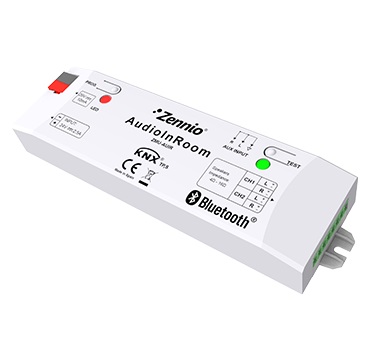
 Zennio · Order number ZMU-AUIR · Interface › Audio