| 1 | Error: Overheating | 0=Normal; 1=Overheat | 1 Bit | 1.5 alarm | CRT |
| 2 | Error: Current Selector Mismatch | 0=Match; 1=Mismatch | 1 Bit | 1.5 alarm | CRT |
| 3 | Error: External Voltage | 0=Normal; 1=Low Ext. Voltage | 1 Bit | 1.5 alarm | CRT |
| 4 | [RGBW] Switch On/Off | 0=Off; 1=On | 1 Bit | 1.1 switch | CW |
| 4 | [RGB] Switch On/Off | 0=Off; 1=On | 1 Bit | 1.1 switch | CW |
| 5 | [RGBW] Relative Dimming | 4-bits Dimmer Control | 4 Bit | 3.7 dimming control | CW |
| 5 | [RGB] Relative Dimming | 4-bits Dimmer Control | 4 Bit | 3.7 dimming control | CW |
| 6 | [RGBW] Absolute Dimming | 1-byte Dimmer Control | 1 Byte | 5.1 percentage (0..100%) | CW |
| 6 | [RGB] Absolute Dimming | 1-byte Dimmer Control | 1 Byte | 5.1 percentage (0..100%) | CW |
| 7 | [RGBW] Dimming Time 1 | Time in seconds | 2 Bytes | 7.5 time (s) | CW |
| 7 | [RGB] Dimming Time 1 | Time in seconds | 2 Bytes | 7.5 time (s) | CW |
| 8 | [RGBW] Dimming Time 2 | Time in seconds | 2 Bytes | 7.5 time (s) | CW |
| 8 | [RGB] Dimming Time 2 | Time in seconds | 2 Bytes | 7.5 time (s) | CW |
| 9 | [RGBW] Dimming Time 3 | Time in seconds | 2 Bytes | 7.5 time (s) | CW |
| 9 | [RGB] Dimming Time 3 | Time in seconds | 2 Bytes | 7.5 time (s) | CW |
| 10 | [RGBW] RGB Color | 3-bytes RGB Control | 3 Bytes | 232.600 RGB value 3x(0..255) | CW |
| 10 | [RGB] RGB Color | 3-bytes RGB Control | 3 Bytes | 232.600 RGB value 3x(0..255) | CW |
| 11 | [RGBW] Direct Color | Color number (Scene 1-22) | 1 Byte | 18.1 scene control | CW |
| 11 | [RGB] Direct Color | Color number (Scene 1-22) | 1 Byte | 18.1 scene control | CW |
| 12 | [RGBW] Color Shift | 0=Stop; 1=Start | 1 Bit | 1.10 start/stop | CW |
| 12 | [RGB] Color Shift | 0=Stop; 1=Start | 1 Bit | 1.10 start/stop | CW |
| 13 | [RGBW] Color Shift | 4-bits Color Control | 4 Bit | 3.7 dimming control | CW |
| 13 | [RGB] Color Shift | 4-bits Color Control | 4 Bit | 3.7 dimming control | CW |
| 14 | [RGBW] Simple Timer | 0=Deactivate; 1=Activate | 1 Bit | 1.10 start/stop | CW |
| 14 | [RGB] Simple Timer | 0=Deactivate; 1=Activate | 1 Bit | 1.10 start/stop | CW |
| 15 | [RGBW] Flashing | 0=Deactivate; 1=Activate | 1 Bit | 1.10 start/stop | CW |
| 15 | [RGB] Flashing | 0=Deactivate; 1=Activate | 1 Bit | 1.10 start/stop | CW |
| 16 | [RGBW] Scenes/Sequences | Scene/Sequence number | 1 Byte | 18.1 scene control | CW |
| 16 | [RGB] Scenes/Sequences | Scene/Sequence number | 1 Byte | 18.1 scene control | CW |
| 17 | [RGBW] Start/Stop Sequence | 0=Stop; 1=Start | 1 Bit | 1.10 start/stop | CW |
| 17 | [RGB] Start/Stop Sequence | 0=Stop; 1=Start | 1 Bit | 1.10 start/stop | CW |
| 18 | [RGBW] Custom On/Off 1 | 0=Off; 1=On | 1 Bit | 1.1 switch | CW |
| 18 | [RGB] Custom On/Off 1 | 0=Off; 1=On | 1 Bit | 1.1 switch | CW |
| 19 | [RGBW] Custom On/Off 2 | 0=Off; 1=On | 1 Bit | 1.1 switch | CW |
| 19 | [RGB] Custom On/Off 2 | 0=Off; 1=On | 1 Bit | 1.1 switch | CW |
| 20 | [RGBW] Custom On/Off 3 | 0=Off; 1=On | 1 Bit | 1.1 switch | CW |
| 20 | [RGB] Custom On/Off 3 | 0=Off; 1=On | 1 Bit | 1.1 switch | CW |
| 21 | [RGBW] Custom On/Off 4 | 0=Off; 1=On | 1 Bit | 1.1 switch | CW |
| 21 | [RGB] Custom On/Off 4 | 0=Off; 1=On | 1 Bit | 1.1 switch | CW |
| 22 | [RGBW] Lock | 0=Unlock; 1=Lock | 1 Bit | 1.3 enable | CW |
| 22 | [RGB] Lock | 0=Unlock; 1=Lock | 1 Bit | 1.3 enable | CW |
| 22 | [RGBW] Lock | 0=Lock; 1=Unlock | 1 Bit | 1.3 enable | CW |
| 22 | [RGB] Lock | 0=Lock; 1=Unlock | 1 Bit | 1.3 enable | CW |
| 23 | [RGBW] On/Off (Status) | 0=Off; 1=On | 1 Bit | 1.1 switch | CRT |
| 23 | [RGB] On/Off (Status) | 0=Off; 1=On | 1 Bit | 1.1 switch | CRT |
| 24 | [RGBW] Dimming Value (Status) | 0 - 100% | 1 Byte | 5.1 percentage (0..100%) | CRT |
| 24 | [RGB] Dimming Value (Status) | 0 - 100% | 1 Byte | 5.1 percentage (0..100%) | CRT |
| 25 | [RGBW] RGB Dimming Values (Status) | 3-bytes status | 3 Bytes | 232.600 RGB value 3x(0..255) | CRT |
| 25 | [RGB] RGB Dimming Values (Status) | 3-bytes status | 3 Bytes | 232.600 RGB value 3x(0..255) | CRT |
| 26 | [1] Switch On/Off | 0=Off; 1=On | 1 Bit | 1.1 switch | CW |
| 26 | [R] Switch On/Off | 0=Off; 1=On | 1 Bit | 1.1 switch | CW |
| 27 | [1] Relative Dimming | 4-bits Dimmer Control | 4 Bit | 3.7 dimming control | CW |
| 27 | [R] Relative Dimming | 4-bits Dimmer Control | 4 Bit | 3.7 dimming control | CW |
| 28 | [1] Absolute Dimming | 1-byte Dimmer Control | 1 Byte | 5.1 percentage (0..100%) | CW |
| 28 | [R] Absolute Dimming | 1-byte Dimmer Control | 1 Byte | 5.1 percentage (0..100%) | CW |
| 29 | [1] Dimming Time 1 | Time in seconds | 2 Bytes | 7.5 time (s) | CW |
| 30 | [1] Dimming Time 2 | Time in seconds | 2 Bytes | 7.5 time (s) | CW |
| 31 | [1] Dimming Time 3 | Time in seconds | 2 Bytes | 7.5 time (s) | CW |
| 32 | [1] Simple Timer | 0=Deactivate; 1=Activate | 1 Bit | 1.10 start/stop | CW |
| 33 | [1] Flashing | 0=Deactivate; 1=Activate | 1 Bit | 1.10 start/stop | CW |
| 34 | [1] Scenes/Sequences | Scene/Sequence number | 1 Byte | 18.1 scene control | CW |
| 35 | [1] Start/Stop Sequence | 0=Stop; 1=Start | 1 Bit | 1.10 start/stop | CW |
| 36 | [1] Custom On/Off 1 | 0=Off; 1=On | 1 Bit | 1.1 switch | CW |
| 37 | [1] Custom On/Off 2 | 0=Off; 1=On | 1 Bit | 1.1 switch | CW |
| 38 | [1] Custom On/Off 3 | 0=Off; 1=On | 1 Bit | 1.1 switch | CW |
| 39 | [1] Custom On/Off 4 | 0=Off; 1=On | 1 Bit | 1.1 switch | CW |
| 40 | [1] Lock | 0=Unlock; 1=Lock | 1 Bit | 1.3 enable | CW |
| 40 | [1] Lock | 0=Lock; 1=Unlock | 1 Bit | 1.3 enable | CW |
| 41 | [1] On/Off (Status) | 0=Off; 1=On | 1 Bit | 1.1 switch | CRT |
| 41 | [R] On/Off (Status) | 0=Off; 1=On | 1 Bit | 1.1 switch | CRT |
| 42 | [1] Dimming Value (Status) | 0 - 100% | 1 Byte | 5.1 percentage (0..100%) | CRT |
| 42 | [R] Dimming Value (Status) | 0 - 100% | 1 Byte | 5.1 percentage (0..100%) | CRT |
| 43 | [2] Switch On/Off | 0=Off; 1=On | 1 Bit | 1.1 switch | CW |
| 43 | [G] Switch On/Off | 0=Off; 1=On | 1 Bit | 1.1 switch | CW |
| 44 | [2] Relative Dimming | 4-bits Dimmer Control | 4 Bit | 3.7 dimming control | CW |
| 44 | [G] Relative Dimming | 4-bits Dimmer Control | 4 Bit | 3.7 dimming control | CW |
| 45 | [2] Absolute Dimming | 1-byte Dimmer Control | 1 Byte | 5.1 percentage (0..100%) | CW |
| 45 | [G] Absolute Dimming | 1-byte Dimmer Control | 1 Byte | 5.1 percentage (0..100%) | CW |
| 46 | [2] Dimming Time 1 | Time in seconds | 2 Bytes | 7.5 time (s) | CW |
| 47 | [2] Dimming Time 2 | Time in seconds | 2 Bytes | 7.5 time (s) | CW |
| 48 | [2] Dimming Time 3 | Time in seconds | 2 Bytes | 7.5 time (s) | CW |
| 49 | [2] Simple Timer | 0=Deactivate; 1=Activate | 1 Bit | 1.10 start/stop | CW |
| 50 | [2] Flashing | 0=Deactivate; 1=Activate | 1 Bit | 1.10 start/stop | CW |
| 51 | [2] Scenes/Sequences | Scene/Sequence number | 1 Byte | 18.1 scene control | CW |
| 52 | [2] Start/Stop Sequence | 0=Stop; 1=Start | 1 Bit | 1.10 start/stop | CW |
| 53 | [2] Custom On/Off 1 | 0=Off; 1=On | 1 Bit | 1.1 switch | CW |
| 54 | [2] Custom On/Off 2 | 0=Off; 1=On | 1 Bit | 1.1 switch | CW |
| 55 | [2] Custom On/Off 3 | 0=Off; 1=On | 1 Bit | 1.1 switch | CW |
| 56 | [2] Custom On/Off 4 | 0=Off; 1=On | 1 Bit | 1.1 switch | CW |
| 57 | [2] Lock | 0=Unlock; 1=Lock | 1 Bit | 1.3 enable | CW |
| 57 | [2] Lock | 0=Lock; 1=Unlock | 1 Bit | 1.3 enable | CW |
| 58 | [2] On/Off (Status) | 0=Off; 1=On | 1 Bit | 1.1 switch | CRT |
| 58 | [G] On/Off (Status) | 0=Off; 1=On | 1 Bit | 1.1 switch | CRT |
| 59 | [2] Dimming Value (Status) | 0 - 100% | 1 Byte | 5.1 percentage (0..100%) | CRT |
| 59 | [G] Dimming Value (Status) | 0 - 100% | 1 Byte | 5.1 percentage (0..100%) | CRT |
| 60 | [3] Switch On/Off | 0=Off; 1=On | 1 Bit | 1.1 switch | CW |
| 60 | [B] Switch On/Off | 0=Off; 1=On | 1 Bit | 1.1 switch | CW |
| 61 | [3] Relative Dimming | 4-bits Dimmer Control | 4 Bit | 3.7 dimming control | CW |
| 61 | [B] Relative Dimming | 4-bits Dimmer Control | 4 Bit | 3.7 dimming control | CW |
| 62 | [3] Absolute Dimming | 1-byte Dimmer Control | 1 Byte | 5.1 percentage (0..100%) | CW |
| 62 | [B] Absolute Dimming | 1-byte Dimmer Control | 1 Byte | 5.1 percentage (0..100%) | CW |
| 63 | [3] Dimming Time 1 | Time in seconds | 2 Bytes | 7.5 time (s) | CW |
| 64 | [3] Dimming Time 2 | Time in seconds | 2 Bytes | 7.5 time (s) | CW |
| 65 | [3] Dimming Time 3 | Time in seconds | 2 Bytes | 7.5 time (s) | CW |
| 66 | [3] Simple Timer | 0=Deactivate; 1=Activate | 1 Bit | 1.10 start/stop | CW |
| 67 | [3] Flashing | 0=Deactivate; 1=Activate | 1 Bit | 1.10 start/stop | CW |
| 68 | [3] Scenes/Sequences | Scene/Sequence number | 1 Byte | 18.1 scene control | CW |
| 69 | [3] Start/Stop Sequence | 0=Stop; 1=Start | 1 Bit | 1.10 start/stop | CW |
| 70 | [3] Custom On/Off 1 | 0=Off; 1=On | 1 Bit | 1.1 switch | CW |
| 71 | [3] Custom On/Off 2 | 0=Off; 1=On | 1 Bit | 1.1 switch | CW |
| 72 | [3] Custom On/Off 3 | 0=Off; 1=On | 1 Bit | 1.1 switch | CW |
| 73 | [3] Custom On/Off 4 | 0=Off; 1=On | 1 Bit | 1.1 switch | CW |
| 74 | [3] Lock | 0=Unlock; 1=Lock | 1 Bit | 1.3 enable | CW |
| 74 | [3] Lock | 0=Lock; 1=Unlock | 1 Bit | 1.3 enable | CW |
| 75 | [3] On/Off (Status) | 0=Off; 1=On | 1 Bit | 1.1 switch | CRT |
| 75 | [B] On/Off (Status) | 0=Off; 1=On | 1 Bit | 1.1 switch | CRT |
| 76 | [3] Dimming Value (Status) | 0 - 100% | 1 Byte | 5.1 percentage (0..100%) | CRT |
| 76 | [B] Dimming Value (Status) | 0 - 100% | 1 Byte | 5.1 percentage (0..100%) | CRT |
| 77 | [4] Switch On/Off | 0=Off; 1=On | 1 Bit | 1.1 switch | CW |
| 77 | [W] Switch On/Off | 0=Off; 1=On | 1 Bit | 1.1 switch | CW |
| 78 | [4] Relative Dimming | 4-bits Dimmer Control | 4 Bit | 3.7 dimming control | CW |
| 78 | [W] Relative Dimming | 4-bits Dimmer Control | 4 Bit | 3.7 dimming control | CW |
| 79 | [4] Absolute Dimming | 1-byte Dimmer Control | 1 Byte | 5.1 percentage (0..100%) | CW |
| 79 | [W] Absolute Dimming | 1-byte Dimmer Control | 1 Byte | 5.1 percentage (0..100%) | CW |
| 80 | [4] Dimming Time 1 | Time in seconds | 2 Bytes | 7.5 time (s) | CW |
| 80 | [W] Dimming Time 1 | Time in seconds | 2 Bytes | 7.5 time (s) | CW |
| 81 | [4] Dimming Time 2 | Time in seconds | 2 Bytes | 7.5 time (s) | CW |
| 81 | [W] Dimming Time 2 | Time in seconds | 2 Bytes | 7.5 time (s) | CW |
| 82 | [4] Dimming Time 3 | Time in seconds | 2 Bytes | 7.5 time (s) | CW |
| 82 | [W] Dimming Time 3 | Time in seconds | 2 Bytes | 7.5 time (s) | CW |
| 83 | [4] Simple Timer | 0=Deactivate; 1=Activate | 1 Bit | 1.10 start/stop | CW |
| 83 | [W] Simple Timer | 0=Deactivate; 1=Activate | 1 Bit | 1.10 start/stop | CW |
| 84 | [4] Flashing | 0=Deactivate; 1=Activate | 1 Bit | 1.10 start/stop | CW |
| 84 | [W] Flashing | 0=Deactivate; 1=Activate | 1 Bit | 1.10 start/stop | CW |
| 85 | [4] Scenes/Sequences | Scene/Sequence number | 1 Byte | 18.1 scene control | CW |
| 85 | [W] Scenes/Sequences | Scene/Sequence number | 1 Byte | 18.1 scene control | CW |
| 86 | [4] Start/Stop Sequence | 0=Stop; 1=Start | 1 Bit | 1.10 start/stop | CW |
| 86 | [W] Start/Stop Sequence | 0=Stop; 1=Start | 1 Bit | 1.10 start/stop | CW |
| 87 | [4] Custom On/Off 1 | 0=Off; 1=On | 1 Bit | 1.1 switch | CW |
| 87 | [W] Custom On/Off 1 | 0=Off; 1=On | 1 Bit | 1.1 switch | CW |
| 88 | [4] Custom On/Off 2 | 0=Off; 1=On | 1 Bit | 1.1 switch | CW |
| 88 | [W] Custom On/Off 2 | 0=Off; 1=On | 1 Bit | 1.1 switch | CW |
| 89 | [4] Custom On/Off 3 | 0=Off; 1=On | 1 Bit | 1.1 switch | CW |
| 89 | [W] Custom On/Off 3 | 0=Off; 1=On | 1 Bit | 1.1 switch | CW |
| 90 | [4] Custom On/Off 4 | 0=Off; 1=On | 1 Bit | 1.1 switch | CW |
| 90 | [W] Custom On/Off 4 | 0=Off; 1=On | 1 Bit | 1.1 switch | CW |
| 91 | [4] Lock | 0=Unlock; 1=Lock | 1 Bit | 1.3 enable | CW |
| 91 | [W] Lock | 0=Unlock; 1=Lock | 1 Bit | 1.3 enable | CW |
| 91 | [4] Lock | 0=Lock; 1=Unlock | 1 Bit | 1.3 enable | CW |
| 91 | [W] Lock | 0=Lock; 1=Unlock | 1 Bit | 1.3 enable | CW |
| 92 | [4] On/Off (Status) | 0=Off; 1=On | 1 Bit | 1.1 switch | CRT |
| 92 | [W] On/Off (Status) | 0=Off; 1=On | 1 Bit | 1.1 switch | CRT |
| 93 | [4] Dimming Value (Status) | 0 - 100% | 1 Byte | 5.1 percentage (0..100%) | CRT |
| 93 | [W] Dimming Value (Status) | 0 - 100% | 1 Byte | 5.1 percentage (0..100%) | CRT |
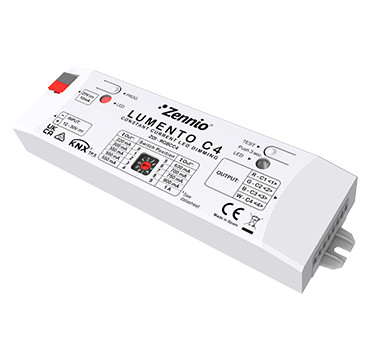
 Zennio · Order number ZDI-RGBCC4 · Illumination › LED Lighting