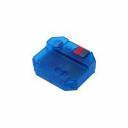
KNX RF/TP Coupler 673 Secure
 Weinzierl Engineering GmbH · Order number KNX RF/TP Coupler 673 Secure · TP Interfaces / Gateways › RF
Media Coupler
Download .knxprod KNX RF/TP Coupler 673 Secure 1.1 · 130 KB
Product
| Manufacturer | Weinzierl Engineering GmbH |
|---|---|
| Product name | KNX RF/TP Coupler 673 Secure |
| Order number | KNX RF/TP Coupler 673 Secure |
| Hardware | KNX RF/TP Coupler 673 Secure |
| Medium | KNX RF |
| Bus current (mA) | 10 |
| Rail mounted | No |
| Device kind | Coupler, RFRetransmitter |
| Registration | Registered · 2019-11-12 |
| Languages | de-DE, en-US |
| Catalog entry | M-00C5_H-KNX.20RF.2FTP.20Coupler.20673.20Secure-256_HP-060C-11-E52C_CI-KNX.20RF.2FTP.20Coupler.20673.20Secure-1 |
| Fingerprint | E52C |
| SHA-256 | f4681df18e52813a6e0f61e9a4ace0291497160ac5fbf87799bfcb0c8fd19c05 |
| First seen | 2026-11-25 |
| Markets | 59 markets |
Application program: KNX RF/TP Coupler 673 Secure 1.1
| Application number | $060C |
|---|---|
| Version | 1.1 |
| Mask version | MV-2920 (Coupler 2920) |
| KNX Data Secure | Yes |
| Minimum ETS version | 5.0 |
| Parameters | 18 |
| Group objects | 0 |
Group objects (0)
| No | Name | Function | Size | DPT | Flags |
|---|
Parameters (14)
| Parameter | Type | Default |
|---|---|---|
| Group telegrams | list | Filter |
| Individual addressed telegrams | list | Filter |
| System broadcast telegrams | list | Block |
| Broadcast telegrams | list | Route |
| Acknowledge (ACK) of group telegrams | list | If routed |
| Acknowledge (ACK) of individual telegrams | list | If routed |
| Manual operation on device | list | Enabled with time limit 1 min |
| Device name | text | KNX RF/TP Coupler 673 Secure |
| Compact KNX RF/TP Coupler | picture | |
| Wiring scheme: | picture | |
| Repetition of individual addressed telegrams | list | Enabled |
| Repetition of group telegrams | list | Enabled |
| Repetition of broadcast telegrams | list | Enabled |
| Management telegrams | list | Ignore |
Version history
| Application | App no | Fingerprint | First seen | Size | File |
|---|---|---|---|---|---|
| KNX RF/TP Coupler 673 Secure 1.1 latest | $060C | E52C | 2026-11-25 | 130 KB | Download |
About this file
This is the official ETS product database for the Weinzierl Engineering GmbH KNX RF/TP Coupler 673 Secure (KNX RF/TP Coupler 673 Secure), published by the manufacturer in the KNX online catalog. To use it, open ETS, go to Catalogs → Import and choose the downloaded .knxprod file. The device then appears in your catalog and can be added to a project. Older versions are kept so existing projects can be matched to the application program they were commissioned with.
More from Weinzierl Engineering GmbH
- KNX BAOS 82x 87x KNX BAOS 82x 87x
- KNX BAOS 830 KNX BAOS 830
- KNX BAOS 83x.1 secure KNX BAOS 83x.1 secure
- KNX DMX Gateway 544 KNX DMX Gateway 544
- KNX ENO Gateway 620 KNX ENO 620
- KNX ENO Gateway 626 KNX ENO 626
- KNX ENO Gateway 630 KNX ENO 630
- KNX ENO Gateway 632 KNX ENO 632
- KNX ENO Gateway 634 KNX ENO 634
- KNX ENO Gateway 636 KNX ENO 636
- KNX IP BAOS 770 KNX IP BAOS 770
- KNX IP BAOS 771 KNX IP BAOS 771