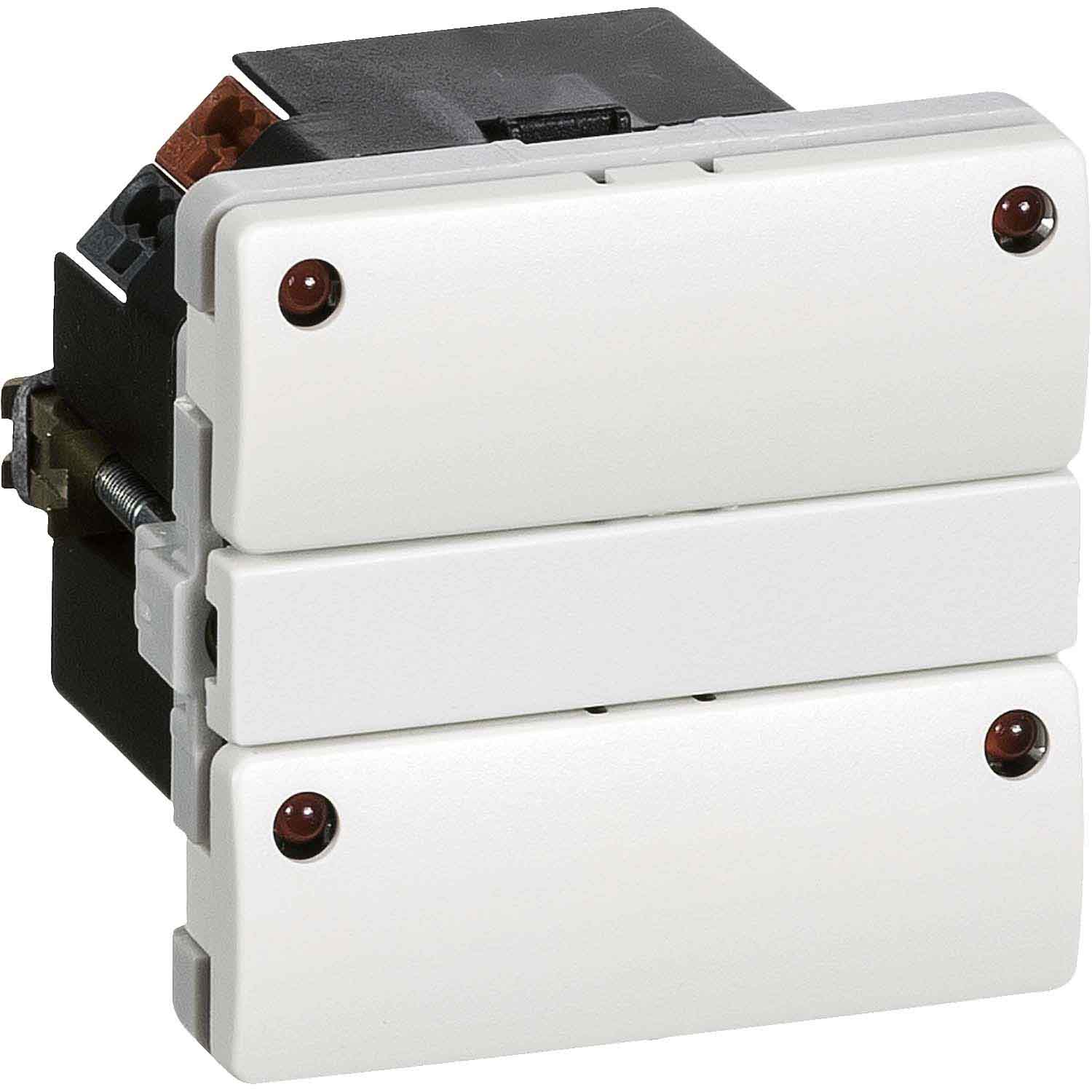
KNX FUGA Push-button 4 switch + LED 507Dx611
 Schneider Electric Industries SAS · Order number 507Dx611 · 2.3 Push Button, 4-gang › Danish Push-button FUGA OPUS
507Dx611
Download .knxprod Universal 1822/1.0 1.0 · 353 KB
Product
| Manufacturer | Schneider Electric Industries SAS |
|---|---|
| Product name | KNX FUGA Push-button 4 switch + LED |
| Order number | 507Dx611 |
| Hardware | KNX FUGA Taster 4fach + LED |
| Medium | Twisted Pair |
| Bus current (mA) | 65535 |
| Rail mounted | No |
| Width (mm) | -1 |
| Registration | Certified |
| Languages | en-US, de-DE, fr-FR, da-DK, nl-NL, it-IT, sv-SE, es-ES |
| Catalog entry | M-0064_H-507Dx611-1_HP-1822-10-BC57_CI-507Dx611-1 |
| Fingerprint | BC57 |
| SHA-256 | a709b55ff0148fbccbc43ef0b33ef802156da47a98d3471fc967ea5f66b74e70 |
| First seen | 2026-11-25 |
| Markets | 59 markets |
Application program: Universal 1822/1.0 1.0
| Application number | $1822 |
|---|---|
| Version | 1.0 |
| Mask version | MV-0705 (7.5) |
| KNX Data Secure | No |
| Parameters | 1812 |
| Group objects | 155 |
Group objects (155)
| No | Name | Function | Size | DPT | Flags |
|---|---|---|---|---|---|
| 0 | Object 1 | 1 Bit | CRWTU | ||
| 0 | Value object A | Push-button 1 | 1 Byte | CWT | |
| 0 | Switch object A | Push-button 1 | 1 Bit | CWT | |
| 0 | Switch object | Push-button 1 | 1 Bit | CWT | |
| 0 | Stop/step object | Push-button 1 | 1 Bit | CT | |
| 0 | Stop/step object | Push-button 1 | 1 Bit | CWT | |
| 0 | Blind position | Push-button 1 | 1 Byte | CT | |
| 0 | Object A | Push-button 1 | 1 Bit | CWT | |
| 0 | Object A | Push-button 1 | 2 Bit | CWT | |
| 0 | Object A | Push-button 1 | 4 Bit | CWT | |
| 0 | Value object A | Push-button 1 | 2 Bytes | CWT | |
| 0 | Object A | Push-button 1 | 1 Byte | CWT | |
| 1 | Object 2 | 1 Bit | CRWTU | ||
| 1 | Value object B | Push-button 1 | 1 Byte | CWT | |
| 1 | Switch object B | Push-button 1 | 1 Bit | CWT | |
| 1 | Dimming object | Push-button 1 | 4 Bit | CWT | |
| 1 | Movement object | Push-button 1 | 1 Bit | CT | |
| 1 | Movement object | Push-button 1 | 1 Bit | CWT | |
| 1 | Slat position | Push-button 1 | 1 Byte | CT | |
| 1 | Object B | Push-button 1 | 1 Bit | CWT | |
| 1 | Object B | Push-button 1 | 2 Bit | CWT | |
| 1 | Object B | Push-button 1 | 4 Bit | CWT | |
| 1 | Object B | Push-button 1 | 1 Byte | CWT | |
| 2 | Object 3 | 1 Bit | CRWTU | ||
| 2 | Status feedback object | Push-button 1 | 1 Bit | CW | |
| 3 | Object 4 | 1 Bit | CRWTU | ||
| 3 | Value object A | Push-button 2 | 1 Byte | CWT | |
| 3 | Switch object A | Push-button 2 | 1 Bit | CWT | |
| 3 | Switch object | Push-button 2 | 1 Bit | CWT | |
| 3 | Stop/step object | Push-button 2 | 1 Bit | CT | |
| 3 | Stop/step object | Push-button 2 | 1 Bit | CWT | |
| 3 | Blind position | Push-button 2 | 1 Byte | CT | |
| 3 | Object A | Push-button 2 | 1 Bit | CWT | |
| 3 | Object A | Push-button 2 | 2 Bit | CWT | |
| 3 | Object A | Push-button 2 | 4 Bit | CWT | |
| 3 | Value object A | Push-button 2 | 2 Bytes | CWT | |
| 3 | Object A | Push-button 2 | 1 Byte | CWT | |
| 4 | Object 5 | 1 Bit | CRWTU | ||
| 4 | Value object B | Push-button 2 | 1 Byte | CWT | |
| 4 | Switch object B | Push-button 2 | 1 Bit | CWT | |
| 4 | Dimming object | Push-button 2 | 4 Bit | CWT | |
| 4 | Movement object | Push-button 2 | 1 Bit | CT | |
| 4 | Movement object | Push-button 2 | 1 Bit | CWT | |
| 4 | Slat position | Push-button 2 | 1 Byte | CT | |
| 4 | Object B | Push-button 2 | 1 Bit | CWT | |
| 4 | Object B | Push-button 2 | 2 Bit | CWT | |
| 4 | Object B | Push-button 2 | 4 Bit | CWT | |
| 4 | Object B | Push-button 2 | 1 Byte | CWT | |
| 5 | Object 6 | 1 Bit | CRWTU | ||
| 5 | Status feedback object | Push-button 2 | 1 Bit | CW | |
| 6 | Object 7 | 1 Bit | CRWTU | ||
| 6 | Value object A | Push-button 3 | 1 Byte | CWT | |
| 6 | Switch object A | Push-button 3 | 1 Bit | CWT | |
| 6 | Switch object | Push-button 3 | 1 Bit | CWT | |
| 6 | Stop/step object | Push-button 3 | 1 Bit | CT | |
| 6 | Stop/step object | Push-button 3 | 1 Bit | CWT | |
| 6 | Blind position | Push-button 3 | 1 Byte | CT | |
| 6 | Object A | Push-button 3 | 1 Bit | CWT | |
| 6 | Object A | Push-button 3 | 2 Bit | CWT | |
| 6 | Object A | Push-button 3 | 4 Bit | CWT | |
| 6 | Value object A | Push-button 3 | 2 Bytes | CWT | |
| 6 | Object A | Push-button 3 | 1 Byte | CWT | |
| 7 | Object 8 | 1 Bit | CRWTU | ||
| 7 | Value object B | Push-button 3 | 1 Byte | CWT | |
| 7 | Switch object B | Push-button 3 | 1 Bit | CWT | |
| 7 | Dimming object | Push-button 3 | 4 Bit | CWT | |
| 7 | Movement object | Push-button 3 | 1 Bit | CT | |
| 7 | Movement object | Push-button 3 | 1 Bit | CWT | |
| 7 | Slat position | Push-button 3 | 1 Byte | CT | |
| 7 | Object B | Push-button 3 | 1 Bit | CWT | |
| 7 | Object B | Push-button 3 | 2 Bit | CWT | |
| 7 | Object B | Push-button 3 | 4 Bit | CWT | |
| 7 | Object B | Push-button 3 | 1 Byte | CWT | |
| 8 | Object 9 | 1 Bit | CRWTU | ||
| 8 | Status feedback object | Push-button 3 | 1 Bit | CW | |
| 9 | Object 10 | 1 Bit | CRWTU | ||
| 9 | Value object A | Push-button 4 | 1 Byte | CWT | |
| 9 | Switch object A | Push-button 4 | 1 Bit | CWT | |
| 9 | Switch object | Push-button 4 | 1 Bit | CWT | |
| 9 | Stop/step object | Push-button 4 | 1 Bit | CT | |
| 9 | Stop/step object | Push-button 4 | 1 Bit | CWT | |
| 9 | Blind position | Push-button 4 | 1 Byte | CT | |
| 9 | Object A | Push-button 4 | 1 Bit | CWT | |
| 9 | Object A | Push-button 4 | 2 Bit | CWT | |
| 9 | Object A | Push-button 4 | 4 Bit | CWT | |
| 9 | Value object A | Push-button 4 | 2 Bytes | CWT | |
| 9 | Object A | Push-button 4 | 1 Byte | CWT | |
| 10 | Object 11 | 1 Bit | CRWTU | ||
| 10 | Value object B | Push-button 4 | 1 Byte | CWT | |
| 10 | Switch object B | Push-button 4 | 1 Bit | CWT | |
| 10 | Dimming object | Push-button 4 | 4 Bit | CWT | |
| 10 | Movement object | Push-button 4 | 1 Bit | CT | |
| 10 | Movement object | Push-button 4 | 1 Bit | CWT | |
| 10 | Slat position | Push-button 4 | 1 Byte | CT | |
| 10 | Object B | Push-button 4 | 1 Bit | CWT | |
| 10 | Object B | Push-button 4 | 2 Bit | CWT | |
| 10 | Object B | Push-button 4 | 4 Bit | CWT | |
| 10 | Object B | Push-button 4 | 1 Byte | CWT | |
| 11 | Object 12 | 1 Bit | CRWTU | ||
| 11 | Status feedback object | Push-button 4 | 1 Bit | CW | |
| 12 | Object 13 | 1 Bit | CRWTU | ||
| 13 | Object 14 | 1 Bit | CRWTU | ||
| 14 | Object 15 | 1 Bit | CRWTU | ||
| 15 | Object 16 | 1 Bit | CRWTU | ||
| 16 | Object 17 | 1 Bit | CRWTU | ||
| 17 | Object 18 | 1 Bit | CRWTU | ||
| 18 | Object 19 | 1 Bit | CRWTU | ||
| 19 | Object 20 | 1 Bit | CRWTU | ||
| 20 | Object 21 | 1 Bit | CRWTU | ||
| 21 | Object 22 | 1 Bit | CRWTU | ||
| 22 | Object 23 | 1 Bit | CRWTU | ||
| 23 | Object 24 | 1 Bit | CRWTU | ||
| 24 | Object 25 | 1 Bit | CRWTU | ||
| 25 | Object 26 | 1 Bit | CRWTU | ||
| 26 | Object 27 | 1 Bit | CRWTU | ||
| 27 | Object 28 | 1 Bit | CRWTU | ||
| 27 | Disable object | Disable function | 1 Bit | CW | |
| 28 | Object 29 | 1 Bit | CRWTU | ||
| 28 | Enable object | Save scenes | 1 Bit | CW | |
| 29 | Object 30 | 1 Byte | CRWTU | ||
| 29 | Extension object | Scene function | 1 Byte | CW | |
| 30 | Object 31 | 1 Byte | CRWTU | ||
| 30 | Actuator group 1 | Switching | 1 Bit | CWTU | |
| 30 | Actuator group 1 | Priority control | 2 Bit | CWTU | |
| 30 | Actuator group 1 | Send value | 1 Byte | CWTU | |
| 31 | Object 32 | 1 Byte | CRWTU | ||
| 31 | Actuator group 2 | Switching | 1 Bit | CWTU | |
| 31 | Actuator group 2 | Priority control | 2 Bit | CWTU | |
| 31 | Actuator group 2 | Send value | 1 Byte | CWTU | |
| 32 | Object 33 | 1 Byte | CRWTU | ||
| 32 | Actuator group 3 | Switching | 1 Bit | CWTU | |
| 32 | Actuator group 3 | Priority control | 2 Bit | CWTU | |
| 32 | Actuator group 3 | Send value | 1 Byte | CWTU | |
| 33 | Object 34 | 1 Byte | CRWTU | ||
| 33 | Actuator group 4 | Switching | 1 Bit | CWTU | |
| 33 | Actuator group 4 | Priority control | 2 Bit | CWTU | |
| 33 | Actuator group 4 | Send value | 1 Byte | CWTU | |
| 34 | Object 35 | 1 Byte | CRWTU | ||
| 34 | Actuator group 5 | Switching | 1 Bit | CWTU | |
| 34 | Actuator group 5 | Priority control | 2 Bit | CWTU | |
| 34 | Actuator group 5 | Send value | 1 Byte | CWTU | |
| 35 | Object 36 | 1 Byte | CRWTU | ||
| 35 | Actuator group 6 | Switching | 1 Bit | CWTU | |
| 35 | Actuator group 6 | Priority control | 2 Bit | CWTU | |
| 35 | Actuator group 6 | Send value | 1 Byte | CWTU | |
| 36 | Object 37 | 1 Byte | CRWTU | ||
| 36 | Actuator group 7 | Switching | 1 Bit | CWTU | |
| 36 | Actuator group 7 | Priority control | 2 Bit | CWTU | |
| 36 | Actuator group 7 | Send value | 1 Byte | CWTU | |
| 36 | Actuator group 7 | Send value | 2 Bytes | CWTU | |
| 37 | Object 38 | 1 Byte | CRWTU | ||
| 37 | Actuator group 8 | Switching | 1 Bit | CWTU | |
| 37 | Actuator group 8 | Priority control | 2 Bit | CWTU | |
| 37 | Actuator group 8 | Send value | 1 Byte | CWTU | |
| 38 | Object 39 | 1 Bit | CRWTU |
Parameters (197)
| Parameter | Type | Default |
|---|---|---|
| Internal | list | Dummy |
| Download detection | unsignedInt 0…255 | 255 |
| ETS ID | unsignedInt 0…255 | 24 |
| ETS ID | unsignedInt 0…255 | 34 |
| ETS Version | unsignedInt 0…255 | 8 |
| ETS Version | unsignedInt 0…255 | 0 |
| Fully generated | list | Dummy |
| Push-button info | list | Dummy |
| Push-button 1 = | list | Upper left push-button |
| Push-button 2 = | list | Upper right push-button |
| Push-button 3 = | list | Lower left push-button |
| Push-button 4 = | list | Lower right push-button |
| Push-button 1 | list | Dummy |
| Select push-button function | list | Toggle |
| Toggle | list | Dummy |
| Switching | list | Dummy |
| Dimming | list | Dummy |
| Blind | list | Dummy |
| Edges 1 bit, 2 bit (prio), 1 byte values | list | Dummy |
| Edges with 2 byte values | list | Dummy |
| 8 bit slider | list | Dummy |
| Scene | list | Dummy |
| Select edge function | list | Normal (operate, release) |
| Number of objects | list | One |
| Long operation time equals 100 ms * factor (4-250) | unsignedInt 4…250 | 6 |
| Long operation time equals 100 ms * factor (4-250) | unsignedInt 0…255 | 1 |
| Select scene function | list | Normal (short = recall/long = save) |
| Trigger status LED | list | Operation = ON / release = OFF |
| Trigger status LED | list | From object A |
| Direct action on operation | list | Sends value 1 |
| Action on release before the long operating time has elapsed | list | None (stops cyclical sending) |
| Action on operation | list | Sends value 1 |
| Action on achieving the long operating time | list | None (stops cyclical sending) |
| Action on release after achieving the long operating time | list | None (stops cyclical sending) |
| Basis | list | 1 min |
| Action at release | list | None |
| Factor (3-255) | unsignedInt 3…255 | 8 |
| Push-button 1 slider | list | Dummy |
| Slider function | list | With limit values |
| Dimming direction | list | Brighter and darker |
| Direction of movement, blind | list | Up |
| Value 1 | list | ON telegram |
| Value 1 | list | OFF telegram |
| Select number of positionings | list | One position (short operation) |
| Position value 1 (short operation) | list | In steps of 0 %-100 % |
| Step dimming (brighter) | list | To max. brightness |
| Step dimming (darker) | list | To min. brightness |
| Position of blind | list | 100 % |
| Position of blind | unsignedInt 0…255 | 255 |
| Position of slat | list | 100 % |
| Position of slat | unsignedInt 0…255 | 255 |
| Stop telegram after release | list | Yes |
| Send dimming levels cyclically | list | No |
| Pause for slats - change of direction 100 ms * factor (5-50) | unsignedInt 5…50 | 10 |
| Push-button 1 - edges object A/B | list | Dummy |
| Push-button 1 - edges object A | list | Dummy |
| Direct action on operation | list | None (stops cyclical sending) |
| Push-button 1 - scene object A | list | Dummy |
| Position value 2 (long operation) | list | In steps of 0 %-100 % |
| Action on release before the long operating time has elapsed | list | Increase current object value once |
| Position of blind | list | 0 % |
| Position of blind | unsignedInt 0…255 | 0 |
| Object A | list | 1 bit |
| Basis | list | 0.1 s |
| Position of slat | list | 0 % |
| Position of slat | unsignedInt 0…255 | 0 |
| Action on operation | list | Sends 1 |
| Direct action on operation | list | Sends 1 |
| Action on operation | list | Toggles |
| Toggle dimming object value cyclically | list | Toggle dimming object value |
| Action on release before the long operating time has elapsed | list | Sends value 1 |
| Toggle dimming object value | list | Toggle dimming object value |
| Value 1 | unsignedInt 0…255 | 255 |
| Action at release | list | Sends 0 |
| Action at release | list | Sends value 2 |
| Set step value | unsignedInt 0…255 | 255 |
| Action on release after achieving the long operating time | list | Sends value 2 |
| Value 1 | list | 100 % |
| Value 1 | list | Switch on with priority (11) |
| Value 1 | list | To max. brightness |
| Value 2 | unsignedInt 0…255 | 0 |
| Scene address (0-63) | list | 0 |
| Value 1 Scene address (0-63) | list | 0 |
| Value 1 to retrieve/save the scene | list | Retrieve |
| Value 2 | list | 0 % |
| Value 2 | list | Remove priority control (00) |
| Value 2 | list | To min. brightness |
| Value 2 Scene address (0-63) | list | 0 |
| Value 2 to retrieve/save the scene | list | Save |
| Should scene value 2 store the scene | list | Yes |
| Push-button 1 - edges object B | list | Dummy |
| Push-button 1 - edges values | list | Dummy |
| Scene value 2 (0-63) | list | 0 |
| Push-button 1 - scene object B | list | Dummy |
| Object type value | list | Floating point |
| Object B | list | 1 bit |
| Value 1 (-32768 - 32767) | signedInt -32768…32767 | 32767 |
| Value 1 (0 - 65535) | unsignedInt 0…65535 | 65535 |
| Sign | list | Positive |
| Value | list | ON telegram |
| Value | list | 100 % |
| Value | unsignedInt 0…255 | 255 |
| Basis (possible values in brackets) | list | 0.01 (0 to 20.47) |
| Factor (0 - 2047) | unsignedInt 0…2047 | 1000 |
| Value 2 (-32768 - 32767) | signedInt -32768…32767 | -32768 |
| Value 2 (0 - 65535) | unsignedInt 0…65535 | 0 |
| Action on achieving the long operating time | list | Sends value 1 |
| Factor (0 - 2047) | unsignedInt 0…2047 | 2000 |
| Value 1 Scene address (0-63) | list | 1 |
| Value 2 Scene address (0-63) | list | 1 |
| Base for cycle time | list | 1 min |
| Trigger status LED | list | From switch/value object A |
| Trigger status LED | list | From switch object |
| Trigger status LED | list | Long operation = ON / release = OFF |
| Push-button 2 | list | Dummy |
| Push-button 2 slider | list | Dummy |
| Push-button 2 - edges object A/B | list | Dummy |
| Push-button 2 - edges object A | list | Dummy |
| Push-button 2 - scene object A | list | Dummy |
| Push-button 2 - edges object B | list | Dummy |
| Push-button 2 - edges values | list | Dummy |
| Push-button 2 - scene object B | list | Dummy |
| Push-button 3 | list | Dummy |
| Push-button 3 slider | list | Dummy |
| Push-button 3 - edges object A/B | list | Dummy |
| Push-button 3 - edges object A | list | Dummy |
| Push-button 3 - scene object A | list | Dummy |
| Push-button 3 - edges object B | list | Dummy |
| Push-button 3 - edges values | list | Dummy |
| Push-button 3 - scene object B | list | Dummy |
| Push-button 4 | list | Dummy |
| Push-button 4 slider | list | Dummy |
| Push-button 4 - edges object A/B | list | Dummy |
| Push-button 4 - edges object A | list | Dummy |
| Push-button 4 - scene object A | list | Dummy |
| Push-button 4 - edges object B | list | Dummy |
| Push-button 4 - edges values | list | Dummy |
| Push-button 4 - scene object B | list | Dummy |
| Disable function for push-buttons | list | Dummy |
| Apply disable function | list | No |
| Execute disable function | list | At object value 1 |
| Type of blocking | list | All push-buttons function like master |
| First scene address | list | 0 |
| Second scene address | list | 1 |
| Master push-button = | list | Push-button 1 |
| Push-button 1 disable | list | Yes |
| Push-button 2 disable | list | Yes |
| Push-button 3 disable | list | Yes |
| Push-button 4 disable | list | Yes |
| Scene module | list | Dummy |
| Apply scene module | list | No |
| Save scenes | list | Yes |
| Time between 2 read telegrams 100 ms * factor (2-255) | unsignedInt 2…255 | 10 |
| Scene actuator groups | list | Dummy |
| Actuator group 1 | list | Switch object |
| Actuator group 2 | list | Switch object |
| Actuator group 3 | list | Switch object |
| Actuator group 4 | list | Switch object |
| Actuator group 5 | list | Switch object |
| Actuator group 6 | list | Switch object |
| Actuator group 7 (also 16 bit possible) | list | Switch object |
| Actuator group 8 | list | Switch object |
| Scene 1 | list | Dummy |
| Time between scene telegrams 100 ms * factor (2-255) | unsignedInt 2…255 | 10 |
| Scene 1 - values | list | Dummy |
| Value 1 sending | list | No telegram |
| Value 2 sending | list | No telegram |
| Value 3 sending | list | No telegram |
| Value 4 sending | list | No telegram |
| Value 5 sending | list | No telegram |
| Value 6 sending | list | No telegram |
| Value 7 sending | list | No telegram |
| Value 7 sending (0 - 65535) | unsignedInt 0…65535 | 65535 |
| Value 7 sending (-32768 - 32767) | signedInt -32768…32767 | 32767 |
| Factor (0-2047) | unsignedInt 0…2047 | 1000 |
| Value 8 sending | list | No telegram |
| Scene 2 | list | Dummy |
| Scene address (0-63) | list | 1 |
| Scene 2 - values | list | Dummy |
| Scene 3 | list | Dummy |
| Scene address (0-63) | list | 2 |
| Scene 3 - values | list | Dummy |
| Scene 4 | list | Dummy |
| Scene address (0-63) | list | 3 |
| Scene 4 - values | list | Dummy |
| Scene 5 | list | Dummy |
| Scene address (0-63) | list | 4 |
| Scene 5 - values | list | Dummy |
| Scene 6 | list | Dummy |
| Scene address (0-63) | list | 5 |
| Scene 6 - values | list | Dummy |
| Scene 7 | list | Dummy |
| Scene address (0-63) | list | 6 |
| Scene 7 - values | list | Dummy |
| Scene 8 | list | Dummy |
| Scene address (0-63) | list | 7 |
| Scene 8 - values | list | Dummy |
Version history
| Application | App no | Fingerprint | First seen | Size | File |
|---|---|---|---|---|---|
| Universal 1822/1.0 1.0 latest | $1822 | BC57 | 2026-11-25 | 353 KB | Download |
About this file
This is the official ETS product database for the Schneider Electric Industries SAS KNX FUGA Push-button 4 switch + LED (507Dx611), published by the manufacturer in the KNX online catalog. To use it, open ETS, go to Catalogs → Import and choose the downloaded .knxprod file. The device then appears in your catalog and can be added to a project. Older versions are kept so existing projects can be matched to the application program they were commissioned with.
More from Schneider Electric Industries SAS
- KNX OPUS Push-button 4 switch + LED 507Nx611
- Push-button 4-gang plus MTN6174xx
- Push-button 4-gang plus with IR receiver MTN6175xx
- Push-button 4-gang plus MTN6278xx
- Push-button 4-gang plus with IR receiver MTN6279xx
- Push-button 4-gang plus MTN6283xx
- Push-button 4-gang plus with IR MTN6284xx
- Push-button, 4-gang + IR MTN6514xx
- Push-button, 4-gang + IR MTN6524xx
- Push-button, 4-gang MTN6914xx
- Push-button, 4-gang MTN6924xx
- KNX push-btn.8key NP16164_01xx_E1