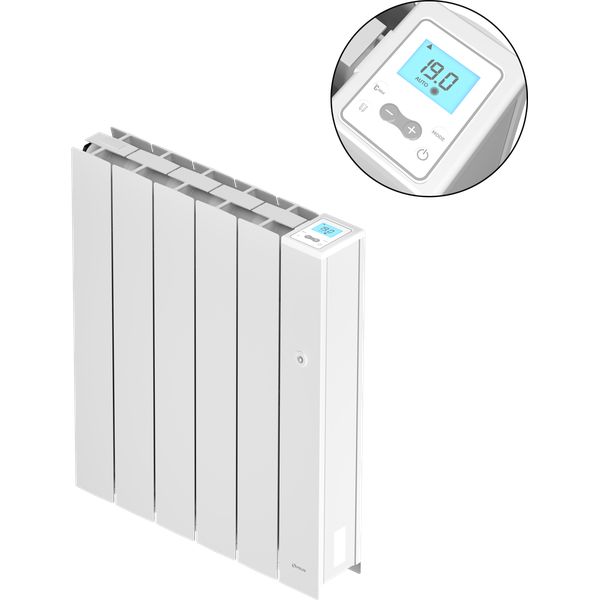
intuis Axino GTB M23711X
 Muller Intuitiv · Order number M23711X · HVAC › Thermostat
Download .knxprod intuis Axino GTB 1.0 · 111 KB
Product
| Manufacturer | Muller Intuitiv |
|---|---|
| Product name | intuis Axino GTB |
| Order number | M23711X |
| Hardware | intuis Axino GTB |
| Medium | Twisted Pair |
| Bus current (mA) | 3 |
| Rail mounted | No |
| Registration | Registered · 2026-05-26 |
| Languages | en-US, fr-FR |
| Catalog entry | M-0308_H-intuis.20Axino.20GTB-256_HP-0001-10-E477_CI-M23711X-1 |
| Fingerprint | E477 |
| SHA-256 | df15689afa677667ce77786b4003bd031e678cfc2988d8a622596d1f6f1317bc |
| First seen | 2026-11-25 |
| Markets | France |
Application program: intuis Axino GTB 1.0
| Application number | $0001 |
|---|---|
| Version | 1.0 |
| Mask version | MV-07B0 (System B) |
| KNX Data Secure | No |
| Minimum ETS version | 5.0 |
| Parameters | 27 |
| Group objects | 22 |
Group objects (22)
| No | Name | Function | Size | DPT | Flags |
|---|---|---|---|---|---|
| 1 | Current measured temperature (internal temperature sensor) | Value | 2 Bytes | DPT.9 | CRT |
| 2 | Monitored mode | State | 1 Byte | DPT.20 | CRT |
| 3 | Setpoint followed | Value | 2 Bytes | DPT.9 | CRT |
| 4 | Offset monitored | Value | 2 Bytes | DPT.9 | CRT |
| 5 | Window status | State | 1 Bit | DPT.1 | CRT |
| 6 | Open window detection activation setting | Switch | 1 Bit | DPT.1 | CRWT |
| 7 | Open window detection type setting | Switch | 1 Bit | DPT.1 | CRWT |
| 8 | Presence detection status | State | 1 Bit | DPT.1 | CRT |
| 9 | Product consumption | Value | 4 Bytes | DPT.13 | CRT |
| 10 | Product power | Value | 4 Bytes | DPT.14 | CRT |
| 11 | Cyclic ratio | Value | 1 Byte | DPT.5 | CRT |
| 12 | Mode | Setpoint | 1 Byte | DPT.20 | CW |
| 13 | Comfort setpoint | Setpoint | 2 Bytes | DPT.9 | CW |
| 14 | Auto temperature | Setpoint | 2 Bytes | DPT.9 | CW |
| 15 | Economy setpoint | Setpoint | 2 Bytes | DPT.9 | CW |
| 16 | Frost protection setpoint | Setpoint | 2 Bytes | DPT.9 | CW |
| 17 | Override setpoint range limitation | Setpoint | 2 Bytes | DPT.9 | CW |
| 18 | Load shedding | Switch | 1 Bit | DPT.1 | CW |
| 19 | Reset offset user | Reset | 1 Bit | DPT.1 | CW |
| 20 | Standby/On button action | Switch | 1 Bit | DPT.1 | CRWT |
| 21 | Setting offset action | Increase/decrease | 1 Bit | DPT.1 | CRWT |
| 22 | Current temperature measured (external temperature sensor) | Setpoint | 2 Bytes | DPT.9 | CW |
Parameters (27)
| Parameter | Type | Default |
|---|---|---|
| Device friendly name | text | intuis Axino GTB |
| Send indication | list | Enabled |
| Description size high | unsignedInt 0…255 | 0 |
| Description size low | unsignedInt 0…255 | 0 |
| PAR_DPT_OBJECT_1 | unsignedInt 0…255 | 9 |
| PAR_DPT_OBJECT_2 | unsignedInt 0…255 | 32 |
| PAR_DPT_OBJECT_3 | unsignedInt 0…255 | 9 |
| PAR_DPT_OBJECT_4 | unsignedInt 0…255 | 9 |
| PAR_DPT_OBJECT_5 | unsignedInt 0…255 | 1 |
| PAR_DPT_OBJECT_6 | unsignedInt 0…255 | 1 |
| PAR_DPT_OBJECT_7 | unsignedInt 0…255 | 1 |
| PAR_DPT_OBJECT_8 | unsignedInt 0…255 | 1 |
| PAR_DPT_OBJECT_9 | unsignedInt 0…255 | 13 |
| PAR_DPT_OBJECT_10 | unsignedInt 0…255 | 14 |
| PAR_DPT_OBJECT_11 | unsignedInt 0…255 | 5 |
| PAR_DPT_OBJECT_12 | unsignedInt 0…255 | 32 |
| PAR_DPT_OBJECT_13 | unsignedInt 0…255 | 9 |
| PAR_DPT_OBJECT_14 | unsignedInt 0…255 | 9 |
| PAR_DPT_OBJECT_15 | unsignedInt 0…255 | 9 |
| PAR_DPT_OBJECT_16 | unsignedInt 0…255 | 9 |
| PAR_DPT_OBJECT_17 | unsignedInt 0…255 | 9 |
| PAR_DPT_OBJECT_18 | unsignedInt 0…255 | 1 |
| PAR_DPT_OBJECT_19 | unsignedInt 0…255 | 1 |
| PAR_DPT_OBJECT_20 | unsignedInt 0…255 | 1 |
| PAR_DPT_OBJECT_21 | unsignedInt 0…255 | 1 |
| PAR_DPT_OBJECT_22 | unsignedInt 0…255 | 9 |
| PID_HARDWARE_TYPE_PARAMETER | list |
Version history
| Application | App no | Fingerprint | First seen | Size | File |
|---|---|---|---|---|---|
| intuis Axino GTB 1.0 latest | $0001 | E477 | 2026-11-25 | 111 KB | Download |
About this file
This is the official ETS product database for the Muller Intuitiv intuis Axino GTB (M23711X), published by the manufacturer in the KNX online catalog. To use it, open ETS, go to Catalogs → Import and choose the downloaded .knxprod file. The device then appears in your catalog and can be added to a project. Older versions are kept so existing projects can be matched to the application program they were commissioned with.