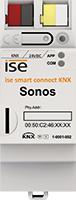
ise smart connect KNX Sonos 1-0001-002
 ise GmbH · Order number 1-0001-002 · Audio
Audio
Download .knxprod ise smart connect KNX Sonos 3.0 · 228 KB
Product
| Manufacturer | ise GmbH |
|---|---|
| Product name | ise smart connect KNX Sonos |
| Order number | 1-0001-002 |
| Product text | ise KNX Sonos |
| Hardware | KIM Sonos |
| Medium | Twisted Pair |
| Bus current (mA) | 2.5 |
| Rail mounted | Yes |
| Width (mm) | 36 |
| Device kind | IPEnabled |
| Registration | Certified · 2018-08-08 |
| Languages | en-US, de-DE, fr-FR, nl-NL, es-ES, it-IT, nb-NO, sv-SE, ru-RU, pt-PT |
| Catalog entry | M-007C_H-ISSOCOKX01-1_HP-0002-30-DC22_CI-1.2D0001.2D002-1 |
| Fingerprint | DC22 |
| SHA-256 | 71a82f66de7243a802be1214dbfe59debd5acae4ca6c9a6dab1ae871bb120969 |
| First seen | 2026-11-25 |
| Markets | 60 markets |
Application program: ise smart connect KNX Sonos 3.0
| Application number | $0002 |
|---|---|
| Version | 3.0 |
| Mask version | MV-07B0 (System B) |
| KNX Data Secure | No |
| Minimum ETS version | 4.0 |
| Parameters | 2056 |
| Group objects | 800 |
Group objects (800)
| No | Name | Function | Size | DPT | Flags |
|---|---|---|---|---|---|
| 1 | Play | Group 1 - Music playback | 1 Bit | 1.10 start/stop | CW |
| 2 | Pause | Group 1 - Pause music playback | 1 Bit | 1.3 enable | CW |
| 3 | Stop | Group 1 - End music playback | 1 Bit | 1.10 start/stop | CW |
| 4 | Playback state | Group 1 - Indicates whether music is being played or the music playback is paused or stopped | 1 Bit | 1.10 start/stop | CRT |
| 5 | Pause state | Group 1 - Indicates whether the music playback has been paused, music is being played or music playback has been paused | 1 Bit | 1.3 enable | CRT |
| 6 | Stop state | Group 1 - Indicates whether the music playback has been stopped, music is being played or music playback has been stopped | 1 Bit | 1.10 start/stop | CRT |
| 7 | Volume control | Group 1 - Set volume of master (absolute) | 1 Byte | 5.1 percentage (0..100%) | CW |
| 8 | Volume state | Group 1 - Current volume of master | 1 Byte | 5.1 percentage (0..100%) | CRT |
| 9 | Relative volume control | Group 1 - Increase or decrease volume of master | 4 Bit | 3.7 dimming control | CW |
| 10 | Volume control louder/quieter | Group 1 - Increase or decrease volume of master by 5% | 1 Bit | 1.7 step | CW |
| 11 | Muting | Group 1 - Mutes music playback of the master | 1 Bit | 1.3 enable | CW |
| 12 | Muting state | Group 1 - Indicates whether the master is muted | 1 Bit | 1.3 enable | CRT |
| 13 | Next/previous title | Group 1 - Skip to next or previous track | 1 Bit | 1.7 step | CW |
| 14 | Next/previous playlist | Group 1 - Skip to next or previous playlist | 1 Bit | 1.7 step | CW |
| 15 | Playlist selection | Group 1 - Starts playback of the selected playlist | 1 Byte | 5.10 counter pulses (0..255) | CW |
| 16 | Current playlist | Group 1 - Number of the currently selected playlist | 1 Byte | 5.10 counter pulses (0..255) | CRT |
| 17 | Random playback | Group 1 - Plays the tracks on the current playlist in random order | 1 Bit | 1.3 enable | CW |
| 19 | Repeat all | Group 1 - Repeats all tracks on the current playlist | 1 Bit | 1.3 enable | CW |
| 20 | Random playback mode state | Group 1 - Indicates whether playback occurs in a random order | 1 Bit | 1.3 enable | CRT |
| 22 | 'Repeat all' playback mode state | Group 1 - Indicates whether all tracks on the current playlist are repeated | 1 Bit | 1.3 enable | CRT |
| 23 | Song title | Group 1 - Song title for the song currently being played | 14 Bytes | 16.1 Character String (ISO 8859-1) | CRT |
| 24 | Artist | Group 1 - Artist name for the song currently being played | 14 Bytes | 16.1 Character String (ISO 8859-1) | CRT |
| 25 | Album | Group 1 - Album title for the song currently being played | 14 Bytes | 16.1 Character String (ISO 8859-1) | CRT |
| 26 | Playlist name | Group 1 - Title of the selected playlist | 14 Bytes | 16.1 Character String (ISO 8859-1) | CRT |
| 27 | Playback device connected | Group 1 - Indicates a functioning connection to the playback device | 1 Bit | 1.2 boolean | CRT |
| 28 | System status | Group 1 - Current status for communication with the playback device | 1 Byte | DPT.20 | CRT |
| 29 | System status | Group 1 - Current status as text for communication with the playback device | 14 Bytes | 16.1 Character String (ISO 8859-1) | CRT |
| 30 | Sonos group slave mode | Group 1 - Indicates whether the playback device is used as a slave in a Sonos group | 1 Bit | 1.1 switch | CRT |
| 31 | Leave slave mode | Group 1 - Playback device becomes master if connected to a Sonos group as a slave | 1 Bit | 1.17 trigger | CW |
| 32 | Group volume control | Group 1 - Set group volume (absolute) | 1 Byte | 5.1 percentage (0..100%) | CW |
| 33 | Group volume state | Group 1 - Current group volume | 1 Byte | 5.1 percentage (0..100%) | CRT |
| 34 | Relative group volume control | Group 1 - Increase or decrease group volume | 4 Bit | 3.7 dimming control | CW |
| 35 | Group volume control louder/quieter | Group 1 - Increase or decrease group volume by 5% | 1 Bit | 1.7 step | CW |
| 36 | Group muting | Group 1 - Mutes music playback of the group | 1 Bit | 1.3 enable | CW |
| 37 | Group muting state | Group 1 - Indicates whether all playback devices in this group are muted | 1 Bit | 1.3 enable | CRT |
| 40 | Slave 1 - Switch group association | Group 1 - Add slave 1 to this master-slave group or remove it from there | 1 Bit | 1.1 switch | CW |
| 41 | Slave 1 - Group association | Group 1 - Indicates whether slave 1 has been added to this master-slave group | 1 Bit | 1.1 switch | CRT |
| 42 | Slave 1 - Volume control | Group 1 - Set volume of slave 1 (absolute) | 1 Byte | 5.1 percentage (0..100%) | CW |
| 43 | Slave 1 - Volume state | Group 1 - Current volume of slave 1 | 1 Byte | 5.1 percentage (0..100%) | CRT |
| 44 | Slave 1 - Relative volume control | Group 1 - Increase or decrease volume of slave 1 | 4 Bit | 3.7 dimming control | CW |
| 45 | Slave 1 - Volume control louder/quieter | Group 1 - Increase or decrease volume of slave 1 by 5% | 1 Bit | 1.7 step | CW |
| 46 | Slave 1 - Muting | Group 1 - Mutes music playback of slave 1 | 1 Bit | 1.3 enable | CW |
| 47 | Slave 1 - Muting state | Group 1 - Indicates whether slave 1 is muted | 1 Bit | 1.3 enable | CRT |
| 48 | Slave 1 - Playback device connected | Group 1 - Indicates a functioning connection to the playback device of slave 1 | 1 Bit | 1.2 boolean | CRT |
| 50 | Slave 2 - Switch group association | Group 1 - Add slave 2 to this master-slave group or remove it from there | 1 Bit | 1.1 switch | CW |
| 51 | Slave 2 - Group association | Group 1 - Indicates whether slave 2 has been added to this master-slave group | 1 Bit | 1.1 switch | CRT |
| 52 | Slave 2 - Volume control | Group 1 - Set volume of slave 2 (absolute) | 1 Byte | 5.1 percentage (0..100%) | CW |
| 53 | Slave 2 - Volume state | Group 1 - Current volume of slave 2 | 1 Byte | 5.1 percentage (0..100%) | CRT |
| 54 | Slave 2 - Relative volume control | Group 1 - Increase or decrease volume of slave 2 | 4 Bit | 3.7 dimming control | CW |
| 55 | Slave 2 - Volume control louder/quieter | Group 1 - Increase or decrease volume of slave 2 by 5% | 1 Bit | 1.7 step | CW |
| 56 | Slave 2 - Muting | Group 1 - Mutes music playback of slave 2 | 1 Bit | 1.3 enable | CW |
| 57 | Slave 2 - Muting state | Group 1 - Indicates whether slave 2 is muted | 1 Bit | 1.3 enable | CRT |
| 58 | Slave 2 - Playback device connected | Group 1 - Indicates a functioning connection to the playback device of slave 2 | 1 Bit | 1.2 boolean | CRT |
| 60 | Slave 3 - Switch group association | Group 1 - Add slave 3 to this master-slave group or remove it from there | 1 Bit | 1.1 switch | CW |
| 61 | Slave 3 - Group association | Group 1 - Indicates whether slave 3 has been added to this master-slave group | 1 Bit | 1.1 switch | CRT |
| 62 | Slave 3 - Volume control | Group 1 - Set volume of slave 3(absolute) | 1 Byte | 5.1 percentage (0..100%) | CW |
| 63 | Slave 3 - Volume state | Group 1 - Current volume of slave 3 | 1 Byte | 5.1 percentage (0..100%) | CRT |
| 64 | Slave 3 - Relative volume control | Group 1 - Increase or decrease volume of slave 3 | 4 Bit | 3.7 dimming control | CW |
| 65 | Slave 3 - Volume control louder/quieter | Group 1 - Increase or decrease volume of slave 3 by 5% | 1 Bit | 1.7 step | CW |
| 66 | Slave 3 - Muting | Group 1 - Mutes music playback of slave 3 | 1 Bit | 1.3 enable | CW |
| 67 | Slave 3 - Muting state | Group 1 - Indicates whether slave 3 is muted | 1 Bit | 1.3 enable | CRT |
| 68 | Slave 3 - Playback device connected | Group 1 - Indicates a functioning connection to the playback device of slave 3 | 1 Bit | 1.2 boolean | CRT |
| 70 | Slave 4 - Switch group association | Group 1 - Add slave 4 to this master-slave group or remove it from there | 1 Bit | 1.1 switch | CW |
| 71 | Slave 4 - Group association | Group 1 - Indicates whether slave 4 has been added to this master-slave group | 1 Bit | 1.1 switch | CRT |
| 72 | Slave 4 - Volume control | Group 1 - Set volume of slave 4 (absolute) | 1 Byte | 5.1 percentage (0..100%) | CW |
| 73 | Slave 4 - Volume state | Group 1 - Current volume of slave 4 | 1 Byte | 5.1 percentage (0..100%) | CRT |
| 74 | Slave 4 - Relative volume control | Group 1 - Increase or decrease volume of slave 4 | 4 Bit | 3.7 dimming control | CW |
| 75 | Slave 4 - Volume control louder/quieter | Group 1 - Increase or decrease volume of slave 4 by 5% | 1 Bit | 1.7 step | CW |
| 76 | Slave 4 - Muting | Group 1 - Mutes music playback of slave 4 | 1 Bit | 1.3 enable | CW |
| 77 | Slave 4 - Muting state | Group 1 - Indicates whether slave 4 is muted | 1 Bit | 1.3 enable | CRT |
| 78 | Slave 4 - Playback device connected | Group 1 - Indicates a functioning connection to the playback device of slave 4 | 1 Bit | 1.2 boolean | CRT |
| 80 | Slave 5 - Switch group association | Group 1 - Add slave 5 to this master-slave group or remove it from there | 1 Bit | 1.1 switch | CW |
| 81 | Slave 5 - Group association | Group 1 - Indicates whether slave 5 has been added to this master-slave group | 1 Bit | 1.1 switch | CRT |
| 82 | Slave 5 - Volume control | Group 1 - Set volume of slave 5 (absolute) | 1 Byte | 5.1 percentage (0..100%) | CW |
| 83 | Slave 5 - Volume state | Group 1 - Current volume of slave 5 | 1 Byte | 5.1 percentage (0..100%) | CRT |
| 84 | Slave 5 - Relative volume control | Group 1 - Increase or decrease volume of slave 5 | 4 Bit | 3.7 dimming control | CW |
| 85 | Slave 5 - Volume control louder/quieter | Group 1 - Increase or decrease volume of slave 5 by 5% | 1 Bit | 1.7 step | CW |
| 86 | Slave 5 - Muting | Group 1 - Mutes music playback of slave 5 | 1 Bit | 1.3 enable | CW |
| 87 | Slave 5 - Muting state | Group 1 - Indicates whether slave 5 is muted | 1 Bit | 1.3 enable | CRT |
| 88 | Slave 5 - Playback device connected | Group 1 - Indicates a functioning connection to the playback device of slave 5 | 1 Bit | 1.2 boolean | CRT |
| 101 | Play | Group 2 - Music playback | 1 Bit | 1.10 start/stop | CW |
| 102 | Pause | Group 2 - Pause music playback | 1 Bit | 1.3 enable | CW |
| 103 | Stop | Group 2 - End music playback | 1 Bit | 1.10 start/stop | CW |
| 104 | Playback state | Group 2 - Indicates whether music is being played or the music playback is paused or stopped | 1 Bit | 1.10 start/stop | CRT |
| 105 | Pause state | Group 2 - Indicates whether the music playback has been paused, music is being played or music playback has been paused | 1 Bit | 1.3 enable | CRT |
| 106 | Stop state | Group 2 - Indicates whether the music playback has been stopped, music is being played or music playback has been stopped | 1 Bit | 1.10 start/stop | CRT |
| 107 | Volume control | Group 2 - Set volume of master (absolute) | 1 Byte | 5.1 percentage (0..100%) | CW |
| 108 | Volume state | Group 2 - Current volume of master | 1 Byte | 5.1 percentage (0..100%) | CRT |
| 109 | Relative volume control | Group 2 - Increase or decrease volume of master | 4 Bit | 3.7 dimming control | CW |
| 110 | Volume control louder/quieter | Group 2 - Increase or decrease volume of master by 5% | 1 Bit | 1.7 step | CW |
| 111 | Muting | Group 2 - Mutes music playback of the master | 1 Bit | 1.3 enable | CW |
| 112 | Muting state | Group 2 - Indicates whether the master is muted | 1 Bit | 1.3 enable | CRT |
| 113 | Next/previous title | Group 2 - Skip to next or previous track | 1 Bit | 1.7 step | CW |
| 114 | Next/previous playlist | Group 2 - Skip to next or previous playlist | 1 Bit | 1.7 step | CW |
| 115 | Playlist selection | Group 2 - Starts playback of the selected playlist | 1 Byte | 5.10 counter pulses (0..255) | CW |
| 116 | Current playlist | Group 2 - Number of the currently selected playlist | 1 Byte | 5.10 counter pulses (0..255) | CRT |
| 117 | Random playback | Group 2 - Plays the tracks on the current playlist in random order | 1 Bit | 1.3 enable | CW |
| 119 | Repeat all | Group 2 - Repeats all tracks on the current playlist | 1 Bit | 1.3 enable | CW |
| 120 | Random playback mode state | Group 2 - Indicates whether playback occurs in a random order | 1 Bit | 1.3 enable | CRT |
| 122 | 'Repeat all' playback mode state | Group 2 - Indicates whether all tracks on the current playlist are repeated | 1 Bit | 1.3 enable | CRT |
| 123 | Song title | Group 2 - Song title for the song currently being played | 14 Bytes | 16.1 Character String (ISO 8859-1) | CRT |
| 124 | Artist | Group 2 - Artist name for the song currently being played | 14 Bytes | 16.1 Character String (ISO 8859-1) | CRT |
| 125 | Album | Group 2 - Album title for the song currently being played | 14 Bytes | 16.1 Character String (ISO 8859-1) | CRT |
| 126 | Playlist name | Group 2 - Title of the selected playlist | 14 Bytes | 16.1 Character String (ISO 8859-1) | CRT |
| 127 | Playback device connected | Group 2 - Indicates a functioning connection to the playback device | 1 Bit | 1.2 boolean | CRT |
| 128 | System status | Group 2 - Current status for communication with the playback device | 1 Byte | DPT.20 | CRT |
| 129 | System status | Group 2 - Current status as text for communication with the playback device | 14 Bytes | 16.1 Character String (ISO 8859-1) | CRT |
| 130 | Sonos group slave mode | Group 2 - Indicates whether the playback device is used as a slave in a Sonos group | 1 Bit | 1.1 switch | CRT |
| 131 | Leave slave mode | Group 2 - Playback device becomes master if connected to a Sonos group as a slave | 1 Bit | 1.17 trigger | CW |
| 132 | Group volume control | Group 2 - Set group volume (absolute) | 1 Byte | 5.1 percentage (0..100%) | CW |
| 133 | Group volume state | Group 2 - Current group volume | 1 Byte | 5.1 percentage (0..100%) | CRT |
| 134 | Relative group volume control | Group 2 - Increase or decrease group volume | 4 Bit | 3.7 dimming control | CW |
| 135 | Group volume control louder/quieter | Group 2 - Increase or decrease group volume by 5% | 1 Bit | 1.7 step | CW |
| 136 | Group muting | Group 2 - Mutes music playback of the group | 1 Bit | 1.3 enable | CW |
| 137 | Group muting state | Group 2 - Indicates whether all playback devices in this group are muted | 1 Bit | 1.3 enable | CRT |
| 140 | Slave 1 - Switch group association | Group 2 - Add slave 1 to this master-slave group or remove it from there | 1 Bit | 1.1 switch | CW |
| 141 | Slave 1 - Group association | Group 2 - Indicates whether slave 1 has been added to this master-slave group | 1 Bit | 1.1 switch | CRT |
| 142 | Slave 1 - Volume control | Group 2 - Set volume of slave 1 (absolute) | 1 Byte | 5.1 percentage (0..100%) | CW |
| 143 | Slave 1 - Volume state | Group 2 - Current volume of slave 1 | 1 Byte | 5.1 percentage (0..100%) | CRT |
| 144 | Slave 1 - Relative volume control | Group 2 - Increase or decrease volume of slave 1 | 4 Bit | 3.7 dimming control | CW |
| 145 | Slave 1 - Volume control louder/quieter | Group 2 - Increase or decrease volume of slave 1 by 5% | 1 Bit | 1.7 step | CW |
| 146 | Slave 1 - Muting | Group 2 - Mutes music playback of slave 1 | 1 Bit | 1.3 enable | CW |
| 147 | Slave 1 - Muting state | Group 2 - Indicates whether slave 1 is muted | 1 Bit | 1.3 enable | CRT |
| 148 | Slave 1 - Playback device connected | Group 2 - Indicates a functioning connection to the playback device of slave 1 | 1 Bit | 1.2 boolean | CRT |
| 150 | Slave 2 - Switch group association | Group 2 - Add slave 2 to this master-slave group or remove it from there | 1 Bit | 1.1 switch | CW |
| 151 | Slave 2 - Group association | Group 2 - Indicates whether slave 2 has been added to this master-slave group | 1 Bit | 1.1 switch | CRT |
| 152 | Slave 2 - Volume control | Group 2 - Set volume of slave 2 (absolute) | 1 Byte | 5.1 percentage (0..100%) | CW |
| 153 | Slave 2 - Volume state | Group 2 - Current volume of slave 2 | 1 Byte | 5.1 percentage (0..100%) | CRT |
| 154 | Slave 2 - Relative volume control | Group 2 - Increase or decrease volume of slave 2 | 4 Bit | 3.7 dimming control | CW |
| 155 | Slave 2 - Volume control louder/quieter | Group 2 - Increase or decrease volume of slave 2 by 5% | 1 Bit | 1.7 step | CW |
| 156 | Slave 2 - Muting | Group 2 - Mutes music playback of slave 2 | 1 Bit | 1.3 enable | CW |
| 157 | Slave 2 - Muting state | Group 2 - Indicates whether slave 2 is muted | 1 Bit | 1.3 enable | CRT |
| 158 | Slave 2 - Playback device connected | Group 2 - Indicates a functioning connection to the playback device of slave 2 | 1 Bit | 1.2 boolean | CRT |
| 160 | Slave 3 - Switch group association | Group 2 - Add slave 3 to this master-slave group or remove it from there | 1 Bit | 1.1 switch | CW |
| 161 | Slave 3 - Group association | Group 2 - Indicates whether slave 3 has been added to this master-slave group | 1 Bit | 1.1 switch | CRT |
| 162 | Slave 3 - Volume control | Group 2 - Set volume of slave 3(absolute) | 1 Byte | 5.1 percentage (0..100%) | CW |
| 163 | Slave 3 - Volume state | Group 2 - Current volume of slave 3 | 1 Byte | 5.1 percentage (0..100%) | CRT |
| 164 | Slave 3 - Relative volume control | Group 2 - Increase or decrease volume of slave 3 | 4 Bit | 3.7 dimming control | CW |
| 165 | Slave 3 - Volume control louder/quieter | Group 2 - Increase or decrease volume of slave 3 by 5% | 1 Bit | 1.7 step | CW |
| 166 | Slave 3 - Muting | Group 2 - Mutes music playback of slave 3 | 1 Bit | 1.3 enable | CW |
| 167 | Slave 3 - Muting state | Group 2 - Indicates whether slave 3 is muted | 1 Bit | 1.3 enable | CRT |
| 168 | Slave 3 - Playback device connected | Group 2 - Indicates a functioning connection to the playback device of slave 3 | 1 Bit | 1.2 boolean | CRT |
| 170 | Slave 4 - Switch group association | Group 2 - Add slave 4 to this master-slave group or remove it from there | 1 Bit | 1.1 switch | CW |
| 171 | Slave 4 - Group association | Group 2 - Indicates whether slave 4 has been added to this master-slave group | 1 Bit | 1.1 switch | CRT |
| 172 | Slave 4 - Volume control | Group 2 - Set volume of slave 4 (absolute) | 1 Byte | 5.1 percentage (0..100%) | CW |
| 173 | Slave 4 - Volume state | Group 2 - Current volume of slave 4 | 1 Byte | 5.1 percentage (0..100%) | CRT |
| 174 | Slave 4 - Relative volume control | Group 2 - Increase or decrease volume of slave 4 | 4 Bit | 3.7 dimming control | CW |
| 175 | Slave 4 - Volume control louder/quieter | Group 2 - Increase or decrease volume of slave 4 by 5% | 1 Bit | 1.7 step | CW |
| 176 | Slave 4 - Muting | Group 2 - Mutes music playback of slave 4 | 1 Bit | 1.3 enable | CW |
| 177 | Slave 4 - Muting state | Group 2 - Indicates whether slave 4 is muted | 1 Bit | 1.3 enable | CRT |
| 178 | Slave 4 - Playback device connected | Group 2 - Indicates a functioning connection to the playback device of slave 4 | 1 Bit | 1.2 boolean | CRT |
| 180 | Slave 5 - Switch group association | Group 2 - Add slave 5 to this master-slave group or remove it from there | 1 Bit | 1.1 switch | CW |
| 181 | Slave 5 - Group association | Group 2 - Indicates whether slave 5 has been added to this master-slave group | 1 Bit | 1.1 switch | CRT |
| 182 | Slave 5 - Volume control | Group 2 - Set volume of slave 5 (absolute) | 1 Byte | 5.1 percentage (0..100%) | CW |
| 183 | Slave 5 - Volume state | Group 2 - Current volume of slave 5 | 1 Byte | 5.1 percentage (0..100%) | CRT |
| 184 | Slave 5 - Relative volume control | Group 2 - Increase or decrease volume of slave 5 | 4 Bit | 3.7 dimming control | CW |
| 185 | Slave 5 - Volume control louder/quieter | Group 2 - Increase or decrease volume of slave 5 by 5% | 1 Bit | 1.7 step | CW |
| 186 | Slave 5 - Muting | Group 2 - Mutes music playback of slave 5 | 1 Bit | 1.3 enable | CW |
| 187 | Slave 5 - Muting state | Group 2 - Indicates whether slave 5 is muted | 1 Bit | 1.3 enable | CRT |
| 188 | Slave 5 - Playback device connected | Group 2 - Indicates a functioning connection to the playback device of slave 5 | 1 Bit | 1.2 boolean | CRT |
| 201 | Play | Group 3 - Music playback | 1 Bit | 1.10 start/stop | CW |
| 202 | Pause | Group 3 - Pause music playback | 1 Bit | 1.3 enable | CW |
| 203 | Stop | Group 3 - End music playback | 1 Bit | 1.10 start/stop | CW |
| 204 | Playback state | Group 3 - Indicates whether music is being played or the music playback is paused or stopped | 1 Bit | 1.10 start/stop | CRT |
| 205 | Pause state | Group 3 - Indicates whether the music playback has been paused, music is being played or music playback has been paused | 1 Bit | 1.3 enable | CRT |
| 206 | Stop state | Group 3 - Indicates whether the music playback has been stopped, music is being played or music playback has been stopped | 1 Bit | 1.10 start/stop | CRT |
| 207 | Volume control | Group 3 - Set volume of master (absolute) | 1 Byte | 5.1 percentage (0..100%) | CW |
| 208 | Volume state | Group 3 - Current volume of master | 1 Byte | 5.1 percentage (0..100%) | CRT |
| 209 | Relative volume control | Group 3 - Increase or decrease volume of master | 4 Bit | 3.7 dimming control | CW |
| 210 | Volume control louder/quieter | Group 3 - Increase or decrease volume of master by 5% | 1 Bit | 1.7 step | CW |
| 211 | Muting | Group 3 - Mutes music playback of the master | 1 Bit | 1.3 enable | CW |
| 212 | Muting state | Group 3 - Indicates whether the master is muted | 1 Bit | 1.3 enable | CRT |
| 213 | Next/previous title | Group 3 - Skip to next or previous track | 1 Bit | 1.7 step | CW |
| 214 | Next/previous playlist | Group 3 - Skip to next or previous playlist | 1 Bit | 1.7 step | CW |
| 215 | Playlist selection | Group 3 - Starts playback of the selected playlist | 1 Byte | 5.10 counter pulses (0..255) | CW |
| 216 | Current playlist | Group 3 - Number of the currently selected playlist | 1 Byte | 5.10 counter pulses (0..255) | CRT |
| 217 | Random playback | Group 3 - Plays the tracks on the current playlist in random order | 1 Bit | 1.3 enable | CW |
| 219 | Repeat all | Group 3 - Repeats all tracks on the current playlist | 1 Bit | 1.3 enable | CW |
| 220 | Random playback mode state | Group 3 - Indicates whether playback occurs in a random order | 1 Bit | 1.3 enable | CRT |
| 222 | 'Repeat all' playback mode state | Group 3 - Indicates whether all tracks on the current playlist are repeated | 1 Bit | 1.3 enable | CRT |
| 223 | Song title | Group 3 - Song title for the song currently being played | 14 Bytes | 16.1 Character String (ISO 8859-1) | CRT |
| 224 | Artist | Group 3 - Artist name for the song currently being played | 14 Bytes | 16.1 Character String (ISO 8859-1) | CRT |
| 225 | Album | Group 3 - Album title for the song currently being played | 14 Bytes | 16.1 Character String (ISO 8859-1) | CRT |
| 226 | Playlist name | Group 3 - Title of the selected playlist | 14 Bytes | 16.1 Character String (ISO 8859-1) | CRT |
| 227 | Playback device connected | Group 3 - Indicates a functioning connection to the playback device | 1 Bit | 1.2 boolean | CRT |
| 228 | System status | Group 3 - Current status for communication with the playback device | 1 Byte | DPT.20 | CRT |
| 229 | System status | Group 3 - Current status as text for communication with the playback device | 14 Bytes | 16.1 Character String (ISO 8859-1) | CRT |
| 230 | Sonos group slave mode | Group 3 - Indicates whether the playback device is used as a slave in a Sonos group | 1 Bit | 1.1 switch | CRT |
| 231 | Leave slave mode | Group 3 - Playback device becomes master if connected to a Sonos group as a slave | 1 Bit | 1.17 trigger | CW |
| 232 | Group volume control | Group 3 - Set group volume (absolute) | 1 Byte | 5.1 percentage (0..100%) | CW |
| 233 | Group volume state | Group 3 - Current group volume | 1 Byte | 5.1 percentage (0..100%) | CRT |
| 234 | Relative group volume control | Group 3 - Increase or decrease group volume | 4 Bit | 3.7 dimming control | CW |
| 235 | Group volume control louder/quieter | Group 3 - Increase or decrease group volume by 5% | 1 Bit | 1.7 step | CW |
| 236 | Group muting | Group 3 - Mutes music playback of the group | 1 Bit | 1.3 enable | CW |
| 237 | Group muting state | Group 3 - Indicates whether all playback devices in this group are muted | 1 Bit | 1.3 enable | CRT |
| 240 | Slave 1 - Switch group association | Group 3 - Add slave 1 to this master-slave group or remove it from there | 1 Bit | 1.1 switch | CW |
| 241 | Slave 1 - Group association | Group 3 - Indicates whether slave 1 has been added to this master-slave group | 1 Bit | 1.1 switch | CRT |
| 242 | Slave 1 - Volume control | Group 3 - Set volume of slave 1 (absolute) | 1 Byte | 5.1 percentage (0..100%) | CW |
| 243 | Slave 1 - Volume state | Group 3 - Current volume of slave 1 | 1 Byte | 5.1 percentage (0..100%) | CRT |
| 244 | Slave 1 - Relative volume control | Group 3 - Increase or decrease volume of slave 1 | 4 Bit | 3.7 dimming control | CW |
| 245 | Slave 1 - Volume control louder/quieter | Group 3 - Increase or decrease volume of slave 1 by 5% | 1 Bit | 1.7 step | CW |
| 246 | Slave 1 - Muting | Group 3 - Mutes music playback of slave 1 | 1 Bit | 1.3 enable | CW |
| 247 | Slave 1 - Muting state | Group 3 - Indicates whether slave 1 is muted | 1 Bit | 1.3 enable | CRT |
| 248 | Slave 1 - Playback device connected | Group 3 - Indicates a functioning connection to the playback device of slave 1 | 1 Bit | 1.2 boolean | CRT |
| 250 | Slave 2 - Switch group association | Group 3 - Add slave 2 to this master-slave group or remove it from there | 1 Bit | 1.1 switch | CW |
| 251 | Slave 2 - Group association | Group 3 - Indicates whether slave 2 has been added to this master-slave group | 1 Bit | 1.1 switch | CRT |
| 252 | Slave 2 - Volume control | Group 3 - Set volume of slave 2 (absolute) | 1 Byte | 5.1 percentage (0..100%) | CW |
| 253 | Slave 2 - Volume state | Group 3 - Current volume of slave 2 | 1 Byte | 5.1 percentage (0..100%) | CRT |
| 254 | Slave 2 - Relative volume control | Group 3 - Increase or decrease volume of slave 2 | 4 Bit | 3.7 dimming control | CW |
| 255 | Slave 2 - Volume control louder/quieter | Group 3 - Increase or decrease volume of slave 2 by 5% | 1 Bit | 1.7 step | CW |
| 256 | Slave 2 - Muting | Group 3 - Mutes music playback of slave 2 | 1 Bit | 1.3 enable | CW |
| 257 | Slave 2 - Muting state | Group 3 - Indicates whether slave 2 is muted | 1 Bit | 1.3 enable | CRT |
| 258 | Slave 2 - Playback device connected | Group 3 - Indicates a functioning connection to the playback device of slave 2 | 1 Bit | 1.2 boolean | CRT |
| 260 | Slave 3 - Switch group association | Group 3 - Add slave 3 to this master-slave group or remove it from there | 1 Bit | 1.1 switch | CW |
| 261 | Slave 3 - Group association | Group 3 - Indicates whether slave 3 has been added to this master-slave group | 1 Bit | 1.1 switch | CRT |
| 262 | Slave 3 - Volume control | Group 3 - Set volume of slave 3(absolute) | 1 Byte | 5.1 percentage (0..100%) | CW |
| 263 | Slave 3 - Volume state | Group 3 - Current volume of slave 3 | 1 Byte | 5.1 percentage (0..100%) | CRT |
| 264 | Slave 3 - Relative volume control | Group 3 - Increase or decrease volume of slave 3 | 4 Bit | 3.7 dimming control | CW |
| 265 | Slave 3 - Volume control louder/quieter | Group 3 - Increase or decrease volume of slave 3 by 5% | 1 Bit | 1.7 step | CW |
| 266 | Slave 3 - Muting | Group 3 - Mutes music playback of slave 3 | 1 Bit | 1.3 enable | CW |
| 267 | Slave 3 - Muting state | Group 3 - Indicates whether slave 3 is muted | 1 Bit | 1.3 enable | CRT |
| 268 | Slave 3 - Playback device connected | Group 3 - Indicates a functioning connection to the playback device of slave 3 | 1 Bit | 1.2 boolean | CRT |
| 270 | Slave 4 - Switch group association | Group 3 - Add slave 4 to this master-slave group or remove it from there | 1 Bit | 1.1 switch | CW |
| 271 | Slave 4 - Group association | Group 3 - Indicates whether slave 4 has been added to this master-slave group | 1 Bit | 1.1 switch | CRT |
| 272 | Slave 4 - Volume control | Group 3 - Set volume of slave 4 (absolute) | 1 Byte | 5.1 percentage (0..100%) | CW |
| 273 | Slave 4 - Volume state | Group 3 - Current volume of slave 4 | 1 Byte | 5.1 percentage (0..100%) | CRT |
| 274 | Slave 4 - Relative volume control | Group 3 - Increase or decrease volume of slave 4 | 4 Bit | 3.7 dimming control | CW |
| 275 | Slave 4 - Volume control louder/quieter | Group 3 - Increase or decrease volume of slave 4 by 5% | 1 Bit | 1.7 step | CW |
| 276 | Slave 4 - Muting | Group 3 - Mutes music playback of slave 4 | 1 Bit | 1.3 enable | CW |
| 277 | Slave 4 - Muting state | Group 3 - Indicates whether slave 4 is muted | 1 Bit | 1.3 enable | CRT |
| 278 | Slave 4 - Playback device connected | Group 3 - Indicates a functioning connection to the playback device of slave 4 | 1 Bit | 1.2 boolean | CRT |
| 280 | Slave 5 - Switch group association | Group 3 - Add slave 5 to this master-slave group or remove it from there | 1 Bit | 1.1 switch | CW |
| 281 | Slave 5 - Group association | Group 3 - Indicates whether slave 5 has been added to this master-slave group | 1 Bit | 1.1 switch | CRT |
| 282 | Slave 5 - Volume control | Group 3 - Set volume of slave 5 (absolute) | 1 Byte | 5.1 percentage (0..100%) | CW |
| 283 | Slave 5 - Volume state | Group 3 - Current volume of slave 5 | 1 Byte | 5.1 percentage (0..100%) | CRT |
| 284 | Slave 5 - Relative volume control | Group 3 - Increase or decrease volume of slave 5 | 4 Bit | 3.7 dimming control | CW |
| 285 | Slave 5 - Volume control louder/quieter | Group 3 - Increase or decrease volume of slave 5 by 5% | 1 Bit | 1.7 step | CW |
| 286 | Slave 5 - Muting | Group 3 - Mutes music playback of slave 5 | 1 Bit | 1.3 enable | CW |
| 287 | Slave 5 - Muting state | Group 3 - Indicates whether slave 5 is muted | 1 Bit | 1.3 enable | CRT |
| 288 | Slave 5 - Playback device connected | Group 3 - Indicates a functioning connection to the playback device of slave 5 | 1 Bit | 1.2 boolean | CRT |
| 301 | Play | Group 4 - Music playback | 1 Bit | 1.10 start/stop | CW |
| 302 | Pause | Group 4 - Pause music playback | 1 Bit | 1.3 enable | CW |
| 303 | Stop | Group 4 - End music playback | 1 Bit | 1.10 start/stop | CW |
| 304 | Playback state | Group 4 - Indicates whether music is being played or the music playback is paused or stopped | 1 Bit | 1.10 start/stop | CRT |
| 305 | Pause state | Group 4 - Indicates whether the music playback has been paused, music is being played or music playback has been paused | 1 Bit | 1.3 enable | CRT |
| 306 | Stop state | Group 4 - Indicates whether the music playback has been stopped, music is being played or music playback has been stopped | 1 Bit | 1.10 start/stop | CRT |
| 307 | Volume control | Group 4 - Set volume of master (absolute) | 1 Byte | 5.1 percentage (0..100%) | CW |
| 308 | Volume state | Group 4 - Current volume of master | 1 Byte | 5.1 percentage (0..100%) | CRT |
| 309 | Relative volume control | Group 4 - Increase or decrease volume of master | 4 Bit | 3.7 dimming control | CW |
| 310 | Volume control louder/quieter | Group 4 - Increase or decrease volume of master by 5% | 1 Bit | 1.7 step | CW |
| 311 | Muting | Group 4 - Mutes music playback of the master | 1 Bit | 1.3 enable | CW |
| 312 | Muting state | Group 4 - Indicates whether the master is muted | 1 Bit | 1.3 enable | CRT |
| 313 | Next/previous title | Group 4 - Skip to next or previous track | 1 Bit | 1.7 step | CW |
| 314 | Next/previous playlist | Group 4 - Skip to next or previous playlist | 1 Bit | 1.7 step | CW |
| 315 | Playlist selection | Group 4 - Starts playback of the selected playlist | 1 Byte | 5.10 counter pulses (0..255) | CW |
| 316 | Current playlist | Group 4 - Number of the currently selected playlist | 1 Byte | 5.10 counter pulses (0..255) | CRT |
| 317 | Random playback | Group 4 - Plays the tracks on the current playlist in random order | 1 Bit | 1.3 enable | CW |
| 319 | Repeat all | Group 4 - Repeats all tracks on the current playlist | 1 Bit | 1.3 enable | CW |
| 320 | Random playback mode state | Group 4 - Indicates whether playback occurs in a random order | 1 Bit | 1.3 enable | CRT |
| 322 | 'Repeat all' playback mode state | Group 4 - Indicates whether all tracks on the current playlist are repeated | 1 Bit | 1.3 enable | CRT |
| 323 | Song title | Group 4 - Song title for the song currently being played | 14 Bytes | 16.1 Character String (ISO 8859-1) | CRT |
| 324 | Artist | Group 4 - Artist name for the song currently being played | 14 Bytes | 16.1 Character String (ISO 8859-1) | CRT |
| 325 | Album | Group 4 - Album title for the song currently being played | 14 Bytes | 16.1 Character String (ISO 8859-1) | CRT |
| 326 | Playlist name | Group 4 - Title of the selected playlist | 14 Bytes | 16.1 Character String (ISO 8859-1) | CRT |
| 327 | Playback device connected | Group 4 - Indicates a functioning connection to the playback device | 1 Bit | 1.2 boolean | CRT |
| 328 | System status | Group 4 - Current status for communication with the playback device | 1 Byte | DPT.20 | CRT |
| 329 | System status | Group 4 - Current status as text for communication with the playback device | 14 Bytes | 16.1 Character String (ISO 8859-1) | CRT |
| 330 | Sonos group slave mode | Group 4 - Indicates whether the playback device is used as a slave in a Sonos group | 1 Bit | 1.1 switch | CRT |
| 331 | Leave slave mode | Group 4 - Playback device becomes master if connected to a Sonos group as a slave | 1 Bit | 1.17 trigger | CW |
| 332 | Group volume control | Group 4 - Set group volume (absolute) | 1 Byte | 5.1 percentage (0..100%) | CW |
| 333 | Group volume state | Group 4 - Current group volume | 1 Byte | 5.1 percentage (0..100%) | CRT |
| 334 | Relative group volume control | Group 4 - Increase or decrease group volume | 4 Bit | 3.7 dimming control | CW |
| 335 | Group volume control louder/quieter | Group 4 - Increase or decrease group volume by 5% | 1 Bit | 1.7 step | CW |
| 336 | Group muting | Group 4 - Mutes music playback of the group | 1 Bit | 1.3 enable | CW |
| 337 | Group muting state | Group 4 - Indicates whether all playback devices in this group are muted | 1 Bit | 1.3 enable | CRT |
| 340 | Slave 1 - Switch group association | Group 4 - Add slave 1 to this master-slave group or remove it from there | 1 Bit | 1.1 switch | CW |
| 341 | Slave 1 - Group association | Group 4 - Indicates whether slave 1 has been added to this master-slave group | 1 Bit | 1.1 switch | CRT |
| 342 | Slave 1 - Volume control | Group 4 - Set volume of slave 1 (absolute) | 1 Byte | 5.1 percentage (0..100%) | CW |
| 343 | Slave 1 - Volume state | Group 4 - Current volume of slave 1 | 1 Byte | 5.1 percentage (0..100%) | CRT |
| 344 | Slave 1 - Relative volume control | Group 4 - Increase or decrease volume of slave 1 | 4 Bit | 3.7 dimming control | CW |
| 345 | Slave 1 - Volume control louder/quieter | Group 4 - Increase or decrease volume of slave 1 by 5% | 1 Bit | 1.7 step | CW |
| 346 | Slave 1 - Muting | Group 4 - Mutes music playback of slave 1 | 1 Bit | 1.3 enable | CW |
| 347 | Slave 1 - Muting state | Group 4 - Indicates whether slave 1 is muted | 1 Bit | 1.3 enable | CRT |
| 348 | Slave 1 - Playback device connected | Group 4 - Indicates a functioning connection to the playback device of slave 1 | 1 Bit | 1.2 boolean | CRT |
| 350 | Slave 2 - Switch group association | Group 4 - Add slave 2 to this master-slave group or remove it from there | 1 Bit | 1.1 switch | CW |
| 351 | Slave 2 - Group association | Group 4 - Indicates whether slave 2 has been added to this master-slave group | 1 Bit | 1.1 switch | CRT |
| 352 | Slave 2 - Volume control | Group 4 - Set volume of slave 2 (absolute) | 1 Byte | 5.1 percentage (0..100%) | CW |
| 353 | Slave 2 - Volume state | Group 4 - Current volume of slave 2 | 1 Byte | 5.1 percentage (0..100%) | CRT |
| 354 | Slave 2 - Relative volume control | Group 4 - Increase or decrease volume of slave 2 | 4 Bit | 3.7 dimming control | CW |
| 355 | Slave 2 - Volume control louder/quieter | Group 4 - Increase or decrease volume of slave 2 by 5% | 1 Bit | 1.7 step | CW |
| 356 | Slave 2 - Muting | Group 4 - Mutes music playback of slave 2 | 1 Bit | 1.3 enable | CW |
| 357 | Slave 2 - Muting state | Group 4 - Indicates whether slave 2 is muted | 1 Bit | 1.3 enable | CRT |
| 358 | Slave 2 - Playback device connected | Group 4 - Indicates a functioning connection to the playback device of slave 2 | 1 Bit | 1.2 boolean | CRT |
| 360 | Slave 3 - Switch group association | Group 4 - Add slave 3 to this master-slave group or remove it from there | 1 Bit | 1.1 switch | CW |
| 361 | Slave 3 - Group association | Group 4 - Indicates whether slave 3 has been added to this master-slave group | 1 Bit | 1.1 switch | CRT |
| 362 | Slave 3 - Volume control | Group 4 - Set volume of slave 3(absolute) | 1 Byte | 5.1 percentage (0..100%) | CW |
| 363 | Slave 3 - Volume state | Group 4 - Current volume of slave 3 | 1 Byte | 5.1 percentage (0..100%) | CRT |
| 364 | Slave 3 - Relative volume control | Group 4 - Increase or decrease volume of slave 3 | 4 Bit | 3.7 dimming control | CW |
| 365 | Slave 3 - Volume control louder/quieter | Group 4 - Increase or decrease volume of slave 3 by 5% | 1 Bit | 1.7 step | CW |
| 366 | Slave 3 - Muting | Group 4 - Mutes music playback of slave 3 | 1 Bit | 1.3 enable | CW |
| 367 | Slave 3 - Muting state | Group 4 - Indicates whether slave 3 is muted | 1 Bit | 1.3 enable | CRT |
| 368 | Slave 3 - Playback device connected | Group 4 - Indicates a functioning connection to the playback device of slave 3 | 1 Bit | 1.2 boolean | CRT |
| 370 | Slave 4 - Switch group association | Group 4 - Add slave 4 to this master-slave group or remove it from there | 1 Bit | 1.1 switch | CW |
| 371 | Slave 4 - Group association | Group 4 - Indicates whether slave 4 has been added to this master-slave group | 1 Bit | 1.1 switch | CRT |
| 372 | Slave 4 - Volume control | Group 4 - Set volume of slave 4 (absolute) | 1 Byte | 5.1 percentage (0..100%) | CW |
| 373 | Slave 4 - Volume state | Group 4 - Current volume of slave 4 | 1 Byte | 5.1 percentage (0..100%) | CRT |
| 374 | Slave 4 - Relative volume control | Group 4 - Increase or decrease volume of slave 4 | 4 Bit | 3.7 dimming control | CW |
| 375 | Slave 4 - Volume control louder/quieter | Group 4 - Increase or decrease volume of slave 4 by 5% | 1 Bit | 1.7 step | CW |
| 376 | Slave 4 - Muting | Group 4 - Mutes music playback of slave 4 | 1 Bit | 1.3 enable | CW |
| 377 | Slave 4 - Muting state | Group 4 - Indicates whether slave 4 is muted | 1 Bit | 1.3 enable | CRT |
| 378 | Slave 4 - Playback device connected | Group 4 - Indicates a functioning connection to the playback device of slave 4 | 1 Bit | 1.2 boolean | CRT |
| 380 | Slave 5 - Switch group association | Group 4 - Add slave 5 to this master-slave group or remove it from there | 1 Bit | 1.1 switch | CW |
| 381 | Slave 5 - Group association | Group 4 - Indicates whether slave 5 has been added to this master-slave group | 1 Bit | 1.1 switch | CRT |
| 382 | Slave 5 - Volume control | Group 4 - Set volume of slave 5 (absolute) | 1 Byte | 5.1 percentage (0..100%) | CW |
| 383 | Slave 5 - Volume state | Group 4 - Current volume of slave 5 | 1 Byte | 5.1 percentage (0..100%) | CRT |
| 384 | Slave 5 - Relative volume control | Group 4 - Increase or decrease volume of slave 5 | 4 Bit | 3.7 dimming control | CW |
| 385 | Slave 5 - Volume control louder/quieter | Group 4 - Increase or decrease volume of slave 5 by 5% | 1 Bit | 1.7 step | CW |
| 386 | Slave 5 - Muting | Group 4 - Mutes music playback of slave 5 | 1 Bit | 1.3 enable | CW |
| 387 | Slave 5 - Muting state | Group 4 - Indicates whether slave 5 is muted | 1 Bit | 1.3 enable | CRT |
| 388 | Slave 5 - Playback device connected | Group 4 - Indicates a functioning connection to the playback device of slave 5 | 1 Bit | 1.2 boolean | CRT |
| 401 | Play | Group 5 - Music playback | 1 Bit | 1.10 start/stop | CW |
| 402 | Pause | Group 5 - Pause music playback | 1 Bit | 1.3 enable | CW |
| 403 | Stop | Group 5 - End music playback | 1 Bit | 1.10 start/stop | CW |
| 404 | Playback state | Group 5 - Indicates whether music is being played or the music playback is paused or stopped | 1 Bit | 1.10 start/stop | CRT |
| 405 | Pause state | Group 5 - Indicates whether the music playback has been paused, music is being played or music playback has been paused | 1 Bit | 1.3 enable | CRT |
| 406 | Stop state | Group 5 - Indicates whether the music playback has been stopped, music is being played or music playback has been stopped | 1 Bit | 1.10 start/stop | CRT |
| 407 | Volume control | Group 5 - Set volume of master (absolute) | 1 Byte | 5.1 percentage (0..100%) | CW |
| 408 | Volume state | Group 5 - Current volume of master | 1 Byte | 5.1 percentage (0..100%) | CRT |
| 409 | Relative volume control | Group 5 - Increase or decrease volume of master | 4 Bit | 3.7 dimming control | CW |
| 410 | Volume control louder/quieter | Group 5 - Increase or decrease volume of master by 5% | 1 Bit | 1.7 step | CW |
| 411 | Muting | Group 5 - Mutes music playback of the master | 1 Bit | 1.3 enable | CW |
| 412 | Muting state | Group 5 - Indicates whether the master is muted | 1 Bit | 1.3 enable | CRT |
| 413 | Next/previous title | Group 5 - Skip to next or previous track | 1 Bit | 1.7 step | CW |
| 414 | Next/previous playlist | Group 5 - Skip to next or previous playlist | 1 Bit | 1.7 step | CW |
| 415 | Playlist selection | Group 5 - Starts playback of the selected playlist | 1 Byte | 5.10 counter pulses (0..255) | CW |
| 416 | Current playlist | Group 5 - Number of the currently selected playlist | 1 Byte | 5.10 counter pulses (0..255) | CRT |
| 417 | Random playback | Group 5 - Plays the tracks on the current playlist in random order | 1 Bit | 1.3 enable | CW |
| 419 | Repeat all | Group 5 - Repeats all tracks on the current playlist | 1 Bit | 1.3 enable | CW |
| 420 | Random playback mode state | Group 5 - Indicates whether playback occurs in a random order | 1 Bit | 1.3 enable | CRT |
| 422 | 'Repeat all' playback mode state | Group 5 - Indicates whether all tracks on the current playlist are repeated | 1 Bit | 1.3 enable | CRT |
| 423 | Song title | Group 5 - Song title for the song currently being played | 14 Bytes | 16.1 Character String (ISO 8859-1) | CRT |
| 424 | Artist | Group 5 - Artist name for the song currently being played | 14 Bytes | 16.1 Character String (ISO 8859-1) | CRT |
| 425 | Album | Group 5 - Album title for the song currently being played | 14 Bytes | 16.1 Character String (ISO 8859-1) | CRT |
| 426 | Playlist name | Group 5 - Title of the selected playlist | 14 Bytes | 16.1 Character String (ISO 8859-1) | CRT |
| 427 | Playback device connected | Group 5 - Indicates a functioning connection to the playback device | 1 Bit | 1.2 boolean | CRT |
| 428 | System status | Group 5 - Current status for communication with the playback device | 1 Byte | DPT.20 | CRT |
| 429 | System status | Group 5 - Current status as text for communication with the playback device | 14 Bytes | 16.1 Character String (ISO 8859-1) | CRT |
| 430 | Sonos group slave mode | Group 5 - Indicates whether the playback device is used as a slave in a Sonos group | 1 Bit | 1.1 switch | CRT |
| 431 | Leave slave mode | Group 5 - Playback device becomes master if connected to a Sonos group as a slave | 1 Bit | 1.17 trigger | CW |
| 432 | Group volume control | Group 5 - Set group volume (absolute) | 1 Byte | 5.1 percentage (0..100%) | CW |
| 433 | Group volume state | Group 5 - Current group volume | 1 Byte | 5.1 percentage (0..100%) | CRT |
| 434 | Relative group volume control | Group 5 - Increase or decrease group volume | 4 Bit | 3.7 dimming control | CW |
| 435 | Group volume control louder/quieter | Group 5 - Increase or decrease group volume by 5% | 1 Bit | 1.7 step | CW |
| 436 | Group muting | Group 5 - Mutes music playback of the group | 1 Bit | 1.3 enable | CW |
| 437 | Group muting state | Group 5 - Indicates whether all playback devices in this group are muted | 1 Bit | 1.3 enable | CRT |
| 440 | Slave 1 - Switch group association | Group 5 - Add slave 1 to this master-slave group or remove it from there | 1 Bit | 1.1 switch | CW |
| 441 | Slave 1 - Group association | Group 5 - Indicates whether slave 1 has been added to this master-slave group | 1 Bit | 1.1 switch | CRT |
| 442 | Slave 1 - Volume control | Group 5 - Set volume of slave 1 (absolute) | 1 Byte | 5.1 percentage (0..100%) | CW |
| 443 | Slave 1 - Volume state | Group 5 - Current volume of slave 1 | 1 Byte | 5.1 percentage (0..100%) | CRT |
| 444 | Slave 1 - Relative volume control | Group 5 - Increase or decrease volume of slave 1 | 4 Bit | 3.7 dimming control | CW |
| 445 | Slave 1 - Volume control louder/quieter | Group 5 - Increase or decrease volume of slave 1 by 5% | 1 Bit | 1.7 step | CW |
| 446 | Slave 1 - Muting | Group 5 - Mutes music playback of slave 1 | 1 Bit | 1.3 enable | CW |
| 447 | Slave 1 - Muting state | Group 5 - Indicates whether slave 1 is muted | 1 Bit | 1.3 enable | CRT |
| 448 | Slave 1 - Playback device connected | Group 5 - Indicates a functioning connection to the playback device of slave 1 | 1 Bit | 1.2 boolean | CRT |
| 450 | Slave 2 - Switch group association | Group 5 - Add slave 2 to this master-slave group or remove it from there | 1 Bit | 1.1 switch | CW |
| 451 | Slave 2 - Group association | Group 5 - Indicates whether slave 2 has been added to this master-slave group | 1 Bit | 1.1 switch | CRT |
| 452 | Slave 2 - Volume control | Group 5 - Set volume of slave 2 (absolute) | 1 Byte | 5.1 percentage (0..100%) | CW |
| 453 | Slave 2 - Volume state | Group 5 - Current volume of slave 2 | 1 Byte | 5.1 percentage (0..100%) | CRT |
| 454 | Slave 2 - Relative volume control | Group 5 - Increase or decrease volume of slave 2 | 4 Bit | 3.7 dimming control | CW |
| 455 | Slave 2 - Volume control louder/quieter | Group 5 - Increase or decrease volume of slave 2 by 5% | 1 Bit | 1.7 step | CW |
| 456 | Slave 2 - Muting | Group 5 - Mutes music playback of slave 2 | 1 Bit | 1.3 enable | CW |
| 457 | Slave 2 - Muting state | Group 5 - Indicates whether slave 2 is muted | 1 Bit | 1.3 enable | CRT |
| 458 | Slave 2 - Playback device connected | Group 5 - Indicates a functioning connection to the playback device of slave 2 | 1 Bit | 1.2 boolean | CRT |
| 460 | Slave 3 - Switch group association | Group 5 - Add slave 3 to this master-slave group or remove it from there | 1 Bit | 1.1 switch | CW |
| 461 | Slave 3 - Group association | Group 5 - Indicates whether slave 3 has been added to this master-slave group | 1 Bit | 1.1 switch | CRT |
| 462 | Slave 3 - Volume control | Group 5 - Set volume of slave 3(absolute) | 1 Byte | 5.1 percentage (0..100%) | CW |
| 463 | Slave 3 - Volume state | Group 5 - Current volume of slave 3 | 1 Byte | 5.1 percentage (0..100%) | CRT |
| 464 | Slave 3 - Relative volume control | Group 5 - Increase or decrease volume of slave 3 | 4 Bit | 3.7 dimming control | CW |
| 465 | Slave 3 - Volume control louder/quieter | Group 5 - Increase or decrease volume of slave 3 by 5% | 1 Bit | 1.7 step | CW |
| 466 | Slave 3 - Muting | Group 5 - Mutes music playback of slave 3 | 1 Bit | 1.3 enable | CW |
| 467 | Slave 3 - Muting state | Group 5 - Indicates whether slave 3 is muted | 1 Bit | 1.3 enable | CRT |
| 468 | Slave 3 - Playback device connected | Group 5 - Indicates a functioning connection to the playback device of slave 3 | 1 Bit | 1.2 boolean | CRT |
| 470 | Slave 4 - Switch group association | Group 5 - Add slave 4 to this master-slave group or remove it from there | 1 Bit | 1.1 switch | CW |
| 471 | Slave 4 - Group association | Group 5 - Indicates whether slave 4 has been added to this master-slave group | 1 Bit | 1.1 switch | CRT |
| 472 | Slave 4 - Volume control | Group 5 - Set volume of slave 4 (absolute) | 1 Byte | 5.1 percentage (0..100%) | CW |
| 473 | Slave 4 - Volume state | Group 5 - Current volume of slave 4 | 1 Byte | 5.1 percentage (0..100%) | CRT |
| 474 | Slave 4 - Relative volume control | Group 5 - Increase or decrease volume of slave 4 | 4 Bit | 3.7 dimming control | CW |
| 475 | Slave 4 - Volume control louder/quieter | Group 5 - Increase or decrease volume of slave 4 by 5% | 1 Bit | 1.7 step | CW |
| 476 | Slave 4 - Muting | Group 5 - Mutes music playback of slave 4 | 1 Bit | 1.3 enable | CW |
| 477 | Slave 4 - Muting state | Group 5 - Indicates whether slave 4 is muted | 1 Bit | 1.3 enable | CRT |
| 478 | Slave 4 - Playback device connected | Group 5 - Indicates a functioning connection to the playback device of slave 4 | 1 Bit | 1.2 boolean | CRT |
| 480 | Slave 5 - Switch group association | Group 5 - Add slave 5 to this master-slave group or remove it from there | 1 Bit | 1.1 switch | CW |
| 481 | Slave 5 - Group association | Group 5 - Indicates whether slave 5 has been added to this master-slave group | 1 Bit | 1.1 switch | CRT |
| 482 | Slave 5 - Volume control | Group 5 - Set volume of slave 5 (absolute) | 1 Byte | 5.1 percentage (0..100%) | CW |
| 483 | Slave 5 - Volume state | Group 5 - Current volume of slave 5 | 1 Byte | 5.1 percentage (0..100%) | CRT |
| 484 | Slave 5 - Relative volume control | Group 5 - Increase or decrease volume of slave 5 | 4 Bit | 3.7 dimming control | CW |
| 485 | Slave 5 - Volume control louder/quieter | Group 5 - Increase or decrease volume of slave 5 by 5% | 1 Bit | 1.7 step | CW |
| 486 | Slave 5 - Muting | Group 5 - Mutes music playback of slave 5 | 1 Bit | 1.3 enable | CW |
| 487 | Slave 5 - Muting state | Group 5 - Indicates whether slave 5 is muted | 1 Bit | 1.3 enable | CRT |
| 488 | Slave 5 - Playback device connected | Group 5 - Indicates a functioning connection to the playback device of slave 5 | 1 Bit | 1.2 boolean | CRT |
| 501 | Play | Group 6 - Music playback | 1 Bit | 1.10 start/stop | CW |
| 502 | Pause | Group 6 - Pause music playback | 1 Bit | 1.3 enable | CW |
| 503 | Stop | Group 6 - End music playback | 1 Bit | 1.10 start/stop | CW |
| 504 | Playback state | Group 6 - Indicates whether music is being played or the music playback is paused or stopped | 1 Bit | 1.10 start/stop | CRT |
| 505 | Pause state | Group 6 - Indicates whether the music playback has been paused, music is being played or music playback has been paused | 1 Bit | 1.3 enable | CRT |
| 506 | Stop state | Group 6 - Indicates whether the music playback has been stopped, music is being played or music playback has been stopped | 1 Bit | 1.10 start/stop | CRT |
| 507 | Volume control | Group 6 - Set volume of master (absolute) | 1 Byte | 5.1 percentage (0..100%) | CW |
| 508 | Volume state | Group 6 - Current volume of master | 1 Byte | 5.1 percentage (0..100%) | CRT |
| 509 | Relative volume control | Group 6 - Increase or decrease volume of master | 4 Bit | 3.7 dimming control | CW |
| 510 | Volume control louder/quieter | Group 6 - Increase or decrease volume of master by 5% | 1 Bit | 1.7 step | CW |
| 511 | Muting | Group 6 - Mutes music playback of the master | 1 Bit | 1.3 enable | CW |
| 512 | Muting state | Group 6 - Indicates whether the master is muted | 1 Bit | 1.3 enable | CRT |
| 513 | Next/previous title | Group 6 - Skip to next or previous track | 1 Bit | 1.7 step | CW |
| 514 | Next/previous playlist | Group 6 - Skip to next or previous playlist | 1 Bit | 1.7 step | CW |
| 515 | Playlist selection | Group 6 - Starts playback of the selected playlist | 1 Byte | 5.10 counter pulses (0..255) | CW |
| 516 | Current playlist | Group 6 - Number of the currently selected playlist | 1 Byte | 5.10 counter pulses (0..255) | CRT |
| 517 | Random playback | Group 6 - Plays the tracks on the current playlist in random order | 1 Bit | 1.3 enable | CW |
| 519 | Repeat all | Group 6 - Repeats all tracks on the current playlist | 1 Bit | 1.3 enable | CW |
| 520 | Random playback mode state | Group 6 - Indicates whether playback occurs in a random order | 1 Bit | 1.3 enable | CRT |
| 522 | 'Repeat all' playback mode state | Group 6 - Indicates whether all tracks on the current playlist are repeated | 1 Bit | 1.3 enable | CRT |
| 523 | Song title | Group 6 - Song title for the song currently being played | 14 Bytes | 16.1 Character String (ISO 8859-1) | CRT |
| 524 | Artist | Group 6 - Artist name for the song currently being played | 14 Bytes | 16.1 Character String (ISO 8859-1) | CRT |
| 525 | Album | Group 6 - Album title for the song currently being played | 14 Bytes | 16.1 Character String (ISO 8859-1) | CRT |
| 526 | Playlist name | Group 6 - Title of the selected playlist | 14 Bytes | 16.1 Character String (ISO 8859-1) | CRT |
| 527 | Playback device connected | Group 6 - Indicates a functioning connection to the playback device | 1 Bit | 1.2 boolean | CRT |
| 528 | System status | Group 6 - Current status for communication with the playback device | 1 Byte | DPT.20 | CRT |
| 529 | System status | Group 6 - Current status as text for communication with the playback device | 14 Bytes | 16.1 Character String (ISO 8859-1) | CRT |
| 530 | Sonos group slave mode | Group 6 - Indicates whether the playback device is used as a slave in a Sonos group | 1 Bit | 1.1 switch | CRT |
| 531 | Leave slave mode | Group 6 - Playback device becomes master if connected to a Sonos group as a slave | 1 Bit | 1.17 trigger | CW |
| 532 | Group volume control | Group 6 - Set group volume (absolute) | 1 Byte | 5.1 percentage (0..100%) | CW |
| 533 | Group volume state | Group 6 - Current group volume | 1 Byte | 5.1 percentage (0..100%) | CRT |
| 534 | Relative group volume control | Group 6 - Increase or decrease group volume | 4 Bit | 3.7 dimming control | CW |
| 535 | Group volume control louder/quieter | Group 6 - Increase or decrease group volume by 5% | 1 Bit | 1.7 step | CW |
| 536 | Group muting | Group 6 - Mutes music playback of the group | 1 Bit | 1.3 enable | CW |
| 537 | Group muting state | Group 6 - Indicates whether all playback devices in this group are muted | 1 Bit | 1.3 enable | CRT |
| 540 | Slave 1 - Switch group association | Group 6 - Add slave 1 to this master-slave group or remove it from there | 1 Bit | 1.1 switch | CW |
| 541 | Slave 1 - Group association | Group 6 - Indicates whether slave 1 has been added to this master-slave group | 1 Bit | 1.1 switch | CRT |
| 542 | Slave 1 - Volume control | Group 6 - Set volume of slave 1 (absolute) | 1 Byte | 5.1 percentage (0..100%) | CW |
| 543 | Slave 1 - Volume state | Group 6 - Current volume of slave 1 | 1 Byte | 5.1 percentage (0..100%) | CRT |
| 544 | Slave 1 - Relative volume control | Group 6 - Increase or decrease volume of slave 1 | 4 Bit | 3.7 dimming control | CW |
| 545 | Slave 1 - Volume control louder/quieter | Group 6 - Increase or decrease volume of slave 1 by 5% | 1 Bit | 1.7 step | CW |
| 546 | Slave 1 - Muting | Group 6 - Mutes music playback of slave 1 | 1 Bit | 1.3 enable | CW |
| 547 | Slave 1 - Muting state | Group 6 - Indicates whether slave 1 is muted | 1 Bit | 1.3 enable | CRT |
| 548 | Slave 1 - Playback device connected | Group 6 - Indicates a functioning connection to the playback device of slave 1 | 1 Bit | 1.2 boolean | CRT |
| 550 | Slave 2 - Switch group association | Group 6 - Add slave 2 to this master-slave group or remove it from there | 1 Bit | 1.1 switch | CW |
| 551 | Slave 2 - Group association | Group 6 - Indicates whether slave 2 has been added to this master-slave group | 1 Bit | 1.1 switch | CRT |
| 552 | Slave 2 - Volume control | Group 6 - Set volume of slave 2 (absolute) | 1 Byte | 5.1 percentage (0..100%) | CW |
| 553 | Slave 2 - Volume state | Group 6 - Current volume of slave 2 | 1 Byte | 5.1 percentage (0..100%) | CRT |
| 554 | Slave 2 - Relative volume control | Group 6 - Increase or decrease volume of slave 2 | 4 Bit | 3.7 dimming control | CW |
| 555 | Slave 2 - Volume control louder/quieter | Group 6 - Increase or decrease volume of slave 2 by 5% | 1 Bit | 1.7 step | CW |
| 556 | Slave 2 - Muting | Group 6 - Mutes music playback of slave 2 | 1 Bit | 1.3 enable | CW |
| 557 | Slave 2 - Muting state | Group 6 - Indicates whether slave 2 is muted | 1 Bit | 1.3 enable | CRT |
| 558 | Slave 2 - Playback device connected | Group 6 - Indicates a functioning connection to the playback device of slave 2 | 1 Bit | 1.2 boolean | CRT |
| 560 | Slave 3 - Switch group association | Group 6 - Add slave 3 to this master-slave group or remove it from there | 1 Bit | 1.1 switch | CW |
| 561 | Slave 3 - Group association | Group 6 - Indicates whether slave 3 has been added to this master-slave group | 1 Bit | 1.1 switch | CRT |
| 562 | Slave 3 - Volume control | Group 6 - Set volume of slave 3(absolute) | 1 Byte | 5.1 percentage (0..100%) | CW |
| 563 | Slave 3 - Volume state | Group 6 - Current volume of slave 3 | 1 Byte | 5.1 percentage (0..100%) | CRT |
| 564 | Slave 3 - Relative volume control | Group 6 - Increase or decrease volume of slave 3 | 4 Bit | 3.7 dimming control | CW |
| 565 | Slave 3 - Volume control louder/quieter | Group 6 - Increase or decrease volume of slave 3 by 5% | 1 Bit | 1.7 step | CW |
| 566 | Slave 3 - Muting | Group 6 - Mutes music playback of slave 3 | 1 Bit | 1.3 enable | CW |
| 567 | Slave 3 - Muting state | Group 6 - Indicates whether slave 3 is muted | 1 Bit | 1.3 enable | CRT |
| 568 | Slave 3 - Playback device connected | Group 6 - Indicates a functioning connection to the playback device of slave 3 | 1 Bit | 1.2 boolean | CRT |
| 570 | Slave 4 - Switch group association | Group 6 - Add slave 4 to this master-slave group or remove it from there | 1 Bit | 1.1 switch | CW |
| 571 | Slave 4 - Group association | Group 6 - Indicates whether slave 4 has been added to this master-slave group | 1 Bit | 1.1 switch | CRT |
| 572 | Slave 4 - Volume control | Group 6 - Set volume of slave 4 (absolute) | 1 Byte | 5.1 percentage (0..100%) | CW |
| 573 | Slave 4 - Volume state | Group 6 - Current volume of slave 4 | 1 Byte | 5.1 percentage (0..100%) | CRT |
| 574 | Slave 4 - Relative volume control | Group 6 - Increase or decrease volume of slave 4 | 4 Bit | 3.7 dimming control | CW |
| 575 | Slave 4 - Volume control louder/quieter | Group 6 - Increase or decrease volume of slave 4 by 5% | 1 Bit | 1.7 step | CW |
| 576 | Slave 4 - Muting | Group 6 - Mutes music playback of slave 4 | 1 Bit | 1.3 enable | CW |
| 577 | Slave 4 - Muting state | Group 6 - Indicates whether slave 4 is muted | 1 Bit | 1.3 enable | CRT |
| 578 | Slave 4 - Playback device connected | Group 6 - Indicates a functioning connection to the playback device of slave 4 | 1 Bit | 1.2 boolean | CRT |
| 580 | Slave 5 - Switch group association | Group 6 - Add slave 5 to this master-slave group or remove it from there | 1 Bit | 1.1 switch | CW |
| 581 | Slave 5 - Group association | Group 6 - Indicates whether slave 5 has been added to this master-slave group | 1 Bit | 1.1 switch | CRT |
| 582 | Slave 5 - Volume control | Group 6 - Set volume of slave 5 (absolute) | 1 Byte | 5.1 percentage (0..100%) | CW |
| 583 | Slave 5 - Volume state | Group 6 - Current volume of slave 5 | 1 Byte | 5.1 percentage (0..100%) | CRT |
| 584 | Slave 5 - Relative volume control | Group 6 - Increase or decrease volume of slave 5 | 4 Bit | 3.7 dimming control | CW |
| 585 | Slave 5 - Volume control louder/quieter | Group 6 - Increase or decrease volume of slave 5 by 5% | 1 Bit | 1.7 step | CW |
| 586 | Slave 5 - Muting | Group 6 - Mutes music playback of slave 5 | 1 Bit | 1.3 enable | CW |
| 587 | Slave 5 - Muting state | Group 6 - Indicates whether slave 5 is muted | 1 Bit | 1.3 enable | CRT |
| 588 | Slave 5 - Playback device connected | Group 6 - Indicates a functioning connection to the playback device of slave 5 | 1 Bit | 1.2 boolean | CRT |
| 601 | Play | Group 7 - Music playback | 1 Bit | 1.10 start/stop | CW |
| 602 | Pause | Group 7 - Pause music playback | 1 Bit | 1.3 enable | CW |
| 603 | Stop | Group 7 - End music playback | 1 Bit | 1.10 start/stop | CW |
| 604 | Playback state | Group 7 - Indicates whether music is being played or the music playback is paused or stopped | 1 Bit | 1.10 start/stop | CRT |
| 605 | Pause state | Group 7 - Indicates whether the music playback has been paused, music is being played or music playback has been paused | 1 Bit | 1.3 enable | CRT |
| 606 | Stop state | Group 7 - Indicates whether the music playback has been stopped, music is being played or music playback has been stopped | 1 Bit | 1.10 start/stop | CRT |
| 607 | Volume control | Group 7 - Set volume of master (absolute) | 1 Byte | 5.1 percentage (0..100%) | CW |
| 608 | Volume state | Group 7 - Current volume of master | 1 Byte | 5.1 percentage (0..100%) | CRT |
| 609 | Relative volume control | Group 7 - Increase or decrease volume of master | 4 Bit | 3.7 dimming control | CW |
| 610 | Volume control louder/quieter | Group 7 - Increase or decrease volume of master by 5% | 1 Bit | 1.7 step | CW |
| 611 | Muting | Group 7 - Mutes music playback of the master | 1 Bit | 1.3 enable | CW |
| 612 | Muting state | Group 7 - Indicates whether the master is muted | 1 Bit | 1.3 enable | CRT |
| 613 | Next/previous title | Group 7 - Skip to next or previous track | 1 Bit | 1.7 step | CW |
| 614 | Next/previous playlist | Group 7 - Skip to next or previous playlist | 1 Bit | 1.7 step | CW |
| 615 | Playlist selection | Group 7 - Starts playback of the selected playlist | 1 Byte | 5.10 counter pulses (0..255) | CW |
| 616 | Current playlist | Group 7 - Number of the currently selected playlist | 1 Byte | 5.10 counter pulses (0..255) | CRT |
| 617 | Random playback | Group 7 - Plays the tracks on the current playlist in random order | 1 Bit | 1.3 enable | CW |
| 619 | Repeat all | Group 7 - Repeats all tracks on the current playlist | 1 Bit | 1.3 enable | CW |
| 620 | Random playback mode state | Group 7 - Indicates whether playback occurs in a random order | 1 Bit | 1.3 enable | CRT |
| 622 | 'Repeat all' playback mode state | Group 7 - Indicates whether all tracks on the current playlist are repeated | 1 Bit | 1.3 enable | CRT |
| 623 | Song title | Group 7 - Song title for the song currently being played | 14 Bytes | 16.1 Character String (ISO 8859-1) | CRT |
| 624 | Artist | Group 7 - Artist name for the song currently being played | 14 Bytes | 16.1 Character String (ISO 8859-1) | CRT |
| 625 | Album | Group 7 - Album title for the song currently being played | 14 Bytes | 16.1 Character String (ISO 8859-1) | CRT |
| 626 | Playlist name | Group 7 - Title of the selected playlist | 14 Bytes | 16.1 Character String (ISO 8859-1) | CRT |
| 627 | Playback device connected | Group 7 - Indicates a functioning connection to the playback device | 1 Bit | 1.2 boolean | CRT |
| 628 | System status | Group 7 - Current status for communication with the playback device | 1 Byte | DPT.20 | CRT |
| 629 | System status | Group 7 - Current status as text for communication with the playback device | 14 Bytes | 16.1 Character String (ISO 8859-1) | CRT |
| 630 | Sonos group slave mode | Group 7 - Indicates whether the playback device is used as a slave in a Sonos group | 1 Bit | 1.1 switch | CRT |
| 631 | Leave slave mode | Group 7 - Playback device becomes master if connected to a Sonos group as a slave | 1 Bit | 1.17 trigger | CW |
| 632 | Group volume control | Group 7 - Set group volume (absolute) | 1 Byte | 5.1 percentage (0..100%) | CW |
| 633 | Group volume state | Group 7 - Current group volume | 1 Byte | 5.1 percentage (0..100%) | CRT |
| 634 | Relative group volume control | Group 7 - Increase or decrease group volume | 4 Bit | 3.7 dimming control | CW |
| 635 | Group volume control louder/quieter | Group 7 - Increase or decrease group volume by 5% | 1 Bit | 1.7 step | CW |
| 636 | Group muting | Group 7 - Mutes music playback of the group | 1 Bit | 1.3 enable | CW |
| 637 | Group muting state | Group 7 - Indicates whether all playback devices in this group are muted | 1 Bit | 1.3 enable | CRT |
| 640 | Slave 1 - Switch group association | Group 7 - Add slave 1 to this master-slave group or remove it from there | 1 Bit | 1.1 switch | CW |
| 641 | Slave 1 - Group association | Group 7 - Indicates whether slave 1 has been added to this master-slave group | 1 Bit | 1.1 switch | CRT |
| 642 | Slave 1 - Volume control | Group 7 - Set volume of slave 1 (absolute) | 1 Byte | 5.1 percentage (0..100%) | CW |
| 643 | Slave 1 - Volume state | Group 7 - Current volume of slave 1 | 1 Byte | 5.1 percentage (0..100%) | CRT |
| 644 | Slave 1 - Relative volume control | Group 7 - Increase or decrease volume of slave 1 | 4 Bit | 3.7 dimming control | CW |
| 645 | Slave 1 - Volume control louder/quieter | Group 7 - Increase or decrease volume of slave 1 by 5% | 1 Bit | 1.7 step | CW |
| 646 | Slave 1 - Muting | Group 7 - Mutes music playback of slave 1 | 1 Bit | 1.3 enable | CW |
| 647 | Slave 1 - Muting state | Group 7 - Indicates whether slave 1 is muted | 1 Bit | 1.3 enable | CRT |
| 648 | Slave 1 - Playback device connected | Group 7 - Indicates a functioning connection to the playback device of slave 1 | 1 Bit | 1.2 boolean | CRT |
| 650 | Slave 2 - Switch group association | Group 7 - Add slave 2 to this master-slave group or remove it from there | 1 Bit | 1.1 switch | CW |
| 651 | Slave 2 - Group association | Group 7 - Indicates whether slave 2 has been added to this master-slave group | 1 Bit | 1.1 switch | CRT |
| 652 | Slave 2 - Volume control | Group 7 - Set volume of slave 2 (absolute) | 1 Byte | 5.1 percentage (0..100%) | CW |
| 653 | Slave 2 - Volume state | Group 7 - Current volume of slave 2 | 1 Byte | 5.1 percentage (0..100%) | CRT |
| 654 | Slave 2 - Relative volume control | Group 7 - Increase or decrease volume of slave 2 | 4 Bit | 3.7 dimming control | CW |
| 655 | Slave 2 - Volume control louder/quieter | Group 7 - Increase or decrease volume of slave 2 by 5% | 1 Bit | 1.7 step | CW |
| 656 | Slave 2 - Muting | Group 7 - Mutes music playback of slave 2 | 1 Bit | 1.3 enable | CW |
| 657 | Slave 2 - Muting state | Group 7 - Indicates whether slave 2 is muted | 1 Bit | 1.3 enable | CRT |
| 658 | Slave 2 - Playback device connected | Group 7 - Indicates a functioning connection to the playback device of slave 2 | 1 Bit | 1.2 boolean | CRT |
| 660 | Slave 3 - Switch group association | Group 7 - Add slave 3 to this master-slave group or remove it from there | 1 Bit | 1.1 switch | CW |
| 661 | Slave 3 - Group association | Group 7 - Indicates whether slave 3 has been added to this master-slave group | 1 Bit | 1.1 switch | CRT |
| 662 | Slave 3 - Volume control | Group 7 - Set volume of slave 3(absolute) | 1 Byte | 5.1 percentage (0..100%) | CW |
| 663 | Slave 3 - Volume state | Group 7 - Current volume of slave 3 | 1 Byte | 5.1 percentage (0..100%) | CRT |
| 664 | Slave 3 - Relative volume control | Group 7 - Increase or decrease volume of slave 3 | 4 Bit | 3.7 dimming control | CW |
| 665 | Slave 3 - Volume control louder/quieter | Group 7 - Increase or decrease volume of slave 3 by 5% | 1 Bit | 1.7 step | CW |
| 666 | Slave 3 - Muting | Group 7 - Mutes music playback of slave 3 | 1 Bit | 1.3 enable | CW |
| 667 | Slave 3 - Muting state | Group 7 - Indicates whether slave 3 is muted | 1 Bit | 1.3 enable | CRT |
| 668 | Slave 3 - Playback device connected | Group 7 - Indicates a functioning connection to the playback device of slave 3 | 1 Bit | 1.2 boolean | CRT |
| 670 | Slave 4 - Switch group association | Group 7 - Add slave 4 to this master-slave group or remove it from there | 1 Bit | 1.1 switch | CW |
| 671 | Slave 4 - Group association | Group 7 - Indicates whether slave 4 has been added to this master-slave group | 1 Bit | 1.1 switch | CRT |
| 672 | Slave 4 - Volume control | Group 7 - Set volume of slave 4 (absolute) | 1 Byte | 5.1 percentage (0..100%) | CW |
| 673 | Slave 4 - Volume state | Group 7 - Current volume of slave 4 | 1 Byte | 5.1 percentage (0..100%) | CRT |
| 674 | Slave 4 - Relative volume control | Group 7 - Increase or decrease volume of slave 4 | 4 Bit | 3.7 dimming control | CW |
| 675 | Slave 4 - Volume control louder/quieter | Group 7 - Increase or decrease volume of slave 4 by 5% | 1 Bit | 1.7 step | CW |
| 676 | Slave 4 - Muting | Group 7 - Mutes music playback of slave 4 | 1 Bit | 1.3 enable | CW |
| 677 | Slave 4 - Muting state | Group 7 - Indicates whether slave 4 is muted | 1 Bit | 1.3 enable | CRT |
| 678 | Slave 4 - Playback device connected | Group 7 - Indicates a functioning connection to the playback device of slave 4 | 1 Bit | 1.2 boolean | CRT |
| 680 | Slave 5 - Switch group association | Group 7 - Add slave 5 to this master-slave group or remove it from there | 1 Bit | 1.1 switch | CW |
| 681 | Slave 5 - Group association | Group 7 - Indicates whether slave 5 has been added to this master-slave group | 1 Bit | 1.1 switch | CRT |
| 682 | Slave 5 - Volume control | Group 7 - Set volume of slave 5 (absolute) | 1 Byte | 5.1 percentage (0..100%) | CW |
| 683 | Slave 5 - Volume state | Group 7 - Current volume of slave 5 | 1 Byte | 5.1 percentage (0..100%) | CRT |
| 684 | Slave 5 - Relative volume control | Group 7 - Increase or decrease volume of slave 5 | 4 Bit | 3.7 dimming control | CW |
| 685 | Slave 5 - Volume control louder/quieter | Group 7 - Increase or decrease volume of slave 5 by 5% | 1 Bit | 1.7 step | CW |
| 686 | Slave 5 - Muting | Group 7 - Mutes music playback of slave 5 | 1 Bit | 1.3 enable | CW |
| 687 | Slave 5 - Muting state | Group 7 - Indicates whether slave 5 is muted | 1 Bit | 1.3 enable | CRT |
| 688 | Slave 5 - Playback device connected | Group 7 - Indicates a functioning connection to the playback device of slave 5 | 1 Bit | 1.2 boolean | CRT |
| 701 | Play | Group 8 - Music playback | 1 Bit | 1.10 start/stop | CW |
| 702 | Pause | Group 8 - Pause music playback | 1 Bit | 1.3 enable | CW |
| 703 | Stop | Group 8 - End music playback | 1 Bit | 1.10 start/stop | CW |
| 704 | Playback state | Group 8 - Indicates whether music is being played or the music playback is paused or stopped | 1 Bit | 1.10 start/stop | CRT |
| 705 | Pause state | Group 8 - Indicates whether the music playback has been paused, music is being played or music playback has been paused | 1 Bit | 1.3 enable | CRT |
| 706 | Stop state | Group 8 - Indicates whether the music playback has been stopped, music is being played or music playback has been stopped | 1 Bit | 1.10 start/stop | CRT |
| 707 | Volume control | Group 8 - Set volume of master (absolute) | 1 Byte | 5.1 percentage (0..100%) | CW |
| 708 | Volume state | Group 8 - Current volume of master | 1 Byte | 5.1 percentage (0..100%) | CRT |
| 709 | Relative volume control | Group 8 - Increase or decrease volume of master | 4 Bit | 3.7 dimming control | CW |
| 710 | Volume control louder/quieter | Group 8 - Increase or decrease volume of master by 5% | 1 Bit | 1.7 step | CW |
| 711 | Muting | Group 8 - Mutes music playback of the master | 1 Bit | 1.3 enable | CW |
| 712 | Muting state | Group 8 - Indicates whether the master is muted | 1 Bit | 1.3 enable | CRT |
| 713 | Next/previous title | Group 8 - Skip to next or previous track | 1 Bit | 1.7 step | CW |
| 714 | Next/previous playlist | Group 8 - Skip to next or previous playlist | 1 Bit | 1.7 step | CW |
| 715 | Playlist selection | Group 8 - Starts playback of the selected playlist | 1 Byte | 5.10 counter pulses (0..255) | CW |
| 716 | Current playlist | Group 8 - Number of the currently selected playlist | 1 Byte | 5.10 counter pulses (0..255) | CRT |
| 717 | Random playback | Group 8 - Plays the tracks on the current playlist in random order | 1 Bit | 1.3 enable | CW |
| 719 | Repeat all | Group 8 - Repeats all tracks on the current playlist | 1 Bit | 1.3 enable | CW |
| 720 | Random playback mode state | Group 8 - Indicates whether playback occurs in a random order | 1 Bit | 1.3 enable | CRT |
| 722 | 'Repeat all' playback mode state | Group 8 - Indicates whether all tracks on the current playlist are repeated | 1 Bit | 1.3 enable | CRT |
| 723 | Song title | Group 8 - Song title for the song currently being played | 14 Bytes | 16.1 Character String (ISO 8859-1) | CRT |
| 724 | Artist | Group 8 - Artist name for the song currently being played | 14 Bytes | 16.1 Character String (ISO 8859-1) | CRT |
| 725 | Album | Group 8 - Album title for the song currently being played | 14 Bytes | 16.1 Character String (ISO 8859-1) | CRT |
| 726 | Playlist name | Group 8 - Title of the selected playlist | 14 Bytes | 16.1 Character String (ISO 8859-1) | CRT |
| 727 | Playback device connected | Group 8 - Indicates a functioning connection to the playback device | 1 Bit | 1.2 boolean | CRT |
| 728 | System status | Group 8 - Current status for communication with the playback device | 1 Byte | DPT.20 | CRT |
| 729 | System status | Group 8 - Current status as text for communication with the playback device | 14 Bytes | 16.1 Character String (ISO 8859-1) | CRT |
| 730 | Sonos group slave mode | Group 8 - Indicates whether the playback device is used as a slave in a Sonos group | 1 Bit | 1.1 switch | CRT |
| 731 | Leave slave mode | Group 8 - Playback device becomes master if connected to a Sonos group as a slave | 1 Bit | 1.17 trigger | CW |
| 732 | Group volume control | Group 8 - Set group volume (absolute) | 1 Byte | 5.1 percentage (0..100%) | CW |
| 733 | Group volume state | Group 8 - Current group volume | 1 Byte | 5.1 percentage (0..100%) | CRT |
| 734 | Relative group volume control | Group 8 - Increase or decrease group volume | 4 Bit | 3.7 dimming control | CW |
| 735 | Group volume control louder/quieter | Group 8 - Increase or decrease group volume by 5% | 1 Bit | 1.7 step | CW |
| 736 | Group muting | Group 8 - Mutes music playback of the group | 1 Bit | 1.3 enable | CW |
| 737 | Group muting state | Group 8 - Indicates whether all playback devices in this group are muted | 1 Bit | 1.3 enable | CRT |
| 740 | Slave 1 - Switch group association | Group 8 - Add slave 1 to this master-slave group or remove it from there | 1 Bit | 1.1 switch | CW |
| 741 | Slave 1 - Group association | Group 8 - Indicates whether slave 1 has been added to this master-slave group | 1 Bit | 1.1 switch | CRT |
| 742 | Slave 1 - Volume control | Group 8 - Set volume of slave 1 (absolute) | 1 Byte | 5.1 percentage (0..100%) | CW |
| 743 | Slave 1 - Volume state | Group 8 - Current volume of slave 1 | 1 Byte | 5.1 percentage (0..100%) | CRT |
| 744 | Slave 1 - Relative volume control | Group 8 - Increase or decrease volume of slave 1 | 4 Bit | 3.7 dimming control | CW |
| 745 | Slave 1 - Volume control louder/quieter | Group 8 - Increase or decrease volume of slave 1 by 5% | 1 Bit | 1.7 step | CW |
| 746 | Slave 1 - Muting | Group 8 - Mutes music playback of slave 1 | 1 Bit | 1.3 enable | CW |
| 747 | Slave 1 - Muting state | Group 8 - Indicates whether slave 1 is muted | 1 Bit | 1.3 enable | CRT |
| 748 | Slave 1 - Playback device connected | Group 8 - Indicates a functioning connection to the playback device of slave 1 | 1 Bit | 1.2 boolean | CRT |
| 750 | Slave 2 - Switch group association | Group 8 - Add slave 2 to this master-slave group or remove it from there | 1 Bit | 1.1 switch | CW |
| 751 | Slave 2 - Group association | Group 8 - Indicates whether slave 2 has been added to this master-slave group | 1 Bit | 1.1 switch | CRT |
| 752 | Slave 2 - Volume control | Group 8 - Set volume of slave 2 (absolute) | 1 Byte | 5.1 percentage (0..100%) | CW |
| 753 | Slave 2 - Volume state | Group 8 - Current volume of slave 2 | 1 Byte | 5.1 percentage (0..100%) | CRT |
| 754 | Slave 2 - Relative volume control | Group 8 - Increase or decrease volume of slave 2 | 4 Bit | 3.7 dimming control | CW |
| 755 | Slave 2 - Volume control louder/quieter | Group 8 - Increase or decrease volume of slave 2 by 5% | 1 Bit | 1.7 step | CW |
| 756 | Slave 2 - Muting | Group 8 - Mutes music playback of slave 2 | 1 Bit | 1.3 enable | CW |
| 757 | Slave 2 - Muting state | Group 8 - Indicates whether slave 2 is muted | 1 Bit | 1.3 enable | CRT |
| 758 | Slave 2 - Playback device connected | Group 8 - Indicates a functioning connection to the playback device of slave 2 | 1 Bit | 1.2 boolean | CRT |
| 760 | Slave 3 - Switch group association | Group 8 - Add slave 3 to this master-slave group or remove it from there | 1 Bit | 1.1 switch | CW |
| 761 | Slave 3 - Group association | Group 8 - Indicates whether slave 3 has been added to this master-slave group | 1 Bit | 1.1 switch | CRT |
| 762 | Slave 3 - Volume control | Group 8 - Set volume of slave 3(absolute) | 1 Byte | 5.1 percentage (0..100%) | CW |
| 763 | Slave 3 - Volume state | Group 8 - Current volume of slave 3 | 1 Byte | 5.1 percentage (0..100%) | CRT |
| 764 | Slave 3 - Relative volume control | Group 8 - Increase or decrease volume of slave 3 | 4 Bit | 3.7 dimming control | CW |
| 765 | Slave 3 - Volume control louder/quieter | Group 8 - Increase or decrease volume of slave 3 by 5% | 1 Bit | 1.7 step | CW |
| 766 | Slave 3 - Muting | Group 8 - Mutes music playback of slave 3 | 1 Bit | 1.3 enable | CW |
| 767 | Slave 3 - Muting state | Group 8 - Indicates whether slave 3 is muted | 1 Bit | 1.3 enable | CRT |
| 768 | Slave 3 - Playback device connected | Group 8 - Indicates a functioning connection to the playback device of slave 3 | 1 Bit | 1.2 boolean | CRT |
| 770 | Slave 4 - Switch group association | Group 8 - Add slave 4 to this master-slave group or remove it from there | 1 Bit | 1.1 switch | CW |
| 771 | Slave 4 - Group association | Group 8 - Indicates whether slave 4 has been added to this master-slave group | 1 Bit | 1.1 switch | CRT |
| 772 | Slave 4 - Volume control | Group 8 - Set volume of slave 4 (absolute) | 1 Byte | 5.1 percentage (0..100%) | CW |
| 773 | Slave 4 - Volume state | Group 8 - Current volume of slave 4 | 1 Byte | 5.1 percentage (0..100%) | CRT |
| 774 | Slave 4 - Relative volume control | Group 8 - Increase or decrease volume of slave 4 | 4 Bit | 3.7 dimming control | CW |
| 775 | Slave 4 - Volume control louder/quieter | Group 8 - Increase or decrease volume of slave 4 by 5% | 1 Bit | 1.7 step | CW |
| 776 | Slave 4 - Muting | Group 8 - Mutes music playback of slave 4 | 1 Bit | 1.3 enable | CW |
| 777 | Slave 4 - Muting state | Group 8 - Indicates whether slave 4 is muted | 1 Bit | 1.3 enable | CRT |
| 778 | Slave 4 - Playback device connected | Group 8 - Indicates a functioning connection to the playback device of slave 4 | 1 Bit | 1.2 boolean | CRT |
| 780 | Slave 5 - Switch group association | Group 8 - Add slave 5 to this master-slave group or remove it from there | 1 Bit | 1.1 switch | CW |
| 781 | Slave 5 - Group association | Group 8 - Indicates whether slave 5 has been added to this master-slave group | 1 Bit | 1.1 switch | CRT |
| 782 | Slave 5 - Volume control | Group 8 - Set volume of slave 5 (absolute) | 1 Byte | 5.1 percentage (0..100%) | CW |
| 783 | Slave 5 - Volume state | Group 8 - Current volume of slave 5 | 1 Byte | 5.1 percentage (0..100%) | CRT |
| 784 | Slave 5 - Relative volume control | Group 8 - Increase or decrease volume of slave 5 | 4 Bit | 3.7 dimming control | CW |
| 785 | Slave 5 - Volume control louder/quieter | Group 8 - Increase or decrease volume of slave 5 by 5% | 1 Bit | 1.7 step | CW |
| 786 | Slave 5 - Muting | Group 8 - Mutes music playback of slave 5 | 1 Bit | 1.3 enable | CW |
| 787 | Slave 5 - Muting state | Group 8 - Indicates whether slave 5 is muted | 1 Bit | 1.3 enable | CRT |
| 788 | Slave 5 - Playback device connected | Group 8 - Indicates a functioning connection to the playback device of slave 5 | 1 Bit | 1.2 boolean | CRT |
| 801 | Play | Group 9 - Music playback | 1 Bit | 1.10 start/stop | CW |
| 802 | Pause | Group 9 - Pause music playback | 1 Bit | 1.3 enable | CW |
| 803 | Stop | Group 9 - End music playback | 1 Bit | 1.10 start/stop | CW |
| 804 | Playback state | Group 9 - Indicates whether music is being played or the music playback is paused or stopped | 1 Bit | 1.10 start/stop | CRT |
| 805 | Pause state | Group 9 - Indicates whether the music playback has been paused, music is being played or music playback has been paused | 1 Bit | 1.3 enable | CRT |
| 806 | Stop state | Group 9 - Indicates whether the music playback has been stopped, music is being played or music playback has been stopped | 1 Bit | 1.10 start/stop | CRT |
| 807 | Volume control | Group 9 - Set volume of master (absolute) | 1 Byte | 5.1 percentage (0..100%) | CW |
| 808 | Volume state | Group 9 - Current volume of master | 1 Byte | 5.1 percentage (0..100%) | CRT |
| 809 | Relative volume control | Group 9 - Increase or decrease volume of master | 4 Bit | 3.7 dimming control | CW |
| 810 | Volume control louder/quieter | Group 9 - Increase or decrease volume of master by 5% | 1 Bit | 1.7 step | CW |
| 811 | Muting | Group 9 - Mutes music playback of the master | 1 Bit | 1.3 enable | CW |
| 812 | Muting state | Group 9 - Indicates whether the master is muted | 1 Bit | 1.3 enable | CRT |
| 813 | Next/previous title | Group 9 - Skip to next or previous track | 1 Bit | 1.7 step | CW |
| 814 | Next/previous playlist | Group 9 - Skip to next or previous playlist | 1 Bit | 1.7 step | CW |
| 815 | Playlist selection | Group 9 - Starts playback of the selected playlist | 1 Byte | 5.10 counter pulses (0..255) | CW |
| 816 | Current playlist | Group 9 - Number of the currently selected playlist | 1 Byte | 5.10 counter pulses (0..255) | CRT |
| 817 | Random playback | Group 9 - Plays the tracks on the current playlist in random order | 1 Bit | 1.3 enable | CW |
| 819 | Repeat all | Group 9 - Repeats all tracks on the current playlist | 1 Bit | 1.3 enable | CW |
| 820 | Random playback mode state | Group 9 - Indicates whether playback occurs in a random order | 1 Bit | 1.3 enable | CRT |
| 822 | 'Repeat all' playback mode state | Group 9 - Indicates whether all tracks on the current playlist are repeated | 1 Bit | 1.3 enable | CRT |
| 823 | Song title | Group 9 - Song title for the song currently being played | 14 Bytes | 16.1 Character String (ISO 8859-1) | CRT |
| 824 | Artist | Group 9 - Artist name for the song currently being played | 14 Bytes | 16.1 Character String (ISO 8859-1) | CRT |
| 825 | Album | Group 9 - Album title for the song currently being played | 14 Bytes | 16.1 Character String (ISO 8859-1) | CRT |
| 826 | Playlist name | Group 9 - Title of the selected playlist | 14 Bytes | 16.1 Character String (ISO 8859-1) | CRT |
| 827 | Playback device connected | Group 9 - Indicates a functioning connection to the playback device | 1 Bit | 1.2 boolean | CRT |
| 828 | System status | Group 9 - Current status for communication with the playback device | 1 Byte | DPT.20 | CRT |
| 829 | System status | Group 9 - Current status as text for communication with the playback device | 14 Bytes | 16.1 Character String (ISO 8859-1) | CRT |
| 830 | Sonos group slave mode | Group 9 - Indicates whether the playback device is used as a slave in a Sonos group | 1 Bit | 1.1 switch | CRT |
| 831 | Leave slave mode | Group 9 - Playback device becomes master if connected to a Sonos group as a slave | 1 Bit | 1.17 trigger | CW |
| 832 | Group volume control | Group 9 - Set group volume (absolute) | 1 Byte | 5.1 percentage (0..100%) | CW |
| 833 | Group volume state | Group 9 - Current group volume | 1 Byte | 5.1 percentage (0..100%) | CRT |
| 834 | Relative group volume control | Group 9 - Increase or decrease group volume | 4 Bit | 3.7 dimming control | CW |
| 835 | Group volume control louder/quieter | Group 9 - Increase or decrease group volume by 5% | 1 Bit | 1.7 step | CW |
| 836 | Group muting | Group 9 - Mutes music playback of the group | 1 Bit | 1.3 enable | CW |
| 837 | Group muting state | Group 9 - Indicates whether all playback devices in this group are muted | 1 Bit | 1.3 enable | CRT |
| 840 | Slave 1 - Switch group association | Group 9 - Add slave 1 to this master-slave group or remove it from there | 1 Bit | 1.1 switch | CW |
| 841 | Slave 1 - Group association | Group 9 - Indicates whether slave 1 has been added to this master-slave group | 1 Bit | 1.1 switch | CRT |
| 842 | Slave 1 - Volume control | Group 9 - Set volume of slave 1 (absolute) | 1 Byte | 5.1 percentage (0..100%) | CW |
| 843 | Slave 1 - Volume state | Group 9 - Current volume of slave 1 | 1 Byte | 5.1 percentage (0..100%) | CRT |
| 844 | Slave 1 - Relative volume control | Group 9 - Increase or decrease volume of slave 1 | 4 Bit | 3.7 dimming control | CW |
| 845 | Slave 1 - Volume control louder/quieter | Group 9 - Increase or decrease volume of slave 1 by 5% | 1 Bit | 1.7 step | CW |
| 846 | Slave 1 - Muting | Group 9 - Mutes music playback of slave 1 | 1 Bit | 1.3 enable | CW |
| 847 | Slave 1 - Muting state | Group 9 - Indicates whether slave 1 is muted | 1 Bit | 1.3 enable | CRT |
| 848 | Slave 1 - Playback device connected | Group 9 - Indicates a functioning connection to the playback device of slave 1 | 1 Bit | 1.2 boolean | CRT |
| 850 | Slave 2 - Switch group association | Group 9 - Add slave 2 to this master-slave group or remove it from there | 1 Bit | 1.1 switch | CW |
| 851 | Slave 2 - Group association | Group 9 - Indicates whether slave 2 has been added to this master-slave group | 1 Bit | 1.1 switch | CRT |
| 852 | Slave 2 - Volume control | Group 9 - Set volume of slave 2 (absolute) | 1 Byte | 5.1 percentage (0..100%) | CW |
| 853 | Slave 2 - Volume state | Group 9 - Current volume of slave 2 | 1 Byte | 5.1 percentage (0..100%) | CRT |
| 854 | Slave 2 - Relative volume control | Group 9 - Increase or decrease volume of slave 2 | 4 Bit | 3.7 dimming control | CW |
| 855 | Slave 2 - Volume control louder/quieter | Group 9 - Increase or decrease volume of slave 2 by 5% | 1 Bit | 1.7 step | CW |
| 856 | Slave 2 - Muting | Group 9 - Mutes music playback of slave 2 | 1 Bit | 1.3 enable | CW |
| 857 | Slave 2 - Muting state | Group 9 - Indicates whether slave 2 is muted | 1 Bit | 1.3 enable | CRT |
| 858 | Slave 2 - Playback device connected | Group 9 - Indicates a functioning connection to the playback device of slave 2 | 1 Bit | 1.2 boolean | CRT |
| 860 | Slave 3 - Switch group association | Group 9 - Add slave 3 to this master-slave group or remove it from there | 1 Bit | 1.1 switch | CW |
| 861 | Slave 3 - Group association | Group 9 - Indicates whether slave 3 has been added to this master-slave group | 1 Bit | 1.1 switch | CRT |
| 862 | Slave 3 - Volume control | Group 9 - Set volume of slave 3(absolute) | 1 Byte | 5.1 percentage (0..100%) | CW |
| 863 | Slave 3 - Volume state | Group 9 - Current volume of slave 3 | 1 Byte | 5.1 percentage (0..100%) | CRT |
| 864 | Slave 3 - Relative volume control | Group 9 - Increase or decrease volume of slave 3 | 4 Bit | 3.7 dimming control | CW |
| 865 | Slave 3 - Volume control louder/quieter | Group 9 - Increase or decrease volume of slave 3 by 5% | 1 Bit | 1.7 step | CW |
| 866 | Slave 3 - Muting | Group 9 - Mutes music playback of slave 3 | 1 Bit | 1.3 enable | CW |
| 867 | Slave 3 - Muting state | Group 9 - Indicates whether slave 3 is muted | 1 Bit | 1.3 enable | CRT |
| 868 | Slave 3 - Playback device connected | Group 9 - Indicates a functioning connection to the playback device of slave 3 | 1 Bit | 1.2 boolean | CRT |
| 870 | Slave 4 - Switch group association | Group 9 - Add slave 4 to this master-slave group or remove it from there | 1 Bit | 1.1 switch | CW |
| 871 | Slave 4 - Group association | Group 9 - Indicates whether slave 4 has been added to this master-slave group | 1 Bit | 1.1 switch | CRT |
| 872 | Slave 4 - Volume control | Group 9 - Set volume of slave 4 (absolute) | 1 Byte | 5.1 percentage (0..100%) | CW |
| 873 | Slave 4 - Volume state | Group 9 - Current volume of slave 4 | 1 Byte | 5.1 percentage (0..100%) | CRT |
| 874 | Slave 4 - Relative volume control | Group 9 - Increase or decrease volume of slave 4 | 4 Bit | 3.7 dimming control | CW |
| 875 | Slave 4 - Volume control louder/quieter | Group 9 - Increase or decrease volume of slave 4 by 5% | 1 Bit | 1.7 step | CW |
| 876 | Slave 4 - Muting | Group 9 - Mutes music playback of slave 4 | 1 Bit | 1.3 enable | CW |
| 877 | Slave 4 - Muting state | Group 9 - Indicates whether slave 4 is muted | 1 Bit | 1.3 enable | CRT |
| 878 | Slave 4 - Playback device connected | Group 9 - Indicates a functioning connection to the playback device of slave 4 | 1 Bit | 1.2 boolean | CRT |
| 880 | Slave 5 - Switch group association | Group 9 - Add slave 5 to this master-slave group or remove it from there | 1 Bit | 1.1 switch | CW |
| 881 | Slave 5 - Group association | Group 9 - Indicates whether slave 5 has been added to this master-slave group | 1 Bit | 1.1 switch | CRT |
| 882 | Slave 5 - Volume control | Group 9 - Set volume of slave 5 (absolute) | 1 Byte | 5.1 percentage (0..100%) | CW |
| 883 | Slave 5 - Volume state | Group 9 - Current volume of slave 5 | 1 Byte | 5.1 percentage (0..100%) | CRT |
| 884 | Slave 5 - Relative volume control | Group 9 - Increase or decrease volume of slave 5 | 4 Bit | 3.7 dimming control | CW |
| 885 | Slave 5 - Volume control louder/quieter | Group 9 - Increase or decrease volume of slave 5 by 5% | 1 Bit | 1.7 step | CW |
| 886 | Slave 5 - Muting | Group 9 - Mutes music playback of slave 5 | 1 Bit | 1.3 enable | CW |
| 887 | Slave 5 - Muting state | Group 9 - Indicates whether slave 5 is muted | 1 Bit | 1.3 enable | CRT |
| 888 | Slave 5 - Playback device connected | Group 9 - Indicates a functioning connection to the playback device of slave 5 | 1 Bit | 1.2 boolean | CRT |
| 901 | Play | Group 10 - Music playback | 1 Bit | 1.10 start/stop | CW |
| 902 | Pause | Group 10 - Pause music playback | 1 Bit | 1.3 enable | CW |
| 903 | Stop | Group 10 - End music playback | 1 Bit | 1.10 start/stop | CW |
| 904 | Playback state | Group 10 - Indicates whether music is being played or the music playback is paused or stopped | 1 Bit | 1.10 start/stop | CRT |
| 905 | Pause state | Group 10 - Indicates whether the music playback has been paused, music is being played or music playback has been paused | 1 Bit | 1.3 enable | CRT |
| 906 | Stop state | Group 10 - Indicates whether the music playback has been stopped, music is being played or music playback has been stopped | 1 Bit | 1.10 start/stop | CRT |
| 907 | Volume control | Group 10 - Set volume of master (absolute) | 1 Byte | 5.1 percentage (0..100%) | CW |
| 908 | Volume state | Group 10 - Current volume of master | 1 Byte | 5.1 percentage (0..100%) | CRT |
| 909 | Relative volume control | Group 10 - Increase or decrease volume of master | 4 Bit | 3.7 dimming control | CW |
| 910 | Volume control louder/quieter | Group 10 - Increase or decrease volume of master by 5% | 1 Bit | 1.7 step | CW |
| 911 | Muting | Group 10 - Mutes music playback of the master | 1 Bit | 1.3 enable | CW |
| 912 | Muting state | Group 10 - Indicates whether the master is muted | 1 Bit | 1.3 enable | CRT |
| 913 | Next/previous title | Group 10 - Skip to next or previous track | 1 Bit | 1.7 step | CW |
| 914 | Next/previous playlist | Group 10 - Skip to next or previous playlist | 1 Bit | 1.7 step | CW |
| 915 | Playlist selection | Group 10 - Starts playback of the selected playlist | 1 Byte | 5.10 counter pulses (0..255) | CW |
| 916 | Current playlist | Group 10 - Number of the currently selected playlist | 1 Byte | 5.10 counter pulses (0..255) | CRT |
| 917 | Random playback | Group 10 - Plays the tracks on the current playlist in random order | 1 Bit | 1.3 enable | CW |
| 919 | Repeat all | Group 10 - Repeats all tracks on the current playlist | 1 Bit | 1.3 enable | CW |
| 920 | Random playback mode state | Group 10 - Indicates whether playback occurs in a random order | 1 Bit | 1.3 enable | CRT |
| 922 | 'Repeat all' playback mode state | Group 10 - Indicates whether all tracks on the current playlist are repeated | 1 Bit | 1.3 enable | CRT |
| 923 | Song title | Group 10 - Song title for the song currently being played | 14 Bytes | 16.1 Character String (ISO 8859-1) | CRT |
| 924 | Artist | Group 10 - Artist name for the song currently being played | 14 Bytes | 16.1 Character String (ISO 8859-1) | CRT |
| 925 | Album | Group 10 - Album title for the song currently being played | 14 Bytes | 16.1 Character String (ISO 8859-1) | CRT |
| 926 | Playlist name | Group 10 - Title of the selected playlist | 14 Bytes | 16.1 Character String (ISO 8859-1) | CRT |
| 927 | Playback device connected | Group 10 - Indicates a functioning connection to the playback device | 1 Bit | 1.2 boolean | CRT |
| 928 | System status | Group 10 - Current status for communication with the playback device | 1 Byte | DPT.20 | CRT |
| 929 | System status | Group 10 - Current status as text for communication with the playback device | 14 Bytes | 16.1 Character String (ISO 8859-1) | CRT |
| 930 | Sonos group slave mode | Group 10 - Indicates whether the playback device is used as a slave in a Sonos group | 1 Bit | 1.1 switch | CRT |
| 931 | Leave slave mode | Group 10 - Playback device becomes master if connected to a Sonos group as a slave | 1 Bit | 1.17 trigger | CW |
| 932 | Group volume control | Group 10 - Set group volume (absolute) | 1 Byte | 5.1 percentage (0..100%) | CW |
| 933 | Group volume state | Group 10 - Current group volume | 1 Byte | 5.1 percentage (0..100%) | CRT |
| 934 | Relative group volume control | Group 10 - Increase or decrease group volume | 4 Bit | 3.7 dimming control | CW |
| 935 | Group volume control louder/quieter | Group 10 - Increase or decrease group volume by 5% | 1 Bit | 1.7 step | CW |
| 936 | Group muting | Group 10 - Mutes music playback of the group | 1 Bit | 1.3 enable | CW |
| 937 | Group muting state | Group 10 - Indicates whether all playback devices in this group are muted | 1 Bit | 1.3 enable | CRT |
| 940 | Slave 1 - Switch group association | Group 10 - Add slave 1 to this master-slave group or remove it from there | 1 Bit | 1.1 switch | CW |
| 941 | Slave 1 - Group association | Group 10 - Indicates whether slave 1 has been added to this master-slave group | 1 Bit | 1.1 switch | CRT |
| 942 | Slave 1 - Volume control | Group 10 - Set volume of slave 1 (absolute) | 1 Byte | 5.1 percentage (0..100%) | CW |
| 943 | Slave 1 - Volume state | Group 10 - Current volume of slave 1 | 1 Byte | 5.1 percentage (0..100%) | CRT |
| 944 | Slave 1 - Relative volume control | Group 10 - Increase or decrease volume of slave 1 | 4 Bit | 3.7 dimming control | CW |
| 945 | Slave 1 - Volume control louder/quieter | Group 10 - Increase or decrease volume of slave 1 by 5% | 1 Bit | 1.7 step | CW |
| 946 | Slave 1 - Muting | Group 10 - Mutes music playback of slave 1 | 1 Bit | 1.3 enable | CW |
| 947 | Slave 1 - Muting state | Group 10 - Indicates whether slave 1 is muted | 1 Bit | 1.3 enable | CRT |
| 948 | Slave 1 - Playback device connected | Group 10 - Indicates a functioning connection to the playback device of slave 1 | 1 Bit | 1.2 boolean | CRT |
| 950 | Slave 2 - Switch group association | Group 10 - Add slave 2 to this master-slave group or remove it from there | 1 Bit | 1.1 switch | CW |
| 951 | Slave 2 - Group association | Group 10 - Indicates whether slave 2 has been added to this master-slave group | 1 Bit | 1.1 switch | CRT |
| 952 | Slave 2 - Volume control | Group 10 - Set volume of slave 2 (absolute) | 1 Byte | 5.1 percentage (0..100%) | CW |
| 953 | Slave 2 - Volume state | Group 10 - Current volume of slave 2 | 1 Byte | 5.1 percentage (0..100%) | CRT |
| 954 | Slave 2 - Relative volume control | Group 10 - Increase or decrease volume of slave 2 | 4 Bit | 3.7 dimming control | CW |
| 955 | Slave 2 - Volume control louder/quieter | Group 10 - Increase or decrease volume of slave 2 by 5% | 1 Bit | 1.7 step | CW |
| 956 | Slave 2 - Muting | Group 10 - Mutes music playback of slave 2 | 1 Bit | 1.3 enable | CW |
| 957 | Slave 2 - Muting state | Group 10 - Indicates whether slave 2 is muted | 1 Bit | 1.3 enable | CRT |
| 958 | Slave 2 - Playback device connected | Group 10 - Indicates a functioning connection to the playback device of slave 2 | 1 Bit | 1.2 boolean | CRT |
| 960 | Slave 3 - Switch group association | Group 10 - Add slave 3 to this master-slave group or remove it from there | 1 Bit | 1.1 switch | CW |
| 961 | Slave 3 - Group association | Group 10 - Indicates whether slave 3 has been added to this master-slave group | 1 Bit | 1.1 switch | CRT |
| 962 | Slave 3 - Volume control | Group 10 - Set volume of slave 3(absolute) | 1 Byte | 5.1 percentage (0..100%) | CW |
| 963 | Slave 3 - Volume state | Group 10 - Current volume of slave 3 | 1 Byte | 5.1 percentage (0..100%) | CRT |
| 964 | Slave 3 - Relative volume control | Group 10 - Increase or decrease volume of slave 3 | 4 Bit | 3.7 dimming control | CW |
| 965 | Slave 3 - Volume control louder/quieter | Group 10 - Increase or decrease volume of slave 3 by 5% | 1 Bit | 1.7 step | CW |
| 966 | Slave 3 - Muting | Group 10 - Mutes music playback of slave 3 | 1 Bit | 1.3 enable | CW |
| 967 | Slave 3 - Muting state | Group 10 - Indicates whether slave 3 is muted | 1 Bit | 1.3 enable | CRT |
| 968 | Slave 3 - Playback device connected | Group 10 - Indicates a functioning connection to the playback device of slave 3 | 1 Bit | 1.2 boolean | CRT |
| 970 | Slave 4 - Switch group association | Group 10 - Add slave 4 to this master-slave group or remove it from there | 1 Bit | 1.1 switch | CW |
| 971 | Slave 4 - Group association | Group 10 - Indicates whether slave 4 has been added to this master-slave group | 1 Bit | 1.1 switch | CRT |
| 972 | Slave 4 - Volume control | Group 10 - Set volume of slave 4 (absolute) | 1 Byte | 5.1 percentage (0..100%) | CW |
| 973 | Slave 4 - Volume state | Group 10 - Current volume of slave 4 | 1 Byte | 5.1 percentage (0..100%) | CRT |
| 974 | Slave 4 - Relative volume control | Group 10 - Increase or decrease volume of slave 4 | 4 Bit | 3.7 dimming control | CW |
| 975 | Slave 4 - Volume control louder/quieter | Group 10 - Increase or decrease volume of slave 4 by 5% | 1 Bit | 1.7 step | CW |
| 976 | Slave 4 - Muting | Group 10 - Mutes music playback of slave 4 | 1 Bit | 1.3 enable | CW |
| 977 | Slave 4 - Muting state | Group 10 - Indicates whether slave 4 is muted | 1 Bit | 1.3 enable | CRT |
| 978 | Slave 4 - Playback device connected | Group 10 - Indicates a functioning connection to the playback device of slave 4 | 1 Bit | 1.2 boolean | CRT |
| 980 | Slave 5 - Switch group association | Group 10 - Add slave 5 to this master-slave group or remove it from there | 1 Bit | 1.1 switch | CW |
| 981 | Slave 5 - Group association | Group 10 - Indicates whether slave 5 has been added to this master-slave group | 1 Bit | 1.1 switch | CRT |
| 982 | Slave 5 - Volume control | Group 10 - Set volume of slave 5 (absolute) | 1 Byte | 5.1 percentage (0..100%) | CW |
| 983 | Slave 5 - Volume state | Group 10 - Current volume of slave 5 | 1 Byte | 5.1 percentage (0..100%) | CRT |
| 984 | Slave 5 - Relative volume control | Group 10 - Increase or decrease volume of slave 5 | 4 Bit | 3.7 dimming control | CW |
| 985 | Slave 5 - Volume control louder/quieter | Group 10 - Increase or decrease volume of slave 5 by 5% | 1 Bit | 1.7 step | CW |
| 986 | Slave 5 - Muting | Group 10 - Mutes music playback of slave 5 | 1 Bit | 1.3 enable | CW |
| 987 | Slave 5 - Muting state | Group 10 - Indicates whether slave 5 is muted | 1 Bit | 1.3 enable | CRT |
| 988 | Slave 5 - Playback device connected | Group 10 - Indicates a functioning connection to the playback device of slave 5 | 1 Bit | 1.2 boolean | CRT |
Parameters (2056)
| Parameter | Type | Default |
|---|---|---|
| DptCo1 | unsignedInt 0…4294967295 | 65546 |
| DptCo2 | unsignedInt 0…4294967295 | 65539 |
| DptCo3 | unsignedInt 0…4294967295 | 65546 |
| DptCo4 | unsignedInt 0…4294967295 | 65546 |
| DptCo5 | unsignedInt 0…4294967295 | 65539 |
| DptCo6 | unsignedInt 0…4294967295 | 65546 |
| DptCo7 | unsignedInt 0…4294967295 | 327681 |
| DptCo8 | unsignedInt 0…4294967295 | 327681 |
| DptCo9 | unsignedInt 0…4294967295 | 196615 |
| DptCo10 | unsignedInt 0…4294967295 | 65543 |
| DptCo11 | unsignedInt 0…4294967295 | 65539 |
| DptCo12 | unsignedInt 0…4294967295 | 65539 |
| DptCo13 | unsignedInt 0…4294967295 | 65543 |
| DptCo14 | unsignedInt 0…4294967295 | 65543 |
| DptCo15 | unsignedInt 0…4294967295 | 327690 |
| DptCo16 | unsignedInt 0…4294967295 | 327690 |
| DptCo17 | unsignedInt 0…4294967295 | 65539 |
| DptCo18 | unsignedInt 0…4294967295 | 1 |
| DptCo19 | unsignedInt 0…4294967295 | 65539 |
| DptCo20 | unsignedInt 0…4294967295 | 65539 |
| DptCo21 | unsignedInt 0…4294967295 | 1 |
| DptCo22 | unsignedInt 0…4294967295 | 65539 |
| DptCo23 | unsignedInt 0…4294967295 | 1048577 |
| DptCo24 | unsignedInt 0…4294967295 | 1048577 |
| DptCo25 | unsignedInt 0…4294967295 | 1048577 |
| DptCo26 | unsignedInt 0…4294967295 | 1048577 |
| DptCo27 | unsignedInt 0…4294967295 | 65538 |
| DptCo28 | unsignedInt 0…4294967295 | 1310720 |
| DptCo29 | unsignedInt 0…4294967295 | 1048577 |
| DptCo30 | unsignedInt 0…4294967295 | 65537 |
| DptCo31 | unsignedInt 0…4294967295 | 65553 |
| DptCo32 | unsignedInt 0…4294967295 | 327681 |
| DptCo33 | unsignedInt 0…4294967295 | 327681 |
| DptCo34 | unsignedInt 0…4294967295 | 196615 |
| DptCo35 | unsignedInt 0…4294967295 | 65543 |
| DptCo36 | unsignedInt 0…4294967295 | 65539 |
| DptCo37 | unsignedInt 0…4294967295 | 65539 |
| DptCo38 | unsignedInt 0…4294967295 | 1 |
| DptCo39 | unsignedInt 0…4294967295 | 1 |
| DptCo40 | unsignedInt 0…4294967295 | 65537 |
| DptCo41 | unsignedInt 0…4294967295 | 65537 |
| DptCo42 | unsignedInt 0…4294967295 | 327681 |
| DptCo43 | unsignedInt 0…4294967295 | 327681 |
| DptCo44 | unsignedInt 0…4294967295 | 196615 |
| DptCo45 | unsignedInt 0…4294967295 | 65543 |
| DptCo46 | unsignedInt 0…4294967295 | 65539 |
| DptCo47 | unsignedInt 0…4294967295 | 65539 |
| DptCo48 | unsignedInt 0…4294967295 | 65538 |
| DptCo49 | unsignedInt 0…4294967295 | 1 |
| DptCo50 | unsignedInt 0…4294967295 | 65537 |
| DptCo51 | unsignedInt 0…4294967295 | 65537 |
| DptCo52 | unsignedInt 0…4294967295 | 327681 |
| DptCo53 | unsignedInt 0…4294967295 | 327681 |
| DptCo54 | unsignedInt 0…4294967295 | 196615 |
| DptCo55 | unsignedInt 0…4294967295 | 65543 |
| DptCo56 | unsignedInt 0…4294967295 | 65539 |
| DptCo57 | unsignedInt 0…4294967295 | 65539 |
| DptCo58 | unsignedInt 0…4294967295 | 65538 |
| DptCo59 | unsignedInt 0…4294967295 | 1 |
| DptCo60 | unsignedInt 0…4294967295 | 65537 |
| DptCo61 | unsignedInt 0…4294967295 | 65537 |
| DptCo62 | unsignedInt 0…4294967295 | 327681 |
| DptCo63 | unsignedInt 0…4294967295 | 327681 |
| DptCo64 | unsignedInt 0…4294967295 | 196615 |
| DptCo65 | unsignedInt 0…4294967295 | 65543 |
| DptCo66 | unsignedInt 0…4294967295 | 65539 |
| DptCo67 | unsignedInt 0…4294967295 | 65539 |
| DptCo68 | unsignedInt 0…4294967295 | 65538 |
| DptCo69 | unsignedInt 0…4294967295 | 1 |
| DptCo70 | unsignedInt 0…4294967295 | 65537 |
| DptCo71 | unsignedInt 0…4294967295 | 65537 |
| DptCo72 | unsignedInt 0…4294967295 | 327681 |
| DptCo73 | unsignedInt 0…4294967295 | 327681 |
| DptCo74 | unsignedInt 0…4294967295 | 196615 |
| DptCo75 | unsignedInt 0…4294967295 | 65543 |
| DptCo76 | unsignedInt 0…4294967295 | 65539 |
| DptCo77 | unsignedInt 0…4294967295 | 65539 |
| DptCo78 | unsignedInt 0…4294967295 | 65538 |
| DptCo79 | unsignedInt 0…4294967295 | 1 |
| DptCo80 | unsignedInt 0…4294967295 | 65537 |
| DptCo81 | unsignedInt 0…4294967295 | 65537 |
| DptCo82 | unsignedInt 0…4294967295 | 327681 |
| DptCo83 | unsignedInt 0…4294967295 | 327681 |
| DptCo84 | unsignedInt 0…4294967295 | 196615 |
| DptCo85 | unsignedInt 0…4294967295 | 65543 |
| DptCo86 | unsignedInt 0…4294967295 | 65539 |
| DptCo87 | unsignedInt 0…4294967295 | 65539 |
| DptCo88 | unsignedInt 0…4294967295 | 65538 |
| DptCo89 | unsignedInt 0…4294967295 | 1 |
| DptCo90 | unsignedInt 0…4294967295 | 1 |
| DptCo91 | unsignedInt 0…4294967295 | 1 |
| DptCo92 | unsignedInt 0…4294967295 | 1 |
| DptCo93 | unsignedInt 0…4294967295 | 1 |
| DptCo94 | unsignedInt 0…4294967295 | 1 |
| DptCo95 | unsignedInt 0…4294967295 | 1 |
| DptCo96 | unsignedInt 0…4294967295 | 1 |
| DptCo97 | unsignedInt 0…4294967295 | 1 |
| DptCo98 | unsignedInt 0…4294967295 | 1 |
| DptCo99 | unsignedInt 0…4294967295 | 1 |
| DptCo100 | unsignedInt 0…4294967295 | 1 |
| DptCo101 | unsignedInt 0…4294967295 | 65546 |
| DptCo102 | unsignedInt 0…4294967295 | 65539 |
| DptCo103 | unsignedInt 0…4294967295 | 65546 |
| DptCo104 | unsignedInt 0…4294967295 | 65546 |
| DptCo105 | unsignedInt 0…4294967295 | 65539 |
| DptCo106 | unsignedInt 0…4294967295 | 65546 |
| DptCo107 | unsignedInt 0…4294967295 | 327681 |
| DptCo108 | unsignedInt 0…4294967295 | 327681 |
| DptCo109 | unsignedInt 0…4294967295 | 196615 |
| DptCo110 | unsignedInt 0…4294967295 | 65543 |
| DptCo111 | unsignedInt 0…4294967295 | 65539 |
| DptCo112 | unsignedInt 0…4294967295 | 65539 |
| DptCo113 | unsignedInt 0…4294967295 | 65543 |
| DptCo114 | unsignedInt 0…4294967295 | 65543 |
| DptCo115 | unsignedInt 0…4294967295 | 327690 |
| DptCo116 | unsignedInt 0…4294967295 | 327690 |
| DptCo117 | unsignedInt 0…4294967295 | 65539 |
| DptCo118 | unsignedInt 0…4294967295 | 1 |
| DptCo119 | unsignedInt 0…4294967295 | 65539 |
| DptCo120 | unsignedInt 0…4294967295 | 65539 |
| DptCo121 | unsignedInt 0…4294967295 | 1 |
| DptCo122 | unsignedInt 0…4294967295 | 65539 |
| DptCo123 | unsignedInt 0…4294967295 | 1048577 |
| DptCo124 | unsignedInt 0…4294967295 | 1048577 |
| DptCo125 | unsignedInt 0…4294967295 | 1048577 |
| DptCo126 | unsignedInt 0…4294967295 | 1048577 |
| DptCo127 | unsignedInt 0…4294967295 | 65538 |
| DptCo128 | unsignedInt 0…4294967295 | 1310720 |
| DptCo129 | unsignedInt 0…4294967295 | 1048577 |
| DptCo130 | unsignedInt 0…4294967295 | 65537 |
| DptCo131 | unsignedInt 0…4294967295 | 65553 |
| DptCo132 | unsignedInt 0…4294967295 | 327681 |
| DptCo133 | unsignedInt 0…4294967295 | 327681 |
| DptCo134 | unsignedInt 0…4294967295 | 196615 |
| DptCo135 | unsignedInt 0…4294967295 | 65543 |
| DptCo136 | unsignedInt 0…4294967295 | 65539 |
| DptCo137 | unsignedInt 0…4294967295 | 65539 |
| DptCo138 | unsignedInt 0…4294967295 | 1 |
| DptCo139 | unsignedInt 0…4294967295 | 1 |
| DptCo140 | unsignedInt 0…4294967295 | 65537 |
| DptCo141 | unsignedInt 0…4294967295 | 65537 |
| DptCo142 | unsignedInt 0…4294967295 | 327681 |
| DptCo143 | unsignedInt 0…4294967295 | 327681 |
| DptCo144 | unsignedInt 0…4294967295 | 196615 |
| DptCo145 | unsignedInt 0…4294967295 | 65543 |
| DptCo146 | unsignedInt 0…4294967295 | 65539 |
| DptCo147 | unsignedInt 0…4294967295 | 65539 |
| DptCo148 | unsignedInt 0…4294967295 | 65538 |
| DptCo149 | unsignedInt 0…4294967295 | 1 |
| DptCo150 | unsignedInt 0…4294967295 | 65537 |
| DptCo151 | unsignedInt 0…4294967295 | 65537 |
| DptCo152 | unsignedInt 0…4294967295 | 327681 |
| DptCo153 | unsignedInt 0…4294967295 | 327681 |
| DptCo154 | unsignedInt 0…4294967295 | 196615 |
| DptCo155 | unsignedInt 0…4294967295 | 65543 |
| DptCo156 | unsignedInt 0…4294967295 | 65539 |
| DptCo157 | unsignedInt 0…4294967295 | 65539 |
| DptCo158 | unsignedInt 0…4294967295 | 65538 |
| DptCo159 | unsignedInt 0…4294967295 | 1 |
| DptCo160 | unsignedInt 0…4294967295 | 65537 |
| DptCo161 | unsignedInt 0…4294967295 | 65537 |
| DptCo162 | unsignedInt 0…4294967295 | 327681 |
| DptCo163 | unsignedInt 0…4294967295 | 327681 |
| DptCo164 | unsignedInt 0…4294967295 | 196615 |
| DptCo165 | unsignedInt 0…4294967295 | 65543 |
| DptCo166 | unsignedInt 0…4294967295 | 65539 |
| DptCo167 | unsignedInt 0…4294967295 | 65539 |
| DptCo168 | unsignedInt 0…4294967295 | 65538 |
| DptCo169 | unsignedInt 0…4294967295 | 1 |
| DptCo170 | unsignedInt 0…4294967295 | 65537 |
| DptCo171 | unsignedInt 0…4294967295 | 65537 |
| DptCo172 | unsignedInt 0…4294967295 | 327681 |
| DptCo173 | unsignedInt 0…4294967295 | 327681 |
| DptCo174 | unsignedInt 0…4294967295 | 196615 |
| DptCo175 | unsignedInt 0…4294967295 | 65543 |
| DptCo176 | unsignedInt 0…4294967295 | 65539 |
| DptCo177 | unsignedInt 0…4294967295 | 65539 |
| DptCo178 | unsignedInt 0…4294967295 | 65538 |
| DptCo179 | unsignedInt 0…4294967295 | 1 |
| DptCo180 | unsignedInt 0…4294967295 | 65537 |
| DptCo181 | unsignedInt 0…4294967295 | 65537 |
| DptCo182 | unsignedInt 0…4294967295 | 327681 |
| DptCo183 | unsignedInt 0…4294967295 | 327681 |
| DptCo184 | unsignedInt 0…4294967295 | 196615 |
| DptCo185 | unsignedInt 0…4294967295 | 65543 |
| DptCo186 | unsignedInt 0…4294967295 | 65539 |
| DptCo187 | unsignedInt 0…4294967295 | 65539 |
| DptCo188 | unsignedInt 0…4294967295 | 65538 |
| DptCo189 | unsignedInt 0…4294967295 | 1 |
| DptCo190 | unsignedInt 0…4294967295 | 1 |
| DptCo191 | unsignedInt 0…4294967295 | 1 |
| DptCo192 | unsignedInt 0…4294967295 | 1 |
| DptCo193 | unsignedInt 0…4294967295 | 1 |
| DptCo194 | unsignedInt 0…4294967295 | 1 |
| DptCo195 | unsignedInt 0…4294967295 | 1 |
| DptCo196 | unsignedInt 0…4294967295 | 1 |
| DptCo197 | unsignedInt 0…4294967295 | 1 |
| DptCo198 | unsignedInt 0…4294967295 | 1 |
| DptCo199 | unsignedInt 0…4294967295 | 1 |
| DptCo200 | unsignedInt 0…4294967295 | 1 |
| DptCo201 | unsignedInt 0…4294967295 | 65546 |
| DptCo202 | unsignedInt 0…4294967295 | 65539 |
| DptCo203 | unsignedInt 0…4294967295 | 65546 |
| DptCo204 | unsignedInt 0…4294967295 | 65546 |
| DptCo205 | unsignedInt 0…4294967295 | 65539 |
| DptCo206 | unsignedInt 0…4294967295 | 65546 |
| DptCo207 | unsignedInt 0…4294967295 | 327681 |
| DptCo208 | unsignedInt 0…4294967295 | 327681 |
| DptCo209 | unsignedInt 0…4294967295 | 196615 |
| DptCo210 | unsignedInt 0…4294967295 | 65543 |
| DptCo211 | unsignedInt 0…4294967295 | 65539 |
| DptCo212 | unsignedInt 0…4294967295 | 65539 |
| DptCo213 | unsignedInt 0…4294967295 | 65543 |
| DptCo214 | unsignedInt 0…4294967295 | 65543 |
| DptCo215 | unsignedInt 0…4294967295 | 327690 |
| DptCo216 | unsignedInt 0…4294967295 | 327690 |
| DptCo217 | unsignedInt 0…4294967295 | 65539 |
| DptCo218 | unsignedInt 0…4294967295 | 1 |
| DptCo219 | unsignedInt 0…4294967295 | 65539 |
| DptCo220 | unsignedInt 0…4294967295 | 65539 |
| DptCo221 | unsignedInt 0…4294967295 | 1 |
| DptCo222 | unsignedInt 0…4294967295 | 65539 |
| DptCo223 | unsignedInt 0…4294967295 | 1048577 |
| DptCo224 | unsignedInt 0…4294967295 | 1048577 |
| DptCo225 | unsignedInt 0…4294967295 | 1048577 |
| DptCo226 | unsignedInt 0…4294967295 | 1048577 |
| DptCo227 | unsignedInt 0…4294967295 | 65538 |
| DptCo228 | unsignedInt 0…4294967295 | 1310720 |
| DptCo229 | unsignedInt 0…4294967295 | 1048577 |
| DptCo230 | unsignedInt 0…4294967295 | 65537 |
| DptCo231 | unsignedInt 0…4294967295 | 65553 |
| DptCo232 | unsignedInt 0…4294967295 | 327681 |
| DptCo233 | unsignedInt 0…4294967295 | 327681 |
| DptCo234 | unsignedInt 0…4294967295 | 196615 |
| DptCo235 | unsignedInt 0…4294967295 | 65543 |
| DptCo236 | unsignedInt 0…4294967295 | 65539 |
| DptCo237 | unsignedInt 0…4294967295 | 65539 |
| DptCo238 | unsignedInt 0…4294967295 | 1 |
| DptCo239 | unsignedInt 0…4294967295 | 1 |
| DptCo240 | unsignedInt 0…4294967295 | 65537 |
| DptCo241 | unsignedInt 0…4294967295 | 65537 |
| DptCo242 | unsignedInt 0…4294967295 | 327681 |
| DptCo243 | unsignedInt 0…4294967295 | 327681 |
| DptCo244 | unsignedInt 0…4294967295 | 196615 |
| DptCo245 | unsignedInt 0…4294967295 | 65543 |
| DptCo246 | unsignedInt 0…4294967295 | 65539 |
| DptCo247 | unsignedInt 0…4294967295 | 65539 |
| DptCo248 | unsignedInt 0…4294967295 | 65538 |
| DptCo249 | unsignedInt 0…4294967295 | 1 |
| DptCo250 | unsignedInt 0…4294967295 | 65537 |
| DptCo251 | unsignedInt 0…4294967295 | 65537 |
| DptCo252 | unsignedInt 0…4294967295 | 327681 |
| DptCo253 | unsignedInt 0…4294967295 | 327681 |
| DptCo254 | unsignedInt 0…4294967295 | 196615 |
| DptCo255 | unsignedInt 0…4294967295 | 65543 |
| DptCo256 | unsignedInt 0…4294967295 | 65539 |
| DptCo257 | unsignedInt 0…4294967295 | 65539 |
| DptCo258 | unsignedInt 0…4294967295 | 65538 |
| DptCo259 | unsignedInt 0…4294967295 | 1 |
| DptCo260 | unsignedInt 0…4294967295 | 65537 |
| DptCo261 | unsignedInt 0…4294967295 | 65537 |
| DptCo262 | unsignedInt 0…4294967295 | 327681 |
| DptCo263 | unsignedInt 0…4294967295 | 327681 |
| DptCo264 | unsignedInt 0…4294967295 | 196615 |
| DptCo265 | unsignedInt 0…4294967295 | 65543 |
| DptCo266 | unsignedInt 0…4294967295 | 65539 |
| DptCo267 | unsignedInt 0…4294967295 | 65539 |
| DptCo268 | unsignedInt 0…4294967295 | 65538 |
| DptCo269 | unsignedInt 0…4294967295 | 1 |
| DptCo270 | unsignedInt 0…4294967295 | 65537 |
| DptCo271 | unsignedInt 0…4294967295 | 65537 |
| DptCo272 | unsignedInt 0…4294967295 | 327681 |
| DptCo273 | unsignedInt 0…4294967295 | 327681 |
| DptCo274 | unsignedInt 0…4294967295 | 196615 |
| DptCo275 | unsignedInt 0…4294967295 | 65543 |
| DptCo276 | unsignedInt 0…4294967295 | 65539 |
| DptCo277 | unsignedInt 0…4294967295 | 65539 |
| DptCo278 | unsignedInt 0…4294967295 | 65538 |
| DptCo279 | unsignedInt 0…4294967295 | 1 |
| DptCo280 | unsignedInt 0…4294967295 | 65537 |
| DptCo281 | unsignedInt 0…4294967295 | 65537 |
| DptCo282 | unsignedInt 0…4294967295 | 327681 |
| DptCo283 | unsignedInt 0…4294967295 | 327681 |
| DptCo284 | unsignedInt 0…4294967295 | 196615 |
| DptCo285 | unsignedInt 0…4294967295 | 65543 |
| DptCo286 | unsignedInt 0…4294967295 | 65539 |
| DptCo287 | unsignedInt 0…4294967295 | 65539 |
| DptCo288 | unsignedInt 0…4294967295 | 65538 |
| DptCo289 | unsignedInt 0…4294967295 | 1 |
| DptCo290 | unsignedInt 0…4294967295 | 1 |
| DptCo291 | unsignedInt 0…4294967295 | 1 |
| DptCo292 | unsignedInt 0…4294967295 | 1 |
| DptCo293 | unsignedInt 0…4294967295 | 1 |
| DptCo294 | unsignedInt 0…4294967295 | 1 |
| DptCo295 | unsignedInt 0…4294967295 | 1 |
| DptCo296 | unsignedInt 0…4294967295 | 1 |
| DptCo297 | unsignedInt 0…4294967295 | 1 |
| DptCo298 | unsignedInt 0…4294967295 | 1 |
| DptCo299 | unsignedInt 0…4294967295 | 1 |
| DptCo300 | unsignedInt 0…4294967295 | 1 |
| DptCo301 | unsignedInt 0…4294967295 | 65546 |
| DptCo302 | unsignedInt 0…4294967295 | 65539 |
| DptCo303 | unsignedInt 0…4294967295 | 65546 |
| DptCo304 | unsignedInt 0…4294967295 | 65546 |
| DptCo305 | unsignedInt 0…4294967295 | 65539 |
| DptCo306 | unsignedInt 0…4294967295 | 65546 |
| DptCo307 | unsignedInt 0…4294967295 | 327681 |
| DptCo308 | unsignedInt 0…4294967295 | 327681 |
| DptCo309 | unsignedInt 0…4294967295 | 196615 |
| DptCo310 | unsignedInt 0…4294967295 | 65543 |
| DptCo311 | unsignedInt 0…4294967295 | 65539 |
| DptCo312 | unsignedInt 0…4294967295 | 65539 |
| DptCo313 | unsignedInt 0…4294967295 | 65543 |
| DptCo314 | unsignedInt 0…4294967295 | 65543 |
| DptCo315 | unsignedInt 0…4294967295 | 327690 |
| DptCo316 | unsignedInt 0…4294967295 | 327690 |
| DptCo317 | unsignedInt 0…4294967295 | 65539 |
| DptCo318 | unsignedInt 0…4294967295 | 1 |
| DptCo319 | unsignedInt 0…4294967295 | 65539 |
| DptCo320 | unsignedInt 0…4294967295 | 65539 |
| DptCo321 | unsignedInt 0…4294967295 | 1 |
| DptCo322 | unsignedInt 0…4294967295 | 65539 |
| DptCo323 | unsignedInt 0…4294967295 | 1048577 |
| DptCo324 | unsignedInt 0…4294967295 | 1048577 |
| DptCo325 | unsignedInt 0…4294967295 | 1048577 |
| DptCo326 | unsignedInt 0…4294967295 | 1048577 |
| DptCo327 | unsignedInt 0…4294967295 | 65538 |
| DptCo328 | unsignedInt 0…4294967295 | 1310720 |
| DptCo329 | unsignedInt 0…4294967295 | 1048577 |
| DptCo330 | unsignedInt 0…4294967295 | 65537 |
| DptCo331 | unsignedInt 0…4294967295 | 65553 |
| DptCo332 | unsignedInt 0…4294967295 | 327681 |
| DptCo333 | unsignedInt 0…4294967295 | 327681 |
| DptCo334 | unsignedInt 0…4294967295 | 196615 |
| DptCo335 | unsignedInt 0…4294967295 | 65543 |
| DptCo336 | unsignedInt 0…4294967295 | 65539 |
| DptCo337 | unsignedInt 0…4294967295 | 65539 |
| DptCo338 | unsignedInt 0…4294967295 | 1 |
| DptCo339 | unsignedInt 0…4294967295 | 1 |
| DptCo340 | unsignedInt 0…4294967295 | 65537 |
| DptCo341 | unsignedInt 0…4294967295 | 65537 |
| DptCo342 | unsignedInt 0…4294967295 | 327681 |
| DptCo343 | unsignedInt 0…4294967295 | 327681 |
| DptCo344 | unsignedInt 0…4294967295 | 196615 |
| DptCo345 | unsignedInt 0…4294967295 | 65543 |
| DptCo346 | unsignedInt 0…4294967295 | 65539 |
| DptCo347 | unsignedInt 0…4294967295 | 65539 |
| DptCo348 | unsignedInt 0…4294967295 | 65538 |
| DptCo349 | unsignedInt 0…4294967295 | 1 |
| DptCo350 | unsignedInt 0…4294967295 | 65537 |
| DptCo351 | unsignedInt 0…4294967295 | 65537 |
| DptCo352 | unsignedInt 0…4294967295 | 327681 |
| DptCo353 | unsignedInt 0…4294967295 | 327681 |
| DptCo354 | unsignedInt 0…4294967295 | 196615 |
| DptCo355 | unsignedInt 0…4294967295 | 65543 |
| DptCo356 | unsignedInt 0…4294967295 | 65539 |
| DptCo357 | unsignedInt 0…4294967295 | 65539 |
| DptCo358 | unsignedInt 0…4294967295 | 65538 |
| DptCo359 | unsignedInt 0…4294967295 | 1 |
| DptCo360 | unsignedInt 0…4294967295 | 65537 |
| DptCo361 | unsignedInt 0…4294967295 | 65537 |
| DptCo362 | unsignedInt 0…4294967295 | 327681 |
| DptCo363 | unsignedInt 0…4294967295 | 327681 |
| DptCo364 | unsignedInt 0…4294967295 | 196615 |
| DptCo365 | unsignedInt 0…4294967295 | 65543 |
| DptCo366 | unsignedInt 0…4294967295 | 65539 |
| DptCo367 | unsignedInt 0…4294967295 | 65539 |
| DptCo368 | unsignedInt 0…4294967295 | 65538 |
| DptCo369 | unsignedInt 0…4294967295 | 1 |
| DptCo370 | unsignedInt 0…4294967295 | 65537 |
| DptCo371 | unsignedInt 0…4294967295 | 65537 |
| DptCo372 | unsignedInt 0…4294967295 | 327681 |
| DptCo373 | unsignedInt 0…4294967295 | 327681 |
| DptCo374 | unsignedInt 0…4294967295 | 196615 |
| DptCo375 | unsignedInt 0…4294967295 | 65543 |
| DptCo376 | unsignedInt 0…4294967295 | 65539 |
| DptCo377 | unsignedInt 0…4294967295 | 65539 |
| DptCo378 | unsignedInt 0…4294967295 | 65538 |
| DptCo379 | unsignedInt 0…4294967295 | 1 |
| DptCo380 | unsignedInt 0…4294967295 | 65537 |
| DptCo381 | unsignedInt 0…4294967295 | 65537 |
| DptCo382 | unsignedInt 0…4294967295 | 327681 |
| DptCo383 | unsignedInt 0…4294967295 | 327681 |
| DptCo384 | unsignedInt 0…4294967295 | 196615 |
| DptCo385 | unsignedInt 0…4294967295 | 65543 |
| DptCo386 | unsignedInt 0…4294967295 | 65539 |
| DptCo387 | unsignedInt 0…4294967295 | 65539 |
| DptCo388 | unsignedInt 0…4294967295 | 65538 |
| DptCo389 | unsignedInt 0…4294967295 | 1 |
| DptCo390 | unsignedInt 0…4294967295 | 1 |
| DptCo391 | unsignedInt 0…4294967295 | 1 |
| DptCo392 | unsignedInt 0…4294967295 | 1 |
| DptCo393 | unsignedInt 0…4294967295 | 1 |
| DptCo394 | unsignedInt 0…4294967295 | 1 |
| DptCo395 | unsignedInt 0…4294967295 | 1 |
| DptCo396 | unsignedInt 0…4294967295 | 1 |
| DptCo397 | unsignedInt 0…4294967295 | 1 |
| DptCo398 | unsignedInt 0…4294967295 | 1 |
| DptCo399 | unsignedInt 0…4294967295 | 1 |
| DptCo400 | unsignedInt 0…4294967295 | 1 |
| DptCo401 | unsignedInt 0…4294967295 | 65546 |
| DptCo402 | unsignedInt 0…4294967295 | 65539 |
| DptCo403 | unsignedInt 0…4294967295 | 65546 |
| DptCo404 | unsignedInt 0…4294967295 | 65546 |
| DptCo405 | unsignedInt 0…4294967295 | 65539 |
| DptCo406 | unsignedInt 0…4294967295 | 65546 |
| DptCo407 | unsignedInt 0…4294967295 | 327681 |
| DptCo408 | unsignedInt 0…4294967295 | 327681 |
| DptCo409 | unsignedInt 0…4294967295 | 196615 |
| DptCo410 | unsignedInt 0…4294967295 | 65543 |
| DptCo411 | unsignedInt 0…4294967295 | 65539 |
| DptCo412 | unsignedInt 0…4294967295 | 65539 |
| DptCo413 | unsignedInt 0…4294967295 | 65543 |
| DptCo414 | unsignedInt 0…4294967295 | 65543 |
| DptCo415 | unsignedInt 0…4294967295 | 327690 |
| DptCo416 | unsignedInt 0…4294967295 | 327690 |
| DptCo417 | unsignedInt 0…4294967295 | 65539 |
| DptCo418 | unsignedInt 0…4294967295 | 1 |
| DptCo419 | unsignedInt 0…4294967295 | 65539 |
| DptCo420 | unsignedInt 0…4294967295 | 65539 |
| DptCo421 | unsignedInt 0…4294967295 | 1 |
| DptCo422 | unsignedInt 0…4294967295 | 65539 |
| DptCo423 | unsignedInt 0…4294967295 | 1048577 |
| DptCo424 | unsignedInt 0…4294967295 | 1048577 |
| DptCo425 | unsignedInt 0…4294967295 | 1048577 |
| DptCo426 | unsignedInt 0…4294967295 | 1048577 |
| DptCo427 | unsignedInt 0…4294967295 | 65538 |
| DptCo428 | unsignedInt 0…4294967295 | 1310720 |
| DptCo429 | unsignedInt 0…4294967295 | 1048577 |
| DptCo430 | unsignedInt 0…4294967295 | 65537 |
| DptCo431 | unsignedInt 0…4294967295 | 65553 |
| DptCo432 | unsignedInt 0…4294967295 | 327681 |
| DptCo433 | unsignedInt 0…4294967295 | 327681 |
| DptCo434 | unsignedInt 0…4294967295 | 196615 |
| DptCo435 | unsignedInt 0…4294967295 | 65543 |
| DptCo436 | unsignedInt 0…4294967295 | 65539 |
| DptCo437 | unsignedInt 0…4294967295 | 65539 |
| DptCo438 | unsignedInt 0…4294967295 | 1 |
| DptCo439 | unsignedInt 0…4294967295 | 1 |
| DptCo440 | unsignedInt 0…4294967295 | 65537 |
| DptCo441 | unsignedInt 0…4294967295 | 65537 |
| DptCo442 | unsignedInt 0…4294967295 | 327681 |
| DptCo443 | unsignedInt 0…4294967295 | 327681 |
| DptCo444 | unsignedInt 0…4294967295 | 196615 |
| DptCo445 | unsignedInt 0…4294967295 | 65543 |
| DptCo446 | unsignedInt 0…4294967295 | 65539 |
| DptCo447 | unsignedInt 0…4294967295 | 65539 |
| DptCo448 | unsignedInt 0…4294967295 | 65538 |
| DptCo449 | unsignedInt 0…4294967295 | 1 |
| DptCo450 | unsignedInt 0…4294967295 | 65537 |
| DptCo451 | unsignedInt 0…4294967295 | 65537 |
| DptCo452 | unsignedInt 0…4294967295 | 327681 |
| DptCo453 | unsignedInt 0…4294967295 | 327681 |
| DptCo454 | unsignedInt 0…4294967295 | 196615 |
| DptCo455 | unsignedInt 0…4294967295 | 65543 |
| DptCo456 | unsignedInt 0…4294967295 | 65539 |
| DptCo457 | unsignedInt 0…4294967295 | 65539 |
| DptCo458 | unsignedInt 0…4294967295 | 65538 |
| DptCo459 | unsignedInt 0…4294967295 | 1 |
| DptCo460 | unsignedInt 0…4294967295 | 65537 |
| DptCo461 | unsignedInt 0…4294967295 | 65537 |
| DptCo462 | unsignedInt 0…4294967295 | 327681 |
| DptCo463 | unsignedInt 0…4294967295 | 327681 |
| DptCo464 | unsignedInt 0…4294967295 | 196615 |
| DptCo465 | unsignedInt 0…4294967295 | 65543 |
| DptCo466 | unsignedInt 0…4294967295 | 65539 |
| DptCo467 | unsignedInt 0…4294967295 | 65539 |
| DptCo468 | unsignedInt 0…4294967295 | 65538 |
| DptCo469 | unsignedInt 0…4294967295 | 1 |
| DptCo470 | unsignedInt 0…4294967295 | 65537 |
| DptCo471 | unsignedInt 0…4294967295 | 65537 |
| DptCo472 | unsignedInt 0…4294967295 | 327681 |
| DptCo473 | unsignedInt 0…4294967295 | 327681 |
| DptCo474 | unsignedInt 0…4294967295 | 196615 |
| DptCo475 | unsignedInt 0…4294967295 | 65543 |
| DptCo476 | unsignedInt 0…4294967295 | 65539 |
| DptCo477 | unsignedInt 0…4294967295 | 65539 |
| DptCo478 | unsignedInt 0…4294967295 | 65538 |
| DptCo479 | unsignedInt 0…4294967295 | 1 |
| DptCo480 | unsignedInt 0…4294967295 | 65537 |
| DptCo481 | unsignedInt 0…4294967295 | 65537 |
| DptCo482 | unsignedInt 0…4294967295 | 327681 |
| DptCo483 | unsignedInt 0…4294967295 | 327681 |
| DptCo484 | unsignedInt 0…4294967295 | 196615 |
| DptCo485 | unsignedInt 0…4294967295 | 65543 |
| DptCo486 | unsignedInt 0…4294967295 | 65539 |
| DptCo487 | unsignedInt 0…4294967295 | 65539 |
| DptCo488 | unsignedInt 0…4294967295 | 65538 |
| DptCo489 | unsignedInt 0…4294967295 | 1 |
| DptCo490 | unsignedInt 0…4294967295 | 1 |
| DptCo491 | unsignedInt 0…4294967295 | 1 |
| DptCo492 | unsignedInt 0…4294967295 | 1 |
| DptCo493 | unsignedInt 0…4294967295 | 1 |
| DptCo494 | unsignedInt 0…4294967295 | 1 |
| DptCo495 | unsignedInt 0…4294967295 | 1 |
| DptCo496 | unsignedInt 0…4294967295 | 1 |
| DptCo497 | unsignedInt 0…4294967295 | 1 |
| DptCo498 | unsignedInt 0…4294967295 | 1 |
| DptCo499 | unsignedInt 0…4294967295 | 1 |
| DptCo500 | unsignedInt 0…4294967295 | 1 |
First 500 of 2056 parameters shown. Download the .knxprod for the full list.
Version history
| Application | App no | Fingerprint | First seen | Size | File |
|---|---|---|---|---|---|
| ise smart connect KNX Sonos 3.0 latest | $0002 | DC22 | 2026-11-25 | 228 KB | Download |
About this file
This is the official ETS product database for the ise GmbH ise smart connect KNX Sonos (1-0001-002), published by the manufacturer in the KNX online catalog. To use it, open ETS, go to Catalogs → Import and choose the downloaded .knxprod file. The device then appears in your catalog and can be added to a project. Older versions are kept so existing projects can be matched to the application program they were commissioned with.
More from ise GmbH
- ise smart connect KNX Hue 1-0002-003
- SMART CONNECT KNX Remote Access 1-0003-004
- ise smart connect KNX Programmable 1-0004-005
- ise KNX Vaillant 1-0006-007
- ise KNX Saunier Duval 1-0006-018
- ise smart connect KNX viega 1-000A-008
- ise smart connect KNX Loewe 1-000B-009
- ise smart connect KNX Panasonic 1-000C-000
- ise smart connect KNX Nussbaum 1-000E-002
- SMART CONNECT KNX e-charge II 1-000F-003
- KNX RF Ready/TP media coupler or RF repeater 3-0002-005
- KNX RF Multi USB-Interface 3-0003-006