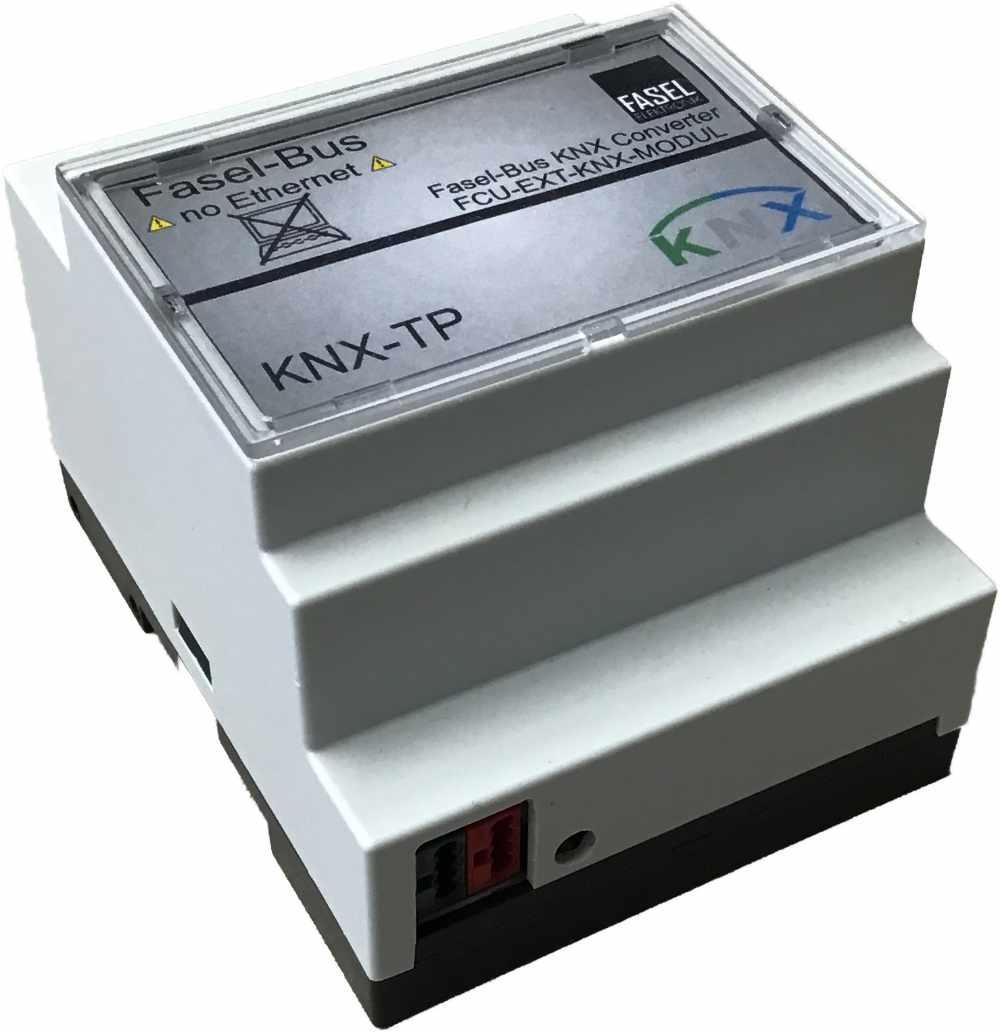
FCU-EXT-KNX-MODUL
 Fasel GmbH Elektronik · Order number FCU-EXT-KNX-MODUL · Gateway › Modul
Download .knxprod FCU-EXT-KNX-MODUL 1.0 · 218 KB
Product
| Manufacturer | Fasel GmbH Elektronik |
|---|---|
| Product name | FCU-EXT-KNX-MODUL |
| Order number | FCU-EXT-KNX-MODUL |
| Hardware | FCU-EXT-KNX-MODUL |
| Medium | Twisted Pair |
| Bus current (mA) | 3 |
| Rail mounted | Yes |
| Registration | Registered · 2021-10-20 |
| Languages | en-US, de-DE |
| Catalog entry | M-026E_H-FCU.2DEXT.2DKNX.2DMODUL-256_HP-FFFF-10-F8EA_CI-FCU.2DEXT.2DKNX.2DMODUL-1 |
| Fingerprint | F8EA |
| SHA-256 | 192363e8b6e05dce5dd1b749ccbaef734538be84c6029d7e89adc05c9a793c79 |
| First seen | 2026-11-25 |
| Markets | 32 markets |
Application program: FCU-EXT-KNX-MODUL 1.0
| Application number | $FFFF |
|---|---|
| Version | 1.0 |
| Mask version | MV-07B0 (System B) |
| KNX Data Secure | No |
| Minimum ETS version | 5.0 |
| Parameters | 60 |
| Group objects | 44 |
Group objects (44)
| No | Name | Function | Size | DPT | Flags |
|---|---|---|---|---|---|
| 1 | Temperature | Setpoint | 2 Bytes | DPT.9 | CW |
| 2 | Temperature | Setpoint State | 2 Bytes | DPT.9 | CRT |
| 3 | Temperature | Value | 2 Bytes | DPT.9 | CRT |
| 4 | Humidity | Setpoint | 2 Bytes | DPT.9 | CW |
| 5 | Humidity | Setpoint State | 2 Bytes | DPT.9 | CRT |
| 6 | Humidity | Value | 2 Bytes | DPT.9 | CRT |
| 7 | IR Max. Value | Setpoint | 2 Bytes | DPT.9 | CW |
| 8 | IR Max. Value | Setpoint State | 2 Bytes | DPT.9 | CRT |
| 9 | Sauna Start | Switch | 1 Bit | DPT.1 | CW |
| 10 | Sauna Start | Switch State | 1 Bit | DPT.1 | CRT |
| 11 | Sauna Mode | Trigger | 1 Bit | DPT.1 | CW |
| 12 | Sauna Mode | Switch State | 1 Bit | DPT.1 | CRT |
| 13 | Sauna & Humidity Mode | Trigger | 1 Bit | DPT.1 | CW |
| 14 | Sauna & Humidity Mode | Switch State | 1 Bit | DPT.1 | CRT |
| 15 | IR Mode | Trigger | 1 Bit | DPT.1 | CW |
| 16 | IR Mode | Switch State | 1 Bit | DPT.1 | CRT |
| 17 | Dryer Mode | Switch State | 1 Bit | DPT.1 | CRT |
| 18 | Main Switch | On/Off | 1 Bit | DPT.1 | CW |
| 19 | Main Switch | Switch State | 1 Bit | DPT.1 | CRT |
| 20 | Cabin Light | On/Off | 1 Bit | DPT.1 | CW |
| 21 | Cabin Light | Switch State | 1 Bit | DPT.1 | CRT |
| 22 | Cabin Light Dimming | Value | 1 Byte | DPT.5 | CW |
| 23 | Cabin Light Dimming | Rel. Value | 4 Bit | DPT.3 | CW |
| 24 | Cabin Light Dimming | Value State | 1 Byte | DPT.5 | CRT |
| 25 | Fan | On/Off | 1 Bit | DPT.1 | CW |
| 26 | Fan | Switch State | 1 Bit | DPT.1 | CRT |
| 27 | Fan Dimming | Value | 1 Byte | DPT.5 | CW |
| 28 | Fan Dimming | Value State | 1 Byte | DPT.5 | CRT |
| 29 | Timer | Setpoint | 3 Bytes | DPT.10 | CW |
| 30 | Timer | Setpoint State | 3 Bytes | DPT.10 | CRT |
| 31 | Time | Time | 3 Bytes | DPT.10 | CWT |
| 32 | Error | State | 1 Bit | DPT.1 | CRT |
| 33 | Error | Message | 14 Bytes | DPT.16 | CRT |
| 34 | Door Watch | State | 1 Bit | DPT.1 | CRT |
| 35 | RGB | On/Off | 1 Bit | DPT.1 | CW |
| 36 | RGB | Switch State | 1 Bit | DPT.1 | CRT |
| 37 | RGB Automatic | On/Off | 1 Bit | DPT.1 | CW |
| 38 | RGB Automatic | Switch State | 1 Bit | DPT.1 | CRT |
| 39 | RGB | Value | 3 Bytes | DPT.232 | CWT |
| 40 | RGB Dimming | Value | 1 Byte | DPT.5 | CW |
| 41 | RGB Dimming | Rel. Value | 4 Bit | DPT.3 | CW |
| 42 | RGB Dimming | Value State | 1 Byte | DPT.5 | CRT |
| 43 | Seat Heater | On/Off | 1 Bit | DPT.1 | CW |
| 44 | Seat Heater | Switch State | 1 Bit | DPT.1 | CRT |
Parameters (40)
| Parameter | Type | Default |
|---|---|---|
| Device Name | text | FCU-EXT-KNX-MODUL |
| PAR_SEND_INDICATION | list | ENABLED |
| PAR_DP_DESC_SIZE_HI | unsignedInt 0…255 | 0 |
| PAR_DP_DESC_SIZE_LO | unsignedInt 0…255 | 0 |
| Sauna Control Type | list | X000 (Sauna) |
| Sauna Start/Stop | list | Not Available |
| Drying Mode Status | list | Not Available |
| Cabin Light | list | Not Available |
| Fan | list | Not Available |
| Time Functions | list | Not Available |
| Message on Error | list | Not Available |
| Door Watch | list | Not Available |
| RGB Functions | list | Not Available |
| Seat Heater | list | Not Available |
| Temperature | unsignedInt 0…255 | 9 |
| Humidity | unsignedInt 0…255 | 9 |
| IR Max. Value | unsignedInt 0…255 | 9 |
| Sauna Start | unsignedInt 0…255 | 1 |
| Sauna Mode | unsignedInt 0…255 | 1 |
| Sauna & Humidity Mode | unsignedInt 0…255 | 1 |
| IR Mode | unsignedInt 0…255 | 1 |
| Dryer Mode | unsignedInt 0…255 | 1 |
| Main Switch | unsignedInt 0…255 | 1 |
| Cabin Light | unsignedInt 0…255 | 1 |
| Cabin Light Dimming | unsignedInt 0…255 | 5 |
| DPT_CABIN_LIGHT_REL_DIM | unsignedInt 0…255 | 3 |
| Fan | unsignedInt 0…255 | 1 |
| Fan Dimming | unsignedInt 0…255 | 5 |
| Timer | unsignedInt 0…255 | 10 |
| Time | unsignedInt 0…255 | 10 |
| DPT_ERROR_STATUS | unsignedInt 0…255 | 1 |
| Error | unsignedInt 0…255 | 16 |
| Door Watch | unsignedInt 0…255 | 1 |
| RGB | unsignedInt 0…255 | 1 |
| RGB Automatic | unsignedInt 0…255 | 1 |
| RGB | unsignedInt 0…255 | 232 |
| RGB Dimming | unsignedInt 0…255 | 5 |
| DPT_RGB_REL_DIM | unsignedInt 0…255 | 3 |
| Seat Heater | unsignedInt 0…255 | 1 |
| PID_HARDWARE_TYPE_PARAMETER | list |
Version history
| Application | App no | Fingerprint | First seen | Size | File |
|---|---|---|---|---|---|
| FCU-EXT-KNX-MODUL 1.0 latest | $FFFF | F8EA | 2026-11-25 | 218 KB | Download |
About this file
This is the official ETS product database for the Fasel GmbH Elektronik FCU-EXT-KNX-MODUL (FCU-EXT-KNX-MODUL), published by the manufacturer in the KNX online catalog. To use it, open ETS, go to Catalogs → Import and choose the downloaded .knxprod file. The device then appears in your catalog and can be added to a project. Older versions are kept so existing projects can be matched to the application program they were commissioned with.