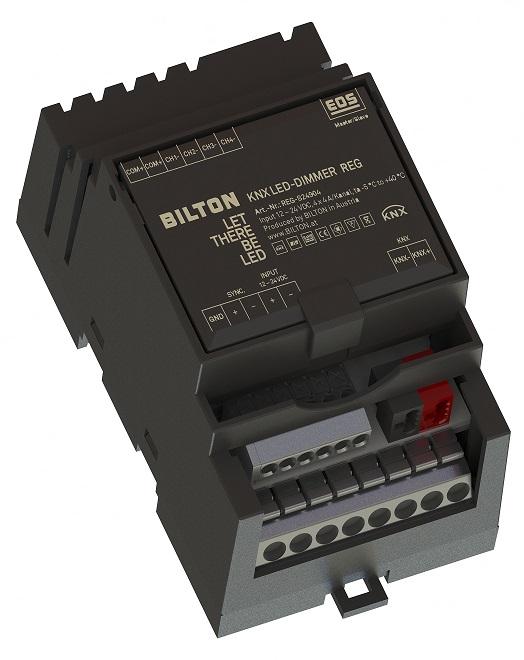
| BILTON LED Dimmer to be programmed | list | BILTON KNX LED-Dimmer REG |
| Count of channels | unsignedInt 1…4 | 4 |
| Output 1 is controlled by | list | Channel 1 = White |
| Output 2 is controlled by | list | Channel 1 = White |
| Output 3 is controlled by | list | Channel 1 = White |
| Output 4 is controlled by | list | Channel 1 = White |
| Output 1 is controlled by | list | Channel 1 = Warm White |
| Output 2 is controlled by | list | Channel 2 = Cold White |
| Output 3 is controlled by | list | Channel 1 = Warm White |
| Output 4 is controlled by | list | Channel 2 = Cold White |
| Output 1 is controlled by | list | Channel 1 = Red |
| Output 2 is controlled by | list | Channel 2 = Green |
| Output 3 is controlled by | list | Channel 3 = Blue |
| Output 4 is controlled by | list | Disabled |
| Output 4 is controlled by | list | Channel 4 = White |
| Enabling of the RGB-Control Function | list | No |
| Lowest possible set value (LPV) | unsignedInt 1…254 | 1 |
| Highest possible set value (HPV) | unsignedInt 2…255 | 255 |
| Note: | list | HPV > LPV |
| Enable of Startup Check | list | Yes |
| Dimming Style by | list | Linear |
| Response of switching state | list | Yes |
| Response of brightness value | list | Yes |
| Minimum change of actual value at dimming before sending | unsignedInt 1…25 | 5 |
| Enable Error Detection | list | No |
| Saving of actual State after 5 min | list | No |
| Switch on with | list | Defined Brightness |
| Set value after reception of switch ON | unsignedInt 0…255 | 20 |
| Delay before leaving OFF-State (0 = no delay) | unsignedInt 0…65535 | 0 |
| Delay before enter in OFF-State (0 = no delay) | unsignedInt 0…65535 | 0 |
| Switch on | list | via Jump |
| Dimming speed for switch ON | unsignedInt 1…65535 | 1 |
| Dimming speed for switch OFF | unsignedInt 1…65535 | 1 |
| Dimming mode selection for absolute set value | list | via Jump |
| Dimming speed absolute via | list | Parameter by ETS |
| Dimming speed absolute | unsignedInt 1…65535 | 10 |
| Dimming speed relative via | list | Parameter by ETS |
| Dimming speed relative | unsignedInt 1…65535 | 10 |
| Relative OFF-Enable | list | No |
| Enable dimming factor correction | list | No |
| Dimming factor correction channel 1 | unsignedInt 1…100 | 100 |
| Dimming factor correction channel 2 | unsignedInt 1…100 | 100 |
| Dimming factor correction channel 3 | unsignedInt 1…100 | 100 |
| Dimming factor correction channel 4 | unsignedInt 1…100 | 100 |
| Bus power up message delay (0 = no delay) | unsignedInt 0…65535 | 100 |
| Bus power up Value Select | list | Last used Color |
| Bus power up set value all channels | unsignedInt 0…255 | 50 |
| Bus power up set value for channel 1 | unsignedInt 0…255 | 20 |
| Bus power up set value for channel 2 | unsignedInt 0…255 | 20 |
| Bus power up set value for channel 3 | unsignedInt 0…255 | 20 |
| Bus power up set value for channel 4 | unsignedInt 0…255 | 20 |
| Bus power down Value Select | list | Last used Color |
| Bus power down set value all channels | unsignedInt 0…255 | 50 |
| Bus power down set value for channel 1 | unsignedInt 0…255 | 20 |
| Bus power down set value for channel 2 | unsignedInt 0…255 | 20 |
| Bus power down set value for channel 3 | unsignedInt 0…255 | 20 |
| Bus power down set value for channel 4 | unsignedInt 0…255 | 20 |
| Enable Scenes | list | No |
| Enable Scene Control | list | No |
| Enable Color Cycle Function | list | No |
| Enable Sequence Control | list | No |
| Enable Blink Control | list | No |
| Scene to Change Parameter | list | Scene 1 |
| Enable Channel 1 | list | No |
| Channel 1 | unsignedInt 0…255 | 0 |
| Enable Channel 2 | list | No |
| Channel 2 | unsignedInt 0…255 | 0 |
| Enable Channel 3 | list | No |
| Channel 3 | unsignedInt 0…255 | 0 |
| Enable Channel 4 | list | No |
| Channel 4 | unsignedInt 0…255 | 0 |
| ---------- Scene 1 --------- | list | ------------------------------------------------------- |
| ---------- Scene 2 --------- | list | ------------------------------------------------------- |
| ---------- Scene 3 --------- | list | ------------------------------------------------------- |
| ---------- Scene 4 --------- | list | ------------------------------------------------------- |
| ---------- Scene 5 --------- | list | ------------------------------------------------------- |
| ---------- Scene 6 --------- | list | ------------------------------------------------------- |
| ---------- Scene 7 --------- | list | ------------------------------------------------------- |
| ---------- Scene 8 --------- | list | ------------------------------------------------------- |
| ---------- Scene 9 --------- | list | ------------------------------------------------------- |
| ---------- Scene 10 --------- | list | ------------------------------------------------------- |
| ---------- Scene 11 --------- | list | ------------------------------------------------------- |
| ---------- Scene 12 --------- | list | ------------------------------------------------------- |
| ---------- Scene 13 --------- | list | ------------------------------------------------------- |
| ---------- Scene 14 --------- | list | ------------------------------------------------------- |
| ---------- Scene 15 --------- | list | ------------------------------------------------------- |
| ---------- Scene 16 --------- | list | ------------------------------------------------------- |
| ---------- Scene 17 --------- | list | ------------------------------------------------------- |
| ---------- Scene 18 --------- | list | ------------------------------------------------------- |
| ---------- Scene 19 --------- | list | ------------------------------------------------------- |
| ---------- Scene 20 --------- | list | ------------------------------------------------------- |
| ---------- Scene 21 --------- | list | ------------------------------------------------------- |
| ---------- Scene 22 --------- | list | ------------------------------------------------------- |
| ---------- Scene 23 --------- | list | ------------------------------------------------------- |
| ---------- Scene 24 --------- | list | ------------------------------------------------------- |
| ---------- Scene 25 --------- | list | ------------------------------------------------------- |
| ---------- Scene 26 --------- | list | ------------------------------------------------------- |
| ---------- Scene 27 --------- | list | ------------------------------------------------------- |
| ---------- Scene 28 --------- | list | ------------------------------------------------------- |
| ---------- Scene 29 --------- | list | ------------------------------------------------------- |
| ---------- Scene 30 --------- | list | ------------------------------------------------------- |
| ---------- Scene 31 --------- | list | ------------------------------------------------------- |
| ---------- Scene 32 --------- | list | ------------------------------------------------------- |
| ---------- Scene 33 --------- | list | ------------------------------------------------------- |
| ---------- Scene 34 --------- | list | ------------------------------------------------------- |
| ---------- Scene 35 --------- | list | ------------------------------------------------------- |
| ---------- Scene 36 --------- | list | ------------------------------------------------------- |
| ---------- Scene 37 --------- | list | ------------------------------------------------------- |
| ---------- Scene 38 --------- | list | ------------------------------------------------------- |
| ---------- Scene 39 --------- | list | ------------------------------------------------------- |
| ---------- Scene 40 --------- | list | ------------------------------------------------------- |
| ---------- Scene 41 --------- | list | ------------------------------------------------------- |
| ---------- Scene 42 --------- | list | ------------------------------------------------------- |
| ---------- Scene 43 --------- | list | ------------------------------------------------------- |
| ---------- Scene 44 --------- | list | ------------------------------------------------------- |
| ---------- Scene 45 --------- | list | ------------------------------------------------------- |
| ---------- Scene 46 --------- | list | ------------------------------------------------------- |
| ---------- Scene 47 --------- | list | ------------------------------------------------------- |
| ---------- Scene 48 --------- | list | ------------------------------------------------------- |
| ---------- Scene 49 --------- | list | ------------------------------------------------------- |
| ---------- Scene 50 --------- | list | ------------------------------------------------------- |
| ---------- Scene 51 --------- | list | ------------------------------------------------------- |
| ---------- Scene 52 --------- | list | ------------------------------------------------------- |
| ---------- Scene 53 --------- | list | ------------------------------------------------------- |
| ---------- Scene 54 --------- | list | ------------------------------------------------------- |
| ---------- Scene 55 --------- | list | ------------------------------------------------------- |
| ---------- Scene 56 --------- | list | ------------------------------------------------------- |
| ---------- Scene 57 --------- | list | ------------------------------------------------------- |
| ---------- Scene 58 --------- | list | ------------------------------------------------------- |
| ---------- Scene 59 --------- | list | ------------------------------------------------------- |
| ---------- Scene 60 --------- | list | ------------------------------------------------------- |
| ---------- Scene 61 --------- | list | ------------------------------------------------------- |
| ---------- Scene 62 --------- | list | ------------------------------------------------------- |
| ---------- Scene 63 --------- | list | ------------------------------------------------------- |
| ---------- Scene 64 --------- | list | ------------------------------------------------------- |
| Color Cycle Dimming Speed by | list | Parameter by ETS |
| Length of Color Cycle for WE | unsignedInt 10…65535 | 10 |
| Length of Color Cycle | unsignedInt 15…65535 | 15 |
| Function of the RGBW Color Cycle | list | Color Cycle RGBW |
| Length of Color Cycle | unsignedInt 20…65535 | 20 |
| Color Cycle Function Description | list | White Emotion Color Cycle |
| Color Cycle Function Description | list | RGB Color Cycle |
| Color Cycle Function Description | list | RGB Color Cycle + White |
| Color Cycle Function Description | list | RGBW Color Cycle |
| Set Value after Color Cycle Stop | list | Actual Color |
| Set Value Channel 1 | unsignedInt 0…255 | 0 |
| Set Value Channel 2 | unsignedInt 0…255 | 0 |
| Set Value Channel 3 | unsignedInt 0…255 | 0 |
| Set Value Channel 4 | unsignedInt 0…255 | 0 |
| Set Value for all Channels | unsignedInt 0…255 | 50 |
| Enable Sequence 1 Control | list | Yes |
| Number of scene in Sequence 1 | unsignedInt 2…16 | 2 |
| Set Value after Sequence Stop | list | Actual Color |
| Enable Sequence 2 Control | list | No |
| Number of scene in Sequence 2 | unsignedInt 2…16 | 2 |
| Enable Sequence 3 Control | list | No |
| Number of scene in Sequence 3 | unsignedInt 2…16 | 2 |
| Enable Sequence 4 Control | list | No |
| Number of scene in Sequence 4 | unsignedInt 2…16 | 2 |
| Enable Sequence 5 Control | list | No |
| Number of scene in Sequence 5 | unsignedInt 2…16 | 2 |
| Time to stay in scene | unsignedInt 0…255 | 0 |
| Time for dimming to next scene | unsignedInt 0…255 | 0 |
| Amount of Blink Counts (0=infinite) | unsignedInt 0…65535 | 0 |
| Blink ON Duration (1. Color) | unsignedInt 1…65535 | 10 |
| Blink OFF Duration (2. Color) | unsignedInt 1…65535 | 10 |
| Channel 1 | unsignedInt 0…255 | 255 |
| Channel 2 | unsignedInt 0…255 | 255 |
| Channel 3 | unsignedInt 0…255 | 255 |
| Channel 4 | unsignedInt 0…255 | 255 |
| 2. Color via | list | Last Color |
| 2. Color Channel 1 | unsignedInt 0…255 | 0 |
| 2. Color Channel 2 | unsignedInt 0…255 | 0 |
| 2. Color Channel 3 | unsignedInt 0…255 | 0 |
| 2. Color Channel 4 | unsignedInt 0…255 | 0 |
| Set Value after BLINK | list | Actual Color |