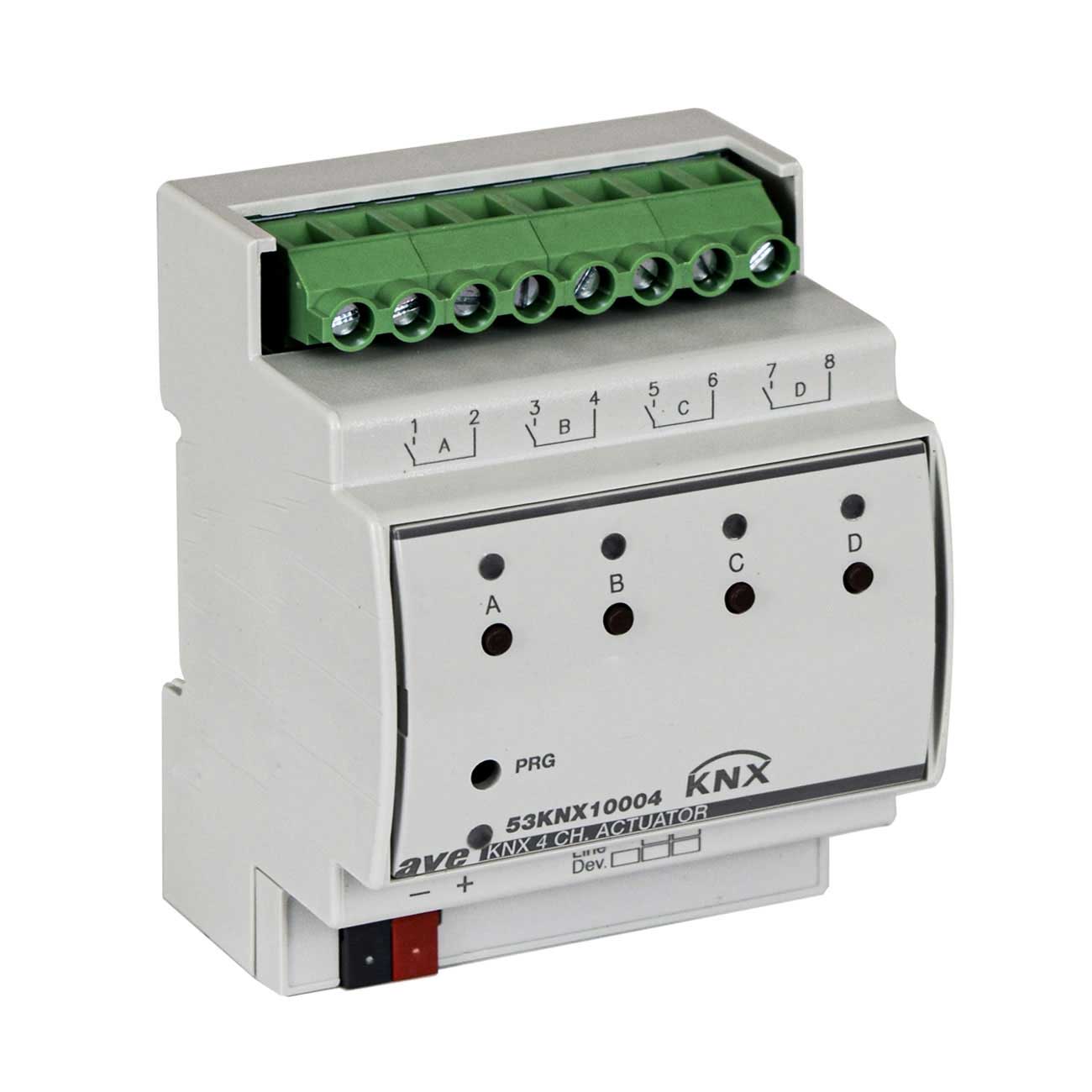
53KNX10004 4 out switch actuator 53KNX10004
 Ave S.p.A. · Order number 53KNX10004 · Output devices
53KNX10004 4 out switch actuator
Download .knxprod Ave. Output ON/OFF 4 ch 4 mod. DIN 0.1 · 84 KB
Product
| Manufacturer | Ave S.p.A. |
|---|---|
| Product name | 53KNX10004 4 out switch actuator |
| Order number | 53KNX10004 |
| Hardware | HW53KNX10004 |
| Medium | Twisted Pair |
| Bus current (mA) | 10 |
| Rail mounted | Yes |
| Width (mm) | 72 |
| Registration | Certified · 2022-10-07 |
| Languages | de-DE, fr-FR, it-IT, en-US |
| Catalog entry | M-01A7_H-53KNX10004-0-O00A0_HP-0004-01-FDFE-O00A0_CI-53KNX10004-1 |
| Fingerprint | FDFE |
| SHA-256 | 67b8cfbf020100c5995dbacfd909dd7fd2e3b67b0df44173587af57f76d8bb72 |
| First seen | 2026-11-25 |
| Markets | 59 markets |
Application program: Ave. Output ON/OFF 4 ch 4 mod. DIN 0.1
| Application number | $0004 |
|---|---|
| Version | 0.1 |
| Mask version | MV-0705 (7.5) |
| KNX Data Secure | No |
| Minimum ETS version | 4.0 |
| Parameters | 204 |
| Group objects | 34 |
Group objects (34)
| No | Name | Function | Size | DPT | Flags |
|---|---|---|---|---|---|
| 0 | Out A | Set on-off | 1 Bit | 1.1 switch | CRW |
| 1 | Out B | Set on-off | 1 Bit | 1.1 switch | CRW |
| 2 | Out C | Set on-off | 1 Bit | 1.1 switch | CRW |
| 3 | Out D | Set on-off | 1 Bit | 1.1 switch | CRW |
| 4 | Out A | On-off status | 1 Bit | 1.1 switch | CRT |
| 5 | Out B | On-off status | 1 Bit | 1.1 switch | CRT |
| 6 | Out C | On-off status | 1 Bit | 1.1 switch | CRT |
| 7 | Out D | On-off status | 1 Bit | 1.1 switch | CRT |
| 8 | Out A | Set scene | 1 Byte | DPT.5 | CRWT |
| 9 | Out B | Set scene | 1 Byte | DPT.5 | CRWT |
| 10 | Out C | Set scene | 1 Byte | DPT.5 | CRWT |
| 11 | Out D | Set scene | 1 Byte | DPT.5 | CRWT |
| 24 | Logic function 1 | Variable | 1 Bit | 1.2 boolean | CRWT |
| 25 | Logic function 2 | Variable | 1 Bit | 1.2 boolean | CRWT |
| 26 | Logic function 3 | Variable | 1 Bit | 1.2 boolean | CRWT |
| 27 | Logic function 4 | Variable | 1 Bit | 1.2 boolean | CRWT |
| 28 | Logic function 5 | Variable | 1 Bit | 1.2 boolean | CRWT |
| 29 | Logic function 6 | Variable | 1 Bit | 1.2 boolean | CRWT |
| 30 | Logic function 7 | Variable | 1 Bit | 1.2 boolean | CRWT |
| 31 | Logic function 8 | Variable | 1 Bit | 1.2 boolean | CRWT |
| 32 | Logic function 9 | Variable | 1 Bit | 1.2 boolean | CRWT |
| 33 | Logic function 10 | Variable | 1 Bit | 1.2 boolean | CRWT |
| 34 | Logic function 11 | Variable | 1 Bit | 1.2 boolean | CRWT |
| 35 | Logic function 12 | Variable | 1 Bit | 1.2 boolean | CRWT |
| 36 | Logic function 13 | Variable | 1 Bit | 1.2 boolean | CRWT |
| 37 | Logic function 14 | Variable | 1 Bit | 1.2 boolean | CRWT |
| 38 | Logic function 15 | Variable | 1 Bit | 1.2 boolean | CRWT |
| 39 | Logic function 16 | Variable | 1 Bit | 1.2 boolean | CRWT |
| 136 | Out A | Set stairs light | 1 Bit | 1.1 switch | CRW |
| 137 | Out B | Set stairs light | 1 Bit | 1.1 switch | CRW |
| 138 | Out C | Set stairs light | 1 Bit | 1.1 switch | CRW |
| 139 | Out D | Set stairs light | 1 Bit | 1.1 switch | CRW |
| 162 | All single outs | Set on-off | 1 Bit | 1.1 switch | CRW |
| 163 | All single stairs lights | Set on-off | 1 Bit | 1.1 switch | CRW |
Parameters (43)
| Parameter | Type | Default |
|---|---|---|
| Time base for stairs light | list | 1 Second |
| Module configuration | list | NUM-ACT04 |
| Contact type | list | Normally open |
| Output condition at startup | list | Always off |
| Time factor for stairs light | unsignedInt 1…255 | 30 |
| Stairs light function | list | No |
| Retriggerable | list | No |
| Enable scenes | list | No |
| Scene 1 number | list | 1 |
| Scene 2 number | list | 2 |
| Scene 3 number | list | 3 |
| Scene 4 number | list | 4 |
| Enable scene 1 storage | list | No |
| Enable scene 2 storage | list | No |
| Enable scene 3 storage | list | No |
| Enable scene 4 storage | list | No |
| Scene 1 value | list | Off |
| Scene 2 number | list | Off |
| Scene 3 value | list | Off |
| Scene 4 value | list | Off |
| Scene 2 value | list | Off |
| All turn off before new scene | list | No |
| Logic functions on single outputs | list | No |
| Channel matched | list | A |
| Logic operator | list | AND |
| Stairs light activation message | list | Active with message 1 |
| EtsDownloadDetect | list | DetectEtsDownload |
| Scene 5 number | list | 5 |
| Scene 6 number | list | 6 |
| Scene 7 number | list | 7 |
| Scene 8 number | list | 8 |
| Scene 5 value | list | Off |
| Enable scene 5 storage | list | No |
| Scene 6 value | list | Off |
| Enable scene 6 storage | list | No |
| Scene 7 value | list | Off |
| Enable scene 7 storage | list | No |
| Scene 8 value | list | Off |
| Enable scene 8 storage | list | No |
| Logic function enable | list | No |
| Enable general commands | list | No |
| Variable value | list | Straight value |
| ParamPID_HW_CHECK | list | PID_HW_CHECK |
Version history
| Application | App no | Fingerprint | First seen | Size | File |
|---|---|---|---|---|---|
| Ave. Output ON/OFF 4 ch 4 mod. DIN 0.1 latest | $0004 | FDFE | 2026-11-25 | 84 KB | Download |
About this file
This is the official ETS product database for the Ave S.p.A. 53KNX10004 4 out switch actuator (53KNX10004), published by the manufacturer in the KNX online catalog. To use it, open ETS, go to Catalogs → Import and choose the downloaded .knxprod file. The device then appears in your catalog and can be added to a project. Older versions are kept so existing projects can be matched to the application program they were commissioned with.
More from Ave S.p.A.
- 53KNX-8OUT 8 out switch actuator - 4 blinds 53KNX-8OUT
- 53KNX10012 12 out switch actuator 53KNX10012
- 53KNX20002 2 out shutter and blind actuator 53KNX20002
- 53KNX20006 6 out shutter and blind actuator 53KNX20006
- 53KNX30004 4 out switch actuator - 2 shutter 53KNX30004
- 53KNX30012 12 out switch actuator - 6 shutter 53KNX30012
- 441KNXMF-BL Room Controller S44 441KNXMF-BL
- 441KNXT2LV Toggle push-buttons 1 mod. S44 441KNXT2LV
- 442KNXMF-GO Room Controller S44 442KNXMF-GO
- 442KNXMF-GOLD Room Controller S44 442KNXMF-GOLD
- 442KNXMF-NAL Room Controller S44 442KNXMF-NAL
- 442KNXMF-VO Room Controller S44 442KNXMF-VO