KNX Database
Albrecht Jung IPS300SREG IP interface – additional function

IP interface – additional function IPS300SREG

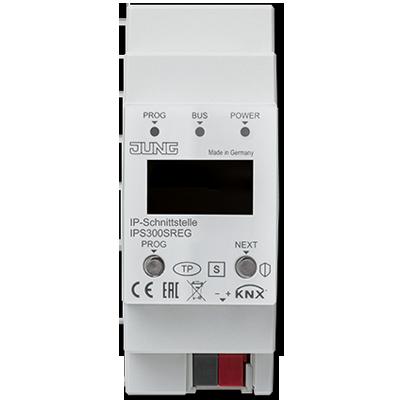
Albrecht Jung · Order number IPS300SREG · KNXnet/IP Interface & Router

IP interface – additional function

Download .knxprod KNX IP interface 1.0 · 120 KB

Product

ManufacturerAlbrecht Jung
Product nameIP interface – additional function
Order numberIPS300SREG
Product textKNX IP Interface
HardwareIPS300
MediumTwisted Pair
Bus current (mA)20
Rail mountedYes
Width (mm)36
Device kindIPEnabled
Languagesde-DE, en-US, es-ES, fr-FR, nl-NL, it-IT, ru-RU, nb-NO, pt-PT, zh-CN
Catalog entryM-0004_H-14h-1-O00A6_HP-0016-10-EBD7-O00A6_CI-IPS300SREG-1
FingerprintEBD7
SHA-256a3e16f66e1467ac96ba0eeec5bac21d5f235c6c875e58dc370a48311a0eac01c
First seen2026-11-25
Markets59 markets

Application program: KNX IP interface (V1.1) 1.0

Application number$0016
Version1.0
Mask versionMV-0021 (2.1)
KNX Data SecureYes
Minimum ETS version5.0
Parameters21
Group objects0
Group objects (0)
NoNameFunctionSizeDPTFlags
Parameters (14)
ParameterTypeDefault
PID_ENX_TUNNELLING_REQUEST_TIMEOUT (204)unsignedInt 10…5010
Slow connection (UDP connections only)listoff
UDP connection timeoutfloat 1…81
Preferred IP for tunnel 1listoff
Preferred IP for tunnel 2listoff
Preferred IP for tunnel 3listoff
Preferred IP for tunnel 4listoff
Preferred IP for tunnel 5listoff
Preferred IP for tunnel 6listoff
Preferred IP for tunnel 7listoff
Preferred IP for tunnel 8listoff
End device IPipAddress192.168.255.255
Enable advanced settingslistoff
Max. telegram rate (only KNX TP)unsignedInt 5…5050

Version history

ApplicationApp noFingerprintFirst seenSizeFile
IP interface – additional function 2.2 latest$0024EA662026-11-25208 KBDownload
KNX IP interface 1.0$0016EBD72026-11-25120 KBDownload

About this file

This is the official ETS product database for the Albrecht Jung IP interface – additional function (IPS300SREG), published by the manufacturer in the KNX online catalog. To use it, open ETS, go to Catalogs → Import and choose the downloaded .knxprod file. The device then appears in your catalog and can be added to a project. Older versions are kept so existing projects can be matched to the application program they were commissioned with.
More from Albrecht Jung

All Albrecht Jung products