| 0 | Rocker 1, 1st object | Switch ON/OFF | 1 Bit | 1.1 switch | CRWTU |
| 0 | Rocker 1, 1st object | Priority | 2 Bit | 2.1 switch control | CRTU |
| 0 | Rocker 1, 1st object | Percentage | 1 Byte | 5.1 percentage (0..100%) | CRT |
| 0 | Rocker 1, 1st object | HVAC operation mode | 1 Byte | 20.102 HVAC mode | CRT |
| 0 | Rocker 1, 1st object | Send value (0..255) | 1 Byte | 5.10 counter pulses (0..255) | CRT |
| 0 | Rocker 1, 1st object | Send temperature value | 2 Bytes | 9.1 temperature (°C) | CRTU |
| 0 | Rocker 1, dimming | Switch ON/OFF | 1 Bit | 1.1 switch | CRWTU |
| 0 | Rocker 1, blinds | Step / Stop | 1 Bit | 1.7 step | CRTU |
| 0 | Rocker 1, scene number | Recall / Save light scene | 1 Byte | 18.1 scene control | CRTU |
| 0 | Rocker 1, left key dimming | Switch ON/OFF | 1 Bit | 1.1 switch | CRWTU |
| 0 | Rocker 1, left key blinds | Step / Stop | 1 Bit | 1.7 step | CRTU |
| 0 | Rocker 1, left key sequencer | 1 byte value | 1 Byte | 5.10 counter pulses (0..255) | CRTU |
| 0 | Rocker 1, left key toggle | Switch ON/OFF | 1 Bit | 1.1 switch | CRWTU |
| 1 | Rocker 1, 2nd object | Switch ON/OFF | 1 Bit | 1.1 switch | CRWTU |
| 1 | Rocker 1, 2nd object | Priority | 2 Bit | 2.1 switch control | CRTU |
| 1 | Rocker 1, 2nd object | Percentage | 1 Byte | 5.1 percentage (0..100%) | CRT |
| 1 | Rocker 1, 2nd object | HVAC operation mode | 1 Byte | 20.102 HVAC mode | CRT |
| 1 | Rocker 1, 2nd object | Send value (0..255) | 1 Byte | 5.10 counter pulses (0..255) | CRT |
| 1 | Rocker 1, 2nd object | Send temperature value | 2 Bytes | 9.1 temperature (°C) | CRTU |
| 1 | Rocker 1, dimming | Lighter / Darker | 4 Bit | 3.7 dimming control | CRTU |
| 1 | Rocker 1, blinds | Up / Down | 1 Bit | 1.8 up/down | CRWTU |
| 1 | Rocker 1, scene last opperation | 1=Left side, 0=Right side | 1 Bit | 1.2 boolean | CRTU |
| 1 | Rocker 1, left key dimming | Lighter / Darker | 4 Bit | 3.7 dimming control | CRTU |
| 1 | Rocker 1, left key blinds | Up / Down | 1 Bit | 1.8 up/down | CRWTU |
| 1 | Rocker 1, left key sequencer | 1 bit | 1 Bit | 1.1 switch | CRTU |
| 2 | Rocker 1, left led | Status LED | 1 Bit | 1.1 switch | CRW |
| 3 | Rocker 1, right key dimming | Switch ON/OFF | 1 Bit | 1.1 switch | CRWTU |
| 3 | Rocker 1, right key blinds | Step / Stop | 1 Bit | 1.7 step | CRTU |
| 3 | Rocker 1, right key toggle | Switch ON/OFF | 1 Bit | 1.1 switch | CRWTU |
| 4 | Rocker 1, right key dimming | Lighter / Darker | 4 Bit | 3.7 dimming control | CRTU |
| 4 | Rocker 1, right key blinds | Up / Down | 1 Bit | 1.8 up/down | CRWTU |
| 5 | Rocker 1, right led | Status LED | 1 Bit | 1.1 switch | CRW |
| 6 | Rocker 2, 1st object | Switch ON/OFF | 1 Bit | 1.1 switch | CRWTU |
| 6 | Rocker 2, 1st object | Priority | 2 Bit | 2.1 switch control | CRTU |
| 6 | Rocker 2, 1st object | Percentage | 1 Byte | 5.1 percentage (0..100%) | CRT |
| 6 | Rocker 2, 1st object | HVAC operation mode | 1 Byte | 20.102 HVAC mode | CRT |
| 6 | Rocker 2, 1st object | Send value (0..255) | 1 Byte | 5.10 counter pulses (0..255) | CRT |
| 6 | Rocker 2, 1st object | Send temperature value | 2 Bytes | 9.1 temperature (°C) | CRTU |
| 6 | Rocker 2, dimming | Switch ON/OFF | 1 Bit | 1.1 switch | CRWTU |
| 6 | Rocker 2, blinds | Step / Stop | 1 Bit | 1.7 step | CRTU |
| 6 | Rocker 2, scene number | Recall / Save light scene | 1 Byte | 18.1 scene control | CRTU |
| 6 | Rocker 2, left key dimming | Switch ON/OFF | 1 Bit | 1.1 switch | CRWTU |
| 6 | Rocker 2, left key blinds | Step / Stop | 1 Bit | 1.7 step | CRTU |
| 6 | Rocker 2, left key sequencer | 1 byte value | 1 Byte | 5.10 counter pulses (0..255) | CRTU |
| 6 | Rocker 2, left key toggle | Switch ON/OFF | 1 Bit | 1.1 switch | CRWTU |
| 7 | Rocker 2, 2nd object | Switch ON/OFF | 1 Bit | 1.1 switch | CRWTU |
| 7 | Rocker 2, 2nd object | Priority | 2 Bit | 2.1 switch control | CRTU |
| 7 | Rocker 2, 2nd object | Percentage | 1 Byte | 5.1 percentage (0..100%) | CRT |
| 7 | Rocker 2, 2nd object | HVAC operation mode | 1 Byte | 20.102 HVAC mode | CRT |
| 7 | Rocker 2, 2nd object | Send value (0..255) | 1 Byte | 5.10 counter pulses (0..255) | CRT |
| 7 | Rocker 2, 2nd object | Send temperature value | 2 Bytes | 9.1 temperature (°C) | CRTU |
| 7 | Rocker 2, dimming | Lighter / Darker | 4 Bit | 3.7 dimming control | CRTU |
| 7 | Rocker 2, blinds | Up / Down | 1 Bit | 1.8 up/down | CRWTU |
| 7 | Rocker 2, scene last opperation | 1=Left side, 0=Right side | 1 Bit | 1.2 boolean | CRTU |
| 7 | Rocker 2, left key dimming | Lighter / Darker | 4 Bit | 3.7 dimming control | CRTU |
| 7 | Rocker 2, left key blinds | Up / Down | 1 Bit | 1.8 up/down | CRWTU |
| 7 | Rocker 2, left key sequencer | 1 bit | 1 Bit | 1.1 switch | CRTU |
| 8 | Rocker 2, left led | Status LED | 1 Bit | 1.1 switch | CRW |
| 9 | Rocker 2, right key dimming | Switch ON/OFF | 1 Bit | 1.1 switch | CRWTU |
| 9 | Rocker 2, right key blinds | Step / Stop | 1 Bit | 1.7 step | CRTU |
| 9 | Rocker 2, right key toggle | Switch ON/OFF | 1 Bit | 1.1 switch | CRWTU |
| 10 | Rocker 2, right key dimming | Lighter / Darker | 4 Bit | 3.7 dimming control | CRTU |
| 10 | Rocker 2, right key blinds | Up / Down | 1 Bit | 1.8 up/down | CRWTU |
| 11 | Rocker 2, right led | Status LED | 1 Bit | 1.1 switch | CRW |
| 12 | Rocker 3, 1st object | Switch ON/OFF | 1 Bit | 1.1 switch | CRWTU |
| 12 | Rocker 3, 1st object | Priority | 2 Bit | 2.1 switch control | CRTU |
| 12 | Rocker 3, 1st object | Percentage | 1 Byte | 5.1 percentage (0..100%) | CRT |
| 12 | Rocker 3, 1st object | HVAC operation mode | 1 Byte | 20.102 HVAC mode | CRT |
| 12 | Rocker 3, 1st object | Send value (0..255) | 1 Byte | 5.10 counter pulses (0..255) | CRT |
| 12 | Rocker 3, 1st object | Send temperature value | 2 Bytes | 9.1 temperature (°C) | CRTU |
| 12 | Rocker 3, dimming | Switch ON/OFF | 1 Bit | 1.1 switch | CRWTU |
| 12 | Rocker 3, blinds | Step / Stop | 1 Bit | 1.7 step | CRTU |
| 12 | Rocker 3, scene number | Recall / Save light scene | 1 Byte | 18.1 scene control | CRTU |
| 12 | Rocker 3, left key dimming | Switch ON/OFF | 1 Bit | 1.1 switch | CRWTU |
| 12 | Rocker 3, left key blinds | Step / Stop | 1 Bit | 1.7 step | CRTU |
| 12 | Rocker 3, left key sequencer | 1 byte value | 1 Byte | 5.10 counter pulses (0..255) | CRTU |
| 12 | Rocker 3, left key toggle | Switch ON/OFF | 1 Bit | 1.1 switch | CRWTU |
| 13 | Rocker 3, 2nd object | Switch ON/OFF | 1 Bit | 1.1 switch | CRWTU |
| 13 | Rocker 3, 2nd object | Priority | 2 Bit | 2.1 switch control | CRTU |
| 13 | Rocker 3, 2nd object | Percentage | 1 Byte | 5.1 percentage (0..100%) | CRT |
| 13 | Rocker 3, 2nd object | HVAC operation mode | 1 Byte | 20.102 HVAC mode | CRT |
| 13 | Rocker 3, 2nd object | Send value (0..255) | 1 Byte | 5.10 counter pulses (0..255) | CRT |
| 13 | Rocker 3, 2nd object | Send temperature value | 2 Bytes | 9.1 temperature (°C) | CRTU |
| 13 | Rocker 3, dimming | Lighter / Darker | 4 Bit | 3.7 dimming control | CRTU |
| 13 | Rocker 3, blinds | Up / Down | 1 Bit | 1.8 up/down | CRWTU |
| 13 | Rocker 3, scene last opperation | 1=Left side, 0=Right side | 1 Bit | 1.2 boolean | CRTU |
| 13 | Rocker 3, left key dimming | Lighter / Darker | 4 Bit | 3.7 dimming control | CRTU |
| 13 | Rocker 3, left key blinds | Up / Down | 1 Bit | 1.8 up/down | CRWTU |
| 13 | Rocker 3, left key sequencer | 1 bit | 1 Bit | 1.1 switch | CRTU |
| 14 | Rocker 3, left led | Status LED | 1 Bit | 1.1 switch | CRW |
| 15 | Rocker 3, right key dimming | Switch ON/OFF | 1 Bit | 1.1 switch | CRWTU |
| 15 | Rocker 3, right key blinds | Step / Stop | 1 Bit | 1.7 step | CRTU |
| 15 | Rocker 3, right key toggle | Switch ON/OFF | 1 Bit | 1.1 switch | CRWTU |
| 16 | Rocker 3, right key dimming | Lighter / Darker | 4 Bit | 3.7 dimming control | CRTU |
| 16 | Rocker 3, right key blinds | Up / Down | 1 Bit | 1.8 up/down | CRWTU |
| 17 | Rocker 3, right led | Status LED | 1 Bit | 1.1 switch | CRW |
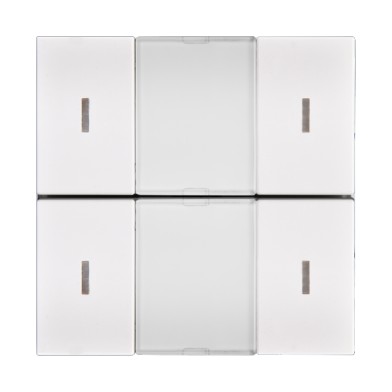
 Panasonic · Order number WRKT6002XXX / WRKT6000XXX · Push Buttons › Standart Series