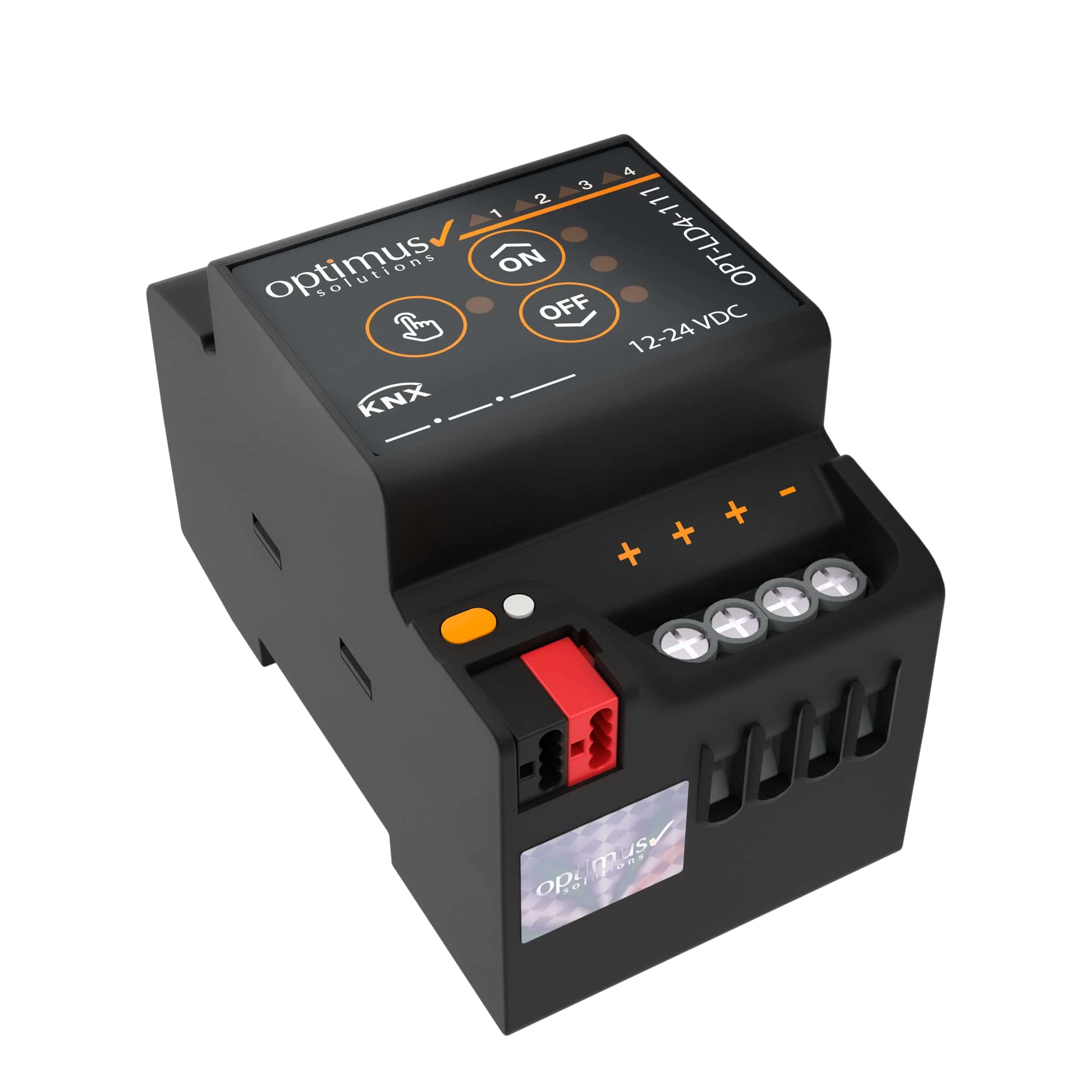
OPT-LD4-111 PWM LED Driver / 4-Channel OPT-LD4-111
 Optimus · Order number OPT-LD4-111 · Illumination › LED Lighting
Led Driver, Constant Voltage, 12-24V, MDRC, 4 Channel
Download .knxprod LED Dim, RGB, TW, v1.0 0.1 · 279 KB
Product
| Manufacturer | Optimus |
|---|---|
| Product name | OPT-LD4-111 PWM LED Driver / 4-Channel |
| Order number | OPT-LD4-111 |
| Hardware | OPT-LD4-111 |
| Medium | Twisted Pair |
| Bus current (mA) | 10 |
| Rail mounted | Yes |
| Width (mm) | 55 |
| Registration | Certified · 2023-09-12 |
| Languages | tr-TR, en-US |
| Catalog entry | M-0234_H-0004-1_HP-0014-01-E39D_CI-OPT.2DLD4.2D111-1 |
| Fingerprint | E39D |
| SHA-256 | d1722a1112a3b99f93c799c053f89f2d92c4a9c435eb9c24abd309619e19197f |
| First seen | 2026-11-25 |
| Markets | 69 markets |
Application program: LED Dim, RGB, TW, v1.0 0.1
| Application number | $0014 |
|---|---|
| Version | 0.1 |
| Mask version | MV-0705 (7.5) |
| KNX Data Secure | No |
| Minimum ETS version | 5.0 |
| Parameters | 130 |
| Group objects | 51 |
Group objects (51)
| No | Name | Function | Size | DPT | Flags |
|---|---|---|---|---|---|
| 0 | Channel - {{Arg_Channel_Number}} | Switch On / Off | 1 Bit | 1.1 switch | CW |
| 0 | Channel - {{Arg_Channel_Number}} | Overload Alarm | 1 Bit | 1.5 alarm | CT |
| 0 | Channel - {{Arg_ComObject_Channel_1_Text}} | Overload Alarm | 1 Bit | 1.5 alarm | CT |
| 0 | Channel - R | Switch On / Off | 1 Bit | 1.1 switch | CW |
| 0 | Channel - R | Overload Alarm | 1 Bit | 1.5 alarm | CT |
| 0 | Channel - 1 | Overload Alarm | 1 Bit | 1.5 alarm | CT |
| 1 | General | Manual Operation Status | 1 Bit | 1.11 state | CRT |
| 1 | Channel - {{Arg_Channel_Number}} | Switch Status | 1 Bit | 1.11 state | CRT |
| 1 | Channel - {{Arg_Channel_Number}} | Load Detection Warning | 1 Bit | 1.5 alarm | CT |
| 1 | Channel - {{Arg_ComObject_Channel_1_Text}} | Load Detection Warning | 1 Bit | 1.5 alarm | CT |
| 1 | Channel - R | Switch Status | 1 Bit | 1.11 state | CRT |
| 1 | Channel - R | Load Detection Warning | 1 Bit | 1.5 alarm | CT |
| 1 | Channel - 1 | Load Detection Warning | 1 Bit | 1.5 alarm | CT |
| 2 | General | Stop Manual Operation | 1 Bit | 1.1 switch | CW |
| 2 | Channel - {{Arg_Channel_Number}} | Relative Dimming | 4 Bit | 3.7 dimming control | CW |
| 2 | Channel - {{Arg_ComObject_Channel_2_Text}} | Overload Alarm | 1 Bit | 1.5 alarm | CT |
| 2 | Channel - R | Relative Dimming | 4 Bit | 3.7 dimming control | CW |
| 2 | Channel - G | Overload Alarm | 1 Bit | 1.5 alarm | CT |
| 2 | Channel - 2 | Overload Alarm | 1 Bit | 1.5 alarm | CT |
| 3 | General | Supply Voltage Fail | 1 Bit | 1.1 switch | CRT |
| 3 | Channel - {{Arg_Channel_Number}} | Set Value | 1 Byte | 5.1 percentage (0..100%) | CW |
| 3 | Channel - {{Arg_ComObject_Channel_2_Text}} | Load Detection Warning | 1 Bit | 1.5 alarm | CT |
| 3 | Channel - R | Set Value | 1 Byte | 5.1 percentage (0..100%) | CW |
| 3 | Channel - G | Load Detection Warning | 1 Bit | 1.5 alarm | CT |
| 3 | Channel - 2 | Load Detection Warning | 1 Bit | 1.5 alarm | CT |
| 3 | Channel - {{Arg_Channel_Number}} | Value Set | 1 Byte | 5.1 percentage (0..100%) | CW |
| 4 | Channel - {{Arg_Channel_Number}} | Value Status | 1 Byte | 5.1 percentage (0..100%) | CRT |
| 4 | Channel - R | Value Status | 1 Byte | 5.1 percentage (0..100%) | CRT |
| 4 | Channel - B | Overload Alarm | 1 Bit | 1.5 alarm | CT |
| 4 | Channel - 3 | Overload Alarm | 1 Bit | 1.5 alarm | CT |
| 5 | Channel - G | Switch On / Off | 1 Bit | 1.1 switch | CW |
| 5 | Channel - B | Load Detection Warning | 1 Bit | 1.5 alarm | CT |
| 5 | Channel - 3 | Load Detection Warning | 1 Bit | 1.5 alarm | CT |
| 5 | Channel - {{Arg_Channel_Number}} | Set Colour Temperature | 1 Byte | 5.1 percentage (0..100%) | CW |
| 6 | Channel - G | Switch Status | 1 Bit | 1.11 state | CRT |
| 6 | Channel - 4 | Overload Alarm | 1 Bit | 1.5 alarm | CT |
| 6 | Channel - {{Arg_Channel_Number}} | Set Colour Temperature | 2 Bytes | 7.600 absolute colour temperature (K) | CW |
| 7 | Channel - G | Relative Dimming | 4 Bit | 3.7 dimming control | CW |
| 7 | Channel - 4 | Load Detection Warning | 1 Bit | 1.5 alarm | CT |
| 7 | Channel - {{Arg_Channel_Number}} | Dim Colour Temperature | 4 Bit | 3.7 dimming control | CW |
| 8 | Channel - G | Set Value | 1 Byte | 5.1 percentage (0..100%) | CW |
| 8 | Channel - {{Arg_Channel_Number}} | Colour Temperature Status | 2 Bytes | 7.600 absolute colour temperature (K) | CRT |
| 9 | Channel - G | Value Status | 1 Byte | 5.1 percentage (0..100%) | CRT |
| 10 | Channel - B | Switch On / Off | 1 Bit | 1.1 switch | CW |
| 11 | Channel - B | Switch Status | 1 Bit | 1.11 state | CRT |
| 12 | Channel - B | Relative Dimming | 4 Bit | 3.7 dimming control | CWT |
| 13 | Channel - B | Set Value | 1 Byte | 5.1 percentage (0..100%) | CW |
| 14 | Channel - B | Value Status | 1 Byte | 5.1 percentage (0..100%) | CRT |
| 20 | Channel - RGB | RGB Switch On / Off | 1 Bit | 1.1 switch | CW |
| 21 | Channel - RGB | RGB Set Value | 3 Bytes | 232.600 RGB value 3x(0..255) | CW |
| 22 | Channel - RGB | RGB Value Status | 3 Bytes | 232.600 RGB value 3x(0..255) | CRT |
Parameters (44)
| Parameter | Type | Default |
|---|---|---|
| Start Up Delay | list | 2 |
| Output Allocation | list | 4 Channel |
| PWM Frequency | list | 600 |
| Wiring Diagram | picture | |
| Tunable White Capability | unsignedInt 0…1 | 0 |
| Value | unsignedInt 1…255 | 1 |
| Minimum Dimming Value | unsignedInt 0…254 | 0 |
| Tunnable_White_Min | unsignedInt 1000…10000 | 1000 |
| Maximum Dimming Value | unsignedInt 1…255 | 255 |
| Min Change Value to Send Status | unsignedInt 0…100 | 1 |
| Status Sending Period (for Each Channel) | unsignedInt 2…255 | 2 |
| Allow Manual Operation | list | Enable |
| Manual Operation Timeout | list | Never |
| Load Test at Start Up | list | Enable |
| Switch On Value | list | Last Value |
| Loading Style | list | Logarithmic |
| Dim Characteristic | list | via Dimming |
| Min to Max Dimming Speed | unsignedInt 1…15 | 1 |
| Value | unsignedInt 1…255 | 255 |
| Action When Power Recovery | list | Last Value |
| Value | unsignedInt 0…255 | 255 |
| Value Red | list | Last Value |
| Value Red | unsignedInt 1…255 | 255 |
| Dummy2 | unsignedInt 1…254 | 1 |
| Value Green | list | Last Value |
| Value Green | unsignedInt 1…255 | 255 |
| Dummy1 | unsignedInt 1…254 | 1 |
| Value Blue | list | Last Value |
| Value Blue | unsignedInt 1…255 | 255 |
| Value Blue | unsignedInt 0…255 | 255 |
| Value Red | unsignedInt 0…255 | 255 |
| Value Green | unsignedInt 0…255 | 255 |
| Brightness Value | unsignedInt 1…255 | 255 |
| Warm White Colour Temperature | unsignedInt 1000…3650 | 2000 |
| Cold White Colour Temperature | unsignedInt 5550…10000 | 6000 |
| Min Colour Temperature | unsignedInt 1000…3650 | 3650 |
| Max Colour Temperature | unsignedInt 5550…10000 | 5550 |
| Colour Temperature Value | unsignedInt 1000…10000 | 4000 |
| Brightness Value | unsignedInt 0…255 | 255 |
| Minimum Colour Temperature | unsignedInt 1000…10000 | 2000 |
| Maximum Colour Temperature | unsignedInt 1000…10000 | 6000 |
| Dummy | unsignedInt 0…254 | 0 |
| Dummy2 | unsignedInt 0…254 | 0 |
| Additional 1-Byte Colour Temperature Object | unsignedInt 0…1 | 0 |
Version history
| Application | App no | Fingerprint | First seen | Size | File |
|---|---|---|---|---|---|
| LED Dim, RGB, TW, v1.0 0.1 latest | $0014 | E39D | 2026-11-25 | 279 KB | Download |
About this file
This is the official ETS product database for the Optimus OPT-LD4-111 PWM LED Driver / 4-Channel (OPT-LD4-111), published by the manufacturer in the KNX online catalog. To use it, open ETS, go to Catalogs → Import and choose the downloaded .knxprod file. The device then appears in your catalog and can be added to a project. Older versions are kept so existing projects can be matched to the application program they were commissioned with.
More from Optimus
- OPT-ACG-131 Samsung NASA AC Gateway v2 OPT-ACG-131
- OPT-ACG-1xy AC Gateway OPT-ACG-1xy
- OPT-CAxx-211 Combo Actuator / Multi-Channel OPT-CAxx-211
- OPT-DI04-121 Binary Input 230V / 4-Channel OPT-DI04-121
- OPT-DI06-111 Binary Input / 6-Channel OPT-DI06-111
- OPT-DI08-121 Binary Input 230V / 8-Channel OPT-DI08-121
- OPT-DI12-111 Binary Input / 12-Channel OPT-DI12-111
- OPT-IPR-121 KNX IP Router Secure OPT-IPR-121
- OPT-LC-111 KNX TP Line Coupler OPT-LC-111
- OPT-LC-121 KNX Line Coupler Secure OPT-LC-121
- OPT-LM-111 Logic Module OPT-LM-111
- OPT-MBG-11x KNX Modbus Master Gateway OPT-MBG-11x