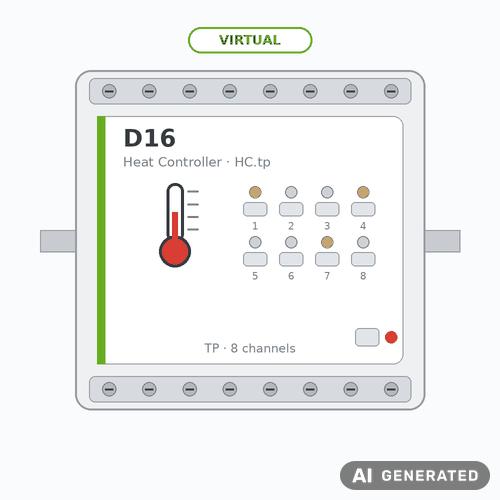
Heat Controller (D16) HC.tp
 KNX Association · Order number HC.tp · KNX Virtual › Twisted Pair
Heat Controller
Download .knxprod Heat Controller 1.0 · 119 KB
Product
| Manufacturer | KNX Association |
|---|---|
| Product name | Heat Controller (D16) |
| Order number | HC.tp |
| Product text | HC.tp |
| Hardware | D16 |
| Medium | Twisted Pair |
| Bus current (mA) | 10 |
| Rail mounted | No |
| Registration | Registered · 2022-03-17 |
| Languages | en-US, cs-CZ, da-DK, de-DE, el-GR, es-ES, fi-FI, fr-FR, it-IT, ja-JP, nb-NO, nl-NL, pl-PL, pt-PT, ru-RU, sv-SE, tr-TR, zh-CN, uk-UA |
| Catalog entry | M-00FA_H-00FA00251600-1_HP-2516-10-5276_CI-HC.2Etp-1 |
| Fingerprint | 5276 |
| SHA-256 | 17e5c6a7298d8b0335cd89274bb2c5b2699b02269f0573d8a7ae4ff3dcd7d94f |
| First seen | 2026-11-25 |
| Markets | 69 markets |
Application program: Heat Controller 1.0
| Application number | $2516 |
|---|---|
| Version | 1.0 |
| Mask version | MV-07B0 (System B) |
| KNX Data Secure | No |
| Minimum ETS version | 6.0 |
| Parameters | 2 |
| Group objects | 10 |
Group objects (10)
| No | Name | Function | Size | DPT | Flags |
|---|---|---|---|---|---|
| 0 | CH-{{argCH}} - Temperature Room | 2 Bytes | 9.1 temperature (°C) | CW | |
| 1 | CH-{{argCH}} - Heat/Cool Status | 1 Bit | 1.100 cooling/heating | CW | |
| 2 | CH-{{argCH}} - HVAC Mode - Effective | 1 Byte | 20.102 HVAC mode | CW | |
| 3 | CH-{{argCH}} - Temperature Room Setpoint Heat - Effective | 2 Bytes | 9.1 temperature (°C) | CW | |
| 4 | CH-{{argCH}} - Temperature Room Setpoint Cool - Effective | 2 Bytes | 9.1 temperature (°C) | CW | |
| 5 | CH-{{argCH}} - Heat/Cool Mode - Actual | 1 Bit | 1.100 cooling/heating | CT | |
| 6 | CH-{{argCH}} - HVAC Mode - Actual | 1 Byte | 20.102 HVAC mode | CT | |
| 7 | CH-{{argCH}} - Temperature Room Setpoint - Actual | 2 Bytes | 9.1 temperature (°C) | CT | |
| 8 | CH-{{argCH}} - Target Position Heat Valve | 1 Byte | 5.1 percentage (0..100%) | CT | |
| 9 | CH-{{argCH}} - Target Position Cool Valve | 1 Byte | 5.1 percentage (0..100%) | CT |
Parameters (2)
| Parameter | Type | Default |
|---|---|---|
| Parameter1 | list | only heating |
| Function : | list | no function |
Version history
| Application | App no | Fingerprint | First seen | Size | File |
|---|---|---|---|---|---|
| Heat Controller 1.0 latest | $2516 | 5276 | 2026-11-25 | 119 KB | Download |
About this file
This is the official ETS product database for the KNX Association Heat Controller (D16) (HC.tp), published by the manufacturer in the KNX online catalog. To use it, open ETS, go to Catalogs → Import and choose the downloaded .knxprod file. The device then appears in your catalog and can be added to a project. Older versions are kept so existing projects can be matched to the application program they were commissioned with.
More from KNX Association
- IoT Demo Sensor/Actuator 5WG1-LSxB
- Alarm Control (D9) AM.tp
- Binary Input Module (D11) BI.tp
- Secure Switching Actuator (D25) BO.ip
- Secure Switching Actuator (D3) BO.tp
- Blinds/Shutter Actuator (D2) BS.tp
- Secure IP/TP Coupler (D19) cIP
- Secure TP/RF Coupler (D18) cRF
- Secure TP/TP Coupler (D5) cTP
- Dimming Actuator (D0) DA.tp
- Heat Exchanger (D17) HE.tp
- Secure Push Button KliX (D4) KX.tp