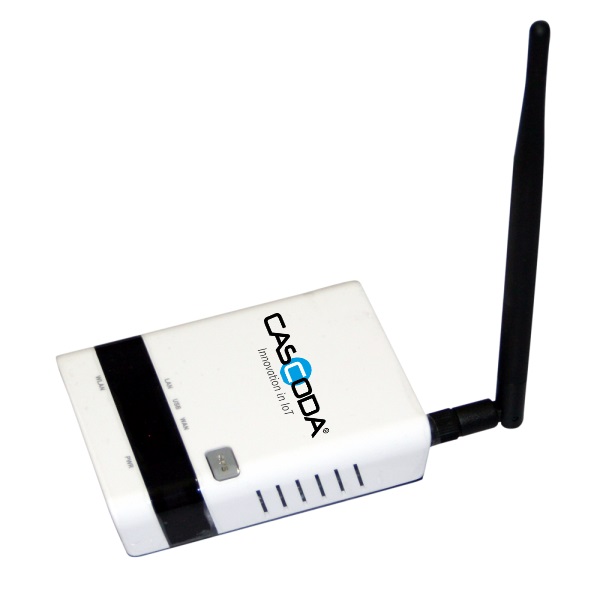
MQTT Proxy 0008
 CASCODA · Order number 0008 · MQTT Proxy
Download .knxprod MQTT Proxy 0.1 · 113 KB
Product
| Manufacturer | CASCODA |
|---|---|
| Product name | MQTT Proxy |
| Order number | 0008 |
| Hardware | MQTTProxy |
| Medium | KNX IoT |
| Rail mounted | No |
| Registration | Certified · 2024-07-16 |
| Languages | en-US |
| Catalog entry | M-029B_H-iot8-1_HP-0008-01-026C_CI-0008-1 |
| Fingerprint | 026C |
| SHA-256 | f218b8b6fa4f6aa683783256416b6da5a089c4f1cda65f79072c500d48e68caf |
| First seen | 2026-11-25 |
| Markets | 35 markets |
Application program: MQTT Proxy 0.1
| Application number | $0008 |
|---|---|
| Version | 0.1 |
| Mask version | MV-6800 (IoT Point API) |
| KNX Data Secure | Yes |
| Minimum ETS version | 6.0 |
| Parameters | 16 |
| Group objects | 7 |
Group objects (7)
| No | Name | Function | Size | DPT | Flags |
|---|---|---|---|---|---|
| 1 | Room Temperature | Temperature [C] | 2 Bytes | 9.1 temperature (°C) | CRWU |
| 2 | Humidity | Relative Humidity [%] | 2 Bytes | 9.7 humidity (%) | CRWU |
| 3 | CO2 | CO2 Air Quality [ppm] | 2 Bytes | 9.8 parts/million (ppm) | CRWU |
| 4 | Air pressure | Atmospheric Pressure [Pa] | 2 Bytes | 9.6 pressure (Pa) | CRWU |
| 5 | Battery Information | Battery status [%] | 2 Bytes | 246.600 Battery Information | CRWU |
| 6 | Air polution | VOC index | 2 Bytes | CRWU | |
| 7 | On/Off | Switching | 1 Bit | 1.1 switch | CRWU |
Parameters (16)
| Parameter | Type | Default |
|---|---|---|
| IID name | text | my installation name |
| MQTT hostname | text | localhost |
| MQTT port number | signedInt 50…30000 | 8883 |
| MQTT username | text | TestUser |
| MQTT password | text | ca5c0da |
| IA name 1 | text | 0/0/1 my device name 1 |
| IA name 2 | text | 0/0/2 my device name 2 |
| IA name 3 | text | 0/0/3 my device name 3 |
| IA name 4 | text | 0/0/4 my device name 4 |
| IA name 5 | text | 0/0/5 my device name 5 |
| IA name 6 | text | 0/0/6 my device name 6 |
| IA name 7 | text | 0/0/7 my device name 7 |
| IA name 8 | text | 0/0/8 my device name 8 |
| IA name 9 | text | 0/0/9 my device name 9 |
| IA name 10 | text | 0/0/10 my device name 10 |
| Nr Individual Address to Name mappings | list | 0 |
Version history
| Application | App no | Fingerprint | First seen | Size | File |
|---|---|---|---|---|---|
| MQTT Proxy 0.1 latest | $0008 | 026C | 2026-11-25 | 113 KB | Download |
About this file
This is the official ETS product database for the CASCODA MQTT Proxy (0008), published by the manufacturer in the KNX online catalog. To use it, open ETS, go to Catalogs → Import and choose the downloaded .knxprod file. The device then appears in your catalog and can be added to a project. Older versions are kept so existing projects can be matched to the application program they were commissioned with.
More from CASCODA
- EnvironmentSensor 0004
- KNX IoT Router 0006
- Mesh Extender 0009
- PresenceSensor 0010
- KeyPad 0015
- KeyPadth 0018
- WindowDoorSensor 0020